
1. Introduction
This manual provides essential information for the setup, operation, and maintenance of your E GATE Phantom 630DW 5.1 Channel Soundbar System. Please read it thoroughly before using the product to ensure proper functionality and to maximize your audio experience.

Image 1.1: The E GATE Phantom 630DW 5.1 Channel Soundbar System in a living room setup.
2. What's in the Box
Carefully unpack your E GATE Phantom 630DW system and ensure all items are present:
- Soundbar Unit
- Wireless Subwoofer
- 2 Satellite Speakers
- Remote Control
- Power Adaptor
- Power Cable
- User Manual

Image 2.1: Overview of the E GATE Phantom 630DW components.
3. Product Overview
The E GATE Phantom 630DW is a 5.1 channel soundbar system designed to enhance your home audio experience. It features a main soundbar unit, a wireless subwoofer, and two satellite speakers for immersive surround sound.
3.1 Soundbar
The soundbar houses multiple drivers to deliver clear mid-range and high-frequency audio. It includes control buttons and various input ports.

Image 3.1: Soundbar control panel.
3.2 Wireless Subwoofer
The 6.5-inch wireless subwoofer provides deep, impactful bass, connecting wirelessly to the soundbar for flexible placement.

Image 3.2: Wireless Subwoofer.
3.3 Satellite Speakers
Two satellite speakers complement the soundbar and subwoofer, providing rear channel audio for a complete 5.1 surround sound experience.

Image 3.3: 5.1 Channel setup with satellite speakers.
4. Setup Instructions
4.1 Placement
- Soundbar: Place the soundbar centrally below your TV. It can be tabletop mounted or wall-mounted.
- Subwoofer: Position the wireless subwoofer on the floor, ideally in the front corner of the room or near the soundbar for optimal bass distribution.
- Satellite Speakers: Place the two satellite speakers behind your listening position, one on each side, to create an immersive surround sound field.

Image 4.1: Soundbar placement options.
4.2 Connections
The Phantom 630DW offers multiple connectivity options:
- HDMI-ARC: Connect an HDMI cable from the soundbar's HDMI ARC port to your TV's HDMI ARC port for high-quality audio and TV remote control integration.
- Optical: Use an optical cable to connect the soundbar to your TV's optical audio output.
- AUX: Connect devices using a 3.5mm auxiliary cable.
- USB: Insert a USB drive to play audio files directly.
- Bluetooth 5.3: Pair your mobile devices wirelessly for audio streaming.

Image 4.2: Soundbar rear panel with connectivity ports.
4.3 Powering On
- Connect the power adaptor to the soundbar and then to a power outlet.
- Ensure the wireless subwoofer and satellite speakers are also connected to power. The subwoofer will automatically pair with the soundbar.
- Press the power button on the soundbar or remote control to turn on the system.
5. Operating Instructions
5.1 Remote Control Functions
The included remote control provides full command over your soundbar system:
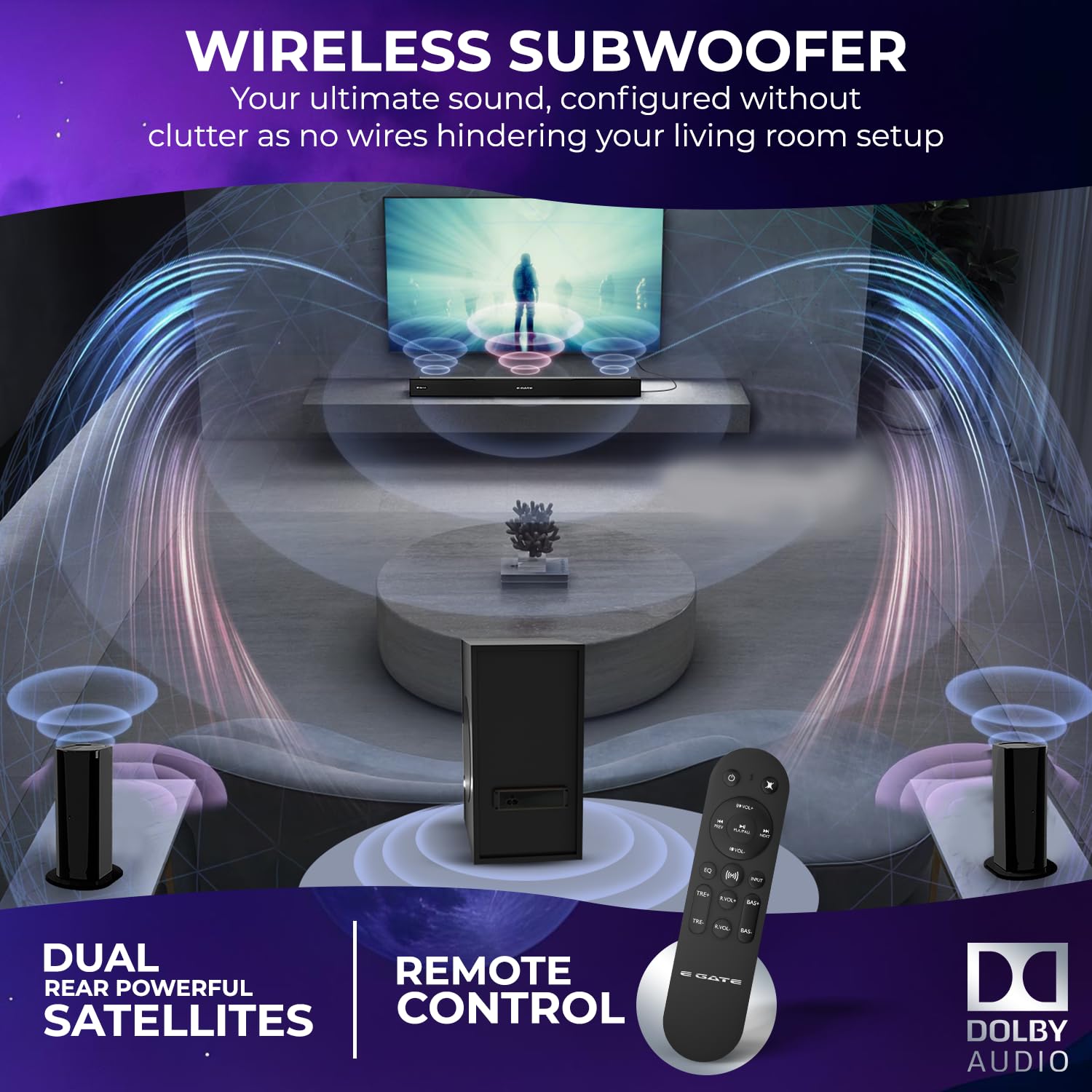
Image 5.1: Remote control for the E GATE Phantom 630DW.
- Power: Turn the soundbar system on or off.
- Mode: Switch between input sources (Bluetooth, HDMI-ARC, Optical, AUX, USB).
- Volume +/-: Adjust the master volume.
- Bass +/-: Adjust the bass level.
- Treble +/-: Adjust the treble level.
- EQ: Cycle through preset equalizer modes (e.g., Movie, Music, News).
- Play/Pause, Next/Previous Track: Control media playback in Bluetooth or USB mode.
- Rear Volume Control: Adjust the volume of the satellite speakers.
- Switch between 2 Channel and 5.1 Channel: Toggle between stereo and surround sound modes.
5.2 Bluetooth Pairing
- Press the 'Mode' button on the soundbar or remote until 'BT' appears on the display.
- Enable Bluetooth on your mobile device and search for 'E GATE Phantom 630DW'.
- Select the device to pair. Once connected, you will hear an audible confirmation.

Image 5.2: Bluetooth 5.3 connectivity with various devices.
5.3 EQ Modes
The system includes 3 preset EQ modes to optimize audio for different content types:
- Movie Mode: Enhances dialogue and cinematic effects.
- Music Mode: Provides balanced audio for music playback.
- News Mode: Optimizes vocal clarity for news and talk shows.

Image 5.3: Three EQ modes for optimized audio.
6. Maintenance
- Cleaning: Use a soft, dry cloth to clean the surfaces of the soundbar, subwoofer, and satellite speakers. Do not use liquid cleaners or abrasive materials.
- Ventilation: Ensure proper ventilation around all components to prevent overheating. Do not block any vents.
- Storage: If storing the system for an extended period, disconnect it from power and store it in a cool, dry place.
7. Troubleshooting
If you encounter issues with your E GATE Phantom 630DW, refer to the following common problems and solutions:
| Problem | Possible Solution |
|---|---|
| No power | Check if the power cable and adaptor are securely connected to the soundbar and a working power outlet. |
| No sound | Verify the correct input source is selected. Check volume levels on both the soundbar and your connected device. Ensure cables are securely connected. |
| Subwoofer not connecting wirelessly | Ensure the subwoofer is powered on and within range of the soundbar. Power cycle both the soundbar and subwoofer. |
| Bluetooth pairing issues | Ensure the soundbar is in Bluetooth mode. Delete previous pairings on your device and try pairing again. Keep devices within close proximity. |
| Remote control not working | Check the battery in the remote control. Ensure there are no obstructions between the remote and the soundbar. |
8. Specifications
| Feature | Detail |
|---|---|
| Brand | E GATE |
| Model Name | PHANTOM 630DW |
| Model Number | ABE033 |
| Speaker Maximum Output Power | 540 Watts |
| Audio Output Mode | Surround (5.1 Channel) |
| Audio Encoding | Dolby Digital 5.1 |
| Subwoofer Speaker Diameter | 16.5 Centimetres (6.5 Inches) |
| Subwoofer Connectivity | Wireless |
| Connectivity Technology | Auxiliary, Bluetooth, HDMI (ARC) |
| Bluetooth Version | 5.3 |
| Frequency Response | 20000 Hz |
| Mounting Type | Tabletop Mount |
| Enclosure Material | Plastic |
| Item Dimensions (D x W x H) | 22D x 84W x 25H Centimeters |
| Item Weight | 6.8 Kilograms |
| Power Source | Corded Electric |
9. Warranty and Support
9.1 Warranty Information
The E GATE Phantom 630DW comes with a 1-year warranty from the date of purchase. To avail warranty benefits, it is mandatory to register your product. Free home pickup and drop service are provided during the warranty period. For more details, please visit the company's official website.
9.2 Customer Support
For any technical assistance, product inquiries, or warranty claims, please contact Egate Infotel Pvt Ltd. Refer to the contact information provided in your product packaging or on the official E GATE website.