
Introduction
Thank you for choosing the FANMIS Digital Watch. This manual provides detailed instructions for setting up, operating, and maintaining your new watch. Please read this manual carefully to ensure proper use and to maximize the lifespan of your product.
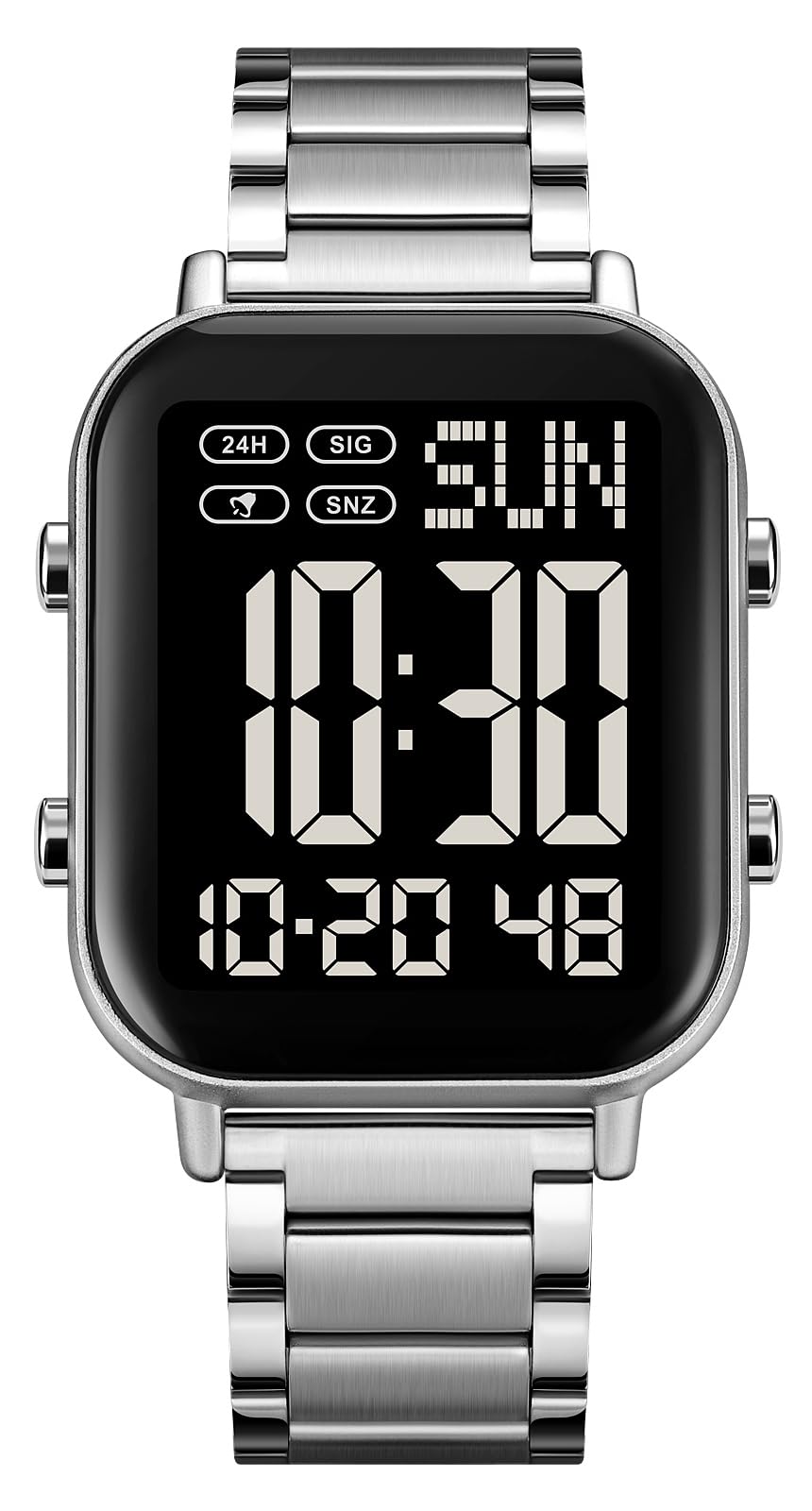
Image: Front view of the FANMIS Digital Watch in Silver Black, displaying the time and date.
The FANMIS Digital Watch features a fashionable sports dial design with a military-style outlook. It is designed for both outdoor and indoor activities, offering multiple functions and a comfortable stainless steel band. Key features include:
- Super large digital display for clear readability, especially for the elderly.
- Durable stainless steel construction and accurate quartz movement.
- Multi-functionality: 12/24-hour clock, stopwatch, dual time, independent alarm, calendar, LED backlight, and countdown timer.
- Water resistance up to 30 meters (3 ATM).
Setup
Initial Inspection
Upon receiving your watch, inspect it for any visible damage. Remove any protective films from the watch face and case back.
Setting Time and Date
Your watch has four buttons, typically labeled A, B, C, D (or similar markings) on the sides. The exact sequence for setting time and date may vary slightly, but generally follows these steps:
- Press the MODE button (often bottom-left) repeatedly until the time setting mode is activated (usually indicated by flashing digits).
- Use the ADJUST button (often top-left) to select the digit or setting you wish to change (e.g., hours, minutes, year, month, day).
- Use the START/STOP button (often top-right) to increase the value, or the RESET button (often bottom-right) to decrease it.
- Once all settings are correct, press the MODE button again to exit the setting mode.
Refer to the video below for a visual guide on setting the watch functions.
Video: Demonstration of setting time and other functions on a FANMIS digital watch. This video shows the watch's various modes and how to navigate them using the side buttons.
Band Adjustment
The stainless steel band can be adjusted by removing links. It is recommended to have this done by a professional jeweler to avoid damage to the watch or band. If attempting yourself, use a specialized link removal tool. Be careful not to bend or damage the pins during removal and re-insertion.

Image: The FANMIS Digital Watch worn on a wrist, showcasing its size and fit.
Operating Instructions
Basic Time Display
In normal timekeeping mode, the watch displays the current time (hours, minutes, seconds), day of the week, and date.
Backlight Function
To illuminate the display in low-light conditions, press the LIGHT button (often top-right or top-left). The backlight is not always on and activates only when the button is pressed.

Image: A diagram illustrating the backlight function. It shows a standard display, pressing the light button, and the resulting illuminated view of the watch face.
Multi-function Modes
Press the MODE button to cycle through the various functions:
- Stopwatch: Used for measuring elapsed time. Press START/STOP to begin and end timing, and RESET to clear.
- Alarm: Set a daily alarm. When the alarm sounds, press any button to stop it.
- Dual Time: Allows you to set and view a second time zone.
- Countdown Timer: Set a specific duration for a countdown.
- 12/24 Hour Format: Toggle between 12-hour (with AM/PM indicator) and 24-hour time display.
Maintenance
Cleaning
Wipe the watch regularly with a soft, dry cloth to remove dust and smudges. For stubborn dirt, a slightly damp cloth can be used, followed by immediate drying. Avoid using harsh chemicals or abrasive materials.
Water Resistance
This watch is water resistant to 30 meters (3 ATM), meaning it can withstand splashes or brief immersion in water. It is not suitable for hot water bathing, showering, or diving. Do not press any buttons underwater, as this can compromise the water seal and lead to internal damage.
Battery Replacement
The watch uses one Nonstandard Battery (Type 2025). When the display becomes dim or the watch stops functioning, the battery may need replacement. It is recommended to have the battery replaced by a qualified watch technician to ensure the water resistance seal is properly re-installed.
Troubleshooting
- Display is dim or blank:
- Check if the battery needs replacement.
- Ensure the backlight button is pressed firmly for illumination.
- Watch not functioning after water exposure:
- If mist or droplets are found inside the watch surface, contact customer support immediately for maintenance to prevent moisture corrosion.
- Avoid pressing buttons underwater.
- Time or date is incorrect:
- Refer to the "Setting Time and Date" section for instructions on how to adjust.
- Band is difficult to adjust:
- Band adjustment, especially link removal, is best performed by a professional jeweler.
Specifications
| Feature | Specification |
|---|---|
| Movement Type | Quartz |
| Display Type | Digital |
| Case Material | Stainless Steel |
| Band Material | Stainless Steel |
| Case Diameter | 37 mm |
| Case Thickness | 10.5 mm |
| Band Width | 20 mm |
| Band Length | 23 cm |
| Water Resistance | 30 meters (3 ATM) |
| Battery Type | 1 Nonstandard Battery (2025) |
| Weight | 0.14 kg (approximately 4.97 ounces) |

Image: A visual guide detailing the dimensions of the watch, including case width, height, thickness, band width, and overall length.
Warranty and Support
Warranty Information
This FANMIS Digital Watch comes with a 12-month limited warranty. This warranty covers manufacturing defects under normal use. It does not cover damage caused by misuse, accidents, unauthorized repairs, or normal wear and tear.
For returns or replacements, please refer to the retailer's return policy, typically allowing returns within 30 days of purchase for a refund or replacement.
Customer Support
If you have any questions, concerns, or require assistance with your FANMIS Digital Watch, please contact our customer service team through the retailer's platform or visit the official FANMIS store page for contact options.
Visit the FANMIS Store on Amazon for more information and support.