
1. Introduction and Overview
This manual provides comprehensive instructions for the installation and maintenance of the GRASKY car radio fascia, model GDX-I09-15. This product is designed to provide a seamless and integrated fit for 10.1-inch Android GPS MP5 stereo players in Renault KWID vehicles manufactured from 2017 onwards. The fascia ensures a professional finish for your aftermarket head unit installation, maintaining the aesthetic integrity of your vehicle's dashboard.
2. Product Components
The GRASKY car radio fascia kit typically includes the main dashboard frame designed to accommodate a 10.1-inch display unit. Please verify all components are present before beginning installation.
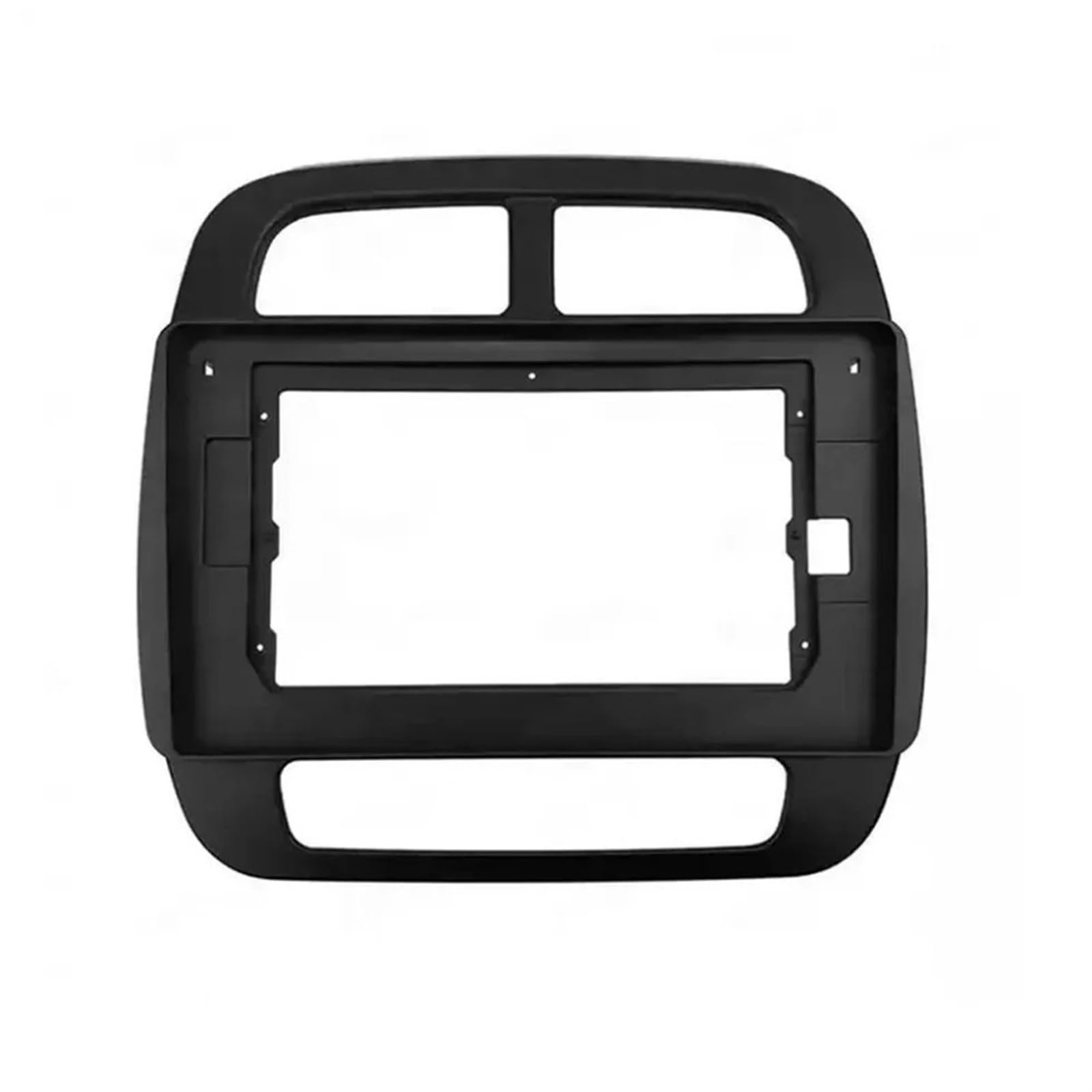
Figure 2.1: Front view of the GRASKY car radio fascia, showing the opening for a 10.1-inch display and the overall dashboard contour.
3. Setup and Installation
Installation of the GRASKY car radio fascia requires careful removal of existing dashboard components and precise fitting. It is recommended that installation be performed by a qualified technician.
- Preparation: Ensure the vehicle's ignition is off and the battery is disconnected to prevent electrical shorts. Gather necessary tools, which typically include trim removal tools, screwdrivers, and a wrench set.
- Remove Existing Dashboard Trim: Carefully use trim removal tools to pry off the existing factory radio and surrounding dashboard trim. Refer to your vehicle's service manual for specific instructions on removing the Renault KWID's dashboard components.
- Remove Factory Radio: Disconnect all wiring harnesses and antenna cables from the factory radio unit. Remove any mounting screws or brackets securing the factory radio.
- Install New Head Unit Brackets (if applicable): Attach any necessary mounting brackets to your new 10.1-inch Android GPS MP5 stereo player, ensuring they align with the GRASKY fascia.
- Fit the Fascia: Position the GRASKY fascia over the opening in the dashboard. Ensure it aligns correctly with the mounting points and the new head unit. The fascia is designed to provide a seamless contour fit.
- Secure the Head Unit: Slide the new 10.1-inch head unit into the fascia opening and secure it using the appropriate screws or clips. Ensure the unit is flush with the fascia.
- Reconnect Wiring: Connect all wiring harnesses, including power, ground, speaker wires, and antenna cables, to the new head unit. Test the unit's functionality before fully reassembling the dashboard.
- Reassemble Dashboard: Carefully snap or screw the dashboard trim back into place, ensuring all clips are engaged and the fascia is securely integrated.
4. Operating Instructions
The GRASKY car radio fascia is a passive mounting frame. It does not have operational functions. Its purpose is to provide a secure and aesthetically pleasing housing for your 10.1-inch Android GPS MP5 stereo player. Refer to the instruction manual provided with your specific head unit for operating instructions.
5. Maintenance
To maintain the appearance and integrity of your GRASKY car radio fascia, follow these guidelines:
- Cleaning: Use a soft, damp cloth to wipe the surface of the fascia. Avoid abrasive cleaners or solvents, as these can damage the finish.
- Avoid Impact: Protect the fascia from direct impact or sharp objects that could scratch or crack the material.
- Temperature: While designed for automotive environments, extreme temperatures should be avoided where possible to prevent material degradation over time.
6. Troubleshooting
If you encounter issues during or after installation, consider the following:
- Fitment Issues: Ensure the fascia is correctly aligned with the dashboard opening and the head unit. Double-check that all clips and screws are properly engaged. Verify that your vehicle is a Renault KWID 2017+ model and that your head unit is a 10.1-inch size, as this fascia is specifically designed for these dimensions.
- Loose Components: If the fascia or head unit feels loose, re-examine all mounting points and ensure all fasteners are tightened appropriately.
- Electrical Problems: If the head unit is not functioning, ensure all electrical connections are secure and correctly wired. This is typically unrelated to the fascia itself but is a common installation concern.
7. Specifications
| Specification | Detail |
|---|---|
| Model Number | GDX-I09-15 |
| Compatibility | Renault KWID 2017+ (for 10.1-inch head units) |
| Item Type | Fascias |
| External Testing Certification | ROHS |
| Number of Pieces | 1 |
| Item Weight | 1.76 ounces |
| Package Dimensions | 1.18 x 0.79 x 0.39 inches |
8. Support
For any questions or assistance regarding your GRASKY car radio fascia, please feel free to contact our customer support. We are committed to resolving your inquiries within 24 hours on working days.