
1. Introduction
Thank you for choosing the Tastyle Mini Hot and Iced Coffee Maker. This compact and versatile appliance is designed to brew both hot and iced coffee using K-cups or ground coffee, offering convenience for various settings such as home, travel, RVs, offices, and dorms. Please read this manual thoroughly before first use to ensure proper operation and maintenance.

Image 1.1: Tastyle Mini Hot and Iced Coffee Maker with accessories.
2. Important Safety Instructions
To reduce the risk of fire, electric shock, or injury, basic safety precautions should always be followed:
- Read all instructions before operating the appliance.
- Do not touch hot surfaces. Use handles or knobs.
- To protect against electric shock, do not immerse cord, plugs, or the appliance in water or other liquid.
- Close supervision is necessary when any appliance is used by or near children.
- Unplug from outlet when not in use and before cleaning. Allow to cool before putting on or taking off parts, and before cleaning the appliance.
- Do not operate any appliance with a damaged cord or plug, or after the appliance malfunctions or has been damaged in any manner.
- The use of accessory attachments not recommended by the appliance manufacturer may result in fire, electric shock, or injury to persons.
- Do not use outdoors.
- Do not let cord hang over edge of table or counter, or touch hot surfaces.
- Do not place on or near a hot gas or electric burner, or in a heated oven.
- Always attach plug to appliance first, then plug cord into the wall outlet. To disconnect, turn any control to “off,” then remove plug from wall outlet.
- Do not use appliance for other than intended use.
- This appliance is for household use only.
3. Product Components
The Tastyle Mini Hot and Iced Coffee Maker includes the following components:
- Tastyle K310IC Coffee Maker Unit
- K-Cup Holder
- Ground Coffee Filter Basket
- Removable Drip Tray
- Recipe Book (for iced coffee customization)

Image 3.1: K-Cup holder and ground coffee filter basket.
4. Setup and First Use
4.1 Initial Cleaning
- Remove all packaging materials and labels from the coffee maker.
- Wash the K-cup holder, ground coffee filter basket, and drip tray in warm, soapy water. Rinse thoroughly and dry.
- Wipe the exterior of the coffee maker with a damp cloth.
4.2 First Brew Cycle (Cleaning Cycle)
Before brewing coffee for the first time, run two cycles with only water to clean the internal components:
- Ensure the drip tray is in place.
- Open the lid of the water reservoir.
- Fill the water reservoir with fresh water up to the MAX 14oz line. The water reservoir is not removable; add water directly each time.
- Close the water reservoir lid.
- Place an empty mug (at least 14oz capacity) on the drip tray.
- Press either the 'Hot Brew' or 'Over Ice' button to start a cleaning cycle. The machine will brew hot water into the mug.
- Discard the hot water.
- Repeat steps 3-7 for a second cleaning cycle.
Your coffee maker is now ready for use.

Image 4.1: Filling the 14oz water reservoir.
5. Operating Instructions
The Tastyle K310IC offers two brewing methods: K-cups and ground coffee, and two brew types: hot and over ice.
5.1 Brewing with K-Cups
- Lift the brew head handle to open the K-cup chamber.
- Insert a K-cup into the K-cup holder. Ensure it is seated correctly.
- Close the brew head handle firmly until it clicks.
- Fill the water reservoir with fresh water according to your desired brew size (6oz to 14oz). For hot coffee, 10-12oz is recommended. For iced coffee, 6-8oz is recommended (adjust based on ice quantity).
- Place your mug or cup on the drip tray. Ensure your mug fits under the dispenser (fits mugs up to 6 inches tall).
- Select your desired brew type:
- Press the 'Hot Brew' button for hot coffee.
- Press the 'Over Ice' button for iced coffee.
- The machine will begin brewing. Brewing typically takes about 1.5 minutes for a 6oz cup.
- Once brewing is complete, the machine will automatically shut off. Carefully remove your cup.
- Lift the brew head handle to remove the used K-cup. Dispose of the K-cup.
5.2 Brewing with Ground Coffee
- Lift the brew head handle.
- Remove the K-cup holder and insert the ground coffee filter basket into the brew head.
- Add your desired amount of ground coffee into the filter basket. The deep extraction technology allows for rich flavor with less grounds. Do not overfill.
- Close the brew head handle firmly until it clicks.
- Follow steps 4-8 from the K-Cup brewing instructions above.
- After brewing, lift the brew head handle and carefully remove the ground coffee filter basket for cleaning.
5.3 Brew Size Adjustment
The coffee maker brews 6 to 14 ounces. The brew amount is determined by the amount of water you add to the reservoir. Fill the water reservoir to the desired ounce level indicated on the side of the machine.
5.4 Hot Brew vs. Over Ice Brew
- Hot Brew: Delivers coffee at an optimal temperature of 175°F or above for rich flavor.
- Over Ice Brew: Automatically adjusts the brew temperature, starting hotter to extract full flavor, then cooling down to minimize ice melt. The resulting coffee is typically 48-54°F lower than hot brew.

Image 5.1: Optimal temperature for hot coffee extraction.
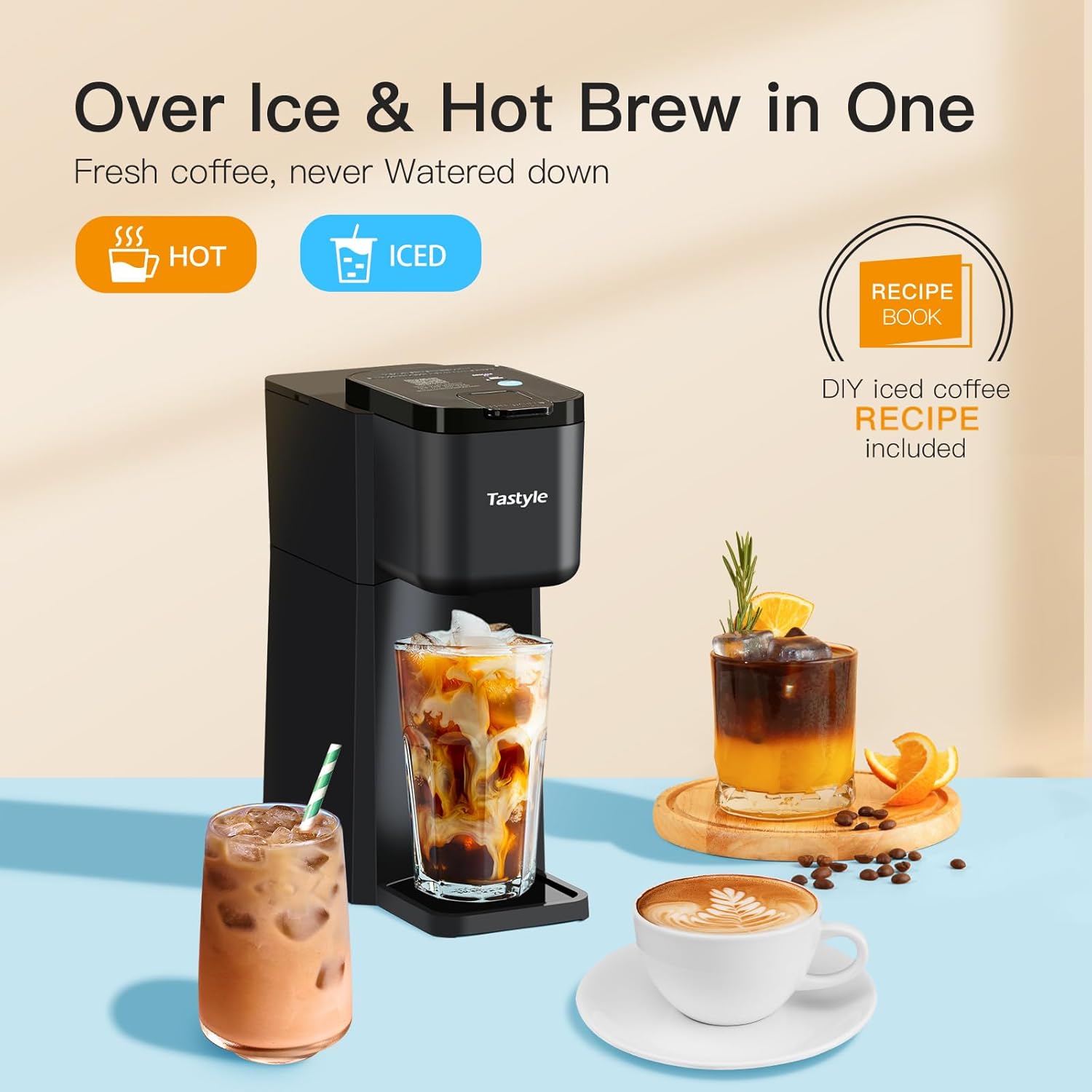
Image 5.2: Hot and Over Ice brew options.
6. Maintenance and Cleaning
Regular cleaning and maintenance will ensure the longevity and optimal performance of your coffee maker.
6.1 Daily Cleaning
- After each use, unplug the coffee maker and allow it to cool.
- Remove and empty the K-cup holder or ground coffee filter basket. These accessories are detachable and dishwasher-safe.
- Remove and empty the drip tray. Wash it with warm, soapy water, rinse, and dry.
- Wipe the exterior of the machine with a damp, soft cloth. Do not use abrasive cleaners or scouring pads.
6.2 Self-Cleaning Function
The coffee maker features a self-cleaning function to help maintain internal cleanliness.
- Ensure the machine is empty of K-cups or ground coffee.
- Fill the water reservoir with fresh water to the MAX 14oz line.
- Place an empty mug on the drip tray.
- Press and hold the 'Hot Brew' button for 3 seconds to activate the self-cleaning cycle. The machine will run a cycle with hot water.
- Discard the water. Repeat if necessary.
6.3 Descaling
Over time, mineral deposits (scale) can build up in your coffee maker, affecting performance and taste. The machine has a descaling reminder. Regular descaling extends the machine's lifespan.
- When the descaling reminder light illuminates, it's time to descale.
- Prepare a descaling solution according to the manufacturer's instructions (e.g., white vinegar and water, or a commercial descaling agent).
- Pour the descaling solution into the water reservoir.
- Place a large empty mug (at least 14oz) on the drip tray.
- Run several brew cycles until the reservoir is empty.
- After descaling, rinse the reservoir thoroughly and run at least two full cycles with fresh water to flush out any remaining descaling solution.

Image 6.1: Descaling reminder and self-cleaning function.
7. Troubleshooting
If you encounter issues with your coffee maker, refer to the following common problems and solutions:
| Problem | Possible Cause | Solution |
|---|---|---|
| Coffee maker does not turn on. | Not plugged in; power outlet issue. | Ensure the power cord is securely plugged into a working outlet. |
| Coffee maker does not brew. | No water in reservoir; brew head not closed properly; descaling needed. | Fill water reservoir. Ensure brew head handle is firmly closed. Check descaling reminder and descale if necessary. |
| Water shortage alert (indicators blink). | Insufficient water in the reservoir. | Add fresh water to the reservoir. The machine will automatically shut off after 15 seconds if no water is detected. |
| Coffee tastes weak or watery. | Too much water for the coffee amount; coffee grounds too coarse; K-cup punctured incorrectly. | Reduce water amount. Use finer ground coffee. Ensure K-cup is properly inserted. |
| Coffee is not hot enough. | Machine needs descaling; 'Over Ice' setting used. | Descale the machine. Ensure 'Hot Brew' button is selected for hot coffee. |
| Machine leaks. | Drip tray full or not properly seated; K-cup/filter not seated correctly. | Empty and re-seat the drip tray. Ensure K-cup or filter is correctly positioned. |

Image 7.1: Water shortage reminder and auto shut-off features.
8. Specifications
| Feature | Detail |
|---|---|
| Brand | Tastyle |
| Model Name | K310IC |
| Color | Classic Black |
| Product Dimensions | 8.2"D x 4.2"W x 10.3"H |
| Item Weight | 2.59 pounds |
| Coffee Maker Type | Drip Coffee Machine |
| Coffee Input Type | Capsule, Ground, Pod |
| Brew Sizes | 6 to 14 oz |
| Special Features | Descaling Reminder, Self Cleaning, Auto Shut Off, Water Level Alerts, Dry Boil Protection |
| Material | BPA-Free Plastic |
| Operation Mode | Fully Automatic |

Image 8.1: Compact dimensions of the coffee maker.
9. Warranty and Support
9.1 Warranty Information
The Tastyle Mini Hot and Iced Coffee Maker (Model K310IC) is covered by an 18-month care period from the date of purchase. This warranty covers defects in materials and workmanship under normal use. Please retain your proof of purchase for warranty claims.
9.2 Customer Support
For technical assistance, troubleshooting beyond this manual, or warranty inquiries, please contact Tastyle customer support through the retailer where the product was purchased or visit the official Tastyle website for contact information.