
1. Product Overview
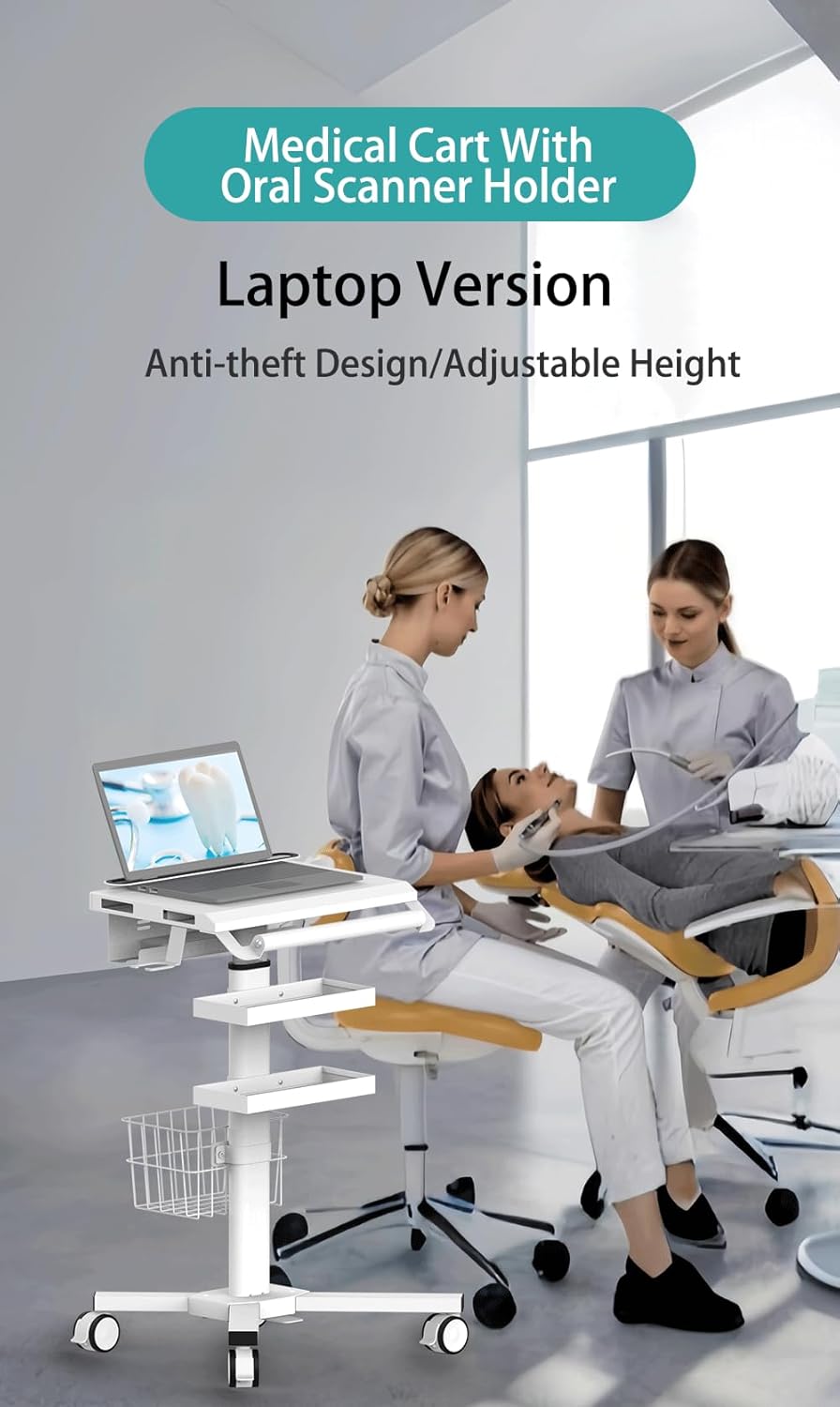
The Mount Plus MB-C07 is a height-adjustable medical laptop workstation trolley cart designed for various professional environments such as hospitals, dental offices, and clinics. It features an anti-theft and anti-slip design for laptops, an oral scanner holder, basket storage, and dual trays for efficient organization and mobility.
Key features include:
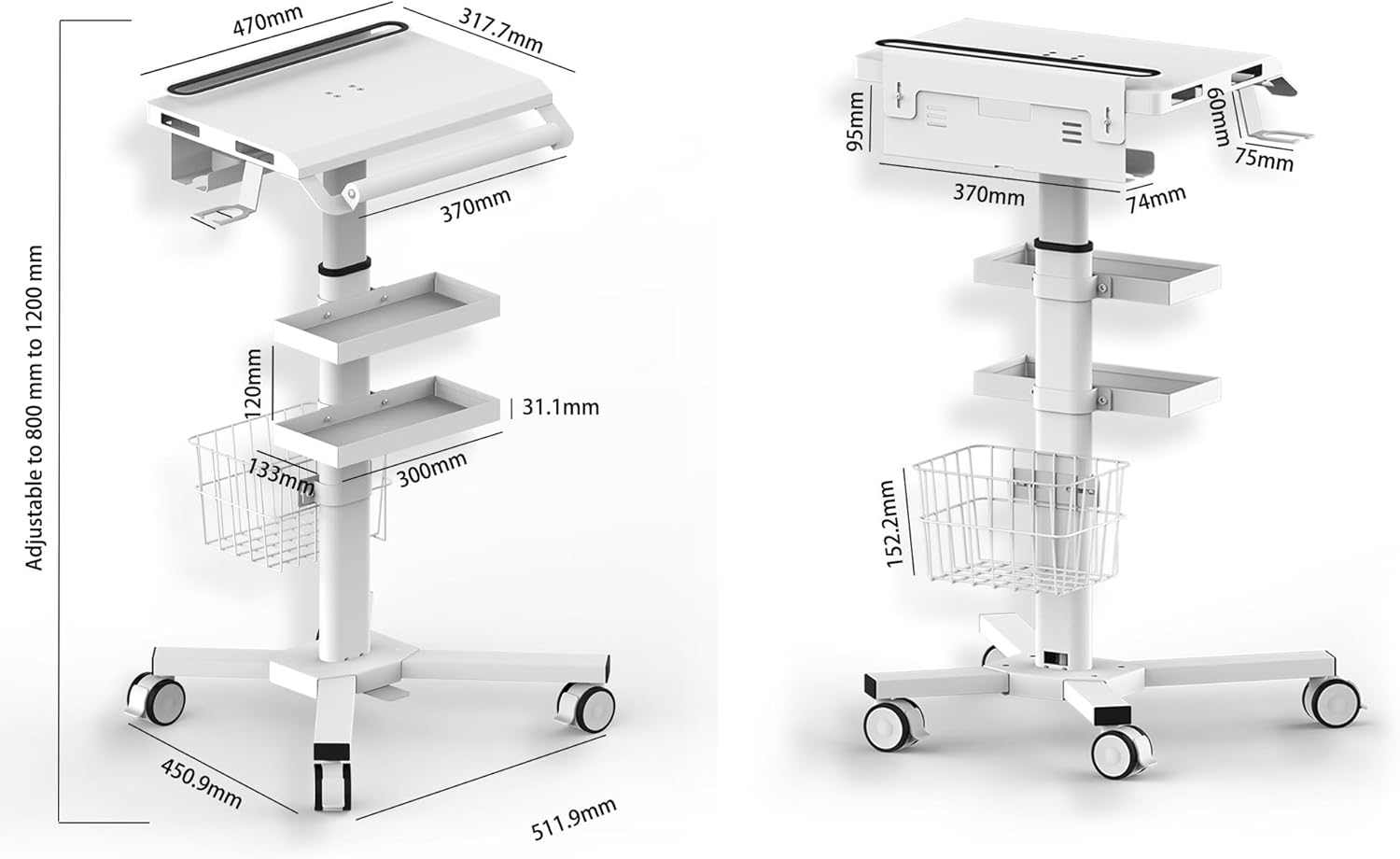
- Height Adjustable: Easily adjust the work surface height from 31.4" to 47.2" using a foot pedal.
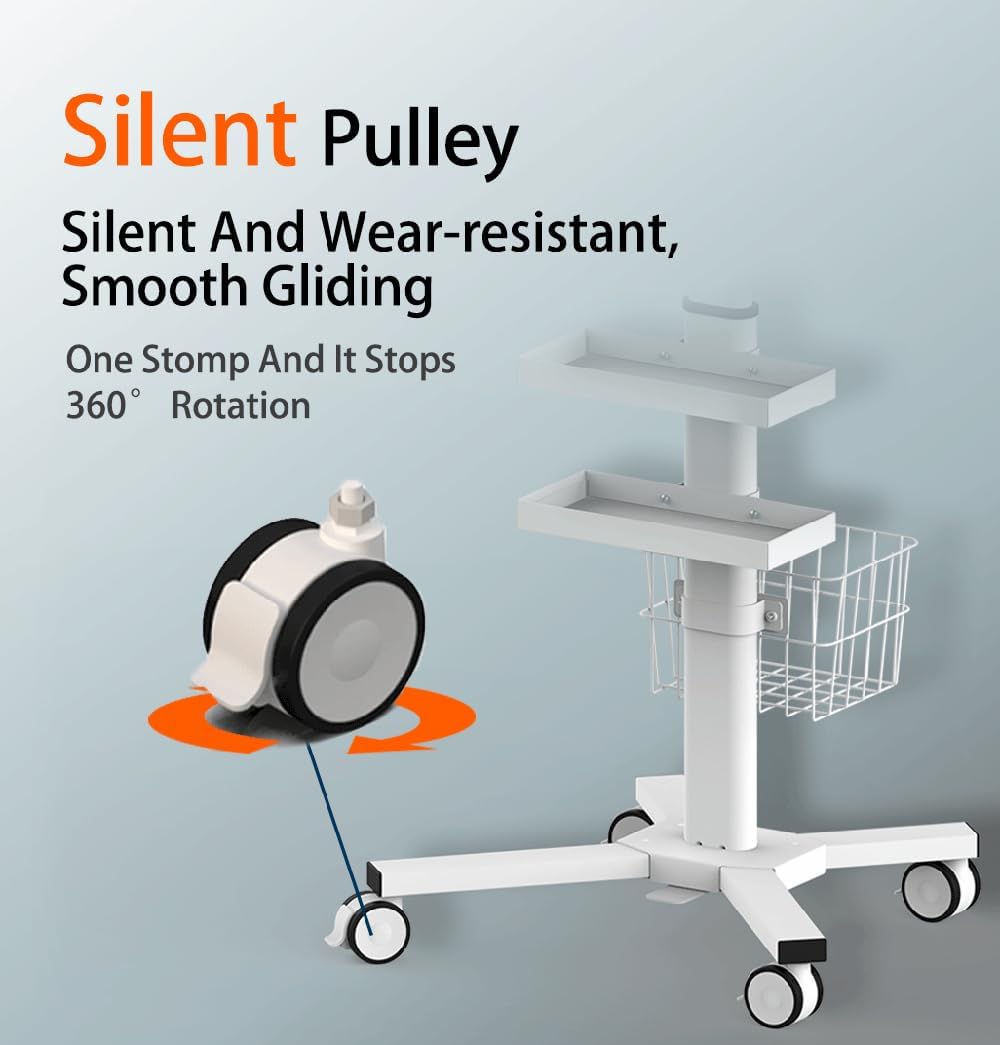
- Locking Casters: Equipped with silent locking caster wheels for stable positioning and smooth movement.
- Anti-Theft and Anti-Slip Design: Secures laptops and prevents accidental slips.
- Multi-Storage: Includes a basket and two trays for storing medical supplies and accessories.
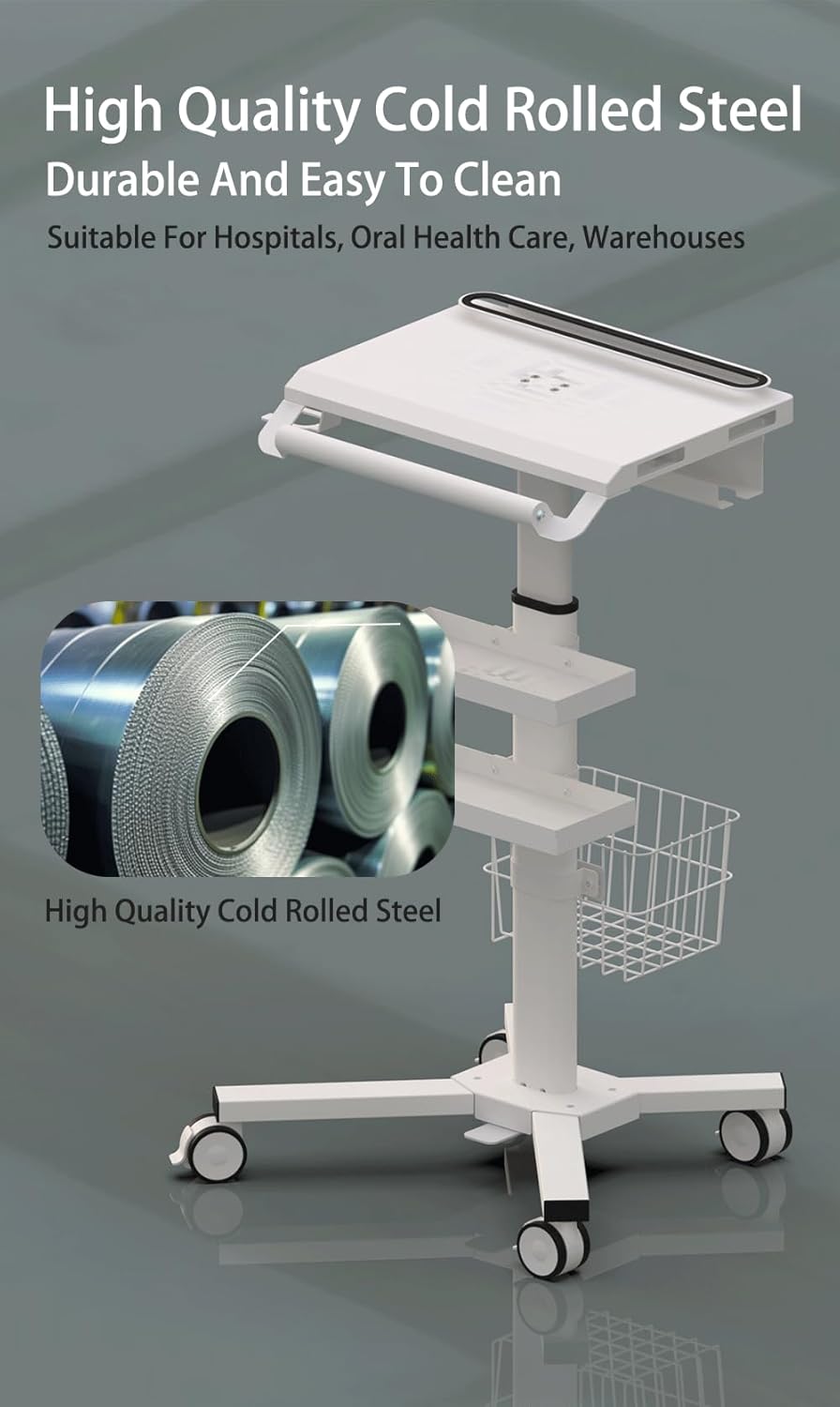
- Durable Construction: Made from high-quality cold-rolled steel with smooth, powder-coated surfaces for easy cleaning.
2. Components and Structure
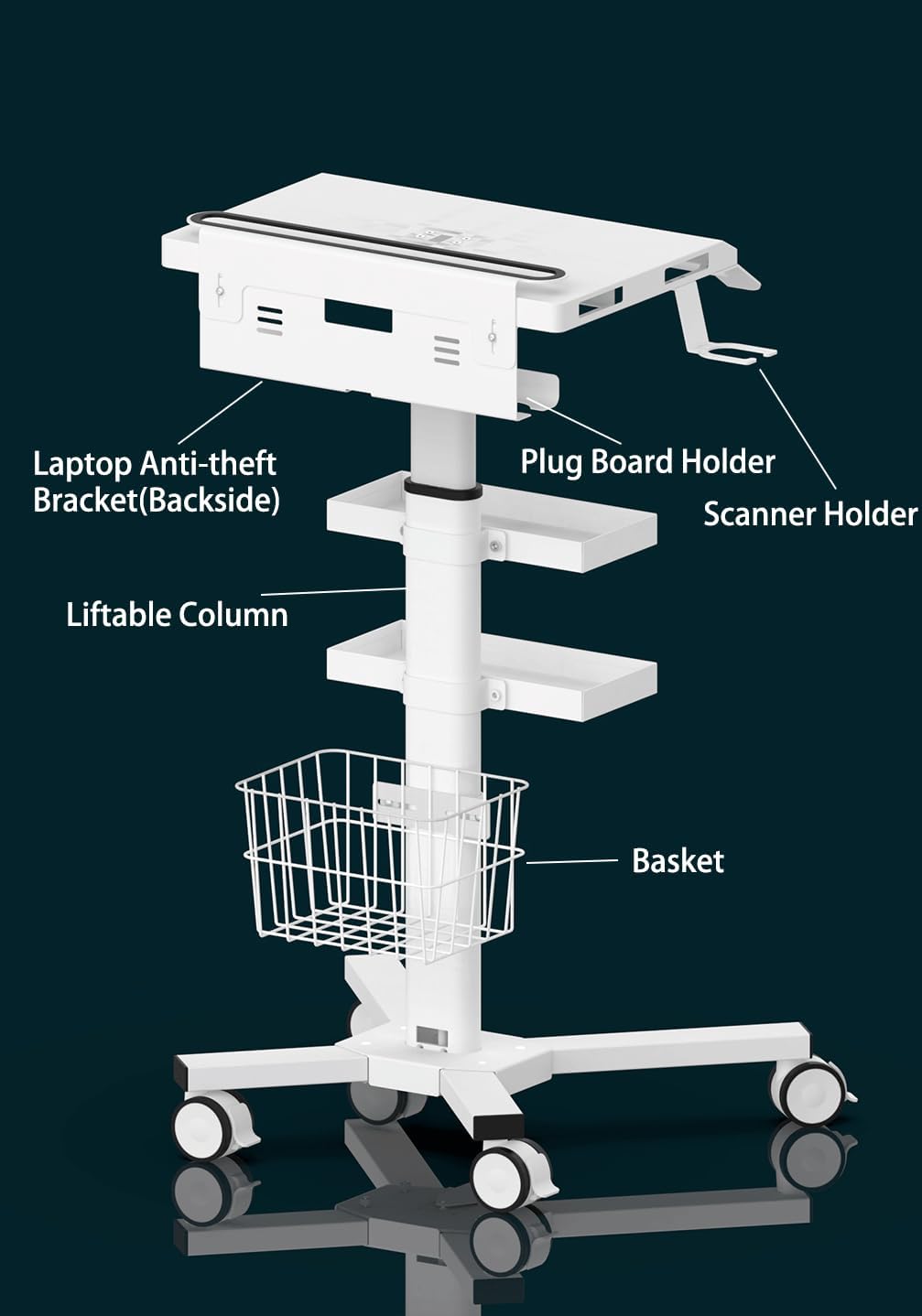
Familiarize yourself with the main components of the MB-C07 trolley cart.

3. Setup and Assembly
The MB-C07 trolley cart requires minimal assembly. Follow these general steps:
- Unpack Components: Carefully remove all parts from the packaging and verify against the parts list (not provided in this manual, refer to product packaging).
- Attach Base and Casters: Secure the caster wheels to the integrated base. Ensure all wheels are properly seated and tightened.
- Install Column: Insert the main liftable column into the base.
- Mount Trays and Basket: Attach the iron trays and the storage basket to the column at desired heights.
- Secure Laptop Platform: Mount the laptop platform, including the anti-theft bracket and scanner holder, to the top of the column.
- Cable Management: Utilize the power management tray, designed to route and conceal cables and power strips for a clean and organized appearance.
For a visual guide on assembly and features, please refer to the official product video below.
4. Operating Instructions
4.1. Adjusting Height
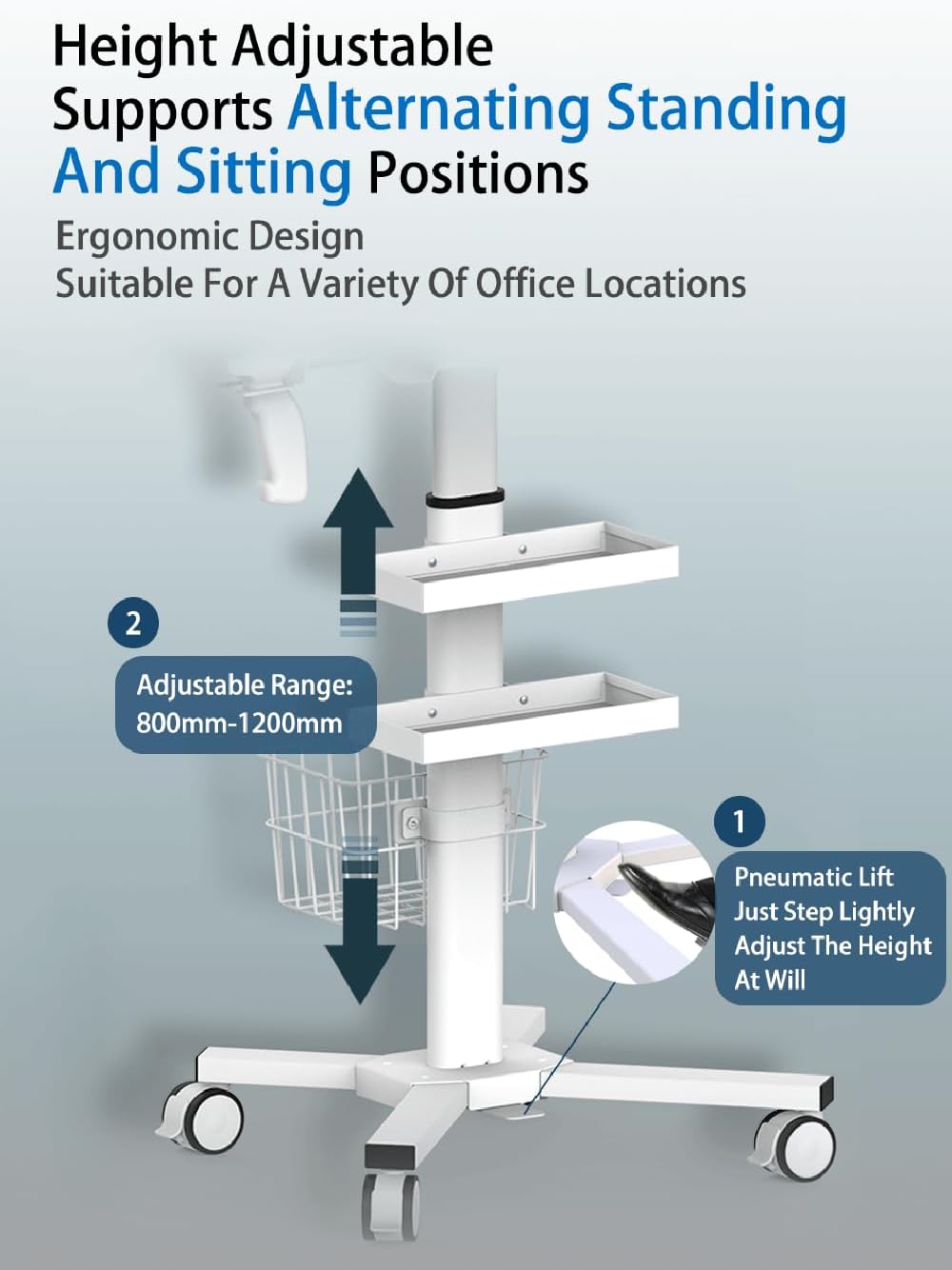
The MB-C07 features a pneumatic lift system for easy height adjustment, supporting both standing and sitting positions.
- To Raise: Gently press the foot pedal located at the base of the cart. The platform will rise smoothly. Release the pedal at the desired height.
- To Lower: Apply slight downward pressure on the tabletop while pressing the foot pedal. The platform will lower. Release the pedal at the desired height.
The adjustable height range is from 800mm (31.4 inches) to 1200mm (47.2 inches).
4.2. Moving the Cart
The cart is equipped with silent, 360° rotating caster wheels for smooth mobility.
- To Move: Ensure all locking casters are disengaged. Gently push the cart to its desired location.
- To Lock: Once the cart is in position, press down on the locking mechanism on each caster wheel until it clicks into place. This will prevent unintended movement.
- To Unlock: Lift the locking mechanism on each caster wheel.
4.3. Using the Anti-Theft Laptop Holder
The integrated anti-theft bracket secures your laptop to the workstation.
- To Secure Laptop: Place your laptop onto the main platform. Position the anti-theft bracket to firmly hold the laptop in place. Ensure the laptop is snug and cannot be easily removed.
- To Release Laptop: Adjust the anti-theft bracket to loosen its grip on the laptop.

5. Maintenance
Regular maintenance ensures the longevity and optimal performance of your MB-C07 cart.
- Cleaning: Wipe all surfaces with a soft, damp cloth and mild detergent. Avoid abrasive cleaners or solvents that could damage the powder-coated finish. Ensure the cart is dry after cleaning.
- Caster Inspection: Periodically check the caster wheels for any debris (hair, lint) that might impede their movement. Clean as necessary. Ensure the locking mechanisms engage and disengage smoothly.
- Height Adjustment Mechanism: Keep the liftable column free from obstructions. If the height adjustment becomes stiff, ensure no debris is caught in the mechanism. Do not apply lubricants unless specified by the manufacturer.
- Fastener Check: Occasionally inspect all screws and fasteners to ensure they are tight. Retighten if any feel loose.
6. Troubleshooting
This section addresses common issues you might encounter with your MB-C07 cart.
| Problem | Possible Cause | Solution |
|---|---|---|
| Cart does not move smoothly. | Casters are locked or obstructed by debris. | Ensure all caster locks are disengaged. Clean any debris from the wheels. |
| Height adjustment is difficult or stuck. | Obstruction in the lift mechanism or pneumatic system issue. | Check for any objects obstructing the column. Ensure the foot pedal is fully engaged/disengaged. If the issue persists, contact customer support. |
| Laptop feels insecure on the platform. | Anti-theft bracket not properly adjusted. | Adjust the anti-theft bracket to firmly secure the laptop. Ensure it is tightened appropriately. |
| Cart is unstable. | Casters not locked or uneven load distribution. | Engage all caster locks. Distribute weight evenly on the tabletop and trays. |
7. Specifications
Detailed specifications for the Mount Plus MB-C07 Medical Laptop Workstation Trolley Cart.
| Feature | Detail |
|---|---|
| Product Dimensions (D x W x H) | 15"D x 15"W x 41"H (Adjustable height) |
| Adjustable Height Range | 31.4" to 47.2" (800mm to 1200mm) |
| Material | High-Quality Cold Rolled Steel (Metal) |
| Color | White |
| Item Weight | 35 pounds |
| Number of Shelves | 2 (Trays) |
| Number of Wheels | 4 |
| Caster Type | Swivel with Locking Mechanism |
| Special Features | Adjustable Height, Locking Casters, Anti-Theft Laptop Holder, Anti-Slip Surface, Oral Scanner Holder, Basket Storage, Dual Trays, Power Management Tray |
| Recommended Uses | Indoor use in clinics, laboratories, hospitals, dental offices, SPAs, beauty salons, cafeterias, janitor rooms, hotels, office buildings. |
8. Warranty and Support
Mount Plus products are designed for durability and performance. For specific warranty information, please refer to the warranty card included with your product or visit the official Mount Plus website.
If you encounter any issues or have questions regarding your MB-C07 Medical Laptop Workstation Trolley Cart, please contact Mount Plus customer support:
- Website: Mount Plus Official Store
- Email: Refer to product packaging or official website for contact email.
- Phone: Refer to product packaging or official website for contact number.
Please have your model number (MB-C07) and purchase date available when contacting support.

