
Kanto ORA4MB
Kanto ORA4 Powered Reference Speakers User Manual
Model: ORA4MB
Introduction
The Kanto ORA4 are 140W powered reference speakers designed to deliver studio-grade sound with deep bass extension. Featuring DSP-tuned, bi-amplified Class-D power, these speakers are versatile for various audio setups, including desktop, studio monitoring, and HiFi use. They offer modern connectivity options and are built for reliable performance.

Figure 1: Kanto ORA4 Powered Reference Speakers
Key Features
- Studio-Grade Sound: 140W DSP-tuned, bi-amplified Class-D power for accurate audio reproduction and deep, authoritative bass from 4-inch woofers.
- Versatile Placement: Perfectly sized for desktop or stand-mount setups, suitable for gamers, creators, musicians, and audiophiles.
- Modern Connectivity: Includes USB-C for PC/Mac, Bluetooth 5.0 for wireless streaming, and RCA for analog devices.
- Subwoofer Integration: Automatic 80 Hz crossover activates when a subwoofer is connected, optimizing sound by offloading bass from the main speakers.
- Magnetically Shielded Woofers: Allows safe placement near CRT or PVM displays without picture distortion.
- Mountable Design: Features 1/4"-20 threaded inserts on the rear and bottom for compatible speaker mounts or brackets.
What's in the Box
Your Kanto ORA4 speaker package includes the following components:
- Power Cord
- 4-pin Speaker Connector (16 feet)
- 8 x Rubber Feet
- Quick Start Guide
Setup
Placement
Optimal speaker placement is crucial for sound quality. For desktop use, position the speakers to form an equilateral triangle with your listening position, with the tweeters at ear level. The ORA4's compact size makes them ideal for desktop setups, and their magnetically shielded woofers ensure safe placement near sensitive electronic displays like CRT monitors.
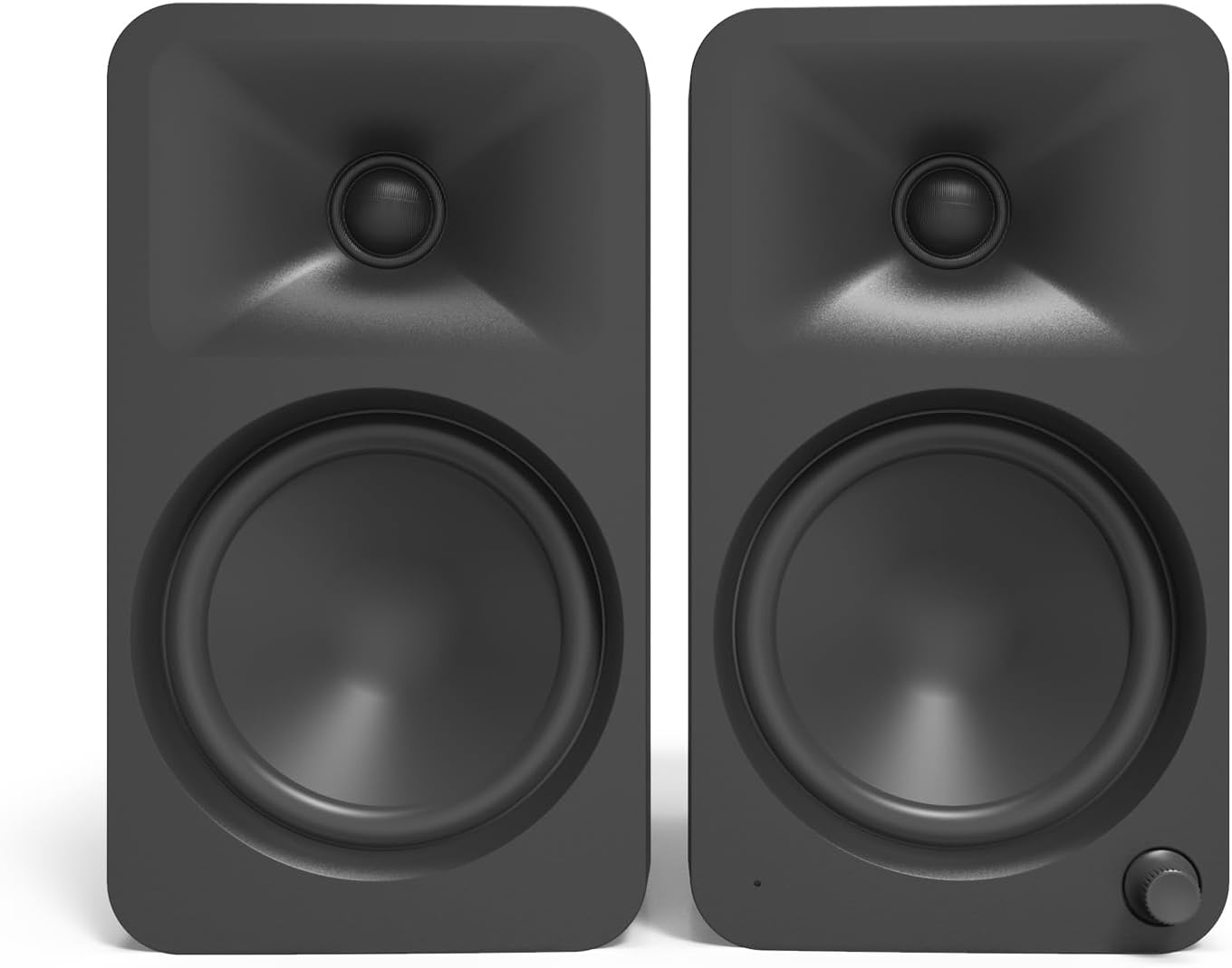
Figure 2: Optimal desktop placement for Kanto ORA4 speakers
For alternative setups, the speakers feature 1/4"-20 threaded inserts on the rear and bottom, allowing them to be securely mounted on compatible speaker stands or wall brackets (sold separately).

Figure 3: Kanto ORA4 speakers with a CRT monitor, demonstrating magnetic shielding
Connections
The Kanto ORA4 speakers offer multiple input options for various devices:
- USB-C: Connect directly to your PC or Mac for high-quality digital audio.
- Bluetooth 5.0: Pair wirelessly with your smartphone, tablet, or smart home device.
- RCA: Use the stereo RCA input for connecting analog audio sources like turntables (with a pre-amp), CD players, or older gaming consoles.
- Subwoofer Output: Connect an external subwoofer to enhance low-frequency performance. The ORA4 automatically activates an 80 Hz low-pass filter when a subwoofer is detected.
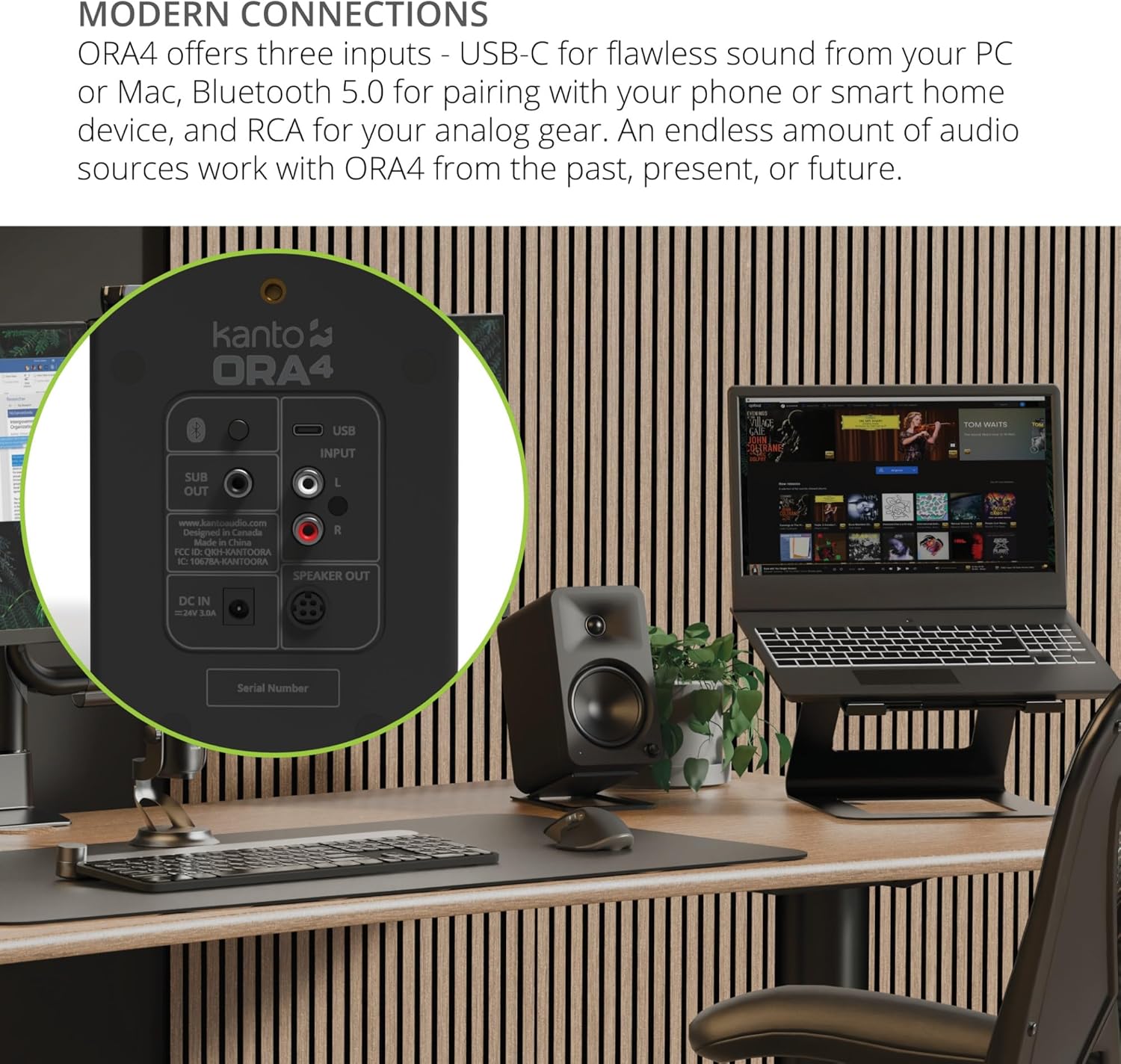
Figure 4: Rear panel connections of the Kanto ORA4 speaker
Operating Instructions
Power On/Off
To power on the speakers, ensure they are connected to a power source. The power/volume knob on the front of the active speaker controls power. Rotate the knob clockwise to turn on and increase volume, and counter-clockwise to decrease volume and turn off.
Input Selection
Press the power/volume knob to cycle through the available input sources: USB-C, Bluetooth, and RCA. The LED indicator on the front will change color to indicate the active input (e.g., yellow/white for USB-C, blue for Bluetooth, green for analog).
Bluetooth Pairing
To pair a new Bluetooth device, switch the input to Bluetooth mode. The LED will flash blue. On your device, search for "Kanto ORA4" in the Bluetooth settings and select it to pair. Once connected, the LED will turn solid blue.
Subwoofer Integration
When an external subwoofer is connected to the SUB OUT port, the ORA4 speakers automatically engage an 80 Hz low-pass filter. This feature optimizes the sound by directing frequencies below 80 Hz to the subwoofer, allowing the ORA4 speakers to focus on mid-range and high frequencies for clearer audio and reduced distortion.
Maintenance
To maintain the appearance and performance of your Kanto ORA4 speakers, follow these guidelines:
- Wipe the speaker cabinets with a soft, dry cloth.
- Avoid using harsh chemicals, cleaning solvents, or abrasive materials, as these can damage the finish.
- Keep the speakers away from excessive dust, moisture, and direct sunlight.
Troubleshooting
If you encounter issues with your Kanto ORA4 speakers, refer to the following common solutions:
- No Sound: Ensure the speakers are powered on, the correct input source is selected, and all cables are securely connected. Check the volume level on both the speakers and the source device.
- Bluetooth Connection Issues: Make sure the speakers are in Bluetooth pairing mode (flashing blue LED). Forget the device on your phone/tablet and try re-pairing. Ensure no other devices are actively connected to the speakers.
- Distorted Sound: Reduce the volume on both the speakers and the source device. Check for loose connections. If bass is overly pronounced for your listening environment, consider adjusting the EQ settings on your source device, as the speakers do not feature on-board EQ controls.
- Speakers Not Waking Up: The ORA4 speakers are designed for consistent operation. Ensure they are connected to a reliable power source. If issues persist, try unplugging and replugging the power cord.
For further assistance, please contact Kanto support.
Specifications
| Feature | Detail |
|---|---|
| Brand | Kanto |
| Model Name | ORAMB |
| Speaker Type | Bookshelf |
| Speaker Maximum Output Power | 140 Watts |
| Woofer Diameter | 4 Inches |
| Tweeter Diameter | 0.75 Inches |
| Frequency Response | 60 Hz - 22 kHz |
| Connectivity Technology | USB Type-C, RCA, Bluetooth 5.0 |
| Bluetooth Range | 15 Meters |
| Product Dimensions | 6.7"D x 4.5"W x 8.1"H |
| Item Weight | 8.2 Pounds |
| Material | Plastic |
| Mounting Type | Shelf Mount (with 1/4"-20 threaded inserts) |
| Surround Sound Channel Configuration | 2.0 |
| Control Method | Touch (via power/volume knob) |
Warranty and Support
The Kanto ORA4 Powered Reference Speakers come with a Two Year Manufacturer's Warranty. This warranty covers defects in materials and workmanship under normal use.
For warranty claims, technical support, or any inquiries regarding your Kanto ORA4 speakers, please visit the official Kanto website or contact their customer service directly. Refer to the Quick Start Guide included in your package for specific contact details.
Related documentsORA4MB


Ask a question about this manual
Ask about setup, troubleshooting, compatibility, parts, safety, or missing instructions. Manuals+ will review the question and use this page’s manual context to help answer it.