
KEF SP4094W0AA
KEF Q8 Meta Dolby Atmos/Surround Speaker User Manual
Model: SP4094W0AA | Brand: KEF
Introduction
The KEF Q8 Meta Dolby Atmos/Surround Speaker is designed to deliver immersive, high-fidelity audio for your home theater system. Featuring KEF's revolutionary Metamaterial Absorption Technology (MAT) and the 12th Generation Uni-Q driver array, the Q8 Meta provides a pure and natural sound experience. This manual provides essential information for setting up, operating, and maintaining your Q8 Meta speakers.
Safety Information
Please read and follow all safety instructions before operating your KEF Q8 Meta speakers. Keep this manual for future reference.
- Do not expose the speakers to excessive moisture or extreme temperatures.
- Ensure proper ventilation around the speakers to prevent overheating.
- Use only approved speaker wire and connectors.
- Avoid placing heavy objects on top of the speakers.
- Disconnect power from your audio system before making any connections.
Setup
The KEF Q8 Meta speakers offer versatile placement options, functioning as either wall-mounted surround/rear speakers or as Dolby Atmos-enabled height speakers placed atop other speakers.
Speaker Placement
For optimal performance, consider the following placement guidelines:
- Wall Mount: The Q8 Meta can be mounted on a wall as a surround or rear channel speaker. Ensure the mounting surface is sturdy enough to support the speaker's weight.
- Dolby Atmos Enabled: For Dolby Atmos sound, place the Q8 Meta speakers on top of your front or rear main speakers, angled towards the listening position. This allows sound to reflect off the ceiling, creating an immersive overhead effect.
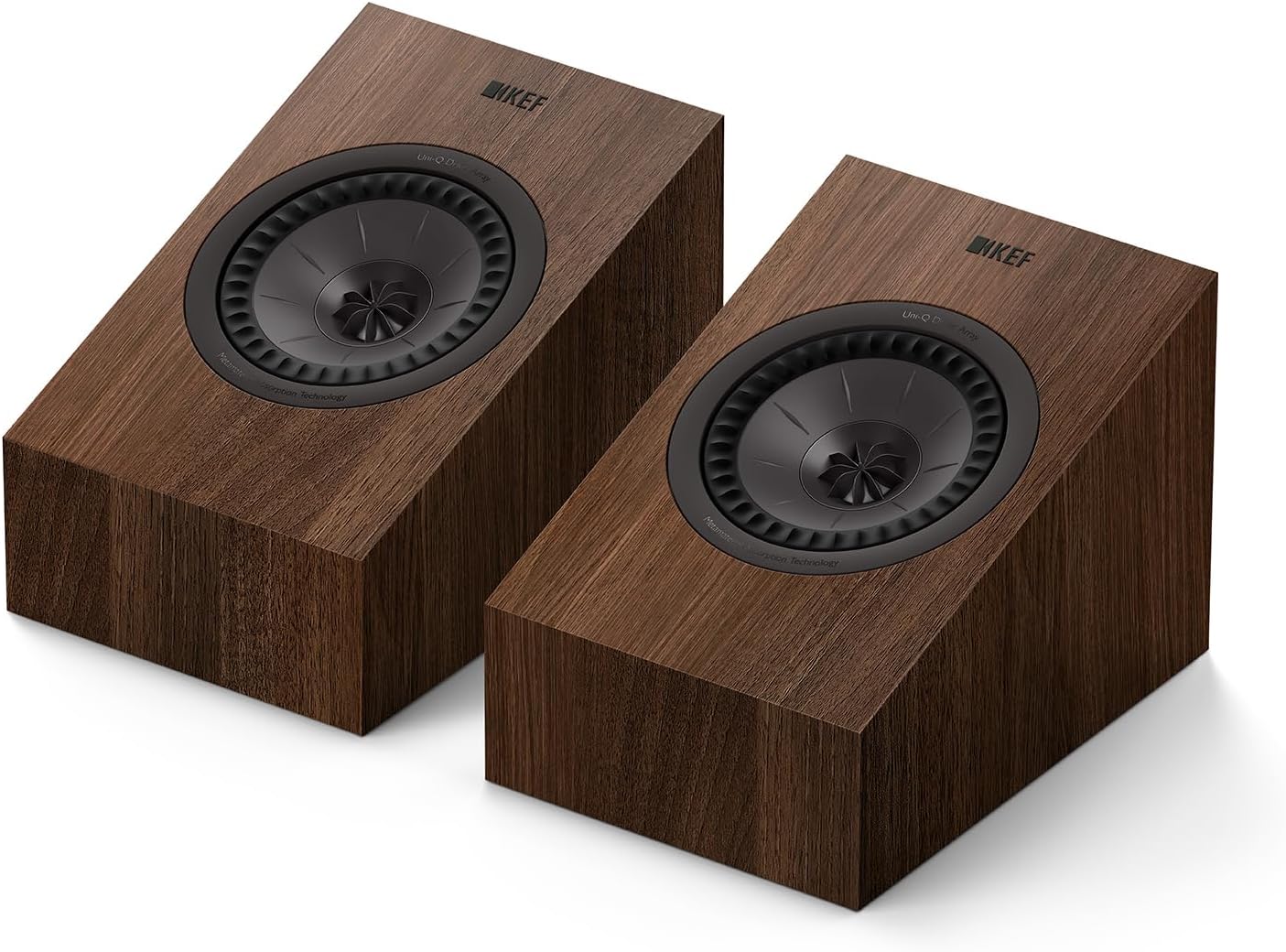
Image: A pair of KEF Q8 Meta speakers in a walnut finish, showcasing their angled design for optimal sound dispersion.

Image: A modern living room featuring a complete KEF Q Series home theater setup, including floor-standing speakers, a center channel, a subwoofer, and Q8 Meta speakers placed on top of the front speakers for Dolby Atmos.
Connecting the Speakers
The Q8 Meta speakers connect to your amplifier using speaker wire. Ensure your amplifier is turned off before making connections.
- Identify the positive (+) and negative (-) terminals on both your amplifier and the Q8 Meta speakers.
- Connect the positive terminal of the amplifier to the positive terminal of the speaker, and the negative to the negative.
- Ensure all connections are secure to prevent short circuits.
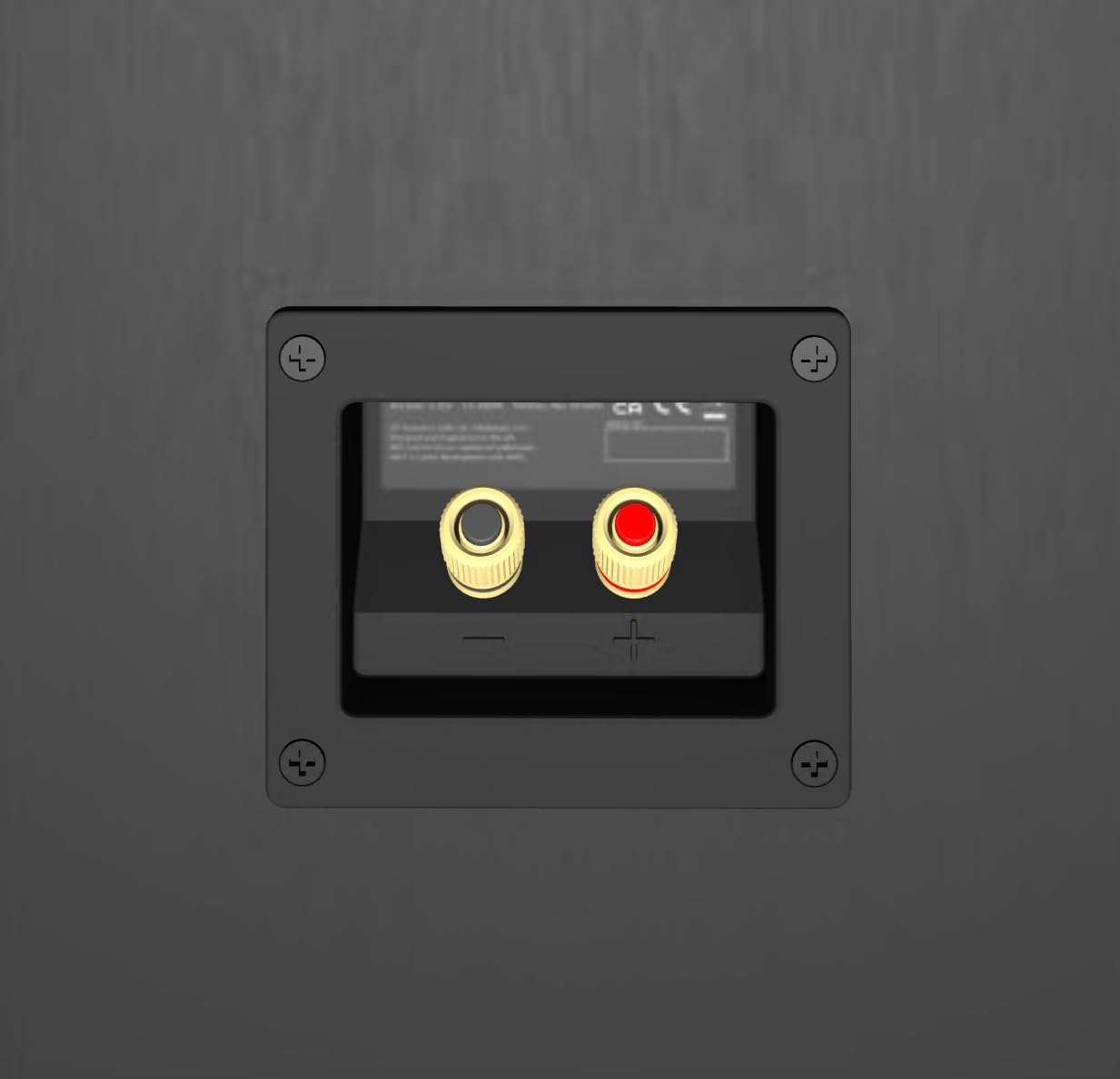
Image: A close-up view of the speaker terminals on the back of a KEF speaker, showing clearly marked positive (red) and negative (black) connections.
Operating
Once properly set up and connected, your KEF Q8 Meta speakers are ready to deliver exceptional audio. The Q8 Meta integrates seamlessly into your existing home theater system.
Key Technologies
- Metamaterial Absorption Technology (MAT): This innovative technology absorbs 99% of unwanted sound from the rear of the driver, eliminating distortion and providing purer, more natural sound.
- 12th Generation Uni-Q Driver: KEF's signature Uni-Q driver acts as a single point source, dispersing sound more evenly throughout the room for an immersive and cohesive soundstage with enhanced clarity.
- Refined Crossover: A precisely engineered crossover ensures seamless integration of all speaker components, optimizing performance and signal path.

Image: A detailed diagram illustrating the intricate maze-like structure of KEF's Metamaterial Absorption Technology (MAT), designed to absorb rearward sound waves.
Maintenance
To ensure the longevity and optimal performance of your KEF Q8 Meta speakers, follow these simple maintenance guidelines:
- Cleaning: Gently wipe the speaker cabinets with a soft, dry, lint-free cloth. Avoid using abrasive cleaners, solvents, or polishes, as these can damage the finish.
- Dust Removal: Use a soft brush or a vacuum cleaner with a brush attachment to carefully remove dust from the speaker grilles and drivers.
- Avoid Direct Sunlight: Prolonged exposure to direct sunlight can cause the cabinet finish to fade or warp.
Troubleshooting
If you encounter any issues with your KEF Q8 Meta speakers, refer to the following common troubleshooting steps:
- No Sound:
- Check all speaker wire connections at both the speaker and amplifier ends to ensure they are secure and correctly polarized (+ to + and - to -).
- Verify that your amplifier is powered on and the correct input source is selected.
- Ensure the volume on your amplifier is not set to minimum or muted.
- Distorted Sound:
- Check speaker wire connections for any loose strands that might be touching.
- Reduce the volume level on your amplifier to see if the distortion subsides.
- Ensure the speakers are not overdriven by an amplifier that is too powerful or set to an excessively high gain.
- Uneven Sound/Poor Imaging:
- Verify that both speakers are connected with correct polarity.
- Check speaker placement to ensure they are equidistant from the listening position and properly angled.
If the issue persists after trying these steps, please contact KEF customer support for further assistance.
Specifications
Detailed technical specifications for the KEF Q8 Meta Dolby Atmos/Surround Speaker:
| Feature | Specification |
|---|---|
| Model Name | Q8 Meta |
| Item Model Number | SP4094W0AA |
| Mounting Type | Wall Mount |
| Material | Meta |
| Speaker Type | Atmospheric |
| Special Feature | Dolby Atmos, Advanced Audio |
| Recommended Uses | For TV, For Home Theater System, For Game Console |
| Compatible Devices | Television |
| Color | Walnut |
| Product Dimensions | 10.2"D x 7.1"W x 6.9"H |
| Item Weight | 23.5 pounds (10.7 Kilograms) |
| Impedance | 4 Ohm |
| Speaker Maximum Output Power | 150 Watts |
| Frequency Response | 20 KHz |
| Connectivity Technology | Speaker Wire |
| Audio Output Mode | Surround |
| UPC | 637203218965 |
Warranty and Support
Your KEF Q8 Meta speaker comes with a Limited Warranty. Please refer to the included Warranty Card for specific terms and conditions.
For product support, technical assistance, or warranty claims, please visit the official KEF website or contact KEF customer service. You can also find more information and products at the KEF Store on Amazon.
Related documentsSP4094W0AA


Ask a question about this manual
Ask about setup, troubleshooting, compatibility, parts, safety, or missing instructions. Manuals+ will review the question and use this page’s manual context to help answer it.