
Introduction
This manual provides essential information for the safe and efficient operation of your Emerson EPB-3006 Portable CD/MP3 Player Boombox. Please read these instructions thoroughly before using the device and retain them for future reference.
Safety Information
- Do not expose this appliance to rain or moisture.
- Do not block any ventilation openings.
- Ensure proper ventilation around the unit.
- Protect the power cord from being walked on or pinched.
- Unplug the unit during lightning storms or when unused for long periods.
- Refer all servicing to qualified service personnel.
- Do not open the cabinet; there are no user-serviceable parts inside.
- Avoid placing the unit near heat sources or in direct sunlight.
- Use only attachments/accessories specified by the manufacturer.
Package Contents
Verify that all items are present upon unpacking:
- Emerson EPB-3006 Portable CD/MP3 Player Boombox
- AC Power Cable
- User Manual (this document)
Product Overview
Familiarize yourself with the main components and controls of your boombox.
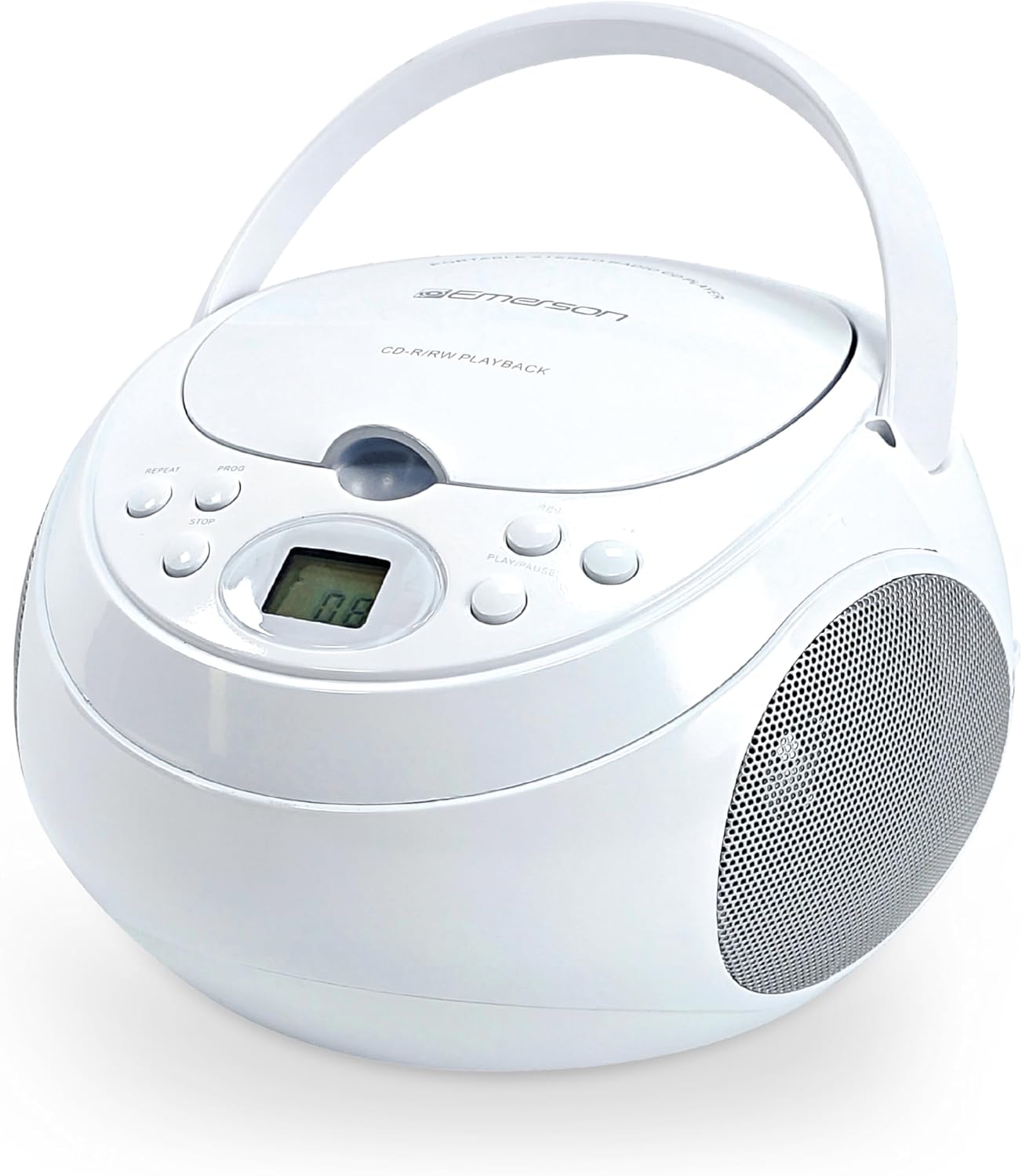
Figure 1: Front-top view of the Emerson EPB-3006 boombox, showing the CD compartment, control buttons, and speakers.
Front Panel Controls:
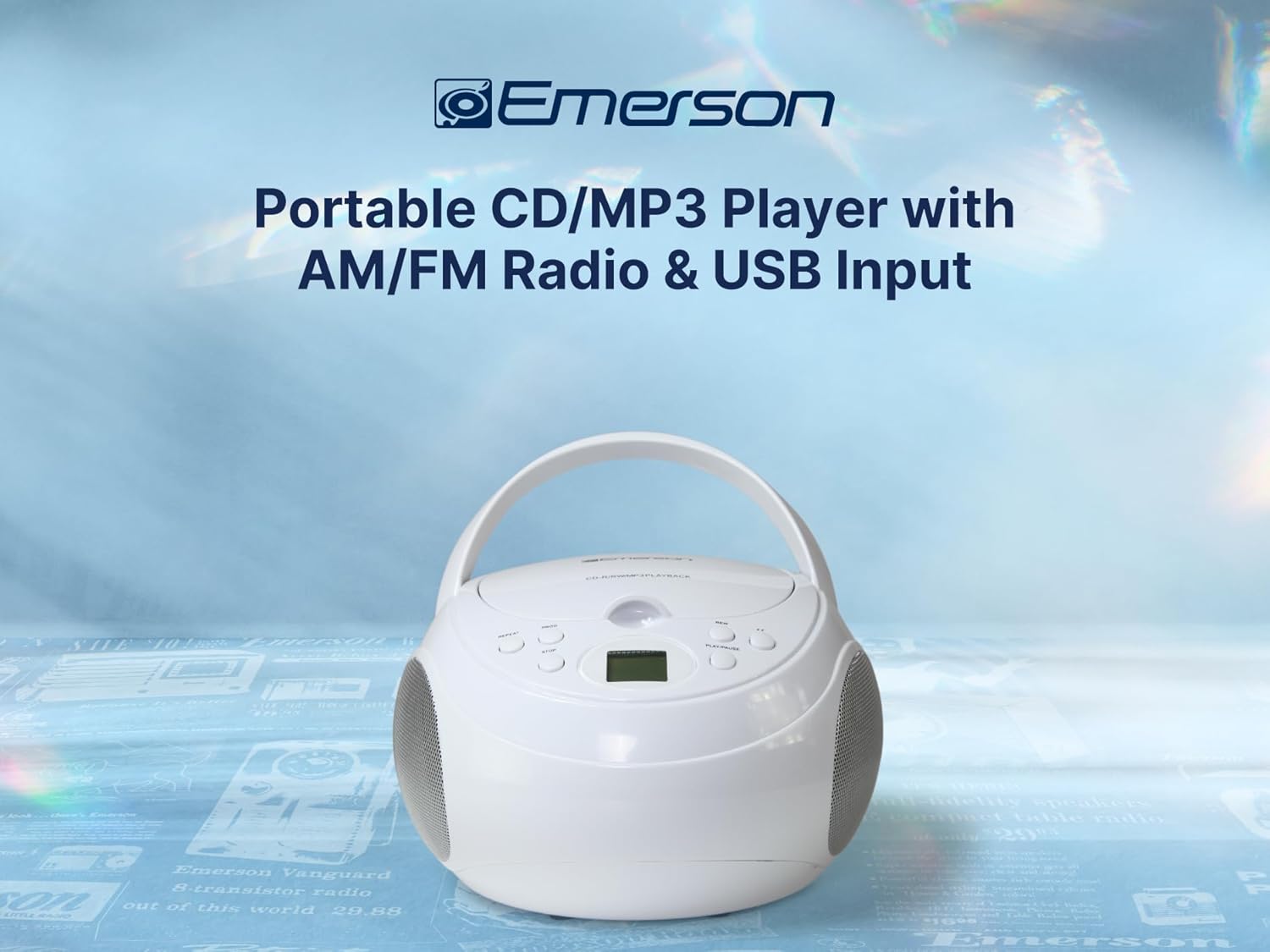
Figure 2: Close-up of the front panel, highlighting the control buttons and LCD display.
- POWER/FUNCTION: Turns the unit ON/OFF and switches between CD/USB/FM/AM/AUX modes.
- VOLUME +/-: Adjusts the audio output level.
- PLAY/PAUSE (►/−): Starts or pauses CD/USB playback.
- STOP (■): Stops CD/USB playback.
- SKIP/SEARCH (◀◀ / ►►): Skips tracks or searches within a track (CD/USB); tunes radio stations (AM/FM).
- PROG (Program): Programs CD/USB tracks.
- REPEAT: Repeats current track or all tracks.
- LCD Display: Shows track number, time, and mode.
Side and Rear Connections:

Figure 3: Side view showing the USB and AUX input ports.
Figure 4: Rear view showing the AC power input and battery compartment.
- USB Port: For connecting USB flash drives to play MP3 files.
- AUX IN Jack: For connecting external audio devices (e.g., smartphone, tablet).
- AC IN Jack: For connecting the AC power cable.
- Battery Compartment: For optional battery power (6 x "C" batteries, not included).
- Telescopic Antenna: For FM radio reception.
Setup
Powering the Unit:
The EPB-3006 can be powered by AC household current or by batteries for portability.

Figure 5: The boombox can be powered by AC or 6 "C" batteries (not included).
AC Power:
- Ensure the unit is turned OFF.
- Connect the supplied AC power cable to the AC IN jack on the rear of the unit.
- Plug the other end of the AC power cable into a standard wall outlet.
Battery Power:
- Ensure the unit is turned OFF and disconnected from AC power.
- Open the battery compartment cover on the rear of the unit.
- Insert 6 x "C" size batteries (not included), observing the correct polarity (+/-) as indicated inside the compartment.
- Close the battery compartment cover securely.
Note: Remove batteries if the unit will not be used for an extended period to prevent leakage.
Antenna Setup (for Radio):
For optimal FM reception, fully extend the telescopic antenna. For AM reception, the unit has a built-in antenna, so no adjustment is needed, but you may need to reposition the unit for better signal.
Operating Instructions
Press the POWER/FUNCTION button to turn the unit ON. Repeatedly press POWER/FUNCTION to cycle through modes: CD/USB → FM → AM → AUX.
CD/MP3 Playback:

Figure 6: Top-loading CD compartment open, ready for disc insertion.
- Lift the CD compartment door.
- Place a CD or MP3 CD onto the spindle with the label side facing up.
- Close the CD compartment door.
- Press the POWER/FUNCTION button until "CD" appears on the display. The disc will begin to spin and play automatically.
- Use PLAY/PAUSE (►/−) to pause or resume playback.
- Press STOP (■) to stop playback.
- Press SKIP/SEARCH (◀◀ / ►►) briefly to skip to the previous or next track.
- Press and hold SKIP/SEARCH (◀◀ / ►►) to search rapidly backward or forward within a track.
Programming CD/MP3 Tracks:
You can program up to 20 tracks for CD playback.
- In CD mode, with the disc stopped, press the PROG button. "PROG" will flash on the display.
- Use SKIP/SEARCH (◀◀ / ►►) to select the desired track.
- Press PROG again to confirm the track. The display will show the next program number.
- Repeat steps 2 and 3 to add more tracks to the program list.
- After programming all desired tracks, press PLAY/PAUSE (►/−) to start programmed playback.
- To clear the program, press STOP (■) twice.
USB Playback:

Figure 7: USB flash drive inserted into the USB port on the side of the unit.
- Insert a USB flash drive containing MP3 audio files into the USB port.
- Press the POWER/FUNCTION button until "USB" appears on the display.
- The unit will automatically detect and begin playing the MP3 files from the USB drive.
- Use PLAY/PAUSE (►/−), STOP (■), and SKIP/SEARCH (◀◀ / ►►) buttons as you would for CD playback.
AM/FM Radio:
- Press the POWER/FUNCTION button until "FM" or "AM" appears on the display.
- For FM reception, extend the telescopic antenna.
- Press SKIP/SEARCH (◀◀ / ►►) briefly to manually tune the frequency.
- Press and hold SKIP/SEARCH (◀◀ / ►►) to automatically scan for the next available station.
- Adjust the VOLUME +/- to your desired listening level.
AUX Input:

Figure 8: An external device connected to the AUX IN port using a 3.5mm audio cable.
- Connect one end of a 3.5mm audio cable (not included) to the AUX IN jack on the boombox.
- Connect the other end of the audio cable to the headphone jack or audio output of your external device (e.g., smartphone, tablet, MP3 player).
- Press the POWER/FUNCTION button until "AUX" appears on the display.
- Start playback on your external device.
- Adjust the volume using both the boombox's VOLUME +/- controls and your external device's volume controls.
Maintenance
- Cleaning the Unit: Use a soft, dry cloth to clean the exterior of the unit. Do not use abrasive cleaners or solvents.
- Cleaning the CD Lens: If CD playback issues occur, use a commercially available CD lens cleaner disc. Do not touch the lens directly.
- Storage: When not in use for extended periods, store the unit in a cool, dry place, away from direct sunlight and extreme temperatures. Remove batteries if using battery power.
Troubleshooting
| Problem | Possible Cause | Solution |
|---|---|---|
| No power | AC cord not connected; Batteries depleted or incorrectly inserted. | Check AC cord connection; Replace batteries or ensure correct polarity. |
| No sound | Volume too low; Incorrect function mode selected; Headphones connected (if applicable). | Increase volume; Select correct mode (CD, USB, FM, AM, AUX); Disconnect headphones. |
| CD/USB not playing | Disc dirty/scratched; Disc inserted incorrectly; USB drive not formatted correctly or contains unsupported files; Incorrect mode. | Clean or replace disc; Insert disc label-side up; Ensure USB is FAT32 and contains MP3s; Select CD or USB mode. |
| Poor radio reception | Antenna not extended (FM); Unit position (AM). | Extend FM antenna fully; Reposition the unit for better AM signal. |
| AUX input not working | Cable not connected properly; Incorrect mode; External device volume too low. | Check 3.5mm cable connection; Select AUX mode; Increase volume on external device. |
Specifications

Figure 9: Dimensions of the Emerson EPB-3006 boombox.
| Feature | Detail |
|---|---|
| Model: | EPB-3006 |
| Power Source: | AC 120V ~ 60Hz or 6 x "C" size batteries (DC 9V) |
| Supported Media: | CD, CD-R/RW, MP3-CD, USB (MP3 files) |
| Radio Frequencies: | AM/FM Stereo |
| Audio Output: | Stereo, 2.4 Watts total (2 x 1.2W speakers) |
| Inputs: | USB, 3.5mm AUX IN |
| Programmable Memory: | 20 CD tracks |
| Dimensions (L x W x H): | 20.83 x 22.86 x 13.97 cm (8.2 x 9.0 x 5.5 inches) |
| Weight: | 1.04 kg (2.3 lbs) |
Warranty and Support
For warranty information or technical support, please refer to the warranty card included with your product or visit the official Emerson website. Do not attempt to repair the unit yourself, as this may void your warranty.
For further assistance, please contact Emerson customer service.


