
ALORAIR Storm 80X
ALORAIR Storm 80X Commercial Dehumidifier User Manual
1. Introduction
This manual provides essential information for the safe and efficient operation, installation, and maintenance of your ALORAIR Storm 80X Commercial Dehumidifier. Please read all instructions carefully before use and retain this manual for future reference.
2. Safety Information
Always adhere to basic safety precautions to reduce the risk of fire, electric shock, or injury. Ensure the unit is connected to a properly grounded electrical outlet. Do not operate the unit with a damaged cord or plug. Keep children and pets away from the unit during operation. Refer to the full safety guidelines in the included user manual for comprehensive details.
3. Package Contents
- ALORAIR Storm 80X Dehumidifier Unit
- Drain Hose (19.6 ft)
- Air Filter (MERV-1)
- Retractable Handle
- User Manual
4. Product Overview & Features
The ALORAIR Storm 80X is a high-efficiency commercial-grade dehumidifier designed for large spaces up to 2,100 square feet. It features a robust rotomolded housing for durability and portability.
Key Features:
- High Capacity: Removes up to 170 pints of water per day at saturation (90°F, 90% RH) and 80 PPD at AHAM conditions.
- Energy Efficient: COP performance of 2.4 L/KWh.
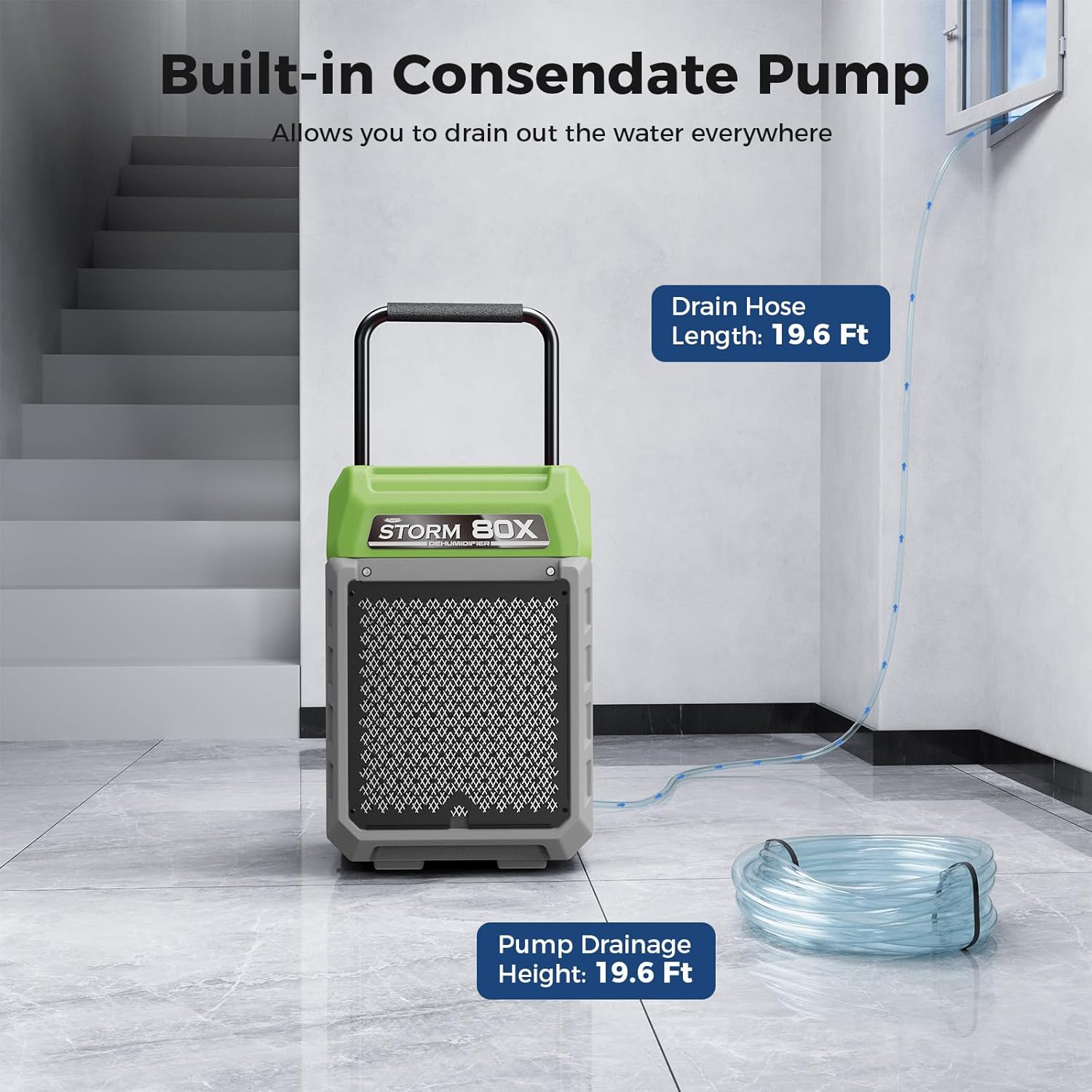
- Integrated Pump: Built-in condensate pump with a 19.6 ft drain hose and 19.6 ft vertical drain height for continuous drainage.
- Durable Construction: Rotomolded, impact-resistant, and warp-proof housing.
- Portable Design: Equipped with 2 large wheels and a retractable handle for easy transport.
- Smart Control Panel: Features an intelligent touch control display for monitoring inlet/outlet temperature and humidity, job hours, and life hours.
- Automatic Functions: AUTO ON/OFF, Memory Starting, Auto-restart on power failure, and Automatic Defrost.
- Easy Maintenance: Washable MERV-1 air filter.

5. Setup
5.1 Unboxing and Initial Inspection
- Carefully remove the dehumidifier from its packaging.
- Inspect the unit for any signs of shipping damage. If damage is found, contact customer support immediately.
- Remove all packing materials and ensure all listed package contents are present.
5.2 Handle and Wheel Assembly
The Storm 80X features a retractable handle and large wheels for easy mobility. The handle can be pulled up and secured using the two knobs on the sides of the unit. Loosen the knobs to extend or retract the handle, then tighten to secure it in place.

5.3 Drain Hose Connection
The unit includes a built-in condensate pump and a 19.6 ft drain hose for continuous drainage. Connect the drain hose to the quick-connect port located at the bottom rear of the unit. Ensure the hose is routed to a suitable drain point, allowing for the specified vertical lift and horizontal distance.
5.4 Power Connection
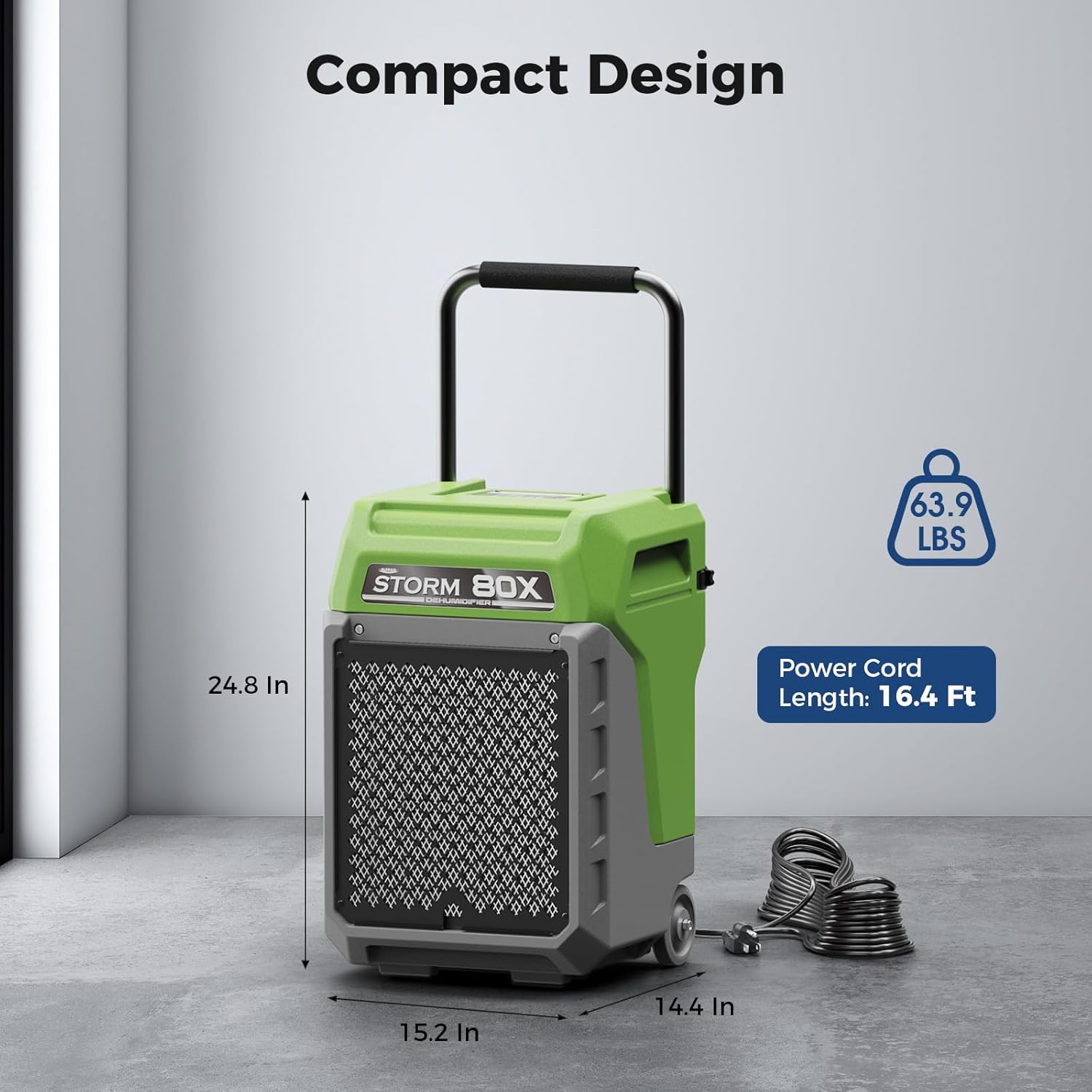
Connect the power cord to a standard 115V/60Hz grounded electrical outlet. The power cord can be neatly coiled and stored on the back of the unit when not in use or during transport.
6. Operating Instructions
6.1 Control Panel Overview
The ALORAIR Storm 80X features an intuitive smart control panel with touch buttons and a digital display. The display shows real-time inlet and outlet temperature, relative humidity, job hours, and total life hours.

6.2 Basic Operation
- Power On/Off: Press the 'POWER' button to turn the unit on or off.
- Setting Humidity: Use the 'SET' button to adjust the desired humidity level (25% to 80% RH). The unit will operate until this level is reached, then shut off automatically.
- Continuous Mode: Select 'CO' on the humidity setting for continuous operation, ideal for severe water damage situations.
- Purge Function: The 'PURGE' button activates the condensate pump to manually drain accumulated water.
- Menu: Access additional settings and information through the 'MENU' button.
6.3 Automatic Defrost
The unit is equipped with an automatic defrost system. When ambient temperatures are low, the system monitors for frost buildup. If frost is detected, the compressor temporarily stops while the fan continues to run, allowing the frost to thaw. Normal operation resumes once defrosting is complete. This feature ensures efficient operation and extends unit lifespan.

7. Maintenance
7.1 Air Filter Maintenance
The Storm 80X uses a washable MERV-1 filter to protect internal components and maintain airflow. Regularly inspect and clean the filter to ensure optimal performance.
- Removal: Gently pull the filter cover to access and remove the MERV-1 filter.
- Cleaning: Wash the filter with warm water and mild detergent. Rinse thoroughly and allow it to air dry completely before reinstallation.
- Replacement: It is recommended to replace the filter every three months or after two cleanings, depending on usage and environmental conditions.
Video 1: Instructions on how to replace the MERV-1 filter for the ALORAIR Storm 80X dehumidifier, demonstrating the easy access and removal process.
7.2 Drain Pump Maintenance
Periodically check the drain hose for any blockages or kinks. If the pump appears to be malfunctioning or if water is not draining properly, refer to the troubleshooting section or consult the full user manual for pump cleaning procedures.
8. Troubleshooting
If the unit is not operating as expected, consult the following general troubleshooting steps. For specific error codes or persistent issues, refer to the detailed troubleshooting guide in the complete user manual or contact ALORAIR customer support.
- Unit Not Turning On: Ensure the power cord is securely plugged into a grounded outlet. Check the circuit breaker.
- No Dehumidification: Verify the humidity setpoint is lower than the current room humidity. Check if the filter is clean and airflow is unobstructed.
- Water Not Draining: Inspect the drain hose for kinks or blockages. Ensure the drain hose is properly connected and routed to a suitable drain.
- Unusual Noise: Check for any loose parts or obstructions in the fan area.
9. Specifications
| Specification | Value |
|---|---|
| Brand | ALORAIR |
| Model Name | Storm 80X |
| Floor Area Coverage | 2100 Square Feet |
| Capacity (Saturation) | 170 Pints per Day |
| Capacity (AHAM) | 80 PPD |
| Product Dimensions | 15.2"D x 14.4"W x 24.8"H |
| Item Weight | 63.9 Pounds |
| Wattage | 607 watts |
| Air Flow Capacity | 200 Cubic Feet Per Minute |
| Upper Temperature Rating | 102.2 Degrees Fahrenheit |
| Operation Mode | Continuous |
| Special Features | Automatic Defrost, Automatic Moisture Removal, Built-In Pump, Continuous Draining, Portable |
10. Warranty and Support
The ALORAIR Storm 80X Commercial Dehumidifier comes with a 5-year limited warranty. For detailed warranty information, including coverage for parts, labor, compressor, and coil, please refer to the specific terms outlined in the full user manual or contact ALORAIR customer support.
- 6 Month Parts and Labor: Includes shipment charges for replacement parts or unit.
- 1 Year Parts and Labor: Excludes shipment charge to send defective product back for repair or replacement.
- 3 Year Parts and Labor: Coverage for refrigeration system only.
- 5 Year Compressor and Coil: Limited coverage.
For technical assistance or warranty claims, please refer to the contact information provided in your user manual.
11. Additional Resources
Product Videos:
Video 2: A detailed overview of the ALORAIR Commercial Dehumidifier with Pump, highlighting its portable design suitable for basements and other large areas.
Video 3: Demonstrates the ALORAIR Storm 80X Commercial Dehumidifier's effectiveness in scenarios like winter storm damage and carpet drying.
Video 4: Showcases the ALORAIR Storm 80X Commercial Dehumidifier, emphasizing its built-in pump and convenient handle for portability.
Video 5: A comprehensive look at the ALORAIR 170 Pints Commercial Dehumidifier with Pump, detailing its features and benefits.
Related documentsStorm 80X


Ask a question about this manual
Ask about setup, troubleshooting, compatibility, parts, safety, or missing instructions. Manuals+ will review the question and use this page’s manual context to help answer it.