
1. Introduction
Thank you for choosing the ASHATA Portable MP3 Player. This device is designed for portable music playback, offering a clear sound experience with its HiFi technology and integrated box speakers. It is suitable for various activities such as running, jogging, hiking, and horseback riding. This manual provides detailed instructions on how to set up, operate, and maintain your MP3 player.
2. Package Contents
Please verify that all items are present in your package:
- 1 x ASHATA Portable MP3 Player
- 1 x USB Charging Cable
- 1 x Earphone

Image: The ASHATA MP3 Player displayed alongside its USB charging cable and wired earphones, illustrating the complete package contents.
3. Product Overview
Familiarize yourself with the physical components and interface of your ASHATA MP3 Player.

Image: Front view of the MP3 player, showing the 1.8-inch display with menu icons for Music, Video, Record, FM, Ebook, Tools Folder, and Settings. Navigation buttons are visible below the screen.
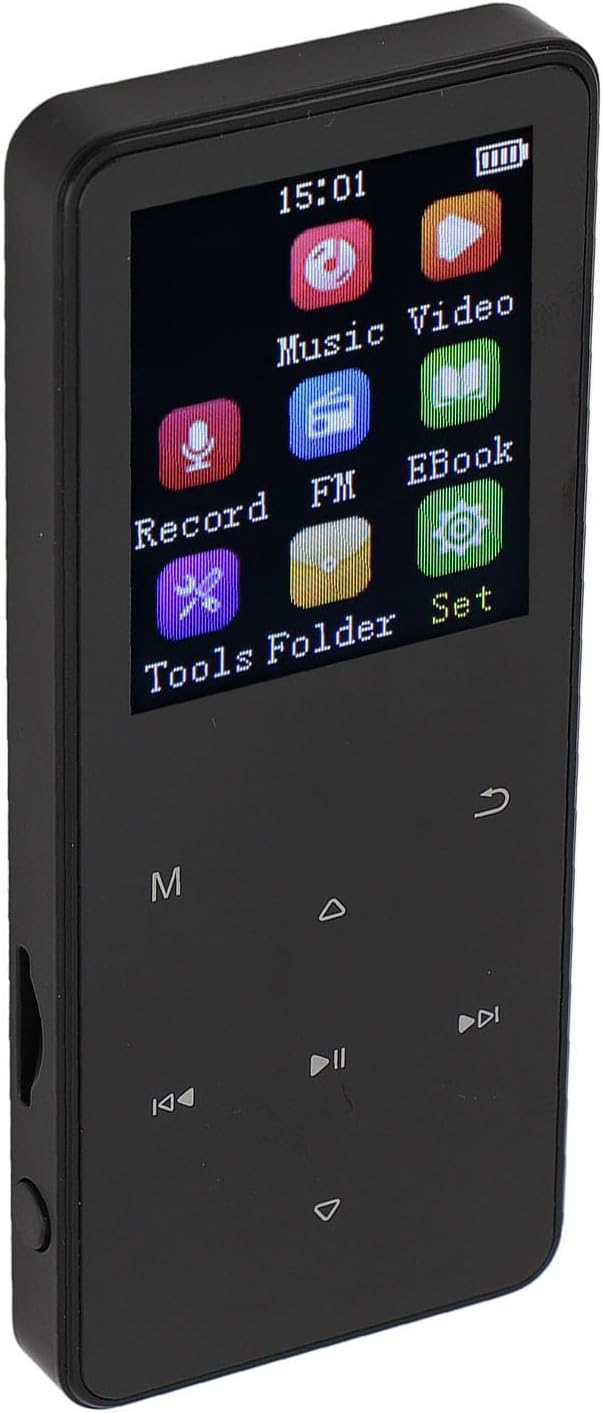
Image: An angled perspective of the MP3 player, highlighting the screen interface and the physical buttons located on the side for volume control or power.

Image: Side view of the MP3 player, detailing the physical control buttons, likely for power, volume, or menu navigation.
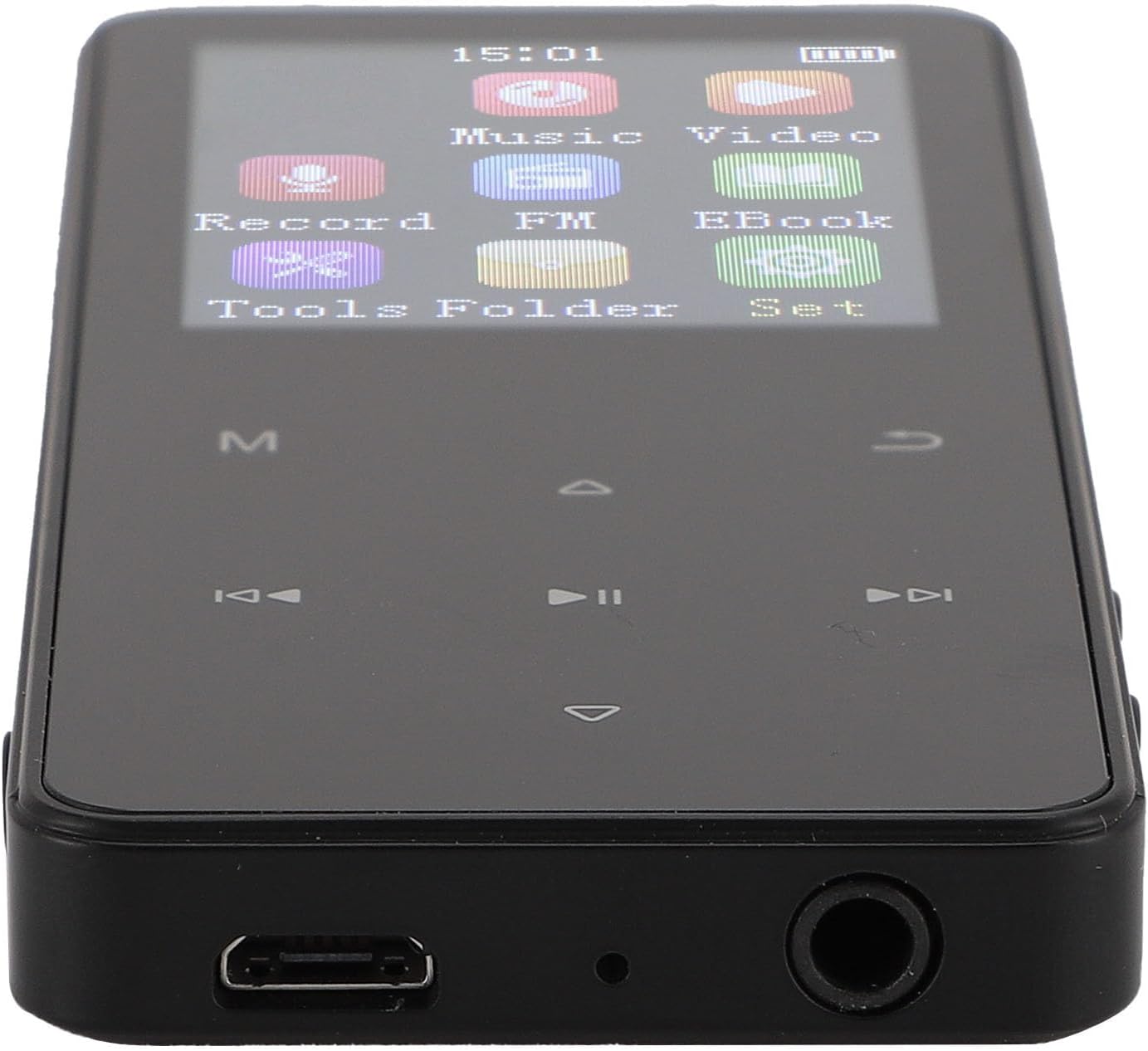
Image: Bottom view of the MP3 player, clearly showing the micro USB charging port and the 3.5mm headphone jack.
4. Setup
4.1 Charging the Device
Before first use, fully charge your MP3 player. Connect the provided USB charging cable to the device's micro USB port and plug the other end into a USB power adapter (not included) or a computer's USB port. A full charge typically takes 2-3 hours.
4.2 Powering On/Off
- To Power On: Press and hold the power button (located on the side) until the screen illuminates.
- To Power Off: Press and hold the power button until the power-off prompt appears, then confirm.
4.3 Inserting a Memory Card
The device supports memory cards up to 128GB for expanded storage. Locate the memory card slot on the side of the player. Gently insert the memory card with the gold contacts facing down until it clicks into place. To remove, push the card in slightly until it springs out.

Image: The MP3 player connected to a laptop via a USB cable, demonstrating how to connect the device for charging or data transfer.
5. Operating Instructions
5.1 Basic Navigation
Use the physical navigation buttons below the 1.8-inch display to move through menus and select options. The 'M' button typically accesses the main menu or returns to a previous screen, while the 'back' arrow button serves as a return or escape function.
5.2 Music Playback
From the main menu, select 'Music'. You can browse your music library by artist, album, genre, or all songs. The player supports MP3, WAV, WMA, APE, and FLAC formats. Use the play/pause, next, and previous buttons for control. The device offers up to 15 hours of lossless music playback on a single charge.
5.3 Video Playback
Select 'Video' from the main menu. The player supports AMV and AVI video formats. Ensure your video files are in a compatible format for smooth playback.
5.4 Picture Viewing
Navigate to the 'Picture' or 'Image' option. The device can display JPC, JPEG, and BMP image files.
5.5 Other Functions
- Record: Use the built-in microphone to record audio.
- FM: Tune into FM radio stations.
- Ebook: Read text files (e.g., TXT format).
- Tools Folder: Access additional utilities or settings.
- Set: Configure device settings such as language, time, display brightness, and more.
6. Maintenance
To ensure the longevity and optimal performance of your ASHATA MP3 Player, follow these maintenance guidelines:
- Keep the device dry. Avoid exposure to moisture or liquids.
- Clean the screen and body with a soft, dry cloth. Do not use abrasive cleaners or solvents.
- Avoid extreme temperatures. Do not leave the device in direct sunlight or in very cold environments.
- Handle with care. Avoid dropping or subjecting the device to strong impacts.
- When not in use for extended periods, store the device in a cool, dry place and charge it periodically to maintain battery health.
7. Troubleshooting
If you encounter issues with your MP3 player, refer to the following common solutions:
| Problem | Possible Cause | Solution |
|---|---|---|
| Device does not power on | Low battery; device frozen | Charge the device for at least 30 minutes. If still unresponsive, perform a soft reset (refer to manual for specific reset instructions, if available, or hold power button for 10-15 seconds). |
| No sound from earphones/speakers | Volume too low; faulty earphones; corrupted audio file | Increase volume. Test with different earphones. Ensure audio file is not corrupted and is in a supported format (MP3, WAV, WMA, APE, FLAC). |
| Cannot transfer files | Incorrect USB connection; driver issue; full storage | Ensure USB cable is securely connected to both device and computer. Try a different USB port or cable. Check if device storage or memory card is full. |
| Screen is unresponsive or frozen | Software glitch | Press and hold the power button for 10-15 seconds to force a restart. |
| Video/Image files not playing/displaying | Unsupported file format | Ensure video files are AMV or AVI, and image files are JPC, JPEG, or BMP. Convert files if necessary. |
8. Specifications
Detailed technical specifications for the ASHATA Portable MP3 Player:
- Model: ASHATAbwh3cx729f-13
- Display: 1.8 Inch
- Internal Storage: 16GB
- Expansion Interface: Memory Card (up to 128GB support, not included)
- Music Formats: MP3, WAV, WMA, APE, FLAC
- Video Formats: AMV, AVI
- Picture Formats: JPC, JPEG, BMP
- Headphone Output: 3.5mm
- Battery Type: 300mAh Lithium Ion Battery (built-in)
- Battery Life: Up to 15 hours (lossless music playback)
- Charging Time: 2-3 hours
- Product Size: Approx. 96x40x10mm / 3.8x1.6x0.4in
- Item Weight: 4.2 ounces

Image: The MP3 player shown with its precise dimensions labeled in both millimeters and inches, providing a clear visual reference for its size.
9. Warranty and Support
For warranty information and customer support, please refer to the documentation provided with your purchase or contact the retailer. Keep your proof of purchase for any warranty claims.