
Introduction
The ALLIMITY KT-109 II is a universal replacement remote control designed for a wide range of air conditioner brands, including Fujitsu, AUX, Hitachi, Sharp, Hisense, Hyundai, Samsung, Haier, Daikin, Gree, LG, Kelon, York, Toshiba, MIDEA, and MITSUBISHI. This infrared (IR) remote control is engineered for simplicity, requiring no complex programming or pairing. Simply insert new alkaline batteries, and it is ready for operation.
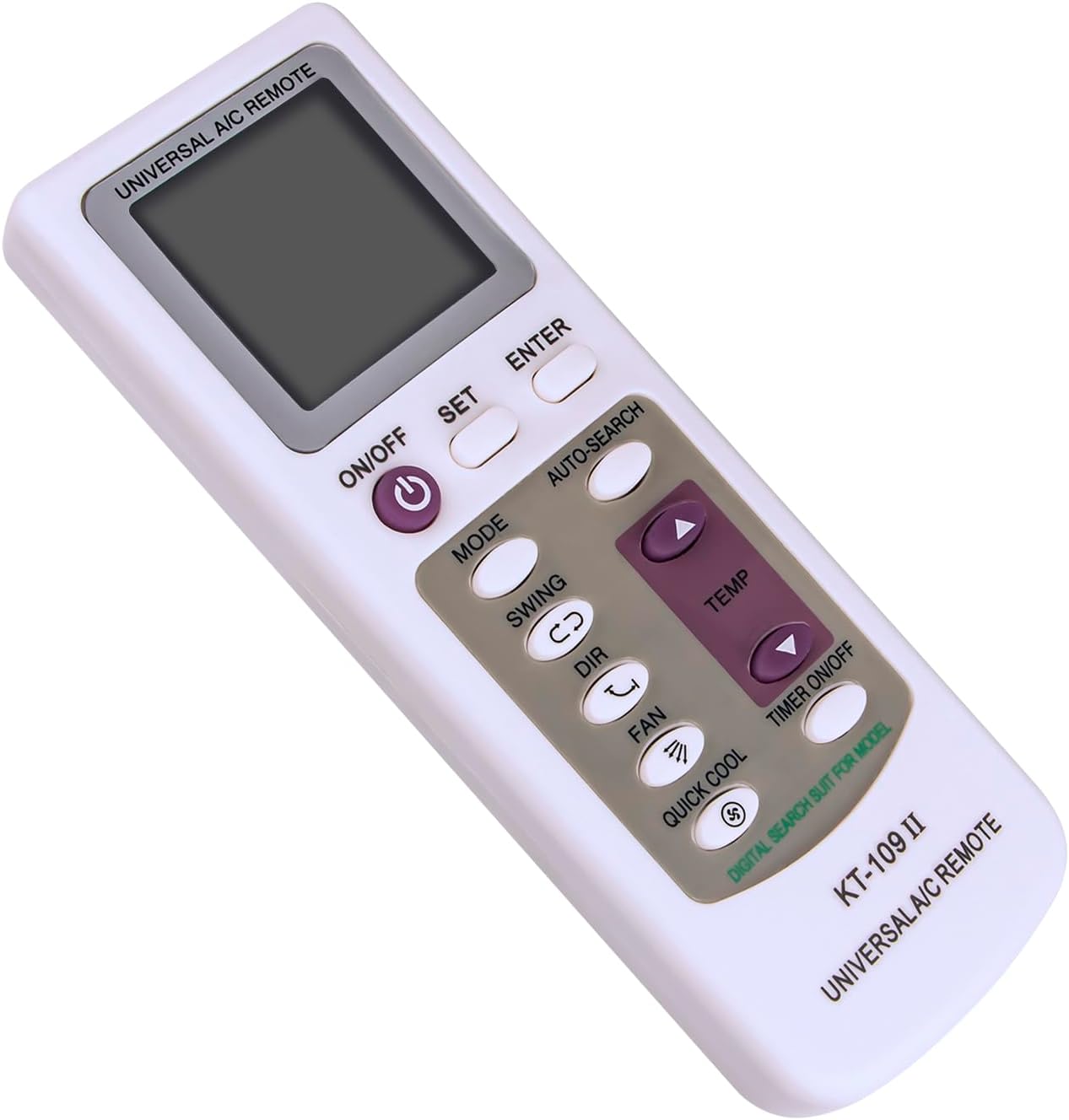
Figure 1: Front view of the ALLIMITY KT-109 II Universal AC Remote Control. The remote features a clear LCD display at the top, with power, mode, fan, swing, direction, quick cool, and temperature adjustment buttons below it. Additional buttons for set, enter, auto-search, and timer are also visible.
Setup and Battery Installation
The ALLIMITY KT-109 II remote control is designed for immediate use with most compatible air conditioners. No programming or pairing is typically required; simply install the batteries.
Battery Installation
- Locate the battery compartment on the back of the remote control.
- Slide the battery cover downwards to open it.
- Insert two AAA 1.5V alkaline batteries, ensuring the correct polarity (+ and -) as indicated inside the compartment.
- Slide the battery cover back into place until it clicks securely.
After battery installation, the remote should be operational. If your air conditioner does not respond, you may need to perform a quick setup using one of the methods below.
Optional Setup Steps (If AC does not respond)
The back of the remote provides instructions for manual and auto-searching steps if direct operation is not achieved. Refer to Figure 2 for visual guidance.
Manual Setup Steps:
- Find the code number corresponding to your air conditioner brand from the provided code list (typically included with the remote or found online).
- Press and hold the "SET" key until the code number you wish to set flashes on the LCD screen.
- Press the "ENTER" key to confirm. Setup is now complete.
Auto-Searching Steps:
- Point the remote control directly at your air conditioner.
- Press the "SET" key repeatedly until the air conditioner turns on.
- Press the "ENTER" key to confirm. The auto-searching code is now finished.

Figure 2: Back view of the ALLIMITY KT-109 II Universal AC Remote Control. This image displays the battery compartment for two AAA 1.5V batteries and printed instructions for both manual and auto-searching setup methods.
Operating Instructions
Ensure a clear line of sight between the remote control and the air conditioner's infrared receiver for optimal performance. The maximum effective range is approximately 33 feet (10 meters).
- ON/OFF Button: Press to power the air conditioner on or off.
- MODE Button: Cycles through available operating modes such as Cool, Heat, Fan, Dry, and Auto.
- TEMP Buttons (Up/Down Arrows): Adjusts the desired temperature setting.
- FAN Button: Changes the fan speed (e.g., Low, Medium, High, Auto).
- SWING Button: Activates or deactivates the automatic vertical louver swing function.
- DIR Button: Adjusts the horizontal louver direction manually.
- QUICK COOL Button: Activates a rapid cooling function for quick temperature reduction.
- TIMER ON/OFF Button: Sets or cancels the timer for automatic power on/off.
- SET Button: Used during the setup process to initiate code setting or auto-search.
- ENTER Button: Confirms selections during setup or other functions.
- AUTO-SEARCH Button: Initiates the automatic code search function for compatible air conditioners.
Maintenance
- Cleaning: Wipe the remote control with a soft, dry cloth. Do not use liquid cleaners or abrasive materials.
- Battery Replacement: Replace batteries when the remote's performance degrades or the display becomes dim. Always replace both batteries simultaneously with new alkaline batteries of the same type (AAA 1.5V).
- Storage: If the remote control will not be used for an extended period, remove the batteries to prevent leakage and damage. Store in a cool, dry place away from direct sunlight.
Troubleshooting
- Remote not responding:
- Check if the batteries are correctly inserted with the proper polarity.
- Replace old batteries with new ones.
- Ensure there is no obstruction between the remote control and the air conditioner's receiver.
- Confirm that the remote is pointed directly at the air conditioner.
- Air conditioner not responding after battery replacement:
- Although typically plug-and-play, some air conditioners may require the manual or auto-searching setup steps detailed in the "Setup and Battery Installation" section.
Specifications
| Brand | ALLIMITY |
| Model Name/Number | KT-109 II |
| Connectivity Technology | Infrared (IR) |
| Compatible Devices | Air Conditioners (Universal compatibility with many brands) |
| Max Number of Supported Brands | 18 (referring to the number of AC brands it can control) |
| Item Weight | 88 Grams |
| Item Dimensions (L x W x H) | 6"L x 2"W x 0.5"H (approximately 15.24 cm x 5.08 cm x 1.27 cm) |
| Maximum Range | 33 Feet (10 meters) |
| Color | White/Grey (as pictured, though specifications may list 'black') |
| Special Feature | Ergonomic design |
| Button Quantity | 10 |
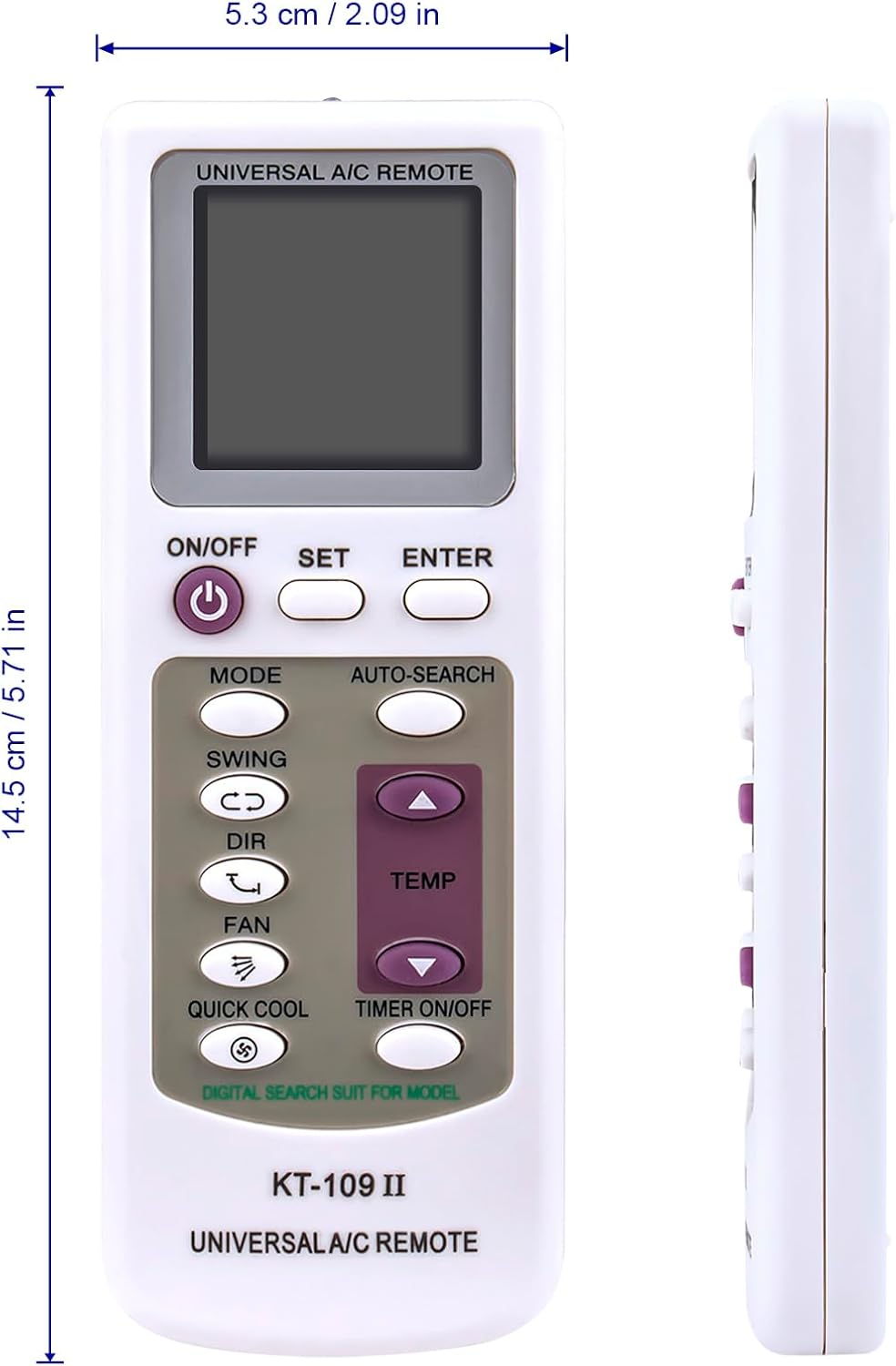
Figure 3: Dimensions of the ALLIMITY KT-109 II Universal AC Remote Control. The image shows the remote's length as 14.5 cm (5.71 in) and width as 5.3 cm (2.09 in).
Warranty Information
Specific warranty details for the ALLIMITY KT-109 II Universal AC Remote Control are not provided in the product information. Please refer to your retailer's return policy or contact the manufacturer directly for warranty inquiries.
Support
For further assistance or technical support regarding the ALLIMITY KT-109 II Universal AC Remote Control, please contact the seller or manufacturer through the platform where the product was purchased. Ensure you have your product model number (KT-109 II) and purchase details available when seeking support.
