
Soundcore Soundcore Anker 3 Select 4 Go (A31X1111)
Soundcore Anker 3 Select 4 Go Bluetooth Speaker User Manual
Model: A31X1111
Introduction
The Soundcore Anker 3 Select 4 Go is an ultra-portable Bluetooth speaker designed for robust performance in various environments. It features a durable, waterproof, and dustproof construction, making it suitable for both indoor and outdoor use. This manual provides essential information for setting up, operating, and maintaining your speaker.
Key Features:
- Up to 20-Hour Playback Time: Enjoy extended music playback on a single charge.
- 5W Powerful Sound: Delivers clear and dynamic audio despite its compact size.
- IP67 Waterproof and Dustproof: Fully protected against dust and water immersion, and designed to float.
- Lightweight & Portable Design: Easy to carry with an integrated strap for convenience.
- Wireless Stereo Pairing (TWS): Connect two speakers wirelessly for an immersive stereo sound experience.
What's in the Box
Your Soundcore Anker 3 Select 4 Go speaker package includes the following items:
- Soundcore Anker 3 Select 4 Go Bluetooth Speaker
- USB-C Charging Cable
- Quick Start Guide / User Manual
- Integrated Carrying Strap
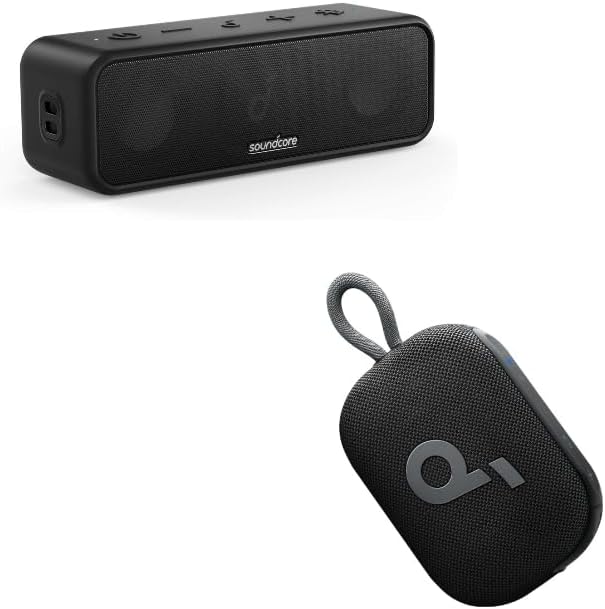
Image: The Soundcore Anker 3 Select 4 Go Bluetooth Speaker (larger, rectangular) and a smaller Soundcore Select 4 Go speaker (oval with strap).
Product Overview
Familiarize yourself with the speaker's controls and features.

Image: An internal view of the Soundcore Select 4 Go speaker, highlighting its 5W speaker driver and passive radiator for punchy sound.
Controls:
- Power Button: Press and hold to power on/off.
- Bluetooth Button: Press to enter Bluetooth pairing mode.
- Volume Down (-): Decrease volume.
- Play/Pause Button: Play or pause audio playback.
- Volume Up (+): Increase volume.
- BassUp Button: Activate/deactivate BassUp technology for enhanced bass.
- TWS Button: Initiate Wireless Stereo Pairing.
Ports:
- USB-C Charging Port: Used for charging the speaker.
Setup
1. Charging the Speaker:
- Connect the provided USB-C cable to the charging port on the speaker.
- Connect the other end of the USB-C cable to a compatible USB wall charger (not included).
- The LED indicator will show charging status. A full charge provides up to 20 hours of playtime.
2. Powering On/Off:
- Press and hold the Power button for 2 seconds to turn the speaker on or off.
3. Bluetooth Pairing:
- When powered on, the speaker will automatically enter Bluetooth pairing mode. The Bluetooth indicator will flash blue.
- On your mobile device, enable Bluetooth and search for
Related documentsSoundcore Anker 3 Select 4 Go (A31X1111)


Ask a question about this manual
Ask about setup, troubleshooting, compatibility, parts, safety, or missing instructions. Manuals+ will review the question and use this page’s manual context to help answer it.