1. Introduction
This manual provides essential information for setting up, operating, and maintaining your FOSSiBOT S1 smartphone. Please read it carefully to ensure proper use and to maximize the device's performance and longevity.
2. Package Contents
Verify that all items are present in your product box:
- FOSSiBOT S1 Smartphone
- TPU Case
- SIM Card Pin
- Type-C USB Cable
- 10W Charger
- User Manual / Warranty Card

3. Device Overview
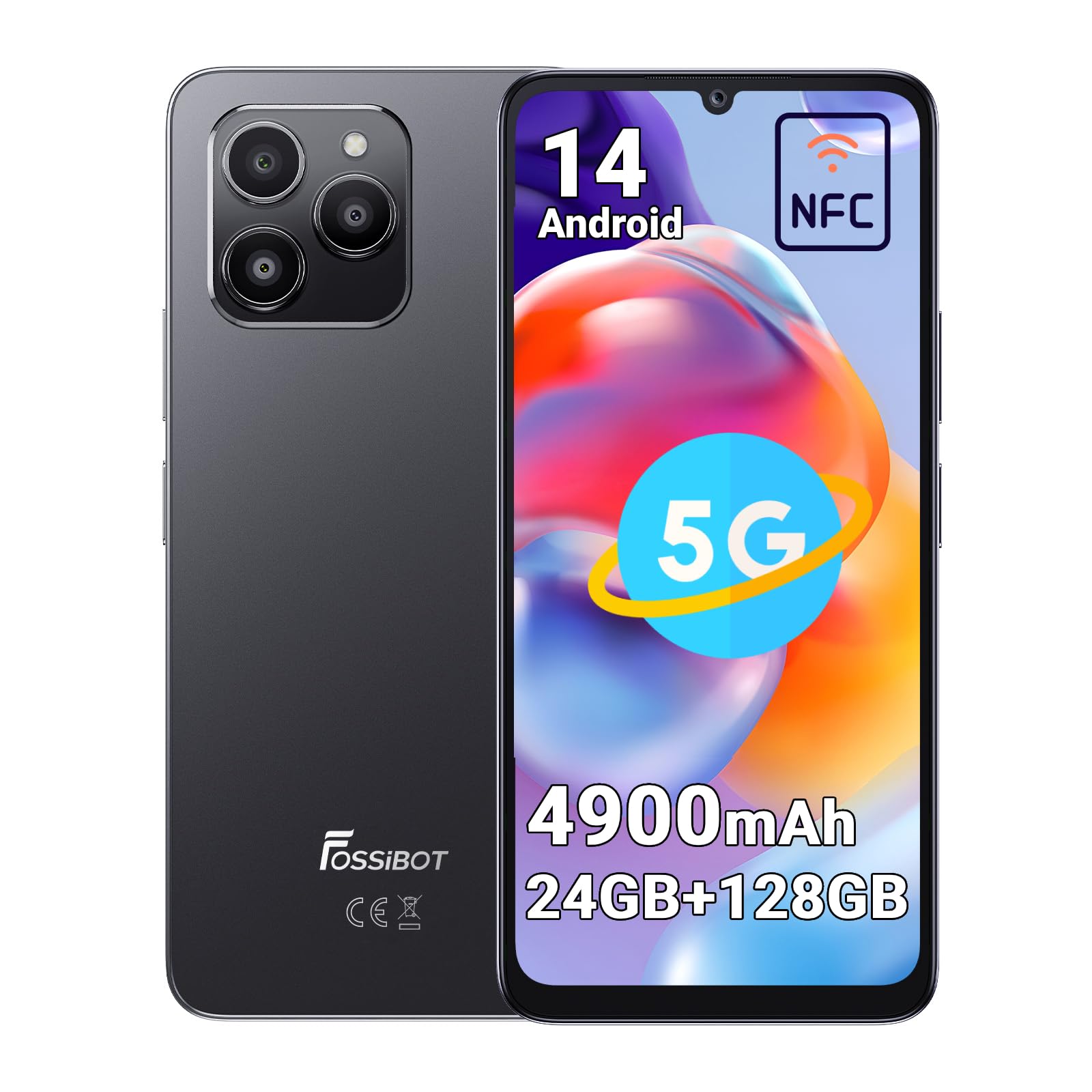
The FOSSiBOT S1 features a sleek design with a large display and strategically placed components for ease of use.
3.1 Physical Components
- Display: 6.75-inch HD+ screen.
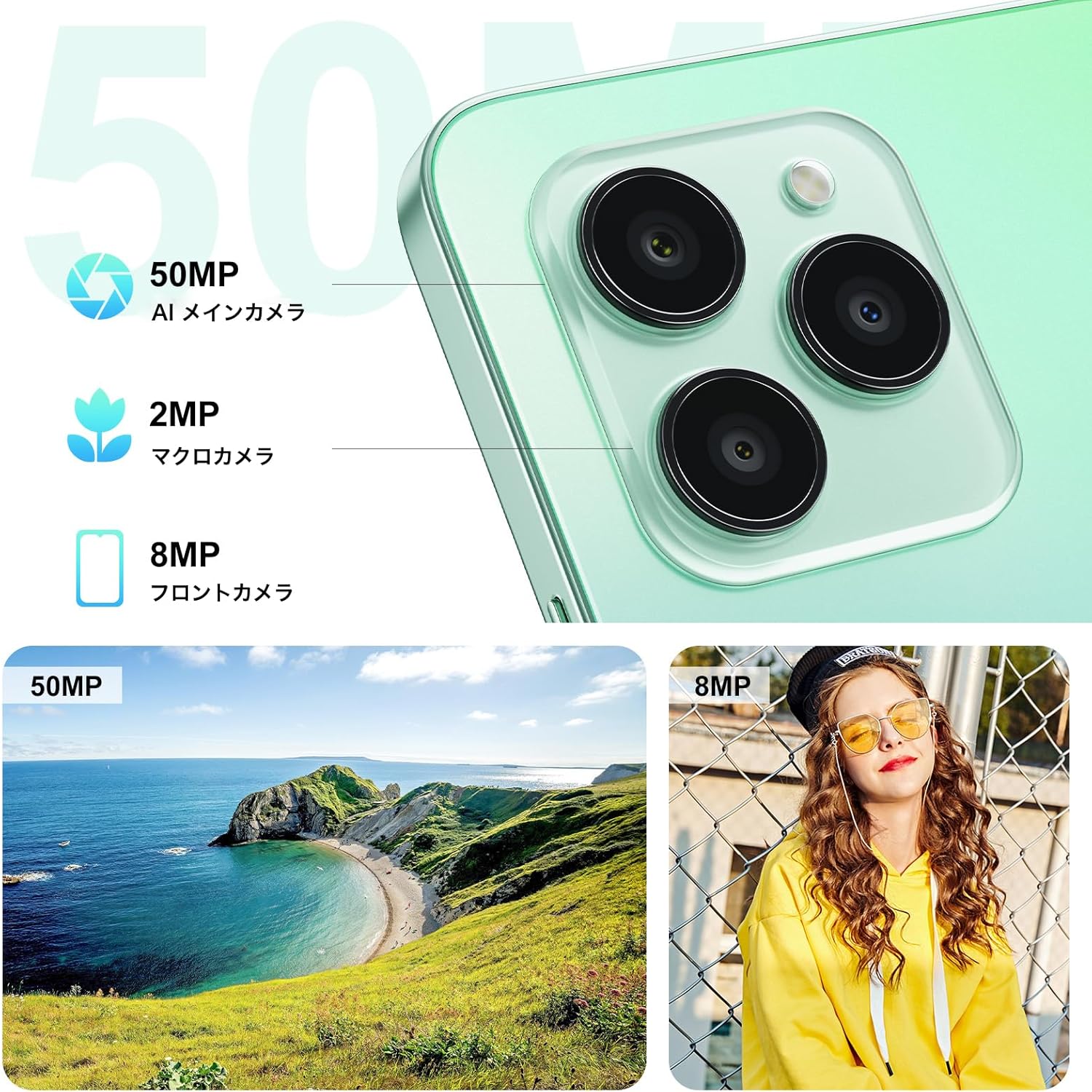
- Rear Cameras: 50MP AI Main Camera, 2MP Macro Camera.
- Front Camera: 8MP.
- Side-mounted Fingerprint Sensor: Integrated into the power button.
- USB Type-C Port: For charging and data transfer.
- SIM/MicroSD Card Slot: Supports Dual SIM and expandable storage.
4. Setup
4.1 SIM Card and MicroSD Card Installation
- Locate the SIM card tray on the side of the device.
- Insert the provided SIM ejector tool into the small hole next to the tray and push gently until the tray pops out.
- Place your Nano-SIM cards (up to two) and/or a MicroSD card (for storage expansion up to 1TB) into the designated slots on the tray. Ensure the metal contacts face downwards.
- Carefully reinsert the tray into the phone until it clicks into place.
4.2 Initial Power On and Basic Setup
- Press and hold the Power button (located on the side) until the FOSSiBOT logo appears.
- Follow the on-screen prompts to select your language, connect to a Wi-Fi network, and set up your Google account.
- Configure security features such as Face ID and Fingerprint ID for convenient and secure unlocking.
5. Operating Instructions
5.1 Power On/Off and Restart
- Power On: Press and hold the Power button until the device vibrates and the logo appears.
- Power Off/Restart: Press and hold the Power button for a few seconds. A menu will appear with options to Power Off or Restart.
5.2 Screen Navigation
The FOSSiBOT S1 runs on Android 14, offering intuitive touch and gesture navigation:
- Tap: Select items, open apps.
- Swipe: Scroll through pages, navigate between home screens.
- Pinch-to-Zoom: Adjust zoom level in photos, maps, and web pages.
5.3 Fingerprint and Face Unlock
For enhanced security and convenience, the FOSSiBOT S1 supports both fingerprint and face recognition.
- Fingerprint ID: Register your fingerprints via Settings > Security > Fingerprint Unlock. The sensor is integrated into the side power button.
- Face ID: Set up face recognition via Settings > Security > Face Unlock.

5.4 Camera Usage
Capture high-quality photos and videos with the versatile camera system.
- 50MP AI Main Camera: For detailed and vibrant shots. Supports Night Mode, Portrait Mode, HDR, Macro, and Panorama.
- 8MP Front Camera: Ideal for selfies and video calls.
- 2MP Macro Camera: For close-up photography of small objects.
5.5 NFC Functionality
The FOSSiBOT S1 supports NFC (Near Field Communication) for contactless payments and quick data exchange.
- Enable NFC in Settings > Connected devices > Connection preferences > NFC.
- Tap your phone to compatible NFC readers for payments or to other NFC-enabled devices for data transfer.

5.6 Connectivity (5G, Wi-Fi, GPS)
Stay connected with high-speed 5G, reliable Wi-Fi, and precise GPS navigation.
- 5G Network: Enjoy fast mobile data speeds. Ensure your SIM card and plan support 5G.
- Wi-Fi: Connect to wireless networks for internet access.
- GPS: Utilize location services for navigation and location-based apps.

5.7 Battery and Charging
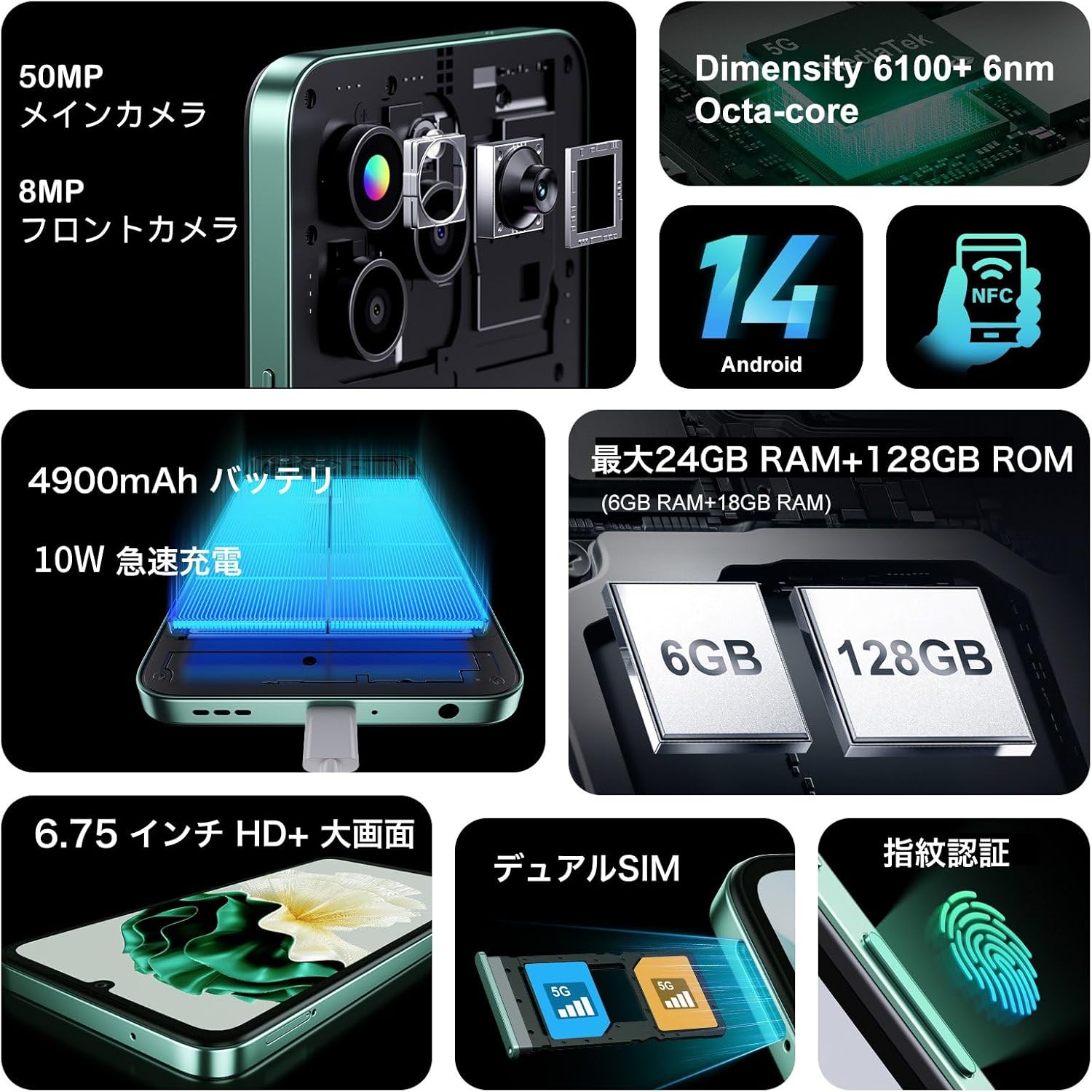
The FOSSiBOT S1 is equipped with a 4900mAh battery and supports 10W fast charging.
- Use the provided 10W charger and Type-C USB cable for optimal charging speed.
- Avoid using damaged chargers or cables.

6. Key Features
6.1 Display
Experience immersive visuals on the 6.75-inch HD+ display.
- Size: 6.75 inches
- Resolution: 720*1600
- Aspect Ratio: 20:9
- Screen-to-body Ratio: 94%

6.2 Processor
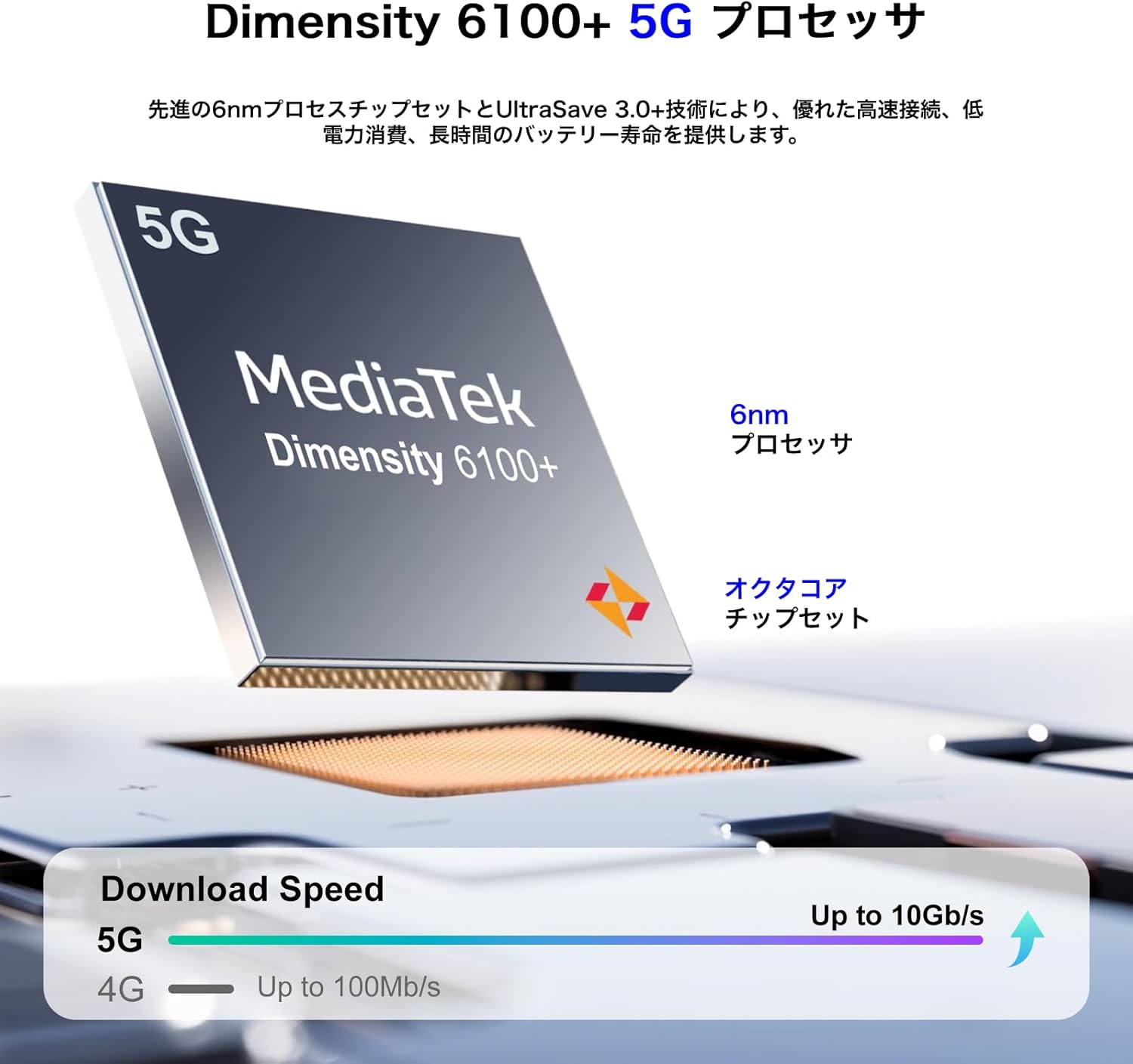
Powered by the MediaTek Dimensity 6100+ 5G Octa-core processor for smooth performance.
- Chipset: Dimensity 6100+
- Process: 6nm
- Cores: Octa-core
- Connectivity: 5G enabled
6.3 Memory and Storage
Generous memory and expandable storage for all your needs.
- RAM: Up to 24GB (6GB physical + 18GB virtual)
- Internal Storage (ROM): 128GB
- Expandable Storage: Up to 1TB via TF card (MicroSD)

6.4 Operating System
The FOSSiBOT S1 runs on the latest Android 14, providing a smooth and secure user experience with access to the Google Play Store.
7. Maintenance
7.1 Cleaning Your Device
- Use a soft, lint-free cloth to clean the screen and body of the phone.
- Avoid using harsh chemicals or abrasive materials.
- Keep ports free of dust and debris.
7.2 Software Updates
Regularly check for and install software updates to ensure your device has the latest features, security patches, and performance improvements. Go to Settings > System > System update.
7.3 Battery Care
- Avoid extreme temperatures, as they can degrade battery life.
- Do not fully discharge the battery frequently.
- If storing the device for an extended period, charge it to about 50% before turning it off.
8. Troubleshooting
8.1 Device Not Turning On
- Ensure the battery is charged. Connect the charger and wait a few minutes before attempting to power on.
- Press and hold the Power button for at least 10-15 seconds to force a restart.
8.2 Apps Crashing or Freezing
- Clear the cache of the problematic app (Settings > Apps > [App Name] > Storage > Clear cache).
- Update the app to its latest version from the Google Play Store.
- If the issue persists, uninstall and reinstall the app.
8.3 Poor Network Connectivity
- Check if your SIM card is properly inserted.
- Restart the device.
- Toggle Airplane Mode on and off (Settings > Network & internet > Airplane mode).
- Verify that your mobile data or Wi-Fi is enabled and configured correctly.
9. Specifications
| Feature | Specification |
|---|---|
| Brand | FOSSiBOT |
| Model Number | S1 |
| Operating System | Android 14 |
| Screen Size | 6.75 inches |
| Installed RAM Memory Size | 128 GB (expandable up to 24GB with virtual RAM) |
| Memory Storage Capacity | 128 GB (expandable up to 1TB via TF card) |
| Continuous Use Time | 22 Hours |
| Package Dimensions | 22.8 x 22 x 6.4 cm; 540 g |
| First Available Date | 2024/9/14 |
10. Warranty and Support
Your FOSSiBOT S1 smartphone comes with a standard manufacturer's warranty. Please refer to the warranty card included in your package for specific terms and conditions.
For technical support, troubleshooting assistance, or warranty claims, please contact FOSSiBOT customer service through their official website or the contact information provided in your warranty documentation.
Always ensure you purchase from authorized retailers to guarantee valid warranty support.


