
1. Introduction
This manual provides comprehensive instructions for the installation, operation, and maintenance of your Gravity MGR5 Marine Stereo Receiver. Please read this manual thoroughly before using the product to ensure proper function and to prevent damage. Keep this manual for future reference.
2. Safety Information
- Power Supply: Ensure the power supply is 12V DC (direct current) only. Incorrect voltage can damage the unit.
- Wiring: All wiring should be performed by a qualified technician. Incorrect wiring can lead to electrical shock or fire.
- Water Resistance: The MGR5 is designed with IPX5 water resistance. While it can withstand splashes and light rain, it is not designed for submersion.
- Temperature: Avoid exposing the unit to extreme temperatures or direct sunlight for extended periods.
- Cleaning: Use a soft, dry cloth for cleaning. Do not use abrasive cleaners or solvents.
- Ventilation: Ensure adequate ventilation around the unit to prevent overheating.
3. Package Contents
Verify that all items are present in the package:
- Gravity MGR5 Marine Stereo Receiver
- Remote Control
- Wiring Harness
- Mounting Hardware
- User Manual (this document)
4. Product Overview
The Gravity MGR5 is a versatile marine stereo receiver featuring a 4.1-inch LCD display, multi-mode playback options, and Bluetooth connectivity. It is designed for use in various environments, including marine, automotive, and recreational vehicles.

Figure 4.1: Front view of the Gravity MGR5 Marine Stereo Receiver, showcasing its 4.1-inch LCD display and control buttons. The display shows a vibrant image of a harbor.
4.1. Control Panel Functions
Refer to the diagram below for an explanation of the main control buttons on the MGR5 unit.

Figure 4.2: Detailed diagram illustrating the MGR5 control buttons and their corresponding functions.
- PWR/SEL/VOL: Controls power, sound settings, and volume levels.
- MODE/SUB-: Switches audio sources and controls subwoofer levels.
- BAND/AV/SUB+: Changes radio bands and audio/video output, adjusts subwoofer.
- TUNE/TRACK BUTTONS: Selects radio stations or media tracks, fast-forwards or rewinds.
- MENU: Accesses the main menu for various system settings.
- AMS: Searches and stores radio stations automatically, toggles play/pause in media mode.
- CH+: Skips through or saves radio presets.
- Play/Pause Button: Manages playback of media.
- Setting: Enters detailed settings for the system like color, light, time, and language.
4.2. Key Features
- 4.1" LCD Display for video playback and navigation.
- Bluetooth connectivity for wireless audio streaming.
- Multi-mode playback: USB, SD card, AUX input, FM radio.
- Subwoofer control and preset equalizer modes.
- IPX5 water-resistant and durable construction.
- Multi-color buttons for enhanced usability.

Figure 4.3: Visual representation of key features such as AUX, USB, Preset EQ, Subwoofer control, and IPX5 water resistance.
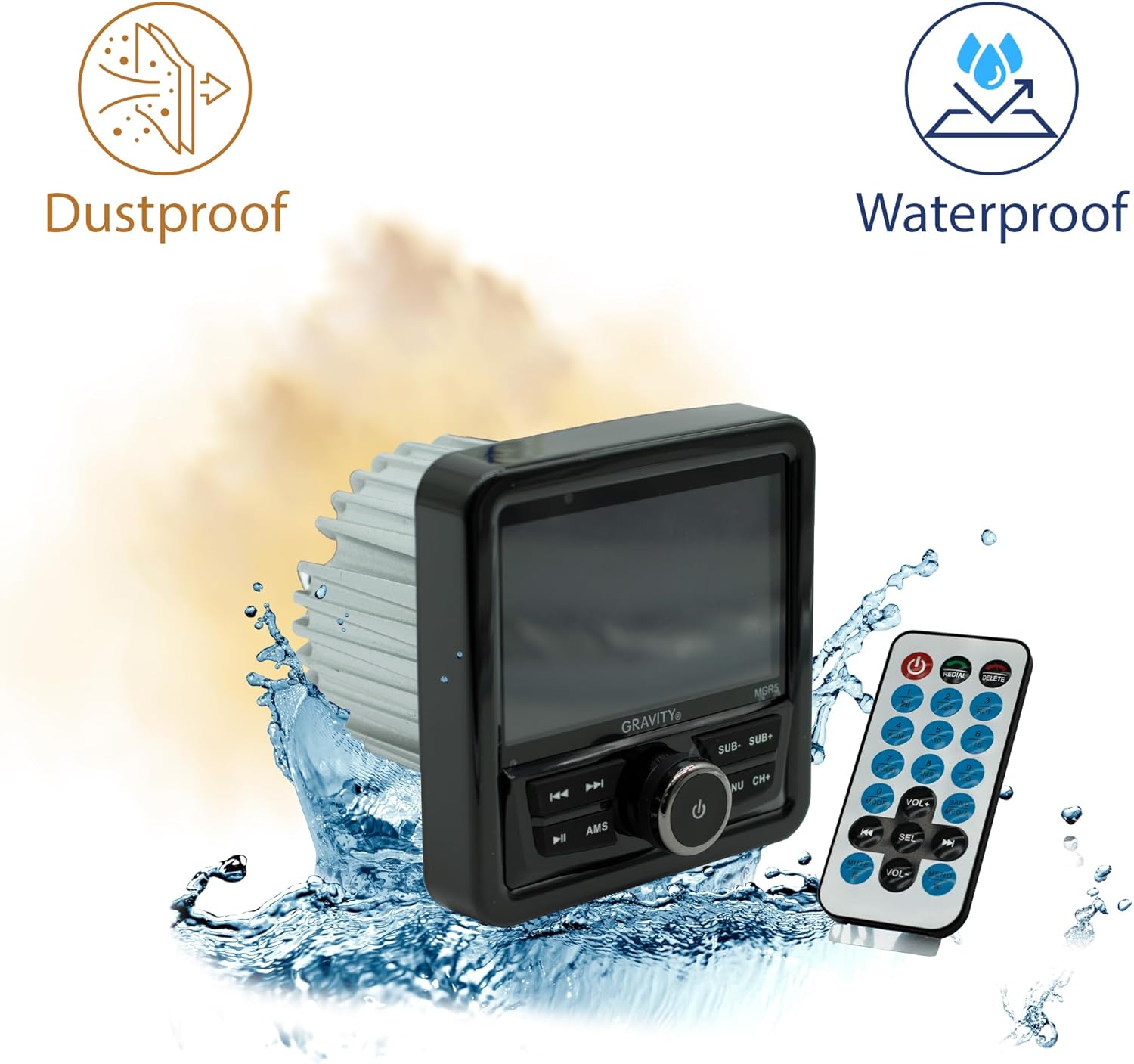
Figure 4.4: The MGR5 unit highlighting its dustproof and waterproof design, suitable for challenging environments.
5. Installation
Proper installation is crucial for the performance and longevity of your MGR5 receiver. Consult a professional if you are unsure about any steps.
5.1. Mounting Dimensions
Before installation, ensure you have adequate space for the unit. Refer to the dimensions below.

Figure 5.1: Detailed dimensions of the MGR5 unit, including front panel and chassis measurements, essential for proper mounting.
- Front Panel Width: Approximately 4.33 inches
- Chassis Depth: Approximately 3.98 inches
- Chassis Height: Approximately 2.89 inches
5.2. Wiring Diagram
Connect the wiring harness according to the diagram provided in the separate wiring guide (if applicable) or the labels on the harness itself. Ensure all connections are secure and insulated.
- Red Wire: ACC (Accessory Power)
- Yellow Wire: B+ (Constant 12V Power)
- Black Wire: GND (Ground)
- Blue Wire: Remote Turn-On (for amplifier/antenna)
- Speaker Wires: Connect to appropriate speakers (Front Left, Front Right, Rear Left, Rear Right). Ensure correct polarity.
Warning: Incorrect wiring can cause severe damage to the unit or vehicle's electrical system. Always disconnect the vehicle's battery before beginning installation.
6. Operation
6.1. Basic Functions
- Power On/Off: Press the PWR/SEL/VOL knob to turn the unit on or off.
- Volume Control: Rotate the PWR/SEL/VOL knob to adjust the volume.
- Source Selection: Press the MODE/SUB- button to cycle through available audio sources (FM, AM, Bluetooth, USB, SD, AUX).
6.2. Bluetooth Operation
- Pairing:
- Select Bluetooth as the source. The unit will enter pairing mode automatically.
- On your mobile device, search for Bluetooth devices and select "MGR5".
- Once paired, the unit will confirm the connection.
- Audio Streaming: Play audio from your paired device. Use the TUNE/TRACK buttons to skip tracks and the AMS button for play/pause.
6.3. USB/SD Playback
- Insert a USB drive or SD card into the respective slot.
- The unit will automatically switch to USB/SD mode and begin playback. If not, select USB/SD as the source using the MODE/SUB- button.
- Use the TUNE/TRACK buttons to navigate tracks and AMS for play/pause.
6.4. FM Radio
- Select FM as the source.
- Auto Scan: Press and hold the AMS button to automatically scan and store strong stations.
- Manual Tuning: Use the TUNE/TRACK buttons for fine-tuning.
- Preset Stations: Use the CH+ button to cycle through saved presets.
6.5. Subwoofer Control and EQ Settings
- Subwoofer Level: Press MODE/SUB- or BAND/AV/SUB+ to adjust subwoofer output.
- Equalizer Presets: Press the MENU button to access audio settings, then navigate to EQ presets (e.g., Pop, Rock, Classic, Flat).
7. Maintenance
- Cleaning the Unit: Use a soft, dry cloth to wipe the exterior of the unit. For stubborn dirt, slightly dampen the cloth with water. Do not use harsh chemicals or abrasive materials.
- Display Care: The LCD display is sensitive. Clean it gently with a microfiber cloth. Avoid pressing hard on the screen.
- Connection Checks: Periodically check all wiring connections to ensure they are secure and free from corrosion, especially in marine environments.
- Software Updates: Check the manufacturer's website for any available firmware updates to ensure optimal performance and compatibility.
8. Troubleshooting
| Problem | Possible Cause | Solution |
|---|---|---|
| No power | Incorrect wiring, blown fuse, loose connection. | Check power and ground connections. Inspect fuse. Ensure battery is connected. |
| No sound | Volume too low, incorrect source selected, speaker wires disconnected, amplifier issues. | Increase volume. Select correct source. Check speaker wiring. Verify external amplifier (if used) is powered on. |
| Bluetooth not connecting | Device not in pairing mode, MGR5 not in Bluetooth mode, interference. | Ensure MGR5 is in Bluetooth mode. Put mobile device in pairing mode. Try restarting both devices. |
| USB/SD not playing | Unsupported file format, corrupted media, incorrect source. | Check file formats (e.g., MP3, WMA). Try a different USB/SD card. Select USB/SD source. |
| Poor radio reception | Antenna not connected, weak signal, interference. | Ensure antenna is properly connected. Try auto-scanning for stations. Move to an area with better signal. |
9. Specifications
| Feature | Detail |
|---|---|
| Model Number | MGR5 |
| Power Output | 200W (50W x 4 channels) |
| Display | 4.1" LCD |
| Connectivity | Bluetooth, USB, SD, AUX, FM Radio |
| Water Resistance | IPX5 |
| Power Supply | 12V DC |
| Audio Output Mode | Stereo |
| Surround Sound Channel Configuration | 4.1 |
| Item Weight | 1.2 pounds |
| Package Dimensions | 6 x 6 x 6 inches |
10. Warranty and Support
Gravity products are designed for reliability and performance. For warranty information and technical support, please refer to the warranty card included with your product or visit the official Gravity website.
For assistance, please contact Gravity customer support with your model number (MGR5) and purchase details ready.