
1. Introduction
Thank you for choosing the House of Marley Roots Solar Speaker. This portable Bluetooth speaker is designed for outdoor adventures, featuring robust water resistance, solar charging capabilities, and a sustainable bamboo design. This manual provides essential information for setting up, operating, and maintaining your speaker to ensure optimal performance.
2. Product Overview & Key Features
The Roots Solar Speaker combines innovative technology with eco-conscious design. Key features include:
- IP67 Water Protection: Built to withstand outdoor elements, offering full dust and water immersion protection.
- 14 Hours Playtime: Extended battery life for continuous audio playback.
- Integrated Bottle Opener: A convenient feature for outdoor gatherings.
- Solar Panel: An integrated solar panel for supplementary charging, extending listening time.
- Stereo and Party Pair Modes: Connect multiple speakers for an enhanced audio experience.
- Quick Charge: Rapid charging capability for minimal downtime.
- Sustainable Design: Crafted from recycled fabrics, plastics, and renewable bamboo.
- Ambient Light Ring: A gentle light feature around the speaker grille.

Figure 2.1: The Roots Solar Speaker features a cream-colored speaker grille framed by sustainable bamboo, with a solar panel on top and a woven carry strap.
3. Package Contents
Ensure all items are present in the package:
- House of Marley Roots Solar Bluetooth Speaker
- USB to USB-C Charging Cable
- Quick Start Guide
4. Setup
4.1. Charging the Speaker
Before first use, fully charge the speaker. The Roots Solar Speaker can be charged via USB-C or its integrated solar panel.
- USB-C Charging: Connect the provided USB-C cable to the charging port on the speaker and to a compatible USB power adapter (not included). The charging port is protected by a rubber flap.
- Solar Charging: Place the speaker with the solar panel facing direct sunlight. The solar panel provides supplementary power to extend playtime.
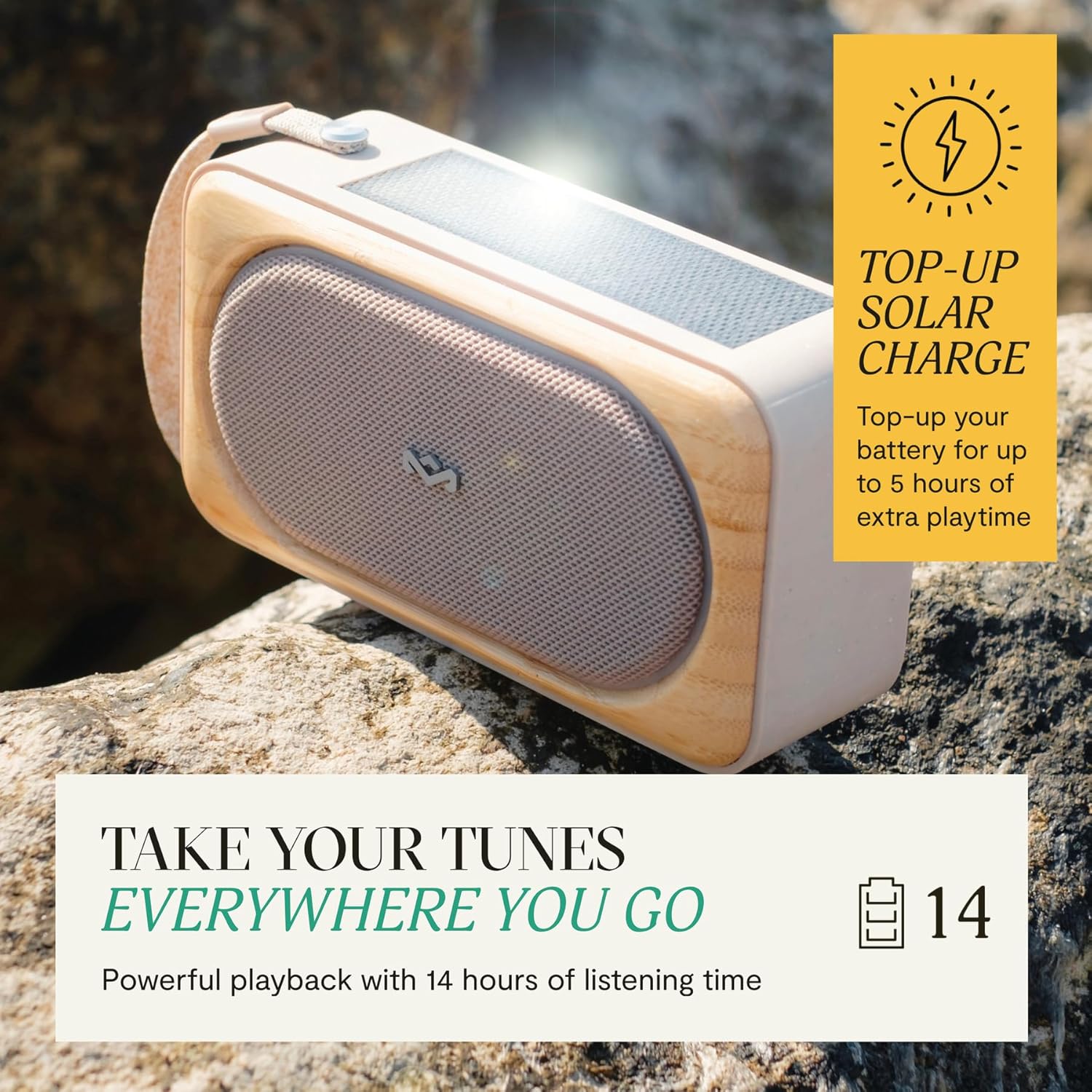
Figure 4.1: The speaker's solar panel actively charges the device, extending playtime by up to 5 hours with sufficient sunlight.
4.2. Power On/Off
Press and hold the Power button (U) located on the side of the speaker to turn it on or off.
4.3. Bluetooth Pairing
- Ensure the speaker is powered on and in pairing mode (indicated by a flashing LED).
- On your device (smartphone, tablet, etc.), go to Bluetooth settings.
- Select "Roots Solar" from the list of available devices.
- Once connected, the LED indicator will show a solid light.
4.4. Stereo and Party Pair Mode
For an immersive audio experience, you can connect two or more Roots Solar Speakers:
- Stereo Mode: Connect two Roots Solar Speakers for left and right channel separation. Follow the instructions in the Quick Start Guide for specific pairing steps.
- Party Mode: Connect multiple Roots Solar Speakers to play the same audio simultaneously. Refer to the Quick Start Guide for detailed instructions.
5. Operating Instructions
5.1. Controls
The speaker features intuitive controls on its side:
- Power Button (U): Press and hold to power on/off.
- Volume Up (+): Press to increase volume.
- Volume Down (-): Press to decrease volume.
- Play/Pause Button: Press to play or pause audio.
- Light Ring Button: Press to cycle through light modes or turn off the ambient light ring.
5.2. Ambient Light Ring
The speaker includes an ambient light ring around the grille. Use the dedicated button to adjust its brightness or turn it off according to your preference.
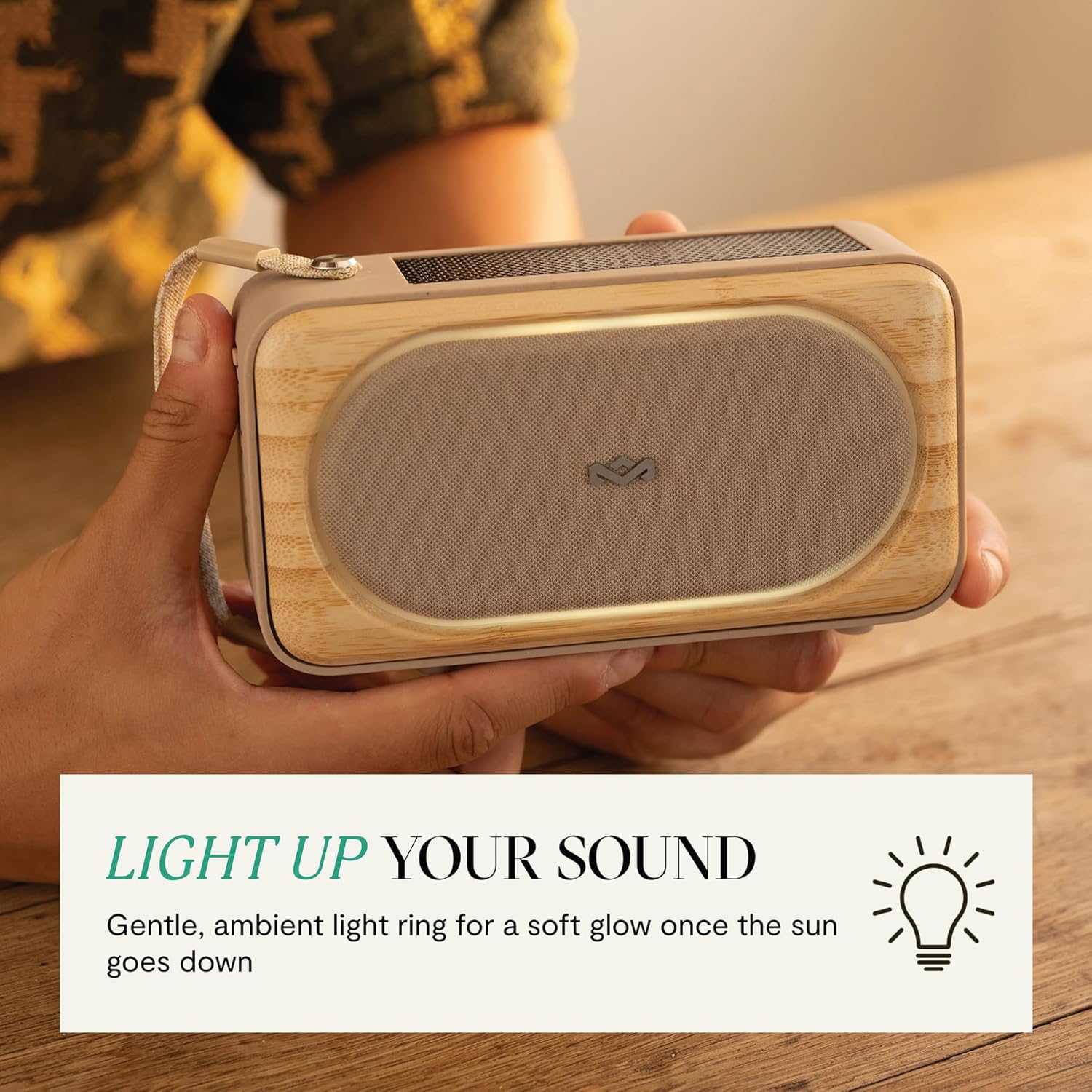
Figure 5.1: The speaker features a gentle, ambient light ring that provides a soft glow, enhancing the listening experience.
5.3. Bottle Opener
A bottle opener is integrated into the speaker's design for convenience. Locate the opener on the side of the speaker and use it as needed.
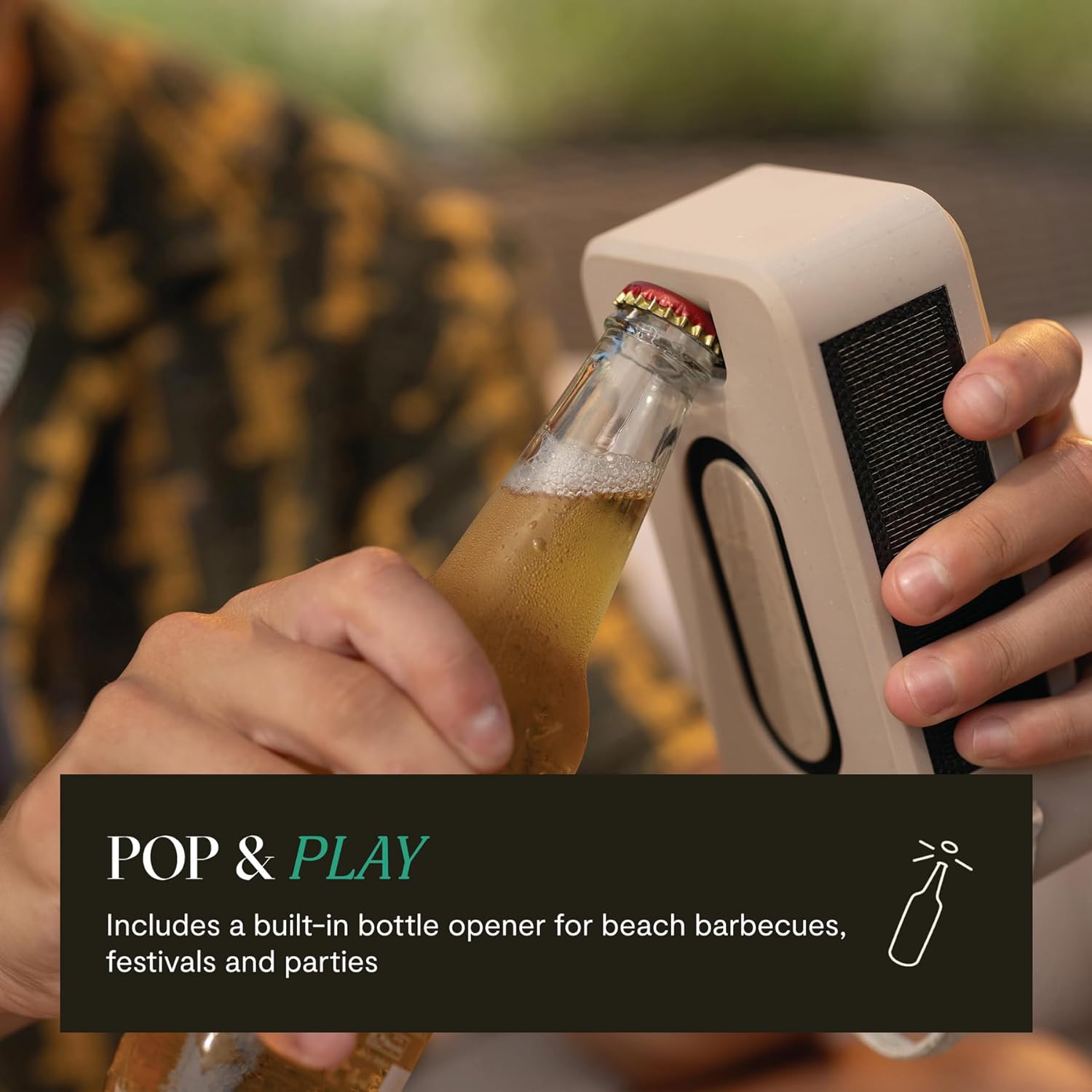
Figure 5.2: The speaker includes a convenient built-in bottle opener, located on its side for easy access.
6. Maintenance
6.1. Cleaning
Wipe the speaker with a soft, damp cloth. Avoid using harsh chemicals or abrasive cleaners. Ensure the charging port cover is securely closed before cleaning.
6.2. Water Resistance (IP67)
The Roots Solar Speaker is rated IP67, meaning it is dust-tight and can be immersed in water up to 1 meter for 30 minutes. Always ensure the charging port cover is fully sealed to maintain water resistance.
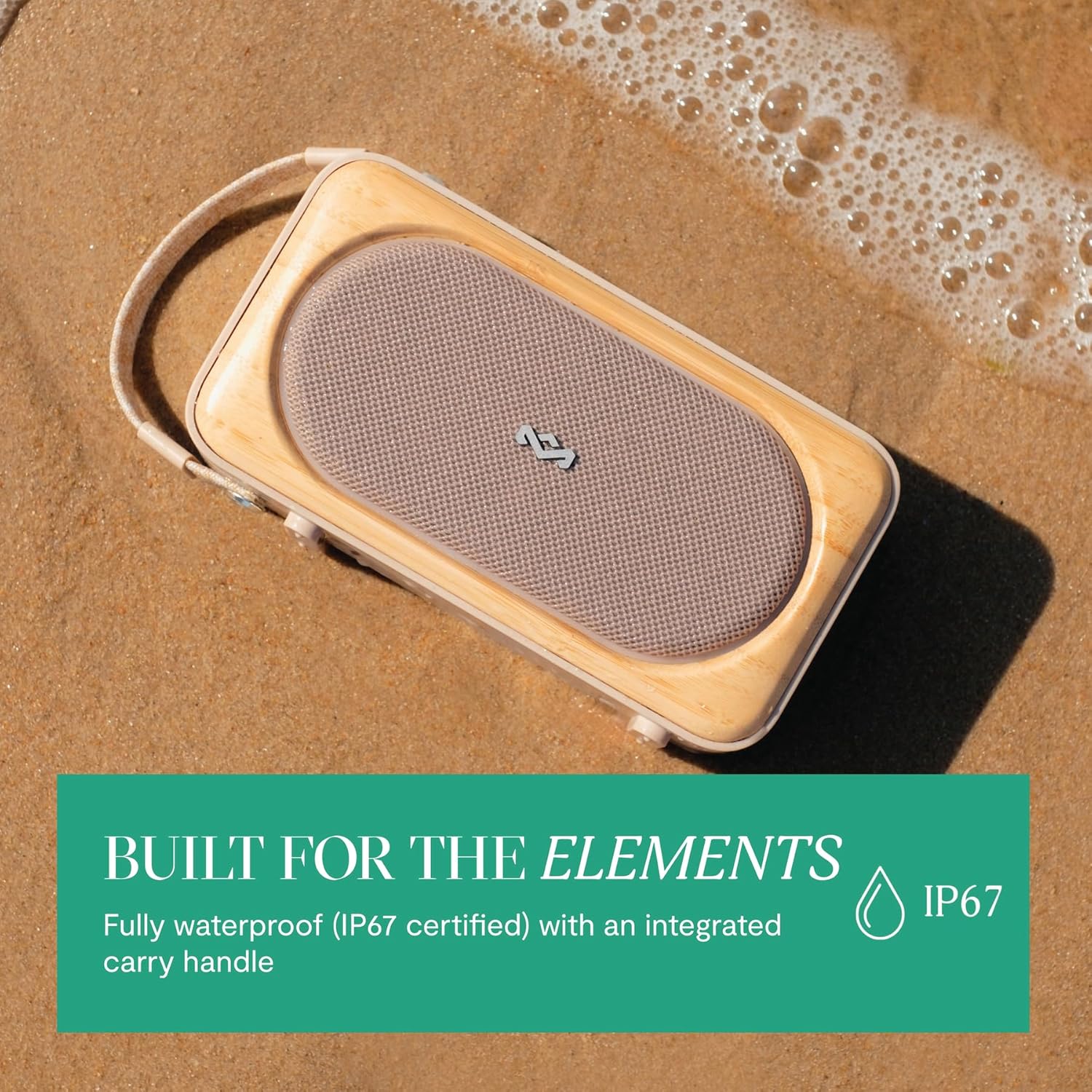
Figure 6.1: Designed for outdoor use, the speaker is shown resisting water, highlighting its IP67 water protection rating.
6.3. Storage
Store the speaker in a cool, dry place away from extreme temperatures and direct sunlight when not in use for extended periods.
7. Troubleshooting
- No Power: Ensure the battery is charged. Connect the speaker to a power source using the USB-C cable or place it in direct sunlight.
- No Sound: Check the volume levels on both the speaker and your connected device. Ensure the speaker is properly paired via Bluetooth.
- Bluetooth Pairing Issues: Turn off and restart both the speaker and your device. Forget the speaker from your device's Bluetooth list and attempt to re-pair. Ensure no other devices are actively connected to the speaker.
- Solar Charging Not Working: Ensure the solar panel is clean and exposed to direct sunlight. Indirect light or cloudy conditions will reduce charging efficiency.
8. Specifications
| Model Number | EM-JA023 |
| Brand | Marley |
| Speaker Type | Portable Bluetooth Speaker |
| Connectivity Technology | Bluetooth |
| Wireless Communication Technology | Bluetooth |
| Water Resistance Level | IP67 (Waterproof) |
| Power Source | Battery Powered, Solar Powered |
| Battery Capacity | 14000 mAh (1.4E+4 Milliamp Hours) |
| Playtime | Up to 14 Hours |
| Speaker Maximum Output Power | 20 Watts |
| Frequency Response | 20000 Hz |
| Audio Output Mode | Stereo |
| Control Method | Touch |
| Material | Bamboo |
| Product Dimensions | 6.75"D x 3.63"W x 2.38"H |
| Item Weight | 1.98 pounds |
9. Warranty and Support
The House of Marley Roots Solar Speaker comes with a Limited Warranty. For detailed warranty information and support, please refer to the official House of Marley website or contact customer service. Keep your proof of purchase for warranty claims.


