
1. Introduction
Thank you for choosing the ADOOPE AD1000 Wired Over-Ear Headphones. These headphones are designed to provide a high-quality audio experience with convenient USB-C connectivity and comfortable wear for extended periods. This manual will guide you through the setup, operation, and maintenance of your new headphones.

Figure 1: ADOOPE AD1000 Wired Over-Ear Headphones
2. Product Features
- Instant Plug & Play USB-C Connectivity: Enjoy stable, lag-free audio by simply plugging into compatible USB-C devices such as MacBooks, iPad Pros, Galaxy phones, Google Pixel devices, and other USB-C enabled laptops or tablets.
- Crystal-Clear Microphone & In-Line Controls: Features a high-quality microphone for clear voice capture during calls and gaming. Convenient in-line remote allows for instant volume adjustment, mic muting, and media control.
- Designed for All-Day Comfort: Lightweight design with a fully adjustable headband to fit various head sizes. Soft, breathable over-ear cushions provide excellent passive noise isolation and comfort for extended wear.
- Immersive Stereo Sound: Powerful drivers deliver crisp highs, rich mids, and balanced bass for a dynamic and engaging audio experience across music, movies, and games.
- Durable & Reliable Build: Constructed with quality materials and a reinforced cable for long-lasting durability and a dependable connection.
3. Package Contents
Please check the package for the following items:
- ADOOPE AD1000 Wired Over-Ear Headphones
- Integrated USB-C Cable with In-Line Controls
- User Manual (this document)
4. Setup
4.1 Connecting Your Headphones
- Identify USB-C Port: Locate the USB-C port on your device (e.g., smartphone, tablet, laptop).
- Plug In: Insert the USB-C connector of the headphone cable firmly into your device's USB-C port.
- Automatic Recognition: The headphones are plug-and-play and should be automatically recognized by most compatible devices. No additional drivers or software installation is typically required.
Important Note:
These headphones utilize the modern USB-C Digital Audio standard. While compatible with most new devices, some older or entry-level USB-C ports may not support this feature. Please ensure your device is compatible for optimal performance.
Video 1: A brief overview of the ADOOPE Wired Over-Ear Headphones with USB C Connector, demonstrating its design and features.
5. Operating Instructions
5.1 In-Line Remote Controls
The integrated in-line remote provides easy access to audio and call functions:

Figure 2: In-line remote with volume and multi-function buttons
| Button/Action | Function |
|---|---|
| Volume + Button | Increase volume |
| Volume - Button | Decrease volume |
| Multi-function Button (Single Press) | Play/Pause music, Answer/End call |
| Multi-function Button (Double Press) | Next track |
| Multi-function Button (Triple Press) | Previous track |
| Multi-function Button (Long Press) | Reject call, Activate voice assistant (device dependent) |
5.2 Comfort and Fit
The ADOOPE AD1000 headphones are designed for maximum comfort during prolonged use:
- Adjustable Headband: The headband can be extended or retracted to achieve a secure and comfortable fit for various head sizes. Gently slide the earcups up or down along the headband until they rest comfortably over your ears.
- Soft Ear Cushions: The ultra-soft, breathable over-ear cushions are designed to gently surround your ears, reducing pressure and providing passive noise isolation. This helps to block out external distractions and enhance your listening experience.
- Swiveling Earcups: The earcups can swivel for a personalized fit and can also be folded for compact storage and portability.

Figure 3: Soft, breathable ear cushions for extended comfort
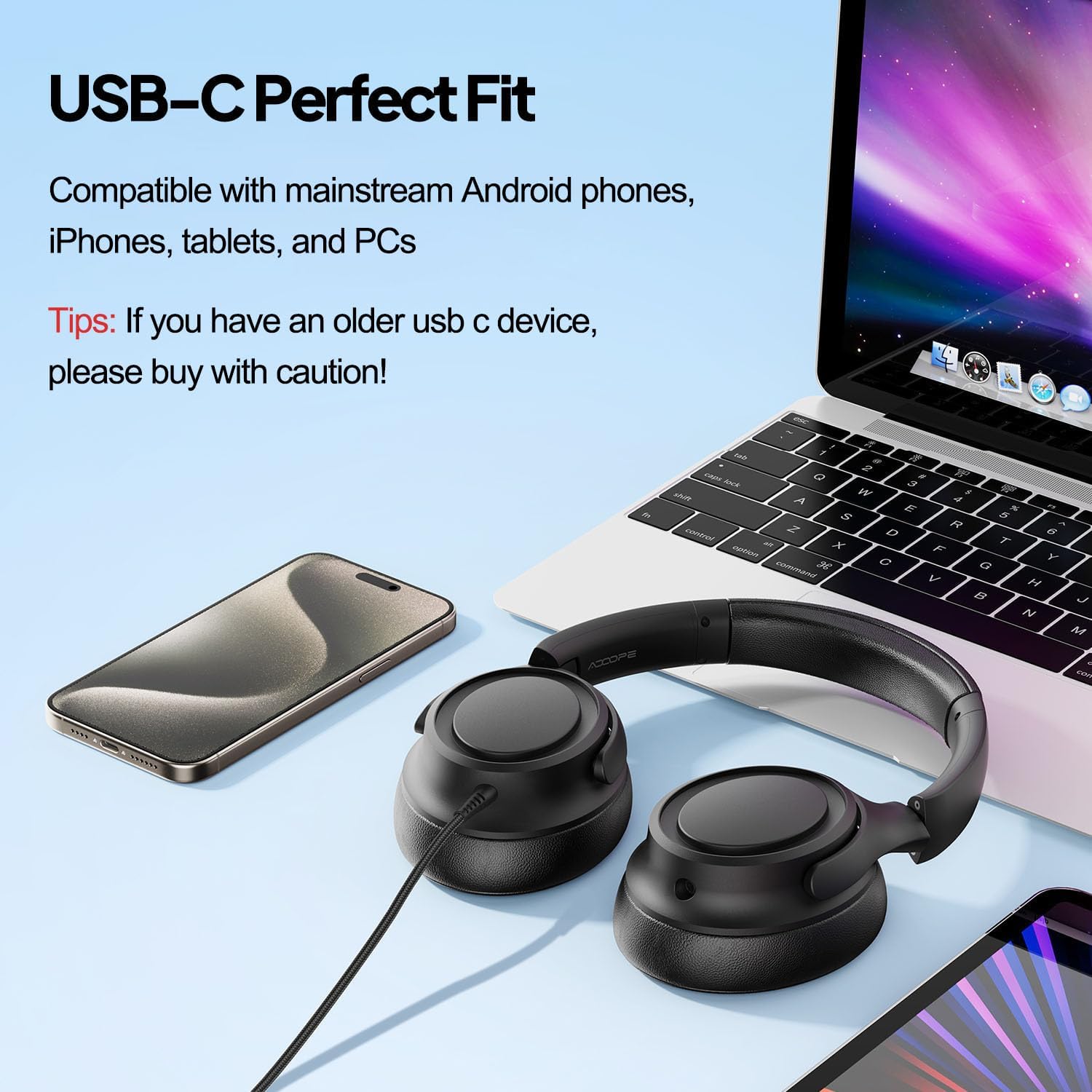
Figure 4: Adjustable headband for a personalized fit
5.3 Sound Quality
Experience immersive audio with the ADOOPE AD1000 headphones:
- Powerful Dynamic Drivers: Equipped with 40mm dynamic drivers, these headphones deliver clear audio precision with crisp highs, rich mids, and balanced bass.
- Stereo Sound: Enjoy a stereo sound experience that brings your music, movies, and games to life with depth and clarity.

Figure 5: Internal view of the 40mm Dynamic Drivers
6. Maintenance
6.1 Cleaning
- Use a soft, dry cloth to wipe the exterior of the headphones.
- For ear cushions, gently wipe with a damp cloth and mild soap if necessary, then dry thoroughly. Avoid excessive moisture.
- Do not use harsh chemicals, solvents, or abrasive cleaners.
6.2 Storage
- When not in use, store the headphones in a cool, dry place away from direct sunlight and extreme temperatures.
- The headphones feature a foldable design for compact storage. Fold them carefully to prevent damage.
- The reinforced, tangle-free cable should be coiled loosely to avoid kinks and damage.
7. Troubleshooting
If you encounter any issues with your ADOOPE AD1000 headphones, please refer to the following common solutions:
| Problem | Possible Solution |
|---|---|
| No sound or low volume |
|
| Microphone not working |
|
| Uncomfortable fit |
|
| Sound distortion or static |
|
8. Specifications
| Feature | Detail |
|---|---|
| Model Name | AD1000 |
| Brand | ADOOPE |
| Connectivity Technology | Wired |
| Headphones Jack | USB Type C |
| Ear Placement | Over Ear |
| Form Factor | Over Ear |
| Audio Driver Type | Dynamic Driver |
| Audio Driver Size | 40 Millimeters |
| Noise Control | Sound Isolation |
| Frequency Response | 20 Hz - 20 kHz (Standard Range) |
| Sensitivity | 94 dB |
| Impedance | 40 Ohm |
| Control Type | Button Control |
| Cable Feature | Tangle Free |
| Material | Plastic |
| Item Weight | 8.8 ounces (0.25 Kilograms) |
| Compatible Devices | Cellphones, Laptops, Tablets with USB-C audio output |
| Water Resistance Level | Not Water Resistant |
9. Warranty and Support
ADOOPE products are designed for reliability and performance. For information regarding warranty coverage, technical support, or service inquiries, please refer to the warranty card included with your purchase or visit the official ADOOPE website.
Please retain your proof of purchase for any warranty claims.