
Introduction
The GearLight S2000 Rechargeable LED Flashlight is designed for powerful illumination and reliability. This manual provides essential information for the safe and effective use of your flashlight, covering its features, operation, and care. It is suitable for various applications including outdoor activities, emergency preparedness, and general household use.

Image: The GearLight S2000 Rechargeable LED Flashlight, a durable and bright illumination tool.
What's in the Box
Verify that all items are present upon unboxing:
- GearLight S2000 Rechargeable LED Flashlight
- Charging Cable
- User Manual (this document)
- Warranty Card

Image: The GearLight S2000 Flashlight, charging cable, user manual, and warranty card as included in the package.
Setup
Initial Charge
Before first use, fully charge the flashlight. The S2000 features a built-in rechargeable battery. Connect the included USB charging cable to the flashlight's charging port and to a standard USB power source (e.g., wall adapter, computer USB port). The charging indicator light will show the charging status.

Image: The GearLight S2000 Flashlight highlighting its rechargeable capability and the location of the USB-C charging port at the tail end.
Battery Installation (If Applicable)
While the S2000 typically comes with a pre-installed rechargeable battery, if you need to access or replace it, unscrew the tail cap of the flashlight. Insert the Lithium Ion battery with the positive (+) end facing towards the head of the flashlight. Securely screw the tail cap back on.
Operating Instructions
Power On/Off
Press the power button located on the side of the flashlight to turn it on. Press again to turn it off.
Mode Selection
The S2000 features multiple lighting modes: High, Medium, Low, Strobe, and SOS. With the flashlight on, press the mode button (usually located near the power button or by half-pressing the power button) to cycle through the modes. The sequence typically is High > Medium > Low > Strobe > SOS.
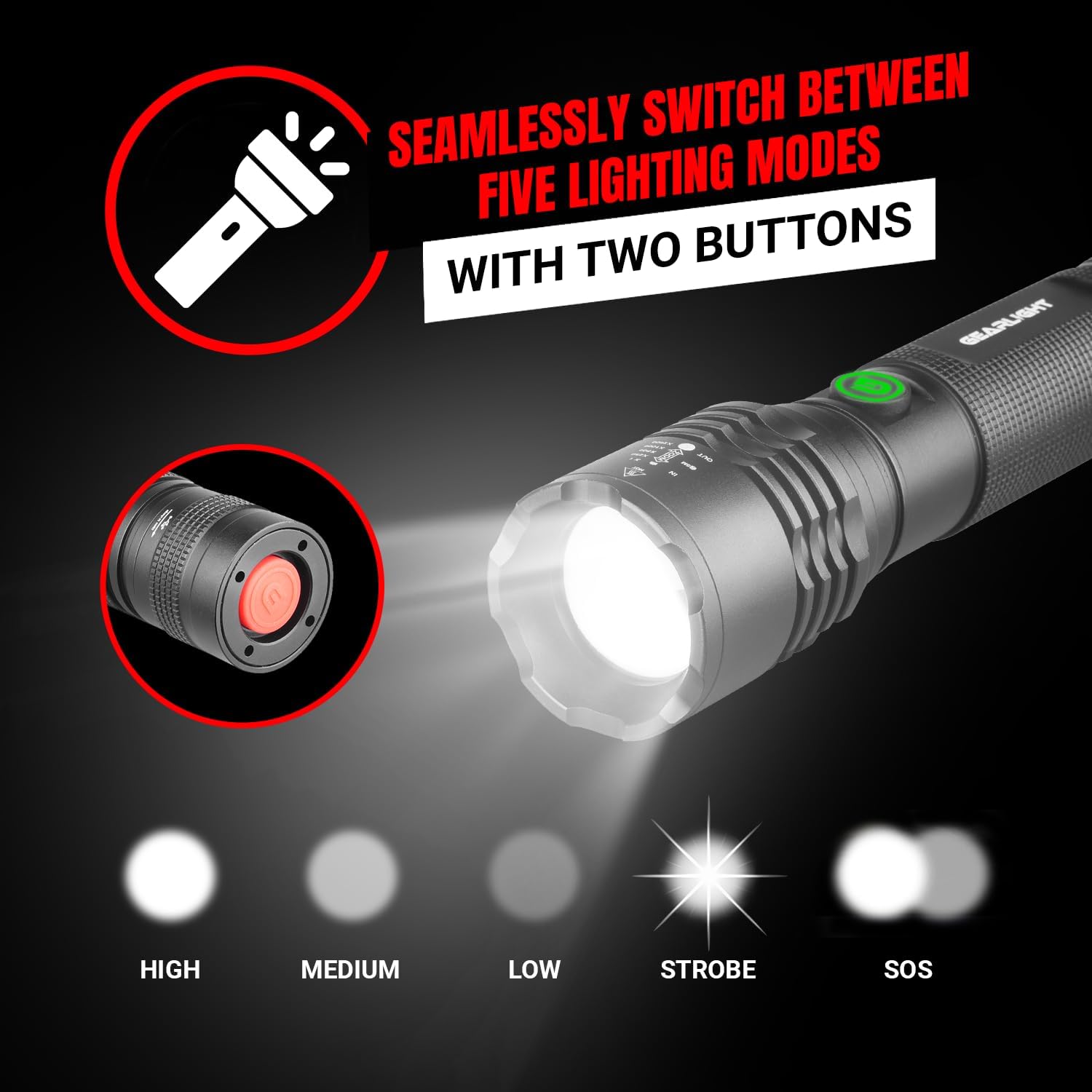
Image: The GearLight S2000 Flashlight illustrating its five distinct lighting modes: High, Medium, Low, Strobe, and SOS.
Adjustable Focus (Zoom)
To adjust the beam focus, gently slide the head of the flashlight forward or backward. Sliding it forward will narrow the beam for a focused spotlight, while sliding it backward will widen the beam for a broad floodlight.

Image: A hand holding the GearLight S2000 Flashlight, casting a powerful beam of light through a dark forest, demonstrating its brightness.

Image: The GearLight S2000 Flashlight illuminating a wide area in a dark forest, showcasing its high-powered beam and long runtime on low power.
Maintenance
Cleaning
Wipe the flashlight with a clean, soft cloth. For stubborn dirt, a slightly damp cloth can be used. Do not use abrasive cleaners or solvents, as these may damage the finish or internal components.
Storage
Store the flashlight in a cool, dry place away from direct sunlight and extreme temperatures. If storing for an extended period, ensure the battery is partially charged (around 50%) to prolong its lifespan.
Battery Care
To maintain optimal battery performance, avoid fully discharging the battery frequently. Recharge the flashlight when the light output becomes noticeably dim. The integrated battery is designed for convenience and durability.

Image: The GearLight S2000 Flashlight being splashed with water, demonstrating its IPX4 water-resistant and drop-resistant design, suitable for all weather conditions.
Troubleshooting
| Problem | Possible Cause | Solution |
|---|---|---|
| Flashlight does not turn on | Battery is depleted or improperly installed. | Charge the flashlight fully. Ensure the battery is correctly oriented if removable. |
| Light is dim or flickers | Low battery charge. Loose connections. | Recharge the battery. Ensure the tail cap and head are securely tightened. |
| Flashlight does not charge | Charging cable or power source issue. Damaged charging port. | Try a different USB cable and power source. Inspect the charging port for debris or damage. |
| Cannot change light modes | Mode button malfunction or improper operation. | Ensure the flashlight is on. Press the mode button firmly. If issue persists, contact support. |
Specifications
- Model: S2000
- Light Source Type: LED
- White Brightness: 1650 lumens
- Power Source: Battery Powered (Rechargeable Lithium Ion)
- Material: Aluminum (Military-Grade)
- Special Features: Adjustable Focus, Multiple Light Modes (High, Medium, Low, Strobe, SOS), Rechargeable
- Water Resistance Level: Water Resistant (IPX4)
- Item Weight: 12 ounces
- Item Dimensions (L x W x H): 7.81" x 1.38" x 1.73"
- Included Components: Charging Cable
- Certifications: FCC, UL
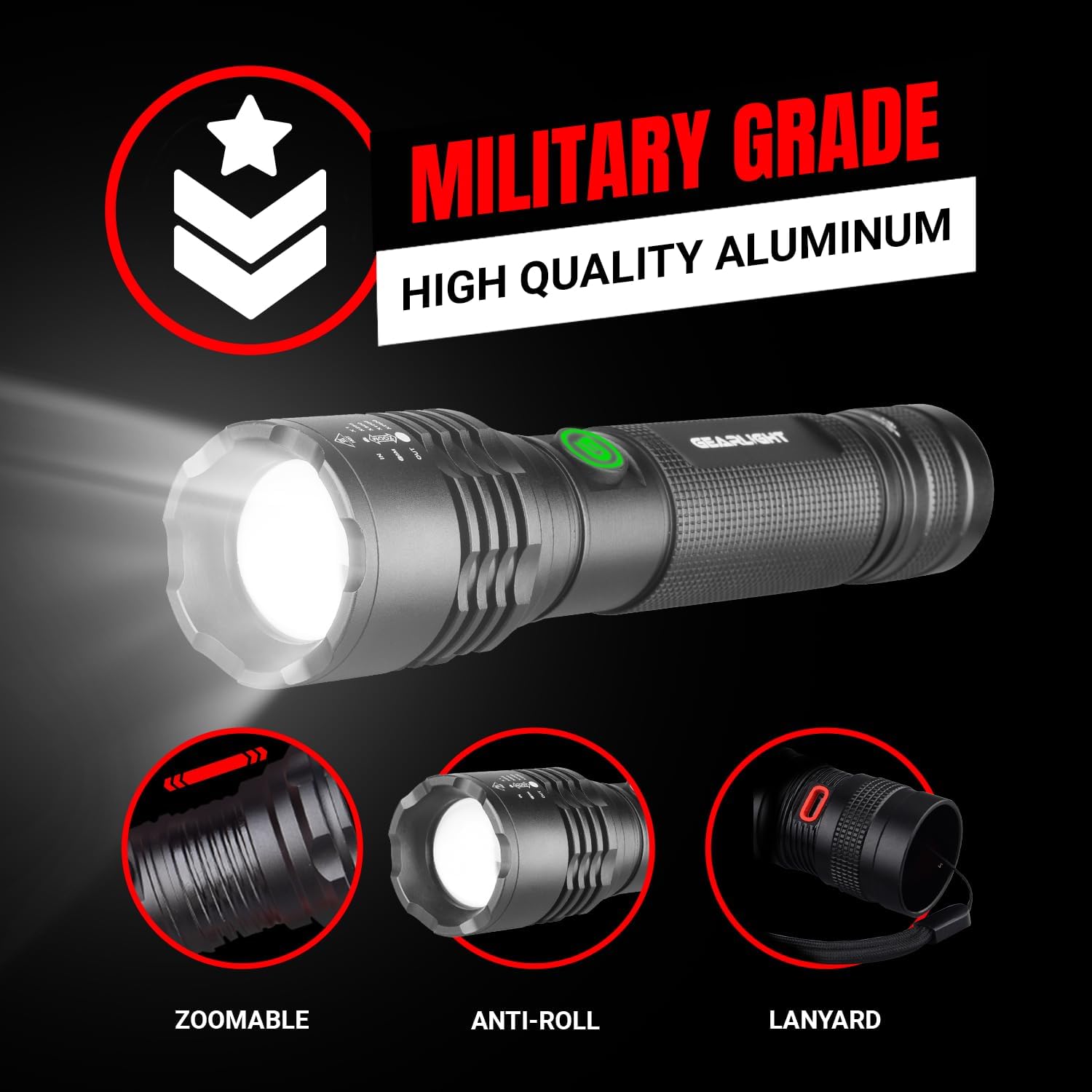
Image: The GearLight S2000 Flashlight showcasing its military-grade aluminum construction, zoomable head, anti-roll design, and included lanyard.

Image: A hand holding the GearLight S2000 Flashlight, illustrating its compact size with dimensions of 7.5 inches in length and 1.33 inches in width.
Warranty
The GearLight S2000 Rechargeable LED Flashlight comes with a Limited Warranty. Please refer to the included Warranty Card for specific terms, conditions, and duration of coverage. This warranty typically covers manufacturing defects and ensures the product meets its stated performance specifications under normal use.
Support
For further assistance, technical support, or warranty claims, please visit the official GearLight website or contact their customer service. Contact information can typically be found on the product packaging or the warranty card.
You can also refer to the GearLight Store on Amazon for additional product information and resources.

