
Introduction
This manual provides detailed instructions for the assembly, operation, and maintenance of your ModernMate 2-Drawer Lateral File Cabinet. Designed for efficient organization, this cabinet features two large filing drawers suitable for letter, legal, and A4-size documents, along with an anti-tilt mechanism for enhanced safety. Please read all instructions carefully before assembly and use.
Safety Information
For your safety and to prevent damage to the product, please observe the following:
- Always assemble the file cabinet on a stable, level surface.
- Ensure all parts are securely fastened before use.
- Do not overload the drawers.
- Keep the cabinet away from heat sources.
- Always use caution when opening and closing the drawers to prevent injury from pinch points.
- This cabinet is equipped with a tilt prevention device. For optimal safety, ensure it is properly installed and utilized.
Product Overview
The ModernMate 2-Drawer Lateral File Cabinet is designed to provide versatile storage for your home or office. Its robust construction and thoughtful features ensure durability and ease of use.
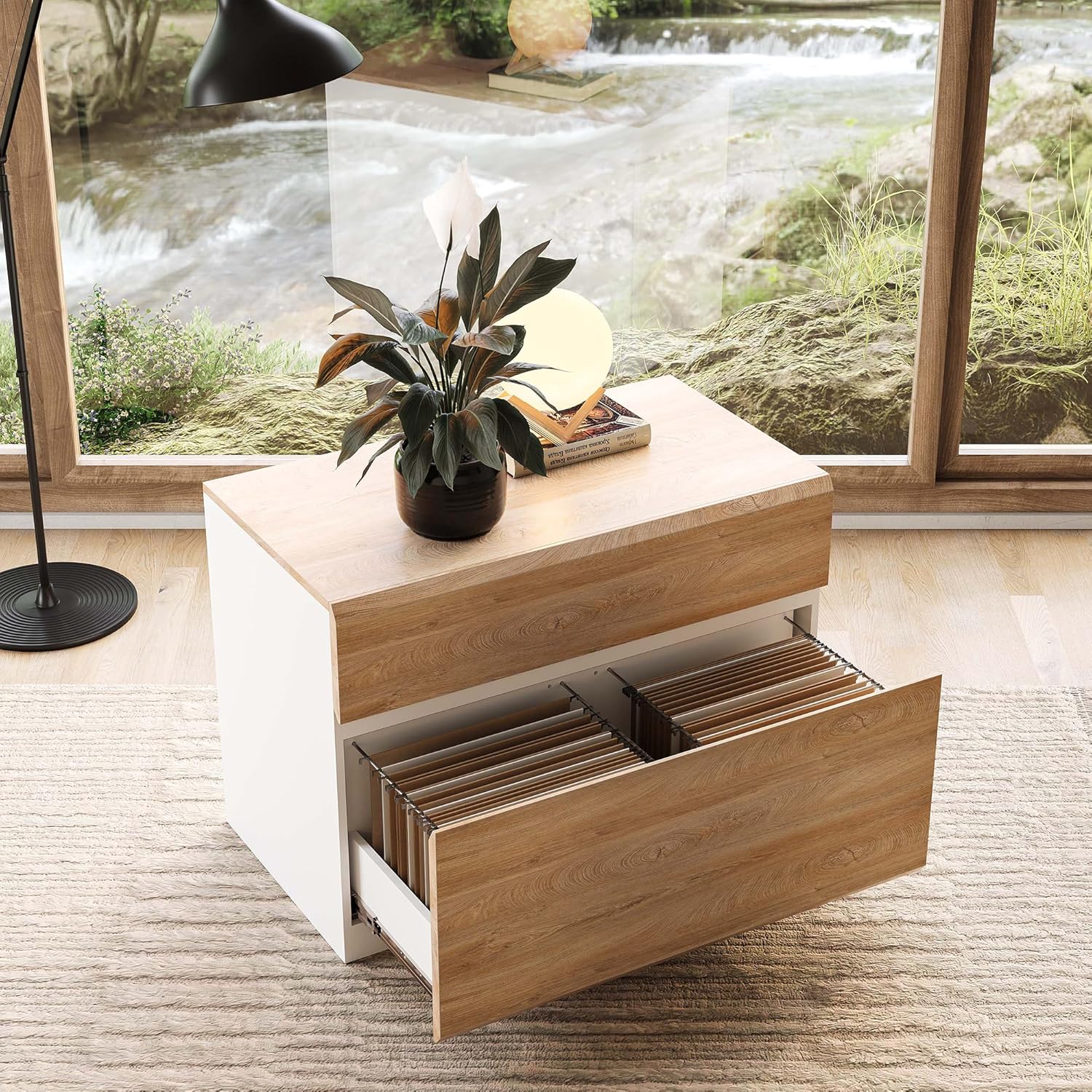
Image: Front view of the ModernMate 2-Drawer Lateral File Cabinet in Light Walnut finish. The cabinet features two drawers with beveled fronts and a sturdy top surface.
Dimensions

Image: Detailed diagram showing the dimensions of the file cabinet: 15.7"D x 31.5"W x 22.8"H. Individual drawer dimensions are also provided.
Parts List
Please verify that all components are present before beginning assembly. If any parts are missing or damaged, please contact customer service.
| Part | Description | Quantity |
|---|---|---|
| Top Panel | Main top surface | 1 |
| Bottom Panel | Base of the cabinet | 1 |
| Side Panels | Left and Right side panels | 2 |
| Back Panel | Rear support panel | 1 |
| Drawer Fronts | Beveled drawer faces | 2 |
| Drawer Sides | Side panels for drawers | 4 |
| Drawer Backs | Rear panels for drawers | 2 |
| Drawer Bottoms | Base panels for drawers | 2 |
| Drawer Slides | Metal runners for drawers | 4 sets |
| File Hanging Bars | Metal bars for hanging files | 4 |
| Hardware Pack | Screws, cam locks, dowels, anti-tip kit | 1 |
Assembly Instructions
Follow the steps below to assemble your file cabinet. It is recommended to have a second person assist with assembly.
Video: This video provides a step-by-step visual guide for assembling the ModernMate 2-Drawer Lateral File Cabinet. It demonstrates how to attach panels, install drawer slides, and secure the anti-tip mechanism.
Step-by-Step Guide:
- Prepare the Base: Attach the drawer slides to the bottom panel (Part 1) using the provided screws (Part A). Ensure they are securely fastened.
- Attach Side Panels: Connect the side panels (Parts 4 and 5) to the bottom panel using cam locks (Part B). Make sure the cam locks are tightened clockwise to secure the connection.
- Install Back Panel: Slide the back panel (Part 7) into the grooves of the side panels.
- Secure Top Panel: Attach the top panel (Part 3) to the assembled structure using cam locks (Part B).
- Assemble Drawers:
- Attach drawer slides to the drawer side panels (Parts 10 and 11) and drawer back (Part 9).
- Connect the drawer front (Part 12) to the drawer sides and bottom (Part 15).
- Repeat for the second drawer.
- Insert Drawers: Carefully align the assembled drawers with the cabinet's drawer slides and push them in until they click into place.
- Install File Hanging Bars: Place the metal file hanging bars (Part G) into the designated slots within the drawers. These are adjustable to accommodate different file sizes.
- Install Anti-Tip Mechanism: Secure the anti-tip strap (Part I) to the top rear of the cabinet using the provided screw (Part E). Mark the corresponding position on your wall, drill a pilot hole, insert the wall anchor, and secure the strap to the wall. This step is crucial for stability and safety.
Operating Instructions
Using the Drawers:
- The two functional drawers are designed for smooth operation. Pull the drawer handles gently to open.
- Each drawer can store letter, legal, and A4-size paperwork. Adjust the internal hanging bars to fit your specific document sizes.
- To close, push the drawer firmly until it is fully seated within the cabinet.

Image: An open drawer of the file cabinet, showcasing hanging files for letter-sized documents. The smooth drawer slides are visible.
Anti-Tilt Mechanism:
The cabinet is equipped with a reliable tilt prevention device. This mechanism is designed to prevent the cabinet from tipping over when drawers are opened. For maximum safety, avoid opening both drawers simultaneously, especially when they are heavily loaded.
Maintenance
- Cleaning: Wipe the cabinet surfaces with a soft, damp cloth. Avoid using harsh chemicals or abrasive cleaners, as these can damage the finish.
- Inspection: Periodically check all screws and connections to ensure they remain tight. Retighten if necessary.
- Drawer Slides: If drawer operation becomes stiff, a small amount of silicone-based lubricant can be applied to the slides.
- Avoid Overloading: Do not exceed the weight capacity of the drawers to prevent damage to the slides and cabinet structure.
Troubleshooting
- Drawers not closing smoothly: Check for any obstructions in the drawer slides. Ensure the slides are properly aligned and securely fastened.
- Cabinet feels unstable: Verify that the anti-tip mechanism is correctly installed and secured to the wall. Ensure the cabinet is on a level surface.
- Missing parts: If any parts were missing upon delivery, please contact ModernMate customer service for assistance.
Specifications
| Feature | Detail |
|---|---|
| Brand | ModernMate |
| Model Name | 105560 |
| Color | Light Walnut |
| Product Dimensions | 15.7"D x 31.5"W x 22.8"H |
| Material | Melamine Board, Engineered Wood |
| Number of Drawers | 2 |
| Recommended Uses | Files & Folders, Home Office Storage |
| Special Feature | Anti-tilt Mechanism, File Storage |
| Item Weight | 49.8 Pounds |
| Assembly Required | Yes |
Warranty and Support
ModernMate products are designed for quality and durability. For any questions, concerns, or warranty claims, please contact ModernMate customer service. Refer to your purchase documentation for specific warranty terms and contact information.