
1. Introduction
Thank you for choosing the goopow Mini Karaoke Machine Speaker, Model T97. This portable Bluetooth speaker with wireless microphones is designed to provide an enjoyable audio experience with its integrated LED lights and various vocal effects. This manual provides essential information for the safe and efficient use of your device. Please read it thoroughly before operation and retain it for future reference.
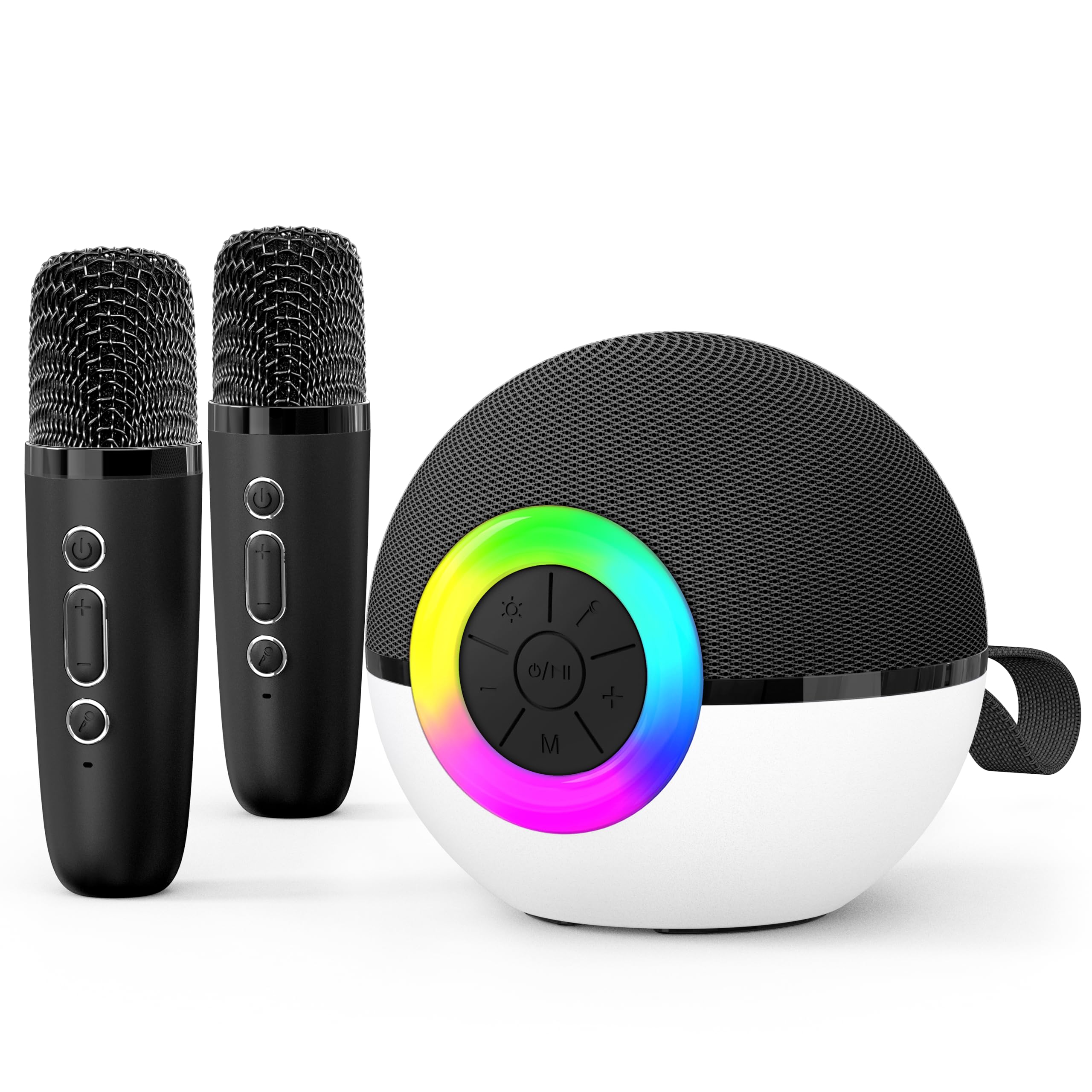
The goopow Mini Karaoke Machine Speaker, featuring a compact design with a central control panel and two included wireless microphones.
2. What's in the Box
Please check the package contents upon unboxing to ensure all items are present:
- 1 x goopow Mini Karaoke Machine Speaker (Model T97)
- 2 x Wireless Microphones
- 1 x USB Type-C Charging Cable
- 1 x User Manual
3. Setup
3.1 Charging the Device
Before first use, fully charge the karaoke machine speaker and both wireless microphones. Use the provided USB Type-C charging cable.
- Connect the USB Type-C cable to the charging port on the speaker and a compatible USB power adapter (not included).
- Connect the USB Type-C cable to the charging port on each microphone and a compatible USB power adapter.
- The charging indicator will illuminate during charging and turn off or change color when fully charged.
- Charging time is approximately 2-3 hours for a full charge.
3.2 Powering On/Off
- To power on the speaker: Press and hold the power button on the speaker until the LED lights illuminate.
- To power off the speaker: Press and hold the power button again until the LED lights turn off.
- To power on the microphones: Press and hold the power button on each microphone.
- To power off the microphones: Press and hold the power button on each microphone again.
4. Operating Instructions
4.1 Bluetooth Connection
The goopow Mini Karaoke Machine Speaker uses Bluetooth 5.3 for stable wireless connection.
- Ensure the speaker is powered on and in Bluetooth pairing mode (indicated by a flashing LED light).
- On your smartphone, tablet, or other Bluetooth-enabled device, navigate to the Bluetooth settings.
- Search for available devices and select "goopow T97" from the list.
- Once connected, the speaker will emit an audible confirmation, and the LED light will stop flashing.
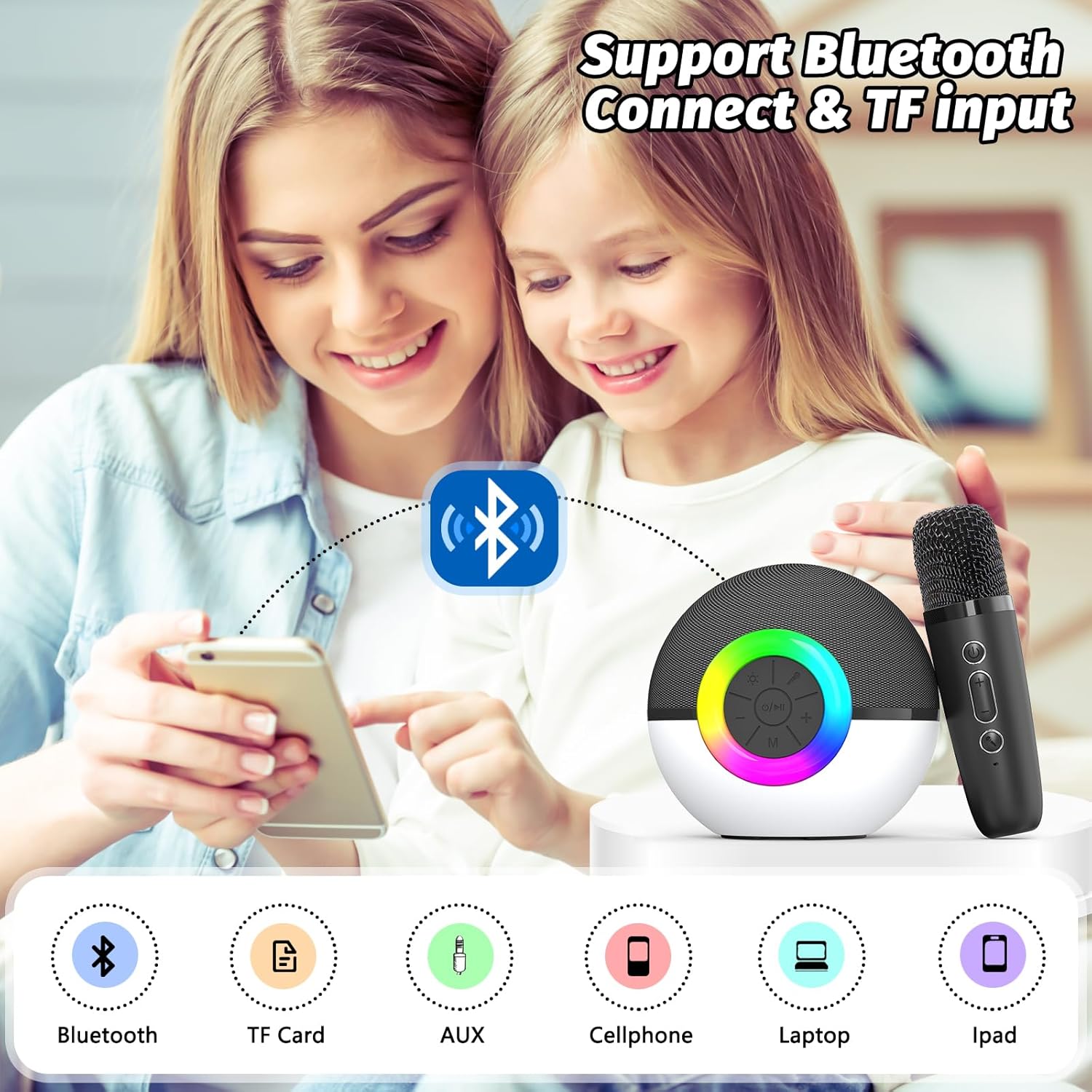
The goopow Mini Karaoke Machine Speaker demonstrating its Bluetooth connectivity feature, allowing seamless pairing with various devices such as smartphones, tablets, and laptops. It also supports TF card input.
4.2 Microphone Usage
The wireless microphones automatically pair with the speaker when both are powered on.
- Ensure both the speaker and microphones are powered on.
- Adjust microphone volume using the '+' and '-' buttons on the microphone itself.
- The speaker's main volume control also affects the overall sound output, including microphone audio.
4.3 Voice Effects
The microphones feature 5 different vocal effects to enhance your singing experience.
- Press the dedicated voice effect button on the microphone to cycle through the available effects: Monster Voice, Female Voice, Male Voice, Robot Voice, and Baby Voice.
- Select the desired effect by pressing the button until it is activated.
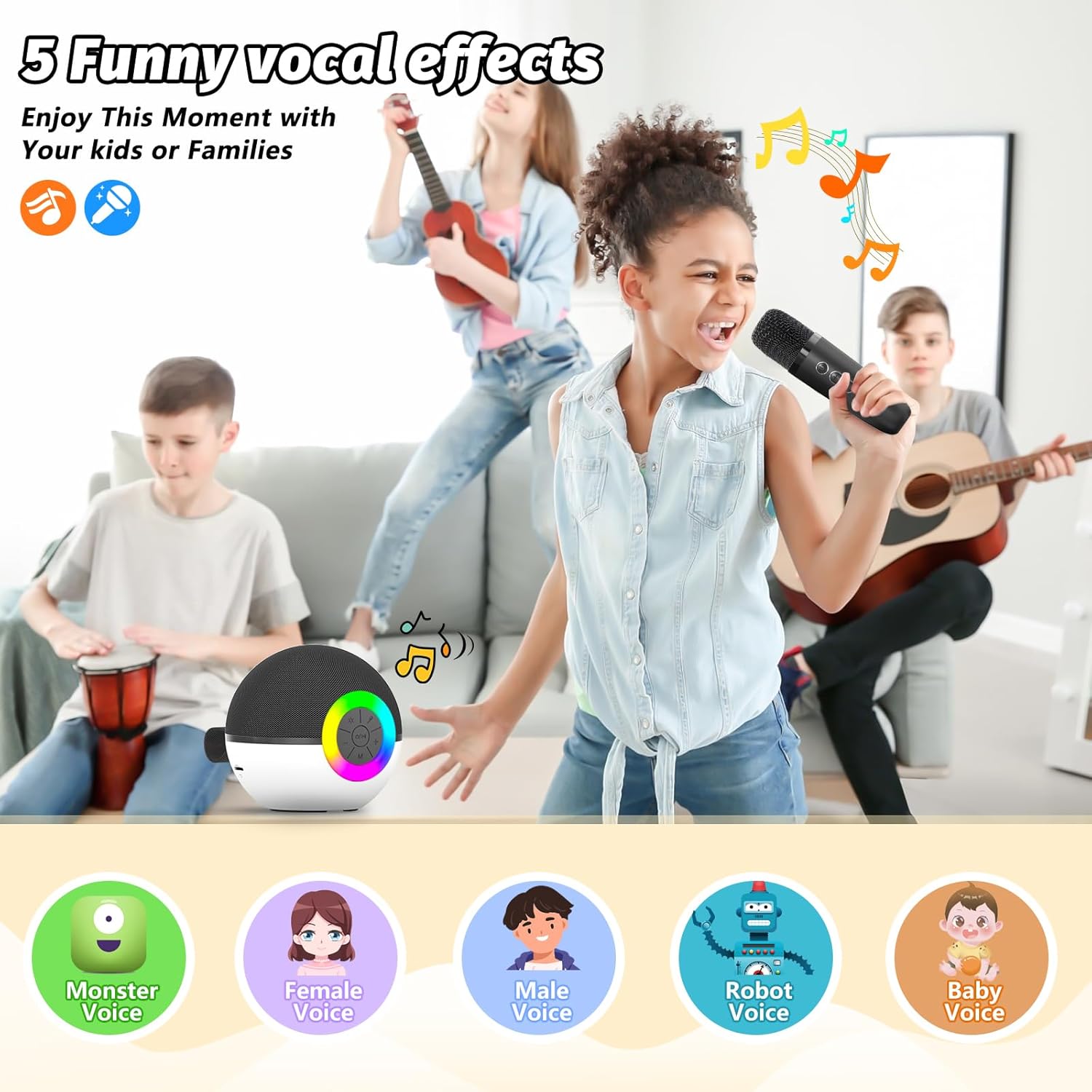
Visual representation of the five distinct vocal effects available on the microphone: Monster Voice, Female Voice, Male Voice, Robot Voice, and Baby Voice.
4.4 LED Light Effects
The speaker features dynamic RGB LED lights that can be controlled.
- Press the light button on the speaker's control panel to change between different light modes or to turn the lights off.
- The speaker offers various colorful light patterns, including a rainbow effect.

The goopow Mini Karaoke Machine Speaker displaying its colorful LED light effects around the control panel, enhancing the user experience.
4.5 Other Inputs
In addition to Bluetooth, the speaker supports TF card and AUX input for audio playback.
- TF Card: Insert a TF (MicroSD) card with audio files into the designated slot on the speaker. The speaker will automatically switch to TF card mode and begin playback.
- AUX Input: Connect an external audio device using a 3.5mm AUX cable (not included) to the AUX port on the speaker. The speaker will switch to AUX mode for audio playback.
5. Maintenance
- Cleaning: Use a soft, dry cloth to clean the surface of the speaker and microphones. Do not use abrasive cleaners or solvents.
- Storage: Store the device in a cool, dry place away from direct sunlight and extreme temperatures.
- Battery Care: To prolong battery life, avoid fully discharging the device frequently. Charge it regularly, even if not in use for extended periods.
- Water Exposure: This device is not waterproof. Avoid exposure to water or excessive moisture.
6. Troubleshooting
| Problem | Possible Cause | Solution |
|---|---|---|
| No power | Battery is depleted. | Charge the speaker/microphone fully. |
| Cannot connect via Bluetooth | Bluetooth is not enabled on your device or speaker is not in pairing mode. | Ensure Bluetooth is on and the speaker is discoverable. Restart both devices. |
| No sound from speaker | Volume is too low or muted. Incorrect input source. | Increase volume on both speaker and connected device. Check input mode (Bluetooth, TF, AUX). |
| Microphone not working | Microphone is off or battery is low. Not paired correctly. | Ensure microphone is powered on and charged. Restart microphone and speaker. |
| LED lights not working | Lights are turned off or a specific mode is selected. | Press the light button on the speaker to cycle through modes or turn them on. |
7. Specifications
- Model Number: T97
- Brand: goopow
- Product Dimensions: 3.66 x 3.66 x 3.62 inches
- Item Weight: 1.04 pounds
- Material: Plastic
- Power Source: Battery Powered
- Battery Type: 1 Nonstandard Battery (included)
- Connectivity Technology: Bluetooth 5.3
- Connector Type: USB Type C
- Audio Input: Wireless microphones, Bluetooth, TF Card, AUX
- Number of Channels: 2
- Mounting Type: Tabletop, Floor Standing
- UPC: 712110443881

The portable karaoke machine and microphone, illustrating its compact size and lightweight design, suitable for various outdoor activities and extended use. It offers 4-6 hours of playtime per charge.
8. Warranty and Support
8.1 Warranty Information
Specific warranty details for the goopow Mini Karaoke Machine Speaker (Model T97) may vary. Please refer to the product packaging or the retailer's website for the most accurate and up-to-date warranty information. Typically, products come with a limited warranty covering manufacturing defects from the date of purchase.
8.2 Customer Support
For any questions, technical assistance, or warranty claims, please contact the goopow customer support team or the retailer from whom you purchased the product. Contact information can usually be found on the product packaging or the official goopow website.