
1. Introduction
Welcome to the user manual for your new Zstar 19 SEER2 9000 BTU Ductless Mini Split AC/Heating System. This manual provides essential information for the safe and efficient operation, installation, and maintenance of your unit. Please read this manual thoroughly before using the product and keep it for future reference.
2. Safety Information
WARNING: This AC system requires professional installation. It is not a DIY mini split AC. Improper installation can lead to electric shock, fire, serious injury, or death.
- Always ensure the unit is properly grounded.
- Do not attempt to repair or modify the unit yourself. Contact qualified service personnel.
- Ensure the power supply matches the unit's specifications (230V).
- Keep children and pets away from the outdoor unit during operation.
- Do not block air inlets or outlets of either unit.
3. Product Overview
3.1 Included Components
Your Zstar Mini Split System includes the following:
- 1 x Indoor AC Unit
- 1 x Outdoor Condenser
- 1 x Copper & Aluminum Connection Pipe
- 1 x Wall Mounting Bracket
- 1 x Drain Hose
- 1 x Communication Wires
- 1 x User Guide (detailed installation instructions)
3.2 Key Features
- Efficient Cooling & Heating: Equipped with a robust compressor and heat pump, providing 9000 BTUs of cooling power and effective heating. Operates in extreme temperatures from -13℉ to 131℉.
- Smart Energy Savings: Features 19 SEER2 rating and advanced inverter technology to optimize power consumption, potentially reducing electricity usage by up to 43%.
- Easy to Control: Wi-Fi enabled for control via a dedicated app, and compatible with popular virtual assistants like Alexa and Google Assistant for hands-free operation. Includes a remote control.
- Self-Cleaning & Auto Defrost: Self-cleaning feature activates at 134.6℉ for a hygienic interior. The outdoor unit includes automatic defrost capability.
- Ultra-Quiet Operation: Operates at a low noise level of 41 dB, ensuring a peaceful environment.
- Versatile Modes: Offers Cool, Heat, Dry (Dehumidifier), and Fan-only functions.
- Child Lock: For added safety and to prevent unintended changes to settings.
- Swing Function: Allows for adjustable airflow direction.

Figure 3.1: Zstar 19 SEER2 9000 BTU Mini Split AC/Heating System and included components.

Figure 3.2: Built-in Heat Pump functionality for both cooling and heating.

Figure 3.3: Ultra-quiet operation at 41dB for minimal disturbance.

Figure 3.4: Energy savings due to 19 SEER2 rating and inverter technology.
4. Setup and Installation
Professional installation is required for this Zstar Mini Split AC/Heating System. Attempting to install this unit without proper training, tools, and certification can void your warranty and lead to serious hazards.
The installation process typically involves:
- Mounting the indoor unit on a wall.
- Placing the outdoor condenser unit on a stable surface or wall bracket.
- Connecting the copper and aluminum pipes between the indoor and outdoor units.
- Running communication wires and drain hose.
- Performing a vacuum evacuation of the refrigerant lines to remove air and moisture.
- Connecting the electrical power supply (230V).
- Releasing the refrigerant into the system.
Refer to the detailed User Guide included with your product for comprehensive installation instructions, diagrams, and safety precautions that your professional installer should follow.

Figure 4.1: Unit dimensions and cooling capacity for installation planning.
5. Operating Instructions
Your Zstar Mini Split system offers various modes and smart control options for optimal comfort.
5.1 Control Methods
- Remote Control: Use the included remote to adjust settings.
- Wi-Fi App: Download the dedicated app to control your unit from anywhere via Wi-Fi.
- Voice Control: Integrate with Alexa or Google Assistant for convenient voice commands.

Figure 5.1: Smart control system via Wi-Fi app and voice assistants.
5.2 Operating Modes
- Cool Mode: Provides cooling to your desired temperature (down to 60℉).
- Heat Mode: Provides heating to your desired temperature (up to 90℉).
- Dry (Dehumidifier) Mode: Removes excess moisture from the air (capacity of 36 pints/day).
- Fan Mode: Circulates air without heating or cooling, with adjustable fan speeds (low, mid, high).
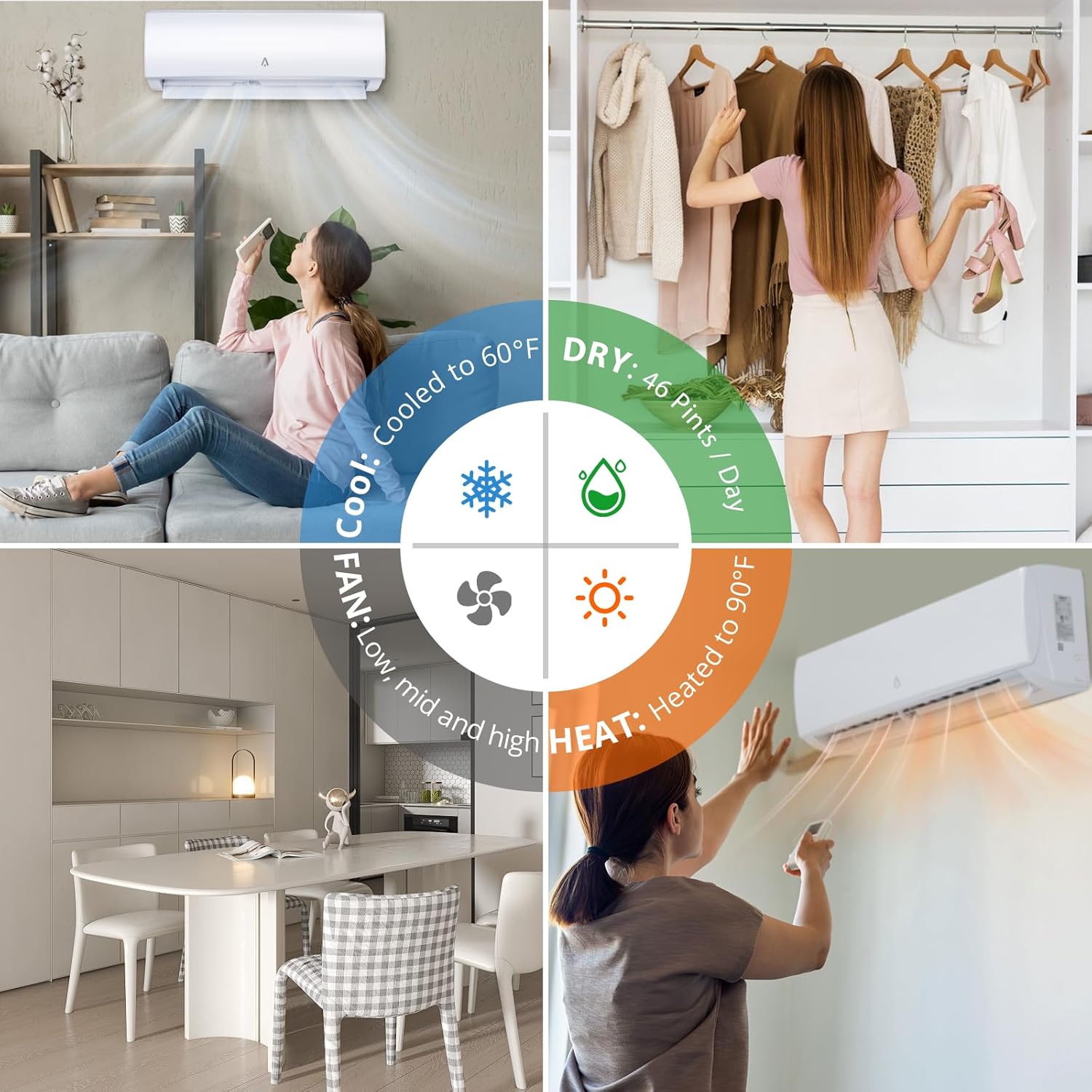
Figure 5.2: Versatile operating modes for year-round comfort.
5.3 Additional Functions
- Timer Function: Set the unit to turn on or off automatically within a 0.5 to 24-hour period.
- Swing Function: Adjust the airflow direction for even distribution.
- Child Lock: Activate to prevent accidental changes to settings.
- Screen Off: Turn off the display light for undisturbed sleep.
6. Maintenance
Regular maintenance ensures optimal performance and longevity of your Zstar Mini Split system.
- Self-Cleaning: The indoor unit features a self-cleaning function that activates at 134.6℉ to maintain a hygienic interior.
- Filter Cleaning: The washable filter automatically maintains cleanliness. For best air quality, regularly remove and clean the filter according to the detailed instructions in the main User Guide.
- Auto Defrost: The outdoor unit is equipped with an automatic defrost capability to prevent ice buildup and maximize energy efficiency in cold conditions.
- Exterior Cleaning: Wipe the exterior of both units with a soft, damp cloth. Do not use harsh chemicals or abrasive cleaners.

Figure 6.1: Distributed healthy filter system with detachable and easy-to-clean filters.
7. Troubleshooting
If you encounter issues with your Zstar Mini Split system, refer to the following general troubleshooting tips. For more detailed solutions, consult the comprehensive User Guide.
- Unit not turning on: Check power supply, circuit breaker, and ensure the remote control batteries are not depleted.
- Insufficient cooling/heating: Verify temperature settings, ensure air filters are clean, and check for any obstructions to airflow.
- Unusual noises: Minor operational noises are normal. If loud or unusual noises occur, contact professional service.
- Wi-Fi connectivity issues: Ensure your Wi-Fi network is active and the unit is within range. Follow the app's pairing instructions carefully.
- Water leakage: Check the drain hose for kinks or blockages. Ensure the indoor unit is level.
If problems persist after attempting these steps, contact Zstar customer support or a qualified HVAC technician.
8. Specifications
| Specification | Value |
|---|---|
| Brand | Zstar |
| Model Number | SEA6jPnnIJeD6umED0NwMAjag |
| Product Dimensions | 43.15 x 27.76 x 25.79 inches |
| Item Weight | 52.9 pounds |
| Form Factor | Mini-Split |
| Voltage | 230V |
| Cooling Power | 9000 British Thermal Units (BTUs) |
| Seasonal Energy Efficiency Ratio (SEER) | 19 |
| Noise Level | 41 dB |
| Dehumidifier Capacity | 36 Pints/day |
| Specific Instructions for Use | Commercial/Residential |
| BEE Star Rating | Yes |
| Color | White |
| Batteries Required | No |
9. Warranty and Support
9.1 Warranty Information
The Zstar 19 SEER2 9000 BTU Ductless Mini Split AC/Heating System comes with a 1-year manufacturer's warranty. Please retain your proof of purchase for warranty claims. The warranty covers defects in materials and workmanship under normal use.
Note: Damage resulting from improper installation (non-professional) or misuse is not covered under warranty.
9.2 Customer Support
For technical assistance, warranty claims, or any questions regarding your Zstar product, please refer to the contact information provided in your included User Guide or visit the official Zstar website. Ensure you have your model number (SEA6jPnnIJeD6umED0NwMAjag) and purchase details ready when contacting support.


