
1. Product Overview
The YOTON Y4 Mini Projector is a portable and versatile device designed for home entertainment. It features a 270° rotating base, auto keystone correction, and 50% zoom function, allowing for flexible projection in various environments. Supporting 1080P input and offering up to a 200-inch display, it provides a clear and immersive viewing experience. Equipped with Bluetooth 5.2 and multiple connectivity options, the Y4 projector is compatible with a wide range of devices.
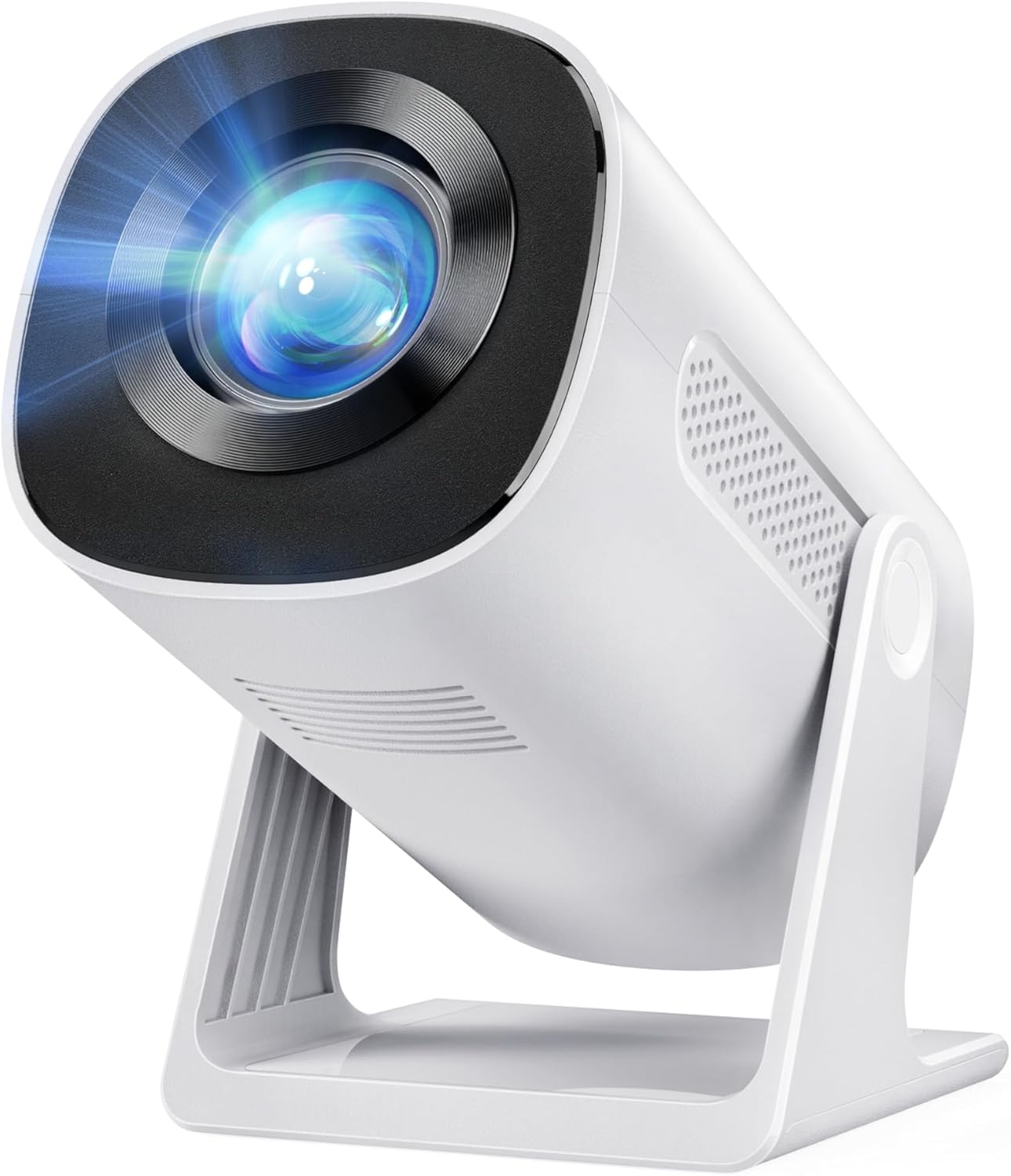
Image: The YOTON Y4 Mini Projector, a compact and portable device with a bright projection lens.
2. Key Features
- 270° Rotation & Auto Keystone: The projector's base rotates 270°, enabling projection onto ceilings or walls without a tripod. Auto keystone correction ensures a rectangular and sharp image.
- 50% Zoom Function: Adjust the image size from 100% down to 50% for optimal viewing in different room sizes.
- Wired Connectivity for Android and iOS: Connect your iOS device directly using a Lightning/Type C to USB cable (contact YOTON for cable) for stable video and audio transmission.
- 1080P Support & 200-Inch Large Screen: Native 720P resolution, compatible with 1080P input, supporting projection up to 200 inches for detailed images.
- Bluetooth 5.2: Connects to external speakers, wireless headphones, or soundbars within 3 seconds for enhanced audio. Note: Does not support Bluetooth connection to mobile phones.
- Wide Compatibility with L-Shape HDMI Adapter: Features HDMI, USB, and AUX ports. The included L-shaped HDMI adapter assists with ceiling projection. Compatible with Fire TV Stick, laptops, smartphones, Switch, PS5, and USB drives.

Image: The YOTON Y4 projector demonstrating its 270-degree multi-angle projection capability, allowing flexible placement.

Image: Illustration of the auto keystone correction and 50%-100% zoom features, ensuring a perfectly aligned and sized image.
3. Package Contents
Verify that all items are present in the package:
- YOTON Y4 Mini Projector
- User Manual (this document)
- Remote Control (batteries not included)
- HDMI Cable
- L-shaped HDMI Adapter
- Power Cable
If any accessories are missing, please contact YOTON service for replacement.
4. Setup
4.1 Placement
Position the projector on a stable, flat surface. Utilize the 270° rotating base to direct the projection onto your desired surface, whether it's a wall or ceiling. No tripod is required for most setups due to this flexible design.
4.2 Power Connection
- Connect the power cable to the projector's power input port.
- Plug the other end of the power cable into a standard electrical outlet.
- Press the power button on the projector or remote control to turn on the device.
4.3 Initial Adjustments
- Auto Keystone Correction: The projector will automatically adjust the image to be rectangular. If further adjustment is needed, refer to the manual focus ring.
- Manual Focus: Rotate the focus ring on the projector to achieve a clear and sharp image.
- Zoom Function: Use the remote control or on-screen menu to adjust the image size from 100% to 50% to fit your screen or wall.
5. Operating Instructions
5.1 Connecting Devices
The YOTON Y4 projector offers multiple input options:
- HDMI Port: Connect devices such as Fire TV Stick, laptops, gaming consoles (PS5, Switch), or Blu-ray players using the HDMI cable. The included L-shaped HDMI adapter can be used for convenience in tight spaces or ceiling projection.
- USB Port: Insert a USB drive to play media files directly.
- AUX Port: Connect external audio devices using a 3.5mm audio cable.
- iOS Wired Connection: For iOS devices, obtain a Lightning/Type C to USB cable from YOTON. Connect your iOS device directly to the projector for screen mirroring. This ensures high-quality video and audio transmission without wireless delays.

Image: Diagram illustrating the various interface connections available on the YOTON Y4 projector, including HDMI, USB, and Audio ports.

Image: A smartphone connected to the YOTON Y4 projector via a wired connection for iOS screen mirroring.
5.2 Bluetooth Audio Connection
To connect to external Bluetooth speakers or headphones:
- Ensure your Bluetooth audio device is in pairing mode.
- On the projector's menu, navigate to the Bluetooth settings.
- Select your desired audio device from the list to pair. The connection should be established within 3 seconds.
Note: The projector's Bluetooth function is for connecting to external audio devices only and does not support connection to mobile phones.

Image: A couple watching a movie projected by the YOTON Y4, with the projector wirelessly connected to a soundbar via Bluetooth 5.2.
5.3 Streaming Content
For streaming services like Netflix, Disney+, HBO, Crave, or CBC Gem, direct mirroring from mobile devices is often restricted due to HDCP rights. It is recommended to use an Amazon Fire TV Stick or similar streaming dongle connected to the projector's HDMI port to enjoy these services.

Image: A projected screen displaying various streaming application icons, indicating compatibility when used with an external TV stick (not included).
6. Maintenance
6.1 General Care
- Keep the projector in a clean, dry environment away from excessive dust or humidity.
- Avoid placing the projector in direct sunlight or near heat sources.
- Do not block the ventilation openings on the projector.
6.2 Cleaning
- Lens: Use a soft, lint-free cloth specifically designed for optical lenses. Do not use abrasive cleaners or solvents.
- Exterior: Wipe the projector's exterior with a soft, dry cloth. For stubborn marks, a slightly damp cloth can be used, followed by a dry cloth.
- Vents: Periodically check and gently clean the ventilation openings to ensure proper airflow and prevent overheating.
7. Troubleshooting
- No Image/Power: Ensure the power cable is securely connected and the power outlet is functional. Press the power button on the projector or remote.
- Blurry Image: Adjust the manual focus ring on the projector. Ensure the projection surface is flat and the projector is within the recommended projection distance.
- Image Not Rectangular: The projector has auto keystone correction. If the image is still distorted, try repositioning the projector or manually adjusting the keystone if an option is available in the menu.
- No Sound: Check the volume settings on the projector and the connected device. If using Bluetooth, ensure it's correctly paired with an external speaker. If using wired connection, check the audio cable.
- Cannot Mirror Streaming Apps (Netflix, Disney+, etc.): Due to HDCP rights restrictions, direct mirroring of certain streaming apps is not supported. Use an external streaming device (e.g., Amazon Fire TV Stick) connected via HDMI.
- Remote Control Not Working: Ensure batteries are inserted correctly and are not depleted. Point the remote directly at the projector's IR receiver.
8. Specifications
| Feature | Specification |
|---|---|
| Brand | YOTON |
| Model | Y4 |
| Native Resolution | 1280 x 720 (720P) |
| Supported Resolution | 1920 x 1080 (1080P) |
| Aspect Ratio | 16:9 |
| Image Contrast Ratio | 1000:1 to 3000:1 |
| Display Type | DLP |
| Connectivity Technology | HDMI, USB, AUX, Bluetooth 5.2 |
| Compatible Devices | Android, iOS, HDMI devices (PS5, Fire TV Stick, laptops) |
| Refresh Rate | 60 Hz |
| Item Dimensions (L x W x H) | 23.2 x 16.4 x 11.4 cm |
| Item Weight | 1.05 kg |

Image: Visual representation of the YOTON Y4 projector's capability to project large screen sizes, up to 200 inches, at various distances.

Image: A close-up showing the clarity and detail provided by the projector's 1080P support and high contrast ratio.
9. Warranty and Support
The YOTON Y4 Mini Projector comes with a 2-year warranty and lifetime technical support.
For any inquiries, technical assistance, or to report missing accessories, please contact YOTON service directly:
Email: support@yoton.co
YOTON is committed to providing 24-hour response to ensure your peace of mind and satisfaction with your investment.


