1. Product Overview
The Fastrack Fpods FE100 are True Wireless Stereo (TWS) in-ear earbuds designed for an immersive audio experience. They feature Bluetooth 5.4 for stable connectivity, 13mm dynamic bass drivers for deep sound, and Dual Mic Environmental Noise Cancellation (ENC) for clear calls. With a total playtime of up to 40 hours and NitroFast Charge technology, these earbuds are built for extended use.
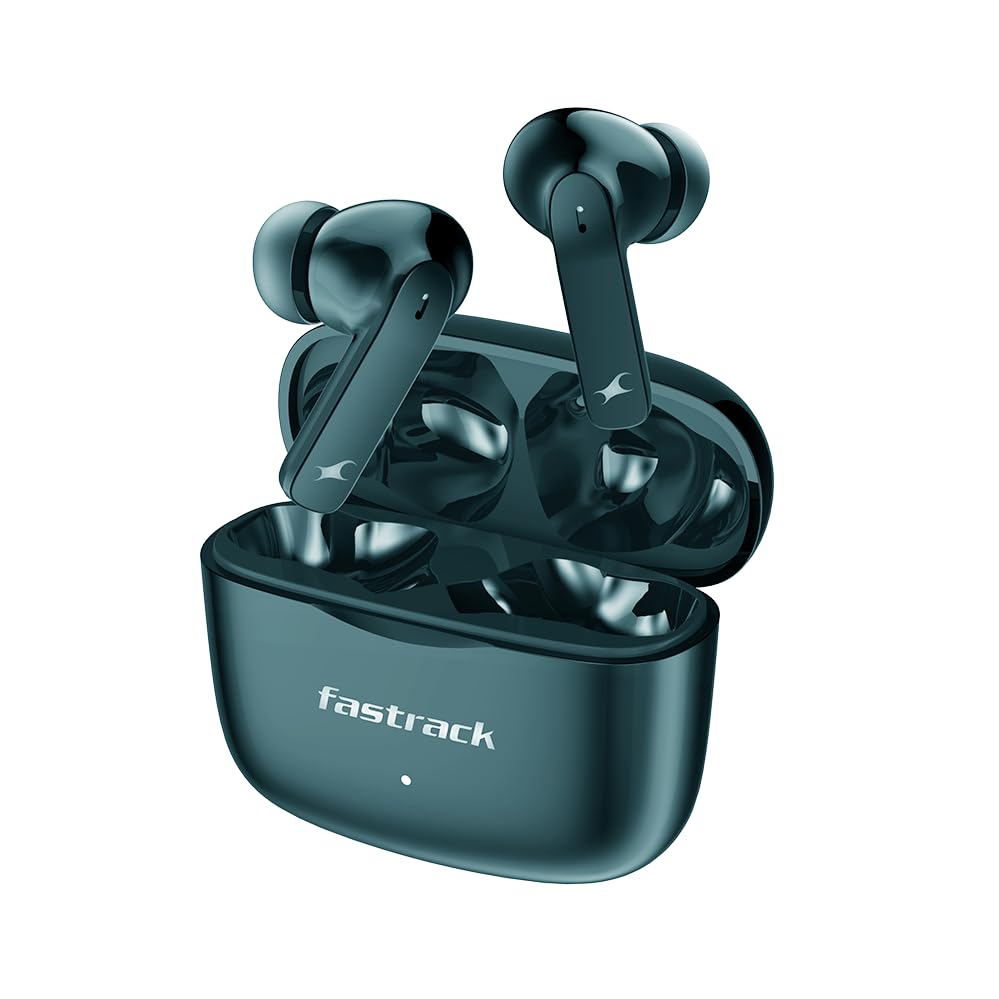
Figure 1.1: Fastrack Fpods FE100 TWS Earbuds and Charging Case (Green variant).
2. Setup Guide
2.1. What's in the Box
Upon unboxing your Fastrack Fpods FE100, please ensure all components are present:
- Fastrack Fpods FE100 TWS Earbuds (Left and Right)
- Charging Case
- Charging Cable
- Eartips (various sizes for optimal fit)
- Instruction Manual (this document)
2.2. Charging Your Earbuds
Before first use, it is recommended to fully charge the earbuds and the charging case.
- Place both earbuds into their respective slots in the charging case.
- Connect the charging cable to the charging port on the case and to a compatible USB power source.
- The indicator light on the case will show charging status. A full charge typically takes approximately 2 hours.
The Fpods FE100 feature NitroFast Charge technology, providing up to 120 minutes of playback with just 10 minutes of charging.
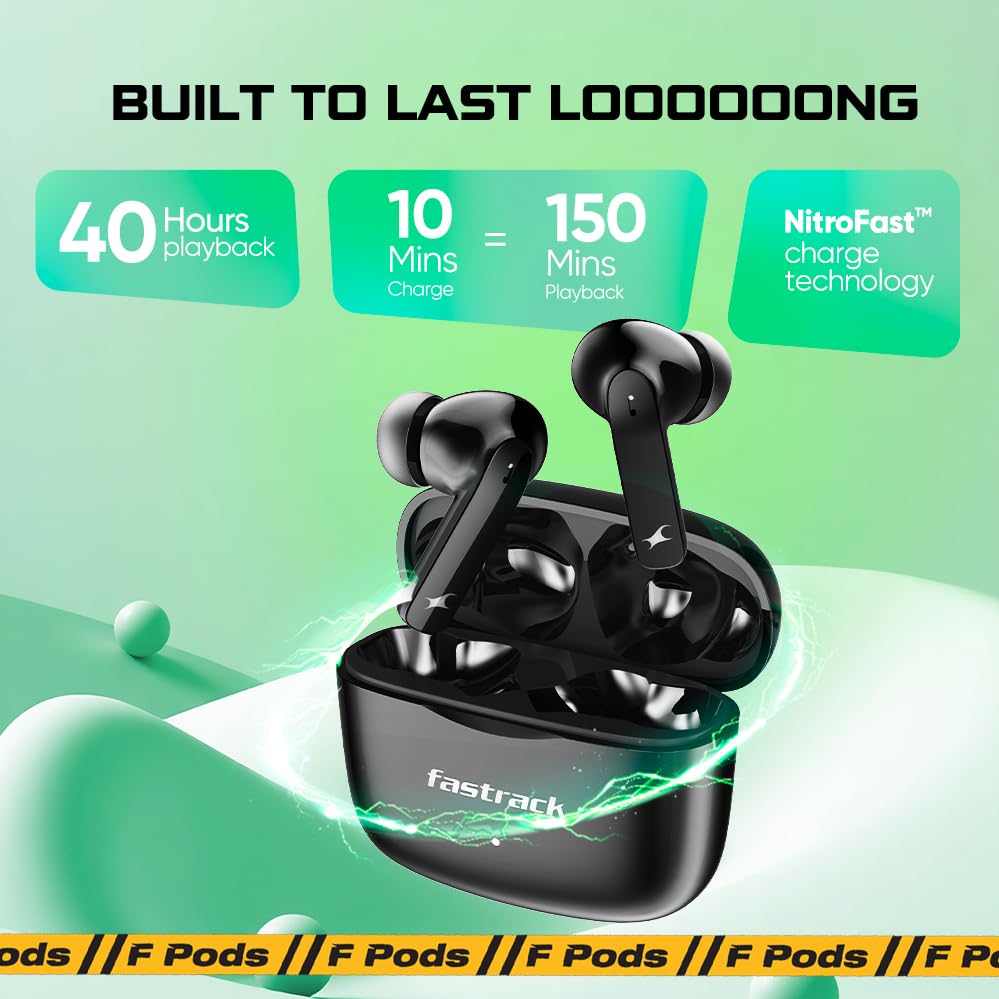
Figure 2.1: Fastrack Fpods FE100 battery life and fast charging capabilities.
2.3. Bluetooth Pairing
To connect your Fastrack Fpods FE100 to a device:
- Ensure the earbuds are charged and placed inside the charging case.
- Open the charging case lid. The earbuds will automatically enter pairing mode, indicated by a flashing light (refer to product specific LED indicators for exact behavior).
- On your device (smartphone, tablet, laptop), navigate to the Bluetooth settings.
- Search for available devices and select "Fastrack Fpods FE100" from the list.
- Once connected, the indicator light on the earbuds/case will change (e.g., solid blue or turn off), and you will hear an audio prompt.
The earbuds utilize Bluetooth v5.4 for a stable connection up to 10 meters.

Figure 2.2: Fastrack Fpods FE100 featuring Bluetooth 5.4 and low latency.
3. Operating Your Earbuds
3.1. Touch Controls
The Fastrack Fpods FE100 feature intuitive touch controls on each earbud. The following are common functions:
- Play/Pause: Single tap on either earbud.
- Next Track: Double tap on the right earbud.
- Previous Track: Double tap on the left earbud.
- Answer/End Call: Single tap on either earbud during an incoming call.
- Reject Call: Long press on either earbud during an incoming call.
- Activate Voice Assistant: Triple tap on either earbud.
- Activate Gaming Mode: Four taps on either earbud. This mode provides ultra-low latency of 60ms for an enhanced gaming experience.

Figure 3.1: Fastrack Fpods FE100 touch control functions.
3.2. Audio Features
The Fpods FE100 are equipped with advanced audio technologies:
- 13mm Dynamic Bass Drivers: Experience rich, deep bass and crisp, clear sound for an immersive listening experience.
- Dual Mic ENC (Environmental Noise Cancellation): The enhanced quad mic system ensures crystal clear call quality by effectively reducing ambient noise during conversations.
- Low Latency Gaming Mode: With an ultra-low latency of 60ms, this mode minimizes audio delay, providing a competitive edge in gaming by allowing you to hear in-game sounds with minimal lag.

Figure 3.2: Fastrack Fpods FE100 with 13mm Extra Deep Bass Drivers.

Figure 3.3: Fastrack Fpods FE100 featuring Dual Mic and ENC Technology for clear sound.
4. Maintenance and Care
Proper maintenance ensures the longevity and optimal performance of your Fastrack Fpods FE100.
- Cleaning: Regularly clean the earbuds and charging case with a soft, dry, lint-free cloth. Do not use abrasive cleaners or solvents. Gently remove any earwax or debris from the eartips and speaker mesh using a small, soft brush or cotton swab.
- Storage: When not in use, store the earbuds in their charging case to protect them from dust and damage. Store the case in a cool, dry place away from direct sunlight and extreme temperatures.
- Water Resistance: The Fpods FE100 are rated IPX4 for dust and water resistance. This means they are resistant to splashing water from any direction. They are suitable for workouts and light rain, but should not be submerged in water or exposed to strong jets of water. Dry the earbuds thoroughly before placing them back in the charging case if they get wet.
- Battery Care: To preserve battery life, avoid fully discharging the earbuds and case frequently. Charge them regularly, even if not in constant use.
5. Troubleshooting
If you encounter issues with your Fastrack Fpods FE100, try the following solutions:
| Problem | Possible Solution |
|---|---|
| Earbuds not pairing/connecting. |
|
| No sound or low volume. |
|
| Poor call quality. |
|
| Earbuds not charging. |
|
If the issue persists, please refer to the Warranty & Support section for further assistance.
6. Product Specifications
| Feature | Detail |
|---|---|
| Model Name | FE100 |
| Model Number | FT10GNA03 |
| Connectivity Technology | Wireless (Bluetooth) |
| Bluetooth Version | 5.4 |
| Bluetooth Range | 10 Millimetres (10 meters) |
| Battery Life (Total Playtime) | Up to 40 Hours (with charging case) |
| Charging Time | Approx. 2 Hours (for full charge) |
| NitroFast Charge | 120 Mins playback in 10 Mins charge |
| Audio Driver Size | 13 Millimetres Dynamic Driver |
| Audio Latency (Gaming Mode) | 60 Milliseconds |
| Microphone | Dual Mic with ENC (Environmental Noise Cancellation) |
| Control Type | Touch Control |
| Water Resistance Level | IPX4 (Water Resistant) |
| Item Weight | 37 Grams |
| Product Dimensions (Case) | 5.8 x 2.5 x 4.8 cm |
| Material | Plastic |
| Manufacturer | Titan Company Limited |
| Included Components | Cable, Eartip |
7. Warranty and Support
7.1. Warranty Information
The Fastrack Fpods FE100 come with a 1 Year Warranty from the date of purchase. This warranty covers manufacturing defects. Please retain your proof of purchase for warranty claims. The warranty does not cover damage caused by misuse, accidents, unauthorized repairs, or normal wear and tear.
7.2. Customer Support
For any queries, technical assistance, or warranty claims, please contact Fastrack customer care:
- Customer Care Number: 1800-266-0123
- Email: customercare@titan.co.in
- Manufacturer Address: Titan Company Limited, no- 03 Sipcot Industries complex Hosur - 635126
Please have your product model number (FT10GNA03) and purchase details ready when contacting support.


