
1. Introduction
This manual provides comprehensive instructions for the installation, operation, and maintenance of your Waterdrop Ultra Filtration Under Sink Water Filter system. This system is designed to provide filtered water directly from your tap, reducing various impurities for improved water quality.
2. Product Overview
The Waterdrop Ultra Filtration system is an under-sink water filter designed for ease of use and effective filtration. It typically features multiple stages of filtration to address different contaminants.

Image: The Waterdrop Under Sink Water Filter System (Model: TSA-UF) shown installed under a kitchen sink, highlighting its compact dimensions (4.3" depth, 16.8" width, 12.9" height). It features 0.01 µm ultrafiltration and is NSF/ANSI 372 certified.
2.1 Filtration Technology
The system utilizes a multi-stage filtration process to remove various impurities. This includes a PP (Polypropylene) filter for sediment, a GC (Granular Carbon) filter for taste and odor, and a UF (Ultra Filtration) membrane for finer particles.
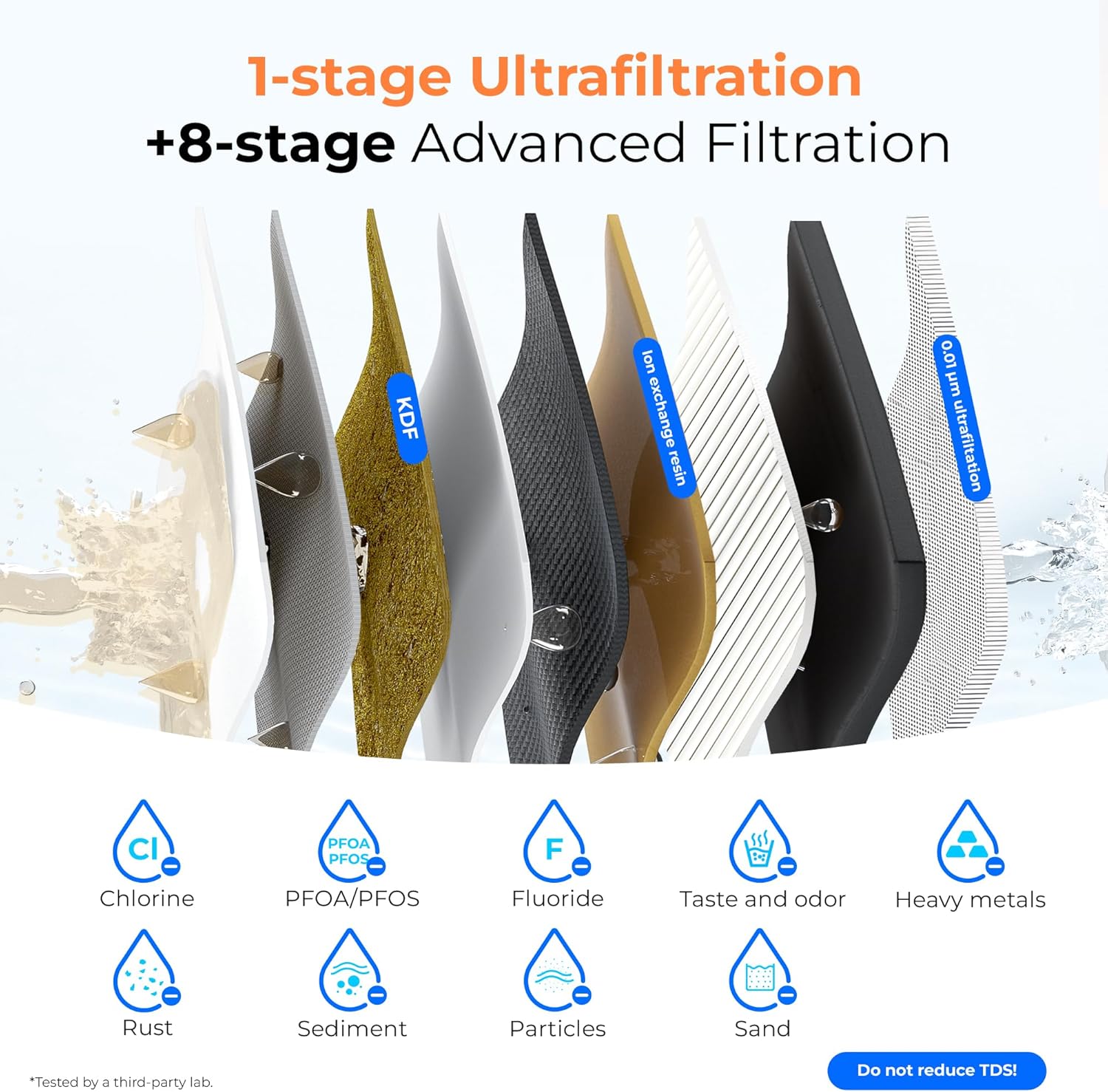
Image: A diagram illustrating the 9-stage filtration process, including KDF and ion exchange resin layers, designed to reduce chlorine, PFOA/PFOS, fluoride, taste and odor, heavy metals, rust, sediment, particles, and sand. Note: This system does not reduce TDS.

Image: A detailed view of the 0.01 µm ultrafiltration membrane, featuring an accordion-style structure for a larger filtration area and 20x dirt adhesion capacity compared to regular filters.
3. Setup and Installation
Follow these steps for proper installation of your Waterdrop under sink water filter system.
3.1 Mounting the Unit
Mount the main filter housing unit securely under your sink. Ensure there is enough space for filter replacement.
3.2 Installing Filter Cartridges
The filter cartridges are designed for easy installation. Simply align and twist them into the designated slots on the main unit. Ensure they are securely locked in place. The system typically includes a PP (Pre-Sediment) filter, a GC (Granular Carbon) filter, and a UF (Ultra Filtration) filter.
3.3 Connecting Water Lines
Connect the water inlet and outlet lines using the quick-connect fittings. Push the tubing firmly into the fittings until it seats securely. To disconnect, push the blue collar in while pulling the tubing out.
3.4 Initial Flush
After installation, turn on the water supply and flush the system for several minutes (refer to specific product instructions for exact duration) to remove any air and carbon fines before first use.
4. Operating Instructions
Once installed, the system operates automatically when water is drawn from the filtered water faucet. Ensure all connections are secure to prevent leaks.
4.1 Filter Life Indicator
Some Waterdrop systems may include an indicator for filter life. Monitor this indicator or track the recommended replacement schedule to ensure optimal performance.
5. Maintenance and Filter Replacement
Regular maintenance, primarily filter replacement, is crucial for maintaining water quality and system longevity.
5.1 Filter Replacement Procedure
Replacement of the filter cartridges can be completed quickly and without tools. Simply twist the old filter counter-clockwise to remove it, and twist the new filter clockwise to install it. The sealed design helps prevent contamination.
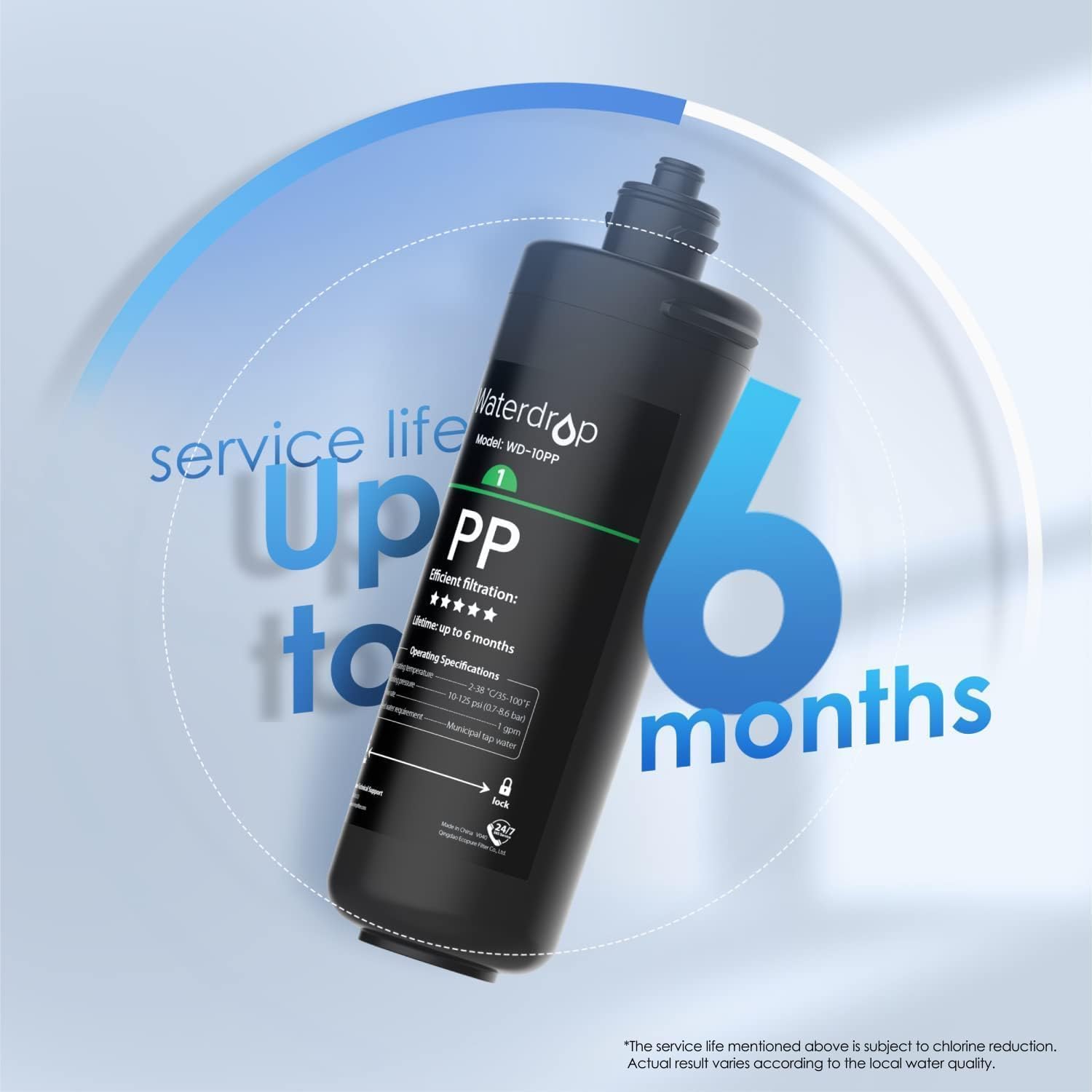
Image: The Waterdrop WD-10PP Pre-Sediment Filter, indicating a service life of up to 6 months. Actual service life may vary based on local water quality and usage.
5.2 Recommended Service Life
- Pre-Sediment Filter (PP): Up to 6 months.
- Granular Carbon Filter (GC): Up to 12 months.
- Ultra Filtration Filter (UF): Up to 12 months.
Note: Actual filter life depends on the quality of your incoming water and daily water consumption. Replace filters according to the recommended schedule for optimal performance.
5.3 Compatible Replacement Filters
This under sink replacement water filter is compatible with WD-TSA and WD-TSB 3-stage under counter drinking water filter systems. For replacement PP filters for WD-TSU or WD-TSC, search for WD-TSPP. For replacement filters for WD-10UA or WD-10UB, search for WD-RF10.

Image: A visual guide showing compatibility with WD-TSA/WD-TSB and WD-TSB-CM systems, indicating the correct filter types (PP, GC, CT) for each.

Image: A guide titled "Choose The Right Model" showing the WD-10PP filter and indicating that it is not compatible with WD-TSU or WD-TSC systems.
6. Troubleshooting
If you encounter issues with your water filter system, refer to the following common troubleshooting tips:
- Low Water Flow: Check if the filters are due for replacement. Ensure there are no kinks in the water lines. Verify that the main water supply valve is fully open.
- Leaks: Ensure all quick-connect fittings are properly seated. Check that filter cartridges are twisted in securely. Turn off the water supply and re-seat any leaking connections.
- Unusual Taste or Odor: This typically indicates that the carbon filter (GC) needs replacement. Ensure the system was properly flushed after installation or filter replacement.
7. Specifications
| Feature | Detail |
|---|---|
| Brand | Waterdrop |
| Model Name | Waterdrop WD-TSA-UF |
| Installation Type | Under Sink |
| Purification Method | Ultra Filtration |
| Special Feature | Chlorine Reduction, NSF certified |
| Material | Polypropylene |
| Power Source | Manual Operation |
| Supported Water TDS Level Maximum | 300 PPM |
8. Warranty and Support
For warranty information, technical support, or to purchase replacement filters, please visit the official Waterdrop website or contact their customer service. Keep your purchase receipt for warranty claims.
You can find more information and products at the Waterdrop Store on Amazon.