
Sinjet H10
Sinjet H10 9.2" 60FPS OEM Rear View Mirror Camera Dash Cam User Manual
Model: H10 | Brand: Sinjet
1. Introduction
This manual provides detailed instructions for the installation, operation, and maintenance of your Sinjet H10 9.2-inch 60FPS OEM Rear View Mirror Camera Dash Cam. Please read this manual thoroughly before using the product to ensure proper function and safety. The Sinjet H10 is designed to enhance driving safety and convenience with its advanced features, including a high-refresh-rate IPS screen, detached front lens, and Sony IMX462 rear camera.
2. What's in the Box
Verify that all components are present in your package:
- Sinjet H10 Rearview Mirror Screen (with built-in voltage protection)
- Front Camera (detached design)
- Rear Camera (IP67 waterproof)
- Mounting Type-1 Bracket
- Power Cable
- Rear Camera Cable Set
- 64GB Memory Card
- User Manual

Image: All components included in the Sinjet H10 package.
3. Product Features
- 60FPS IPS Soft Light Screen: The 9.2-inch IPS touchscreen features a 60FPS refresh rate and a peak brightness of 3000 NIT. This ensures clear visibility even in direct sunlight and provides intuitive control with a sharp display for both front and rear cameras.
- Sony IMX 462 Rear Camera: Equipped with a Sony IMX 462 sensor, this camera delivers sharp, detailed footage and reduces glare in low-light conditions. The FAKRA coaxial cable ensures stable, interference-free digital signal transmission. It offers a 108° front view and 100° rear view, with an IP68 waterproof rating for reliable performance in all weather conditions.
- Smart Voltage Protection: The rearview mirror is powered through the vehicle's ACC circuit, ensuring the time setting remains intact even after a restart. This feature prevents battery drain while maintaining continuous parking monitoring.
- Time-Lapse & Collision Locking: Time-lapse recording captures footage at 1 frame per second, saving storage space while documenting key events. Loop recording automatically overwrites older files. The built-in G-sensor locks crucial footage during collisions, providing essential security. Models H6 and H10 include built-in WiFi for real-time viewing and management of recorded videos via your smartphone.
- Vehicle-Specific Fitment: The Sinjet OEM bracket is designed for specific vehicle models. Please contact Sinjet with your car’s make and model to confirm compatibility and ensure the correct bracket is used for optimal installation.
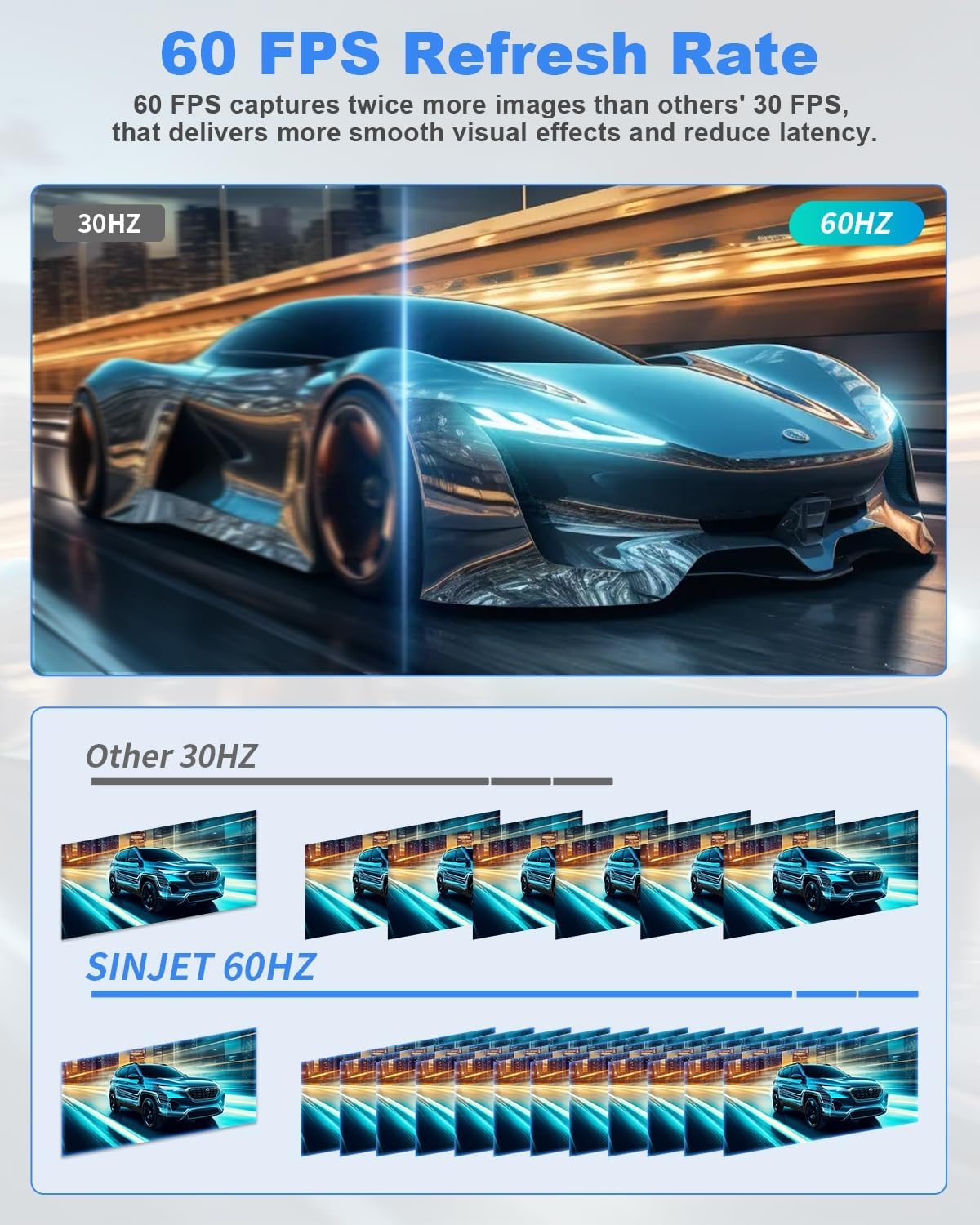
Image: Visual representation of 60FPS refresh rate for smoother video.

Image: Superior night vision provided by the Sony IMX 462 CMOS sensor.

Image: Overview of 24/7 monitoring capabilities including time-lapse and impact locking.

Image: The mirror is designed for OEM replacement, featuring a specific bracket and cable management.
4. Setup and Installation
Proper installation is crucial for the optimal performance of your Sinjet H10 dash cam. It is recommended to consult a professional for installation if you are unsure.
4.1 Vehicle Compatibility
The Sinjet H10 uses an OEM-style bracket designed for a perfect factory fit. However, compatibility varies by vehicle model. The package includes a universal mount (#1) by default. For specific vehicle models, a special mount may be required. Incorrect installation due to an incompatible bracket may cause loosening or angle deviation.
Refer to the compatibility chart below or contact Sinjet support to confirm the correct bracket for your vehicle.

Image: Bracket compatibility chart for various vehicle models.
4.2 Installation Steps
Follow these general steps for installation. Detailed visual guidance is provided in the image below.
- Detach OEM Mirror: Carefully remove your vehicle's original rearview mirror.
- Mount Streaming Mirror: Install the Sinjet H10 streaming mirror using the appropriate OEM bracket.
- Mount Front Camera: Secure the detached front camera in the desired position, typically near the top center of the windshield.
- Non-Destructive Power Connection: Connect the power cable to the vehicle's fuse box (ACC circuit) for smart voltage protection and parking mode functionality. Avoid cutting wires.
- Cable Routing: Route all cables neatly and securely along the vehicle's interior trim to prevent interference and maintain a clean appearance.
- Stick-On Rear Camera: Install the rear camera, typically on the rear windshield or near the license plate, ensuring a clear view.

Image: Step-by-step installation guide for the Sinjet H10 system.

Image: Wiring diagram for the Sinjet H10 power supply.
5. Operating Instructions
5.1 Screen Operation
The 9.2-inch IPS touchscreen provides a clear and responsive interface. It features adaptive brightness adjustment and high color accuracy, ensuring readability even in challenging conditions.

Image: Key features of the Sinjet H10 IPS screen.
5.2 Multi-View Control
The device supports various display modes, allowing drivers to select their preferred view:
- Front View: Displays only the front camera feed.
- Rear View: Displays only the rear camera feed.
- Split Screen: Shows both front and rear camera feeds simultaneously.
- Screen Saver: Turns off the display while recording continues in the background.

Image: Multi-view control options for the display.
5.3 Recording Functions
- Loop Recording: The camera continuously records, overwriting the oldest files when the memory card is full.
- G-Sensor: In the event of a sudden impact or collision, the built-in G-sensor automatically locks the current video segment to prevent it from being overwritten.
- Parking Monitor: When the vehicle is parked, the system can monitor for impacts or record time-lapse video to provide 24/7 surveillance.
- Time-Lapse Recording: Records at a low frame rate (1 frame per second) to efficiently capture long periods of parking surveillance.
5.4 WiFi & App Control
For models H6 and H10, built-in WiFi allows you to connect your smartphone to the dash cam. Using the dedicated Sinjet app, you can view live footage, download recorded videos, and adjust settings directly from your phone.

Image: WiFi and app control interface for managing recordings.
6. Maintenance
6.1 Cleaning the Device
To maintain optimal performance and display clarity, regularly clean the screen and camera lenses. Use a soft, lint-free cloth. For stubborn smudges, a small amount of screen cleaner designed for electronics can be applied to the cloth (not directly to the device).
6.2 Memory Card Management
The included 64GB memory card is designed for continuous recording. Due to loop recording, older files are automatically overwritten. Periodically back up important footage to another storage device. It is recommended to format the memory card every few months to maintain optimal recording performance and prevent data corruption. Use the formatting function within the device settings.
7. Troubleshooting
If you encounter any issues with your Sinjet H10, refer to the following common problems and solutions:
- Device does not power on:
- Check all power connections to ensure they are secure.
- Verify that the vehicle's ACC circuit is providing power.
- Ensure the fuse in the power cable is intact.
- Blurred or unclear image:
- Clean the front and rear camera lenses.
- Ensure the protective film has been removed from the lenses.
- Check cable connections for the cameras; a loose connection can cause signal degradation.
- Recording stops unexpectedly:
- Ensure the memory card is properly inserted and not full (loop recording should prevent this, but check for locked files).
- Format the memory card through the device settings.
- Use a high-speed (Class 10 or U3) memory card.
- Rear camera not displaying:
- Check the connection of the rear camera cable to the main unit.
- Ensure the rear camera cable is not damaged.
If the problem persists after attempting these solutions, please contact Sinjet customer support for further assistance.
8. Specifications
| Feature | Specification |
|---|---|
| Product Dimensions | 13 x 7 x 4 inches |
| Item Weight | 2.86 pounds |
| Model Number | H10 - 9.2" Screen, 60FPS |
| Manufacturer | Sinjet |
| Model Name | Sinjet-Streaming Rearview Mirror |
| Connectivity Technology | Powerline |
| Special Features | Built-In Display, G-Sensor, Loop Recording, Parking Monitor, Time-Lapse Recording, Dual Camera (Front 108° & Rear 95°), Night Vision, Touch Screen, 1600 nits IPS Screen, Smart Voltage Protection, Expandable Memory (32GB-128GB), IP67 Waterproof Rear Camera, Split Design |
| Video Capture Resolution | 1080p |
| Mounting Type | Rearview Mirror Mount |
| Color | Black |
| Field Of View | 108 Degrees (Front) |
9. Warranty and Support
For warranty information, technical support, or any questions regarding your Sinjet H10 dash cam, please contact Sinjet customer service. Refer to the contact information provided in your product packaging or visit the official Sinjet website for assistance.
Sinjet is committed to providing reliable products and customer satisfaction. If you experience any issues, do not hesitate to reach out to our support team.
Related documentsH10

Ask a question about this manual
Ask about setup, troubleshooting, compatibility, parts, safety, or missing instructions. Manuals+ will review the question and use this page’s manual context to help answer it.