
BoxWave USB Expansion Adapter
BoxWave USB Expansion Adapter User Manual
Comprehensive guide for the BoxWave USB Expansion Adapter, compatible with Lypertek PurePlay C3 and other USB Type-C devices.
1. Introduction
The BoxWave USB Expansion Adapter is an On-The-Go (OTG) host adapter designed to extend the functionality of your USB Type-C enabled device. It allows you to connect various USB peripherals, such as thumb drives, keyboards, and mice, transforming your device into a versatile productivity hub. This manual provides detailed instructions for the proper use and maintenance of your USB Expansion Adapter.
2. Product Overview
The BoxWave USB Expansion Adapter facilitates enhanced connectivity for your USB Type-C device.
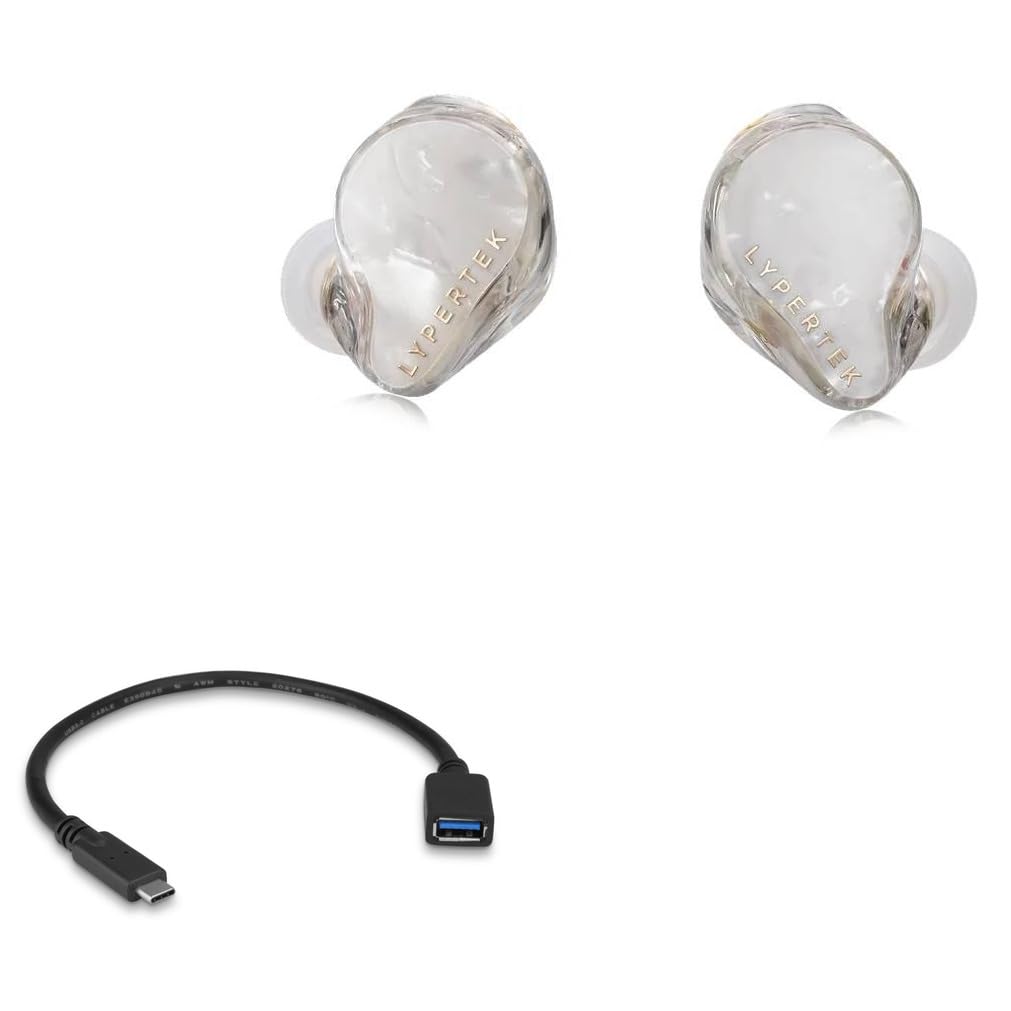
2.1. Key Features
- OTG Functionality: Enables your USB Type-C device to act as a host for USB peripherals.
- Expanded Storage: Connect external thumb drives for additional data storage.
- Peripheral Connectivity: Supports connection of USB keyboards and mice for improved navigation and data entry.
- High-Speed Data Transfer: Utilizes USB 2.0 standard for efficient data transfer.
- Compact Design: Portable and easy to carry.
2.2. Package Contents
- 1 x BoxWave USB Expansion Adapter
- (Note: Lypertek PurePlay C3 device is not included.)
3. Setup Instructions
- Identify Ports: Locate the USB Type-C port on your device (e.g., Lypertek PurePlay C3 or other compatible smartphone/tablet).
- Connect Adapter: Insert the USB Type-C connector of the BoxWave USB Expansion Adapter firmly into your device's USB Type-C port.
- Connect Peripheral: Plug your desired USB peripheral (e.g., USB flash drive, keyboard, mouse) into the standard USB-A port on the BoxWave USB Expansion Adapter.
- Device Recognition: Your device should automatically recognize the connected peripheral. For storage devices, you may need to access a file manager application. For input devices, they should function immediately.
4. Operating the USB Expansion Adapter
4.1. Connecting a USB Thumb Drive
The adapter allows you to expand your device's storage by connecting a USB thumb drive. This is useful for backing up photos, videos, documents, and other files, or for accessing media directly from the drive.

4.2. Connecting a USB Keyboard
For enhanced typing speed and accuracy, connect a standard USB keyboard to your device via the adapter. This is particularly useful for drafting long emails, documents, or navigating complex interfaces.

4.3. Connecting a USB Mouse
A USB mouse can be connected to provide a more precise and familiar navigation experience, especially for applications that benefit from pointer control.

5. Care and Maintenance
- Keep the adapter clean and free from dust and debris. Use a soft, dry cloth for cleaning.
- Avoid exposing the adapter to extreme temperatures or humidity.
- Do not bend or twist the cable excessively to prevent internal damage.
- Store the adapter in a cool, dry place when not in use.
- Avoid using harsh chemicals or abrasive cleaners on the adapter.
6. Troubleshooting
| Problem | Possible Cause | Solution |
|---|---|---|
| Device does not recognize peripheral. | Incorrect connection. | Ensure the adapter is fully inserted into the device's USB Type-C port and the peripheral is fully inserted into the adapter's USB-A port. |
| Peripheral not functioning. | Peripheral requires external power or is incompatible. | Some high-power peripherals may not work without external power. Verify peripheral compatibility with OTG standards. Try a different peripheral to isolate the issue. |
| Slow data transfer. | USB 2.0 standard limitation or device/peripheral issue. | The adapter operates at USB 2.0 speeds. Ensure your device and peripheral are not bottlenecking the transfer. |
| Adapter feels loose. | Wear and tear or improper insertion. | Ensure proper insertion. If the issue persists, the adapter may be damaged and require replacement. |
7. Technical Specifications
| Feature | Detail |
|---|---|
| Product Name | BoxWave USB Expansion Adapter |
| Model | USB Expansion Adapter |
| Connectivity | USB Type-C (Male) to USB-A (Female) |
| Standard | USB 2.0 |
| Compatibility | Devices with USB Type-C port supporting OTG functionality (e.g., Lypertek PurePlay C3) |
| Weight | Approximately 0.3 ounces |
| Manufacturer | BoxWave |
8. Warranty and Support
BoxWave provides limited third-party technical support for the USB Expansion Adapter. For assistance, please contact BoxWave customer support via electronic messaging. Please note that this product is not affiliated with or endorsed by Lypertek. For the most current warranty information and support options, please refer to the official BoxWave website or contact their customer service directly.
Ask a question about this manual
Ask about setup, troubleshooting, compatibility, parts, safety, or missing instructions. Manuals+ will review the question and use this page’s manual context to help answer it.