
Blink Blink Video Doorbell (Add-On, White) - B0DGQVF47B
Blink Video Doorbell User Manual
Model: Blink Video Doorbell (Add-On, White) - B0DGQVF47B
1. Introduction
This manual provides comprehensive instructions for the installation, operation, and maintenance of your Blink Video Doorbell. Please read this manual thoroughly before using the device to ensure proper functionality and safety.
The Blink Video Doorbell is a smart security device designed to provide head-to-toe HD video, two-way audio, and smart notifications for your home's entrance. It operates on battery power for extended life and can be integrated with existing doorbell wiring or used wire-free.

Image: The Blink Video Doorbell mounted on a wall next to a door, highlighting its key features: Head-to-Toe HD View, Two-Year Battery Life, Two-Way Audio, and Smart Notifications.
2. Package Contents
Verify that all items are present in your package:
- 1 Blink Video Doorbell
- 3 AA 1.5V Lithium Batteries
- 1 Wall Plate
- 1 Wall Mounting Kit (including screws and anchors)
- 1 Doorbell Removal Tool
- 2 Wire Extenders
- 1 Drill Template
- 1 Doorbell Removal Key
Note: A Blink Sync Module is required for full functionality and is sold separately. This add-on doorbell does not include a Sync Module.
3. Setup and Installation
Before beginning installation, ensure you have a compatible Blink Sync Module (sold separately) and the Blink Home Monitor app installed on your smartphone (iOS, Android, or Fire OS).
3.1 App Setup
- Download and install the Blink Home Monitor app from your device's app store.
- Create a new account or log in to your existing Blink account.
- Follow the in-app instructions to add your Blink Sync Module (if not already set up).
- In the app, select "Add Device" and scan the QR code located on the back of your Blink Video Doorbell.
- Insert the three AA lithium batteries into the doorbell.
- Follow the remaining in-app prompts to connect the doorbell to your Wi-Fi network (2.4 GHz 802.11b/g/n required).
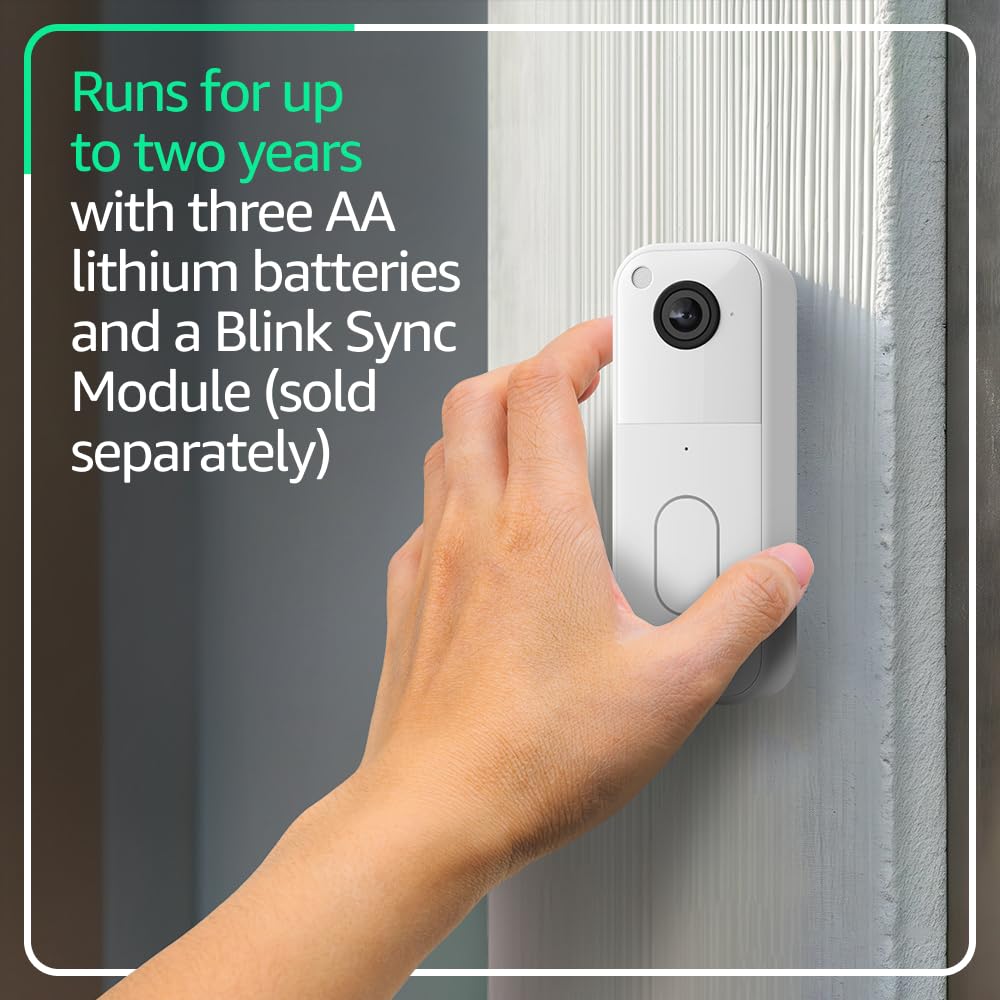
Image: A hand holding the Blink Video Doorbell, illustrating the process of handling the device, likely for battery installation or removal, emphasizing its two-year battery life.
3.2 Physical Installation (Wire-Free)
- Choose a suitable location for your doorbell, ensuring good Wi-Fi signal strength.
- Use the provided drill template to mark the screw holes on your wall.
- Drill pilot holes and insert the wall anchors if mounting on drywall or masonry.
- Attach the wall plate to the wall using the provided screws.
- Securely attach the Blink Video Doorbell to the wall plate.
3.3 Physical Installation (Wired to Existing Chime)
If connecting to existing doorbell wiring (8-24 VAC), the Blink Video Doorbell will sound through your home's existing chime when pressed.
- Important: Turn off power to your existing doorbell at the circuit breaker before proceeding.
- Remove your existing doorbell button.
- Connect the existing doorbell wires to the terminals on the back of the Blink Video Doorbell using the provided wire extenders if necessary. Ensure a secure connection.
- Attach the wall plate to the wall, routing the wires through the opening.
- Securely attach the Blink Video Doorbell to the wall plate.
- Restore power at the circuit breaker.
- Test the doorbell by pressing the button.
4. Operating Your Blink Video Doorbell
4.1 Live View and Two-Way Talk
- Open the Blink Home Monitor app.
- Tap on your Video Doorbell device to initiate a live view.
- Use the microphone icon in the app to enable two-way audio communication with visitors.
- The doorbell provides a 150° head-to-toe HD view, allowing you to see visitors and packages clearly.

Image: A smartphone displaying the Blink app's live view from the doorbell, capturing a delivery person. This illustrates the 150° head-to-toe field of view.
4.2 Motion Detection and Notifications
- The doorbell detects motion and sends alerts to your smartphone via the Blink app.
- Customize motion detection zones and sensitivity settings within the app to reduce unwanted alerts.
- With a Blink Subscription Plan (sold separately), you can receive person detection alerts and access features like Blink Moments.

Image: A smartphone displaying two Blink app notifications: one for person detection and another for general motion detection, illustrating the smart notification feature available with a subscription.
4.3 Alexa Integration
- Connect your Blink Video Doorbell to an Alexa-enabled device.
- Use voice commands to answer the front door, view live feeds, and arm/disarm your Blink system.

Image: An Amazon Echo Show device displaying a live video feed from the Blink Video Doorbell, showing a family. This demonstrates the integration with Alexa-compatible devices for viewing and communication.
5. Maintenance
5.1 Battery Replacement
The Blink Video Doorbell is designed for up to two years of battery life using the included AA lithium batteries. The Blink app will notify you when battery levels are low.
- Use the provided doorbell removal tool or key to detach the doorbell from its wall plate.
- Open the battery compartment.
- Replace the old batteries with three new AA 1.5V lithium metal (non-rechargeable) batteries.
- Close the battery compartment and reattach the doorbell to the wall plate.
5.2 Cleaning
Periodically clean the camera lens and the doorbell's exterior with a soft, damp cloth to ensure optimal video quality and appearance. Avoid using harsh chemicals or abrasive materials.
6. Troubleshooting
| Issue | Possible Cause / Solution |
|---|---|
| Doorbell not connecting to Wi-Fi |
|
| No chime sound when doorbell is pressed (wired setup) |
|
| Poor video quality or night vision |
|
| Short battery life |
|
For further assistance, refer to the Blink support page or contact customer service.
7. Specifications
| Feature | Detail |
|---|---|
| Field of View | 150° HV |
| Video Resolution | 1440 x 1440p |
| Aspect Ratio | 1:1 |
| Camera Frame Rate | 30 FPS |
| Dimensions | 1.85 in x 5.12 in x 1.44 in (47mm x 130mm x 36.6mm) |
| Weight | 4oz (113 g) |
| Power Source | 3 AA 1.5V lithium metal (non-rechargeable) batteries; Existing chime wiring: 8-24 VAC |
| Connectivity | Wi-Fi 2.4 GHz 802.11b/g/n |
| Minimum Smartphone Requirements | iOS, Android, or Fire OS |
| Blink App | Blink Home Monitor |
| Audio | Speaker output and two-way audio recording |
| LEDs | Recording indicator, Button LED |
| Operating Temperature | -5°F to 113°F (-20° to 45°C) |
| Generation | 2nd Generation |
8. Warranty and Support
Warranty: The Blink Video Doorbell includes a one-year limited warranty and service. Use of Blink devices is subject to the terms found on the official Blink website.
Support: For more information, setup guides, and troubleshooting, visit the official Blink Video Doorbell support page. You can also contact Blink customer service for direct assistance.
Software Security Updates: This device receives guaranteed software security updates until at least four years after the device is last available for purchase as a new unit on our websites. For more details, refer to the Blink website.
Related documentsBlink Video Doorbell (Add-On, White) - B0DGQVF47B


Ask a question about this manual
Ask about setup, troubleshooting, compatibility, parts, safety, or missing instructions. Manuals+ will review the question and use this page’s manual context to help answer it.