
KEF EGG DUO

KEF Egg Duo Wireless HiFi Desktop Speakers
Model: EGG DUO
Product Overview
The KEF Egg Duo Wireless HiFi Desktop Speakers are designed to deliver high-fidelity audio in a compact form factor, suitable for various desktop and small room environments. These speakers feature advanced acoustic technologies to provide a rich and immersive listening experience.

Image: A pair of KEF Egg Duo Wireless HiFi Desktop Speakers in teal, showcasing their distinctive oval shape and integrated stands. The speakers are designed for optimal sound dispersion on a desktop.
Key Features:
- Up to 24bit/96 kHz audio resolution, depending on source.
- Multiple connectivity options: Bluetooth 4.0 with aptX codec, 3.5 mm AUX, Mini USB Type B, and Mini TOSLINK Optical (combo jack).
- Compact design suitable for desktop or workspace integration.
- Dedicated subwoofer output for enhanced bass performance.
- Equipped with KEF's 11th Generation Uni-Q Driver for wide sound dispersion.
Setup Guide
1. Unpacking and Contents Verification
Carefully remove all components from the packaging. Ensure all items listed below are present and undamaged.

Image: An illustration showing the KEF Egg Duo speakers and their included accessories: power cable, remote control, Mini USB Type B to USB A cable, Mini Optical cable, and Quick Start Guide.
Included Components:
- KEF Egg Duo Speakers (Pair)
- Power Cable
- Quick Start Guide
- Remote Control
- Mini USB Type B to USB A Cable
- Mini Optical Cable
2. Speaker Placement
For optimal sound performance, place the KEF Egg Duo speakers on a stable, flat surface such as a desktop, bookshelf, or entertainment unit. Ensure there is adequate space around each speaker for proper sound dispersion and heat dissipation. Position the speakers equidistant from your listening position, forming an equilateral triangle for the best stereo imaging.
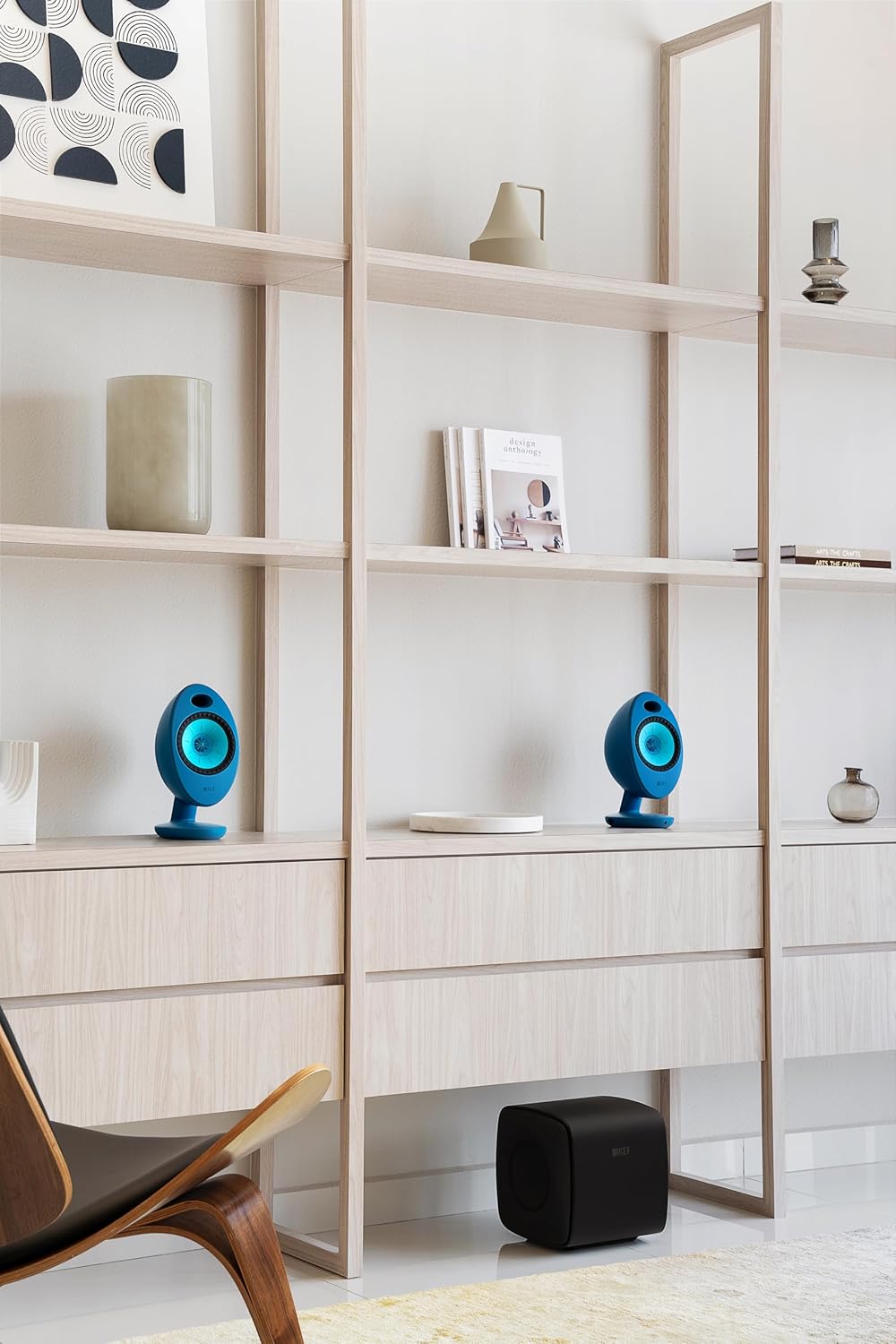
Image: A pair of teal KEF Egg Duo speakers positioned on a light-colored wooden bookshelf, demonstrating suitable placement in a living space.

Image: Teal KEF Egg Duo speakers placed on a blue cabinet in a bedroom, illustrating their versatility in various room settings.
3. Connecting the Speakers
Connect the primary speaker (usually the right speaker) to the power outlet using the provided power cable. Connect the secondary speaker to the primary speaker using the inter-speaker cable. The KEF Egg Duo offers multiple input options:
- Bluetooth: For wireless connection from compatible devices.
- 3.5mm AUX: For analog audio sources.
- Mini USB Type B: For digital audio connection from computers.
- Mini TOSLINK Optical: For digital audio connection from TVs or other optical sources. This port is a combo jack with the 3.5mm AUX input.

Image: A visual representation highlighting the various connectivity ports available on the KEF Egg Duo speakers, including Bluetooth, Mini USB Type B, Mini TOSLINK Optical, and 3.5mm AUX input.
If connecting an external subwoofer, use the dedicated subwoofer output port on the primary speaker.
Operating Instructions
1. Power On/Off
Press the power button located on the primary speaker or the remote control to turn the speakers on or off. An indicator light will confirm the power status.
2. Source Selection
Use the source button on the primary speaker or the remote control to cycle through the available input sources: Bluetooth, AUX, USB, and Optical. The active source will be indicated by a specific light pattern or color.
3. Bluetooth Pairing
- Select Bluetooth as the input source. The speaker will enter pairing mode, indicated by a flashing light.
- On your device (smartphone, tablet, computer), enable Bluetooth and search for "KEF Egg Duo" in the list of available devices.
- Select "KEF Egg Duo" to pair. Once connected, the indicator light will become solid.
The KEF Egg Duo supports Bluetooth 4.0 with aptX codec for high-quality wireless audio streaming.
4. Volume Control
Adjust the volume using the touch controls on the primary speaker or the volume buttons on the remote control. Increase volume by tapping the '+' area and decrease by tapping the '-' area.
5. Subwoofer Output
If you have connected an external subwoofer, ensure it is powered on and properly configured according to its own manual. The KEF Egg Duo will automatically send low-frequency signals to the connected subwoofer.
Maintenance
Cleaning Your Speakers
To maintain the appearance and performance of your KEF Egg Duo speakers, follow these cleaning guidelines:
- Always disconnect the speakers from the power source before cleaning.
- Use a soft, dry, lint-free cloth to wipe down the speaker surfaces.
- Do not use abrasive cleaners, waxes, or solvents as these can damage the finish.
- Avoid spraying cleaning liquids directly onto the speakers. If necessary, lightly dampen the cloth with water or a mild, non-abrasive cleaner.
Storage
If storing the speakers for an extended period, place them back in their original packaging or a protective cover to prevent dust accumulation and physical damage. Store in a cool, dry place away from direct sunlight and extreme temperatures.
Troubleshooting
This section addresses common issues you might encounter with your KEF Egg Duo speakers. If the problem persists, please contact KEF customer support.
| Problem | Possible Cause | Solution |
|---|---|---|
| No Sound |
|
|
| Distorted or Poor Sound Quality |
|
|
| Bluetooth Pairing Issues |
|
|
| Popping or Hissing Sound |
|
|
Specifications
| Feature | Detail |
|---|---|
| Model Name | EGG DUO |
| Speaker Type | Bookshelf |
| Special Features | Hi Res Audio, Stereo Pairing, USB Port |
| Recommended Uses | For Gaming Consoles, For Computers, For Televisions, For Smartphones or Tablets, For Music Players |
| Color | Teal |
| Product Dimensions | 6.8"D x 5.4"W x 10.8"H |
| Item Weight | 16.09 pounds |
| Control Method | Touch |
| Wireless Communication Technology | Bluetooth |
| Speaker Size | 10.8 Inches |
| Number of USB 2 Ports | 1 |
| Speaker Maximum Output Power | 50 Watts |
| Connectivity Technology | Bluetooth, Auxiliary, USB, Optical |
| Audio Output Mode | Stereo |
| Mounting Type | Tabletop Mount |
| Manufacturer | KEF |
| Date First Available | September 11, 2024 |
| UPC | 637203046438 |
Warranty and Support
Warranty Information
The KEF Egg Duo Wireless HiFi Desktop Speakers come with a Limited Warranty. Please refer to the warranty card included in your product packaging for specific terms, conditions, and duration of coverage.
Customer Support
For technical assistance, troubleshooting beyond this manual, or warranty claims, please contact KEF customer support. You can find contact information and additional resources by visiting the official KEF Store or website.
Online Support: Visit the KEF Store on Amazon
Related documentsEGG DUO


Ask a question about this manual
Ask about setup, troubleshooting, compatibility, parts, safety, or missing instructions. Manuals+ will review the question and use this page’s manual context to help answer it.