
Akiisolo GO2X
Akiisolo Portable Power Station User Manual
Model: GO2X | 600W 665.6Wh LiFePO4
1. Product Overview
The Akiisolo Portable Power Station is a versatile and reliable power source designed for various applications, including home backup, RV trips, and camping adventures. It features a robust LiFePO4 battery, multiple output ports, and convenient charging options.

Figure 1: Akiisolo Portable Power Station with wireless charging in use.
Key Features:
- High Capacity: 665.6Wh LiFePO4 battery for extended power supply.
- Powerful Output: 600W rated output (1800W surge) with stable 110V AC.
- Multiple Outputs: 2x AC outlets, 2x USB-C ports, 2x USB-A ports, 1x 140W DC car port, 1x 18W wireless magnetic phone charger.
- Versatile Charging: Supports AC adapter, solar panels, and car charging.
- Integrated Functions: Built-in LED lights (3 modes), music player, and UPS function.
- Durable Design: Robust LiFePO4 batteries with over 3,000 cycle lifespan and intelligent temperature control.

Figure 2: Power capacity and battery technology highlights.
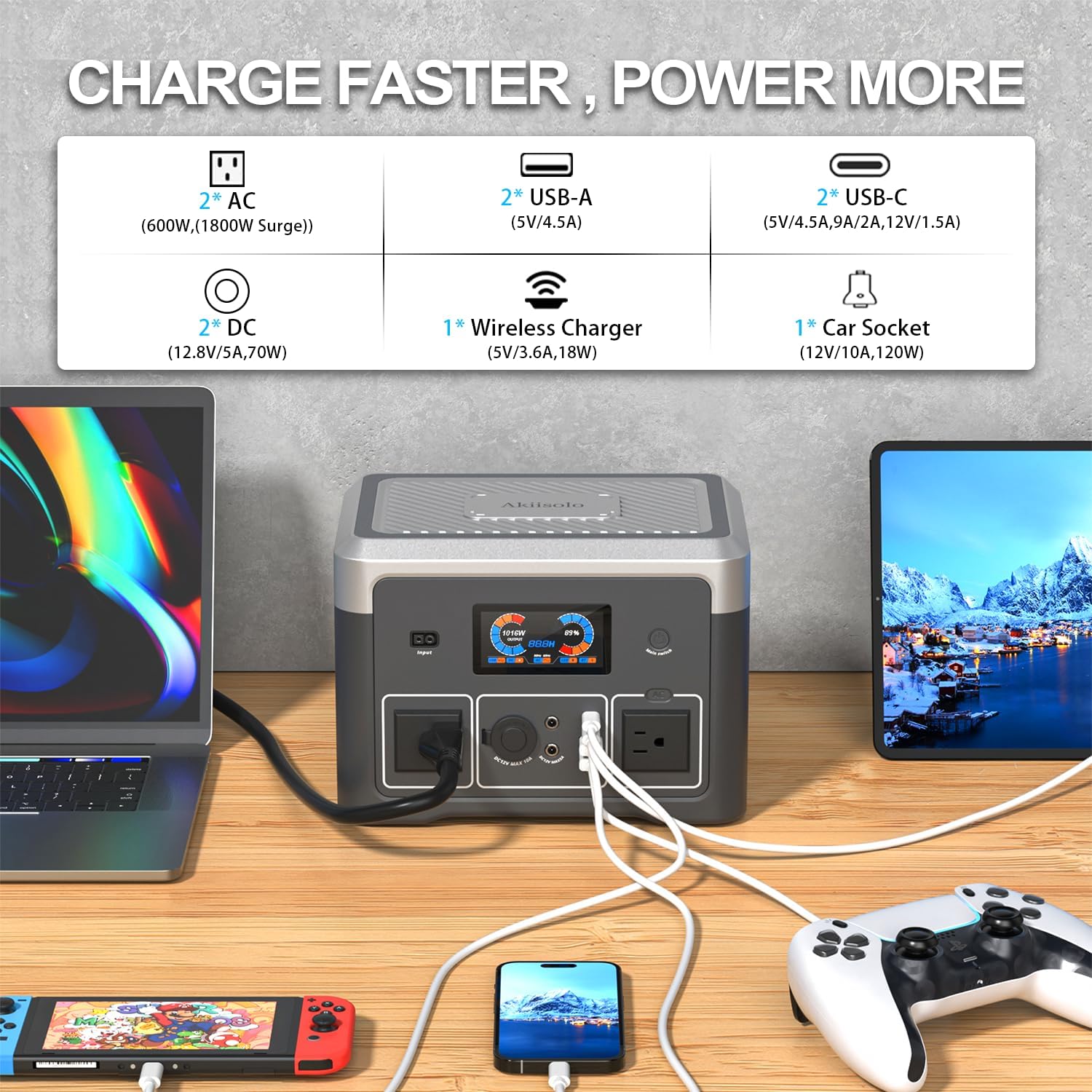
Figure 3: Multiple output ports for charging various devices simultaneously.
2. Setup Guide
2.1 Unboxing and Initial Inspection
Carefully remove the power station and all accessories from the packaging. Verify that all components listed in the packing list are present and undamaged. The package typically includes the power station, AC 110-240V Wall Plug Power Adaptor, 12V Car Charger, and User Manual.
Video 1: Unboxing and initial overview of the power station and its accessories.
2.2 Initial Charging
Before first use, it is recommended to fully charge the power station. You can use the included AC adapter for fast charging. Connect the AC adapter to the input port on the power station and plug it into a wall outlet. The display will show the charging status.

Figure 4: Available charging methods for the power station.
3. Operating Instructions
3.1 Powering On/Off
To power on the device, press and hold the 'Main Switch' button located on the front panel. The LCD display will illuminate, showing the battery percentage and output wattage. To power off, press and hold the same button until the display turns off.
3.2 LCD Display
The LCD display provides real-time information about the power station's status, including:
- Input Wattage (W)
- Output Wattage (W)
- Battery Percentage (%)
- Estimated remaining runtime (H)
- Active output indicators (USB, DC, AC)
3.3 Using Output Ports
The power station offers a variety of output ports to power different devices:
- AC Outlets (110V): Plug in standard household appliances. Activate AC output by pressing the 'AC' button.
- USB-A & USB-C Ports: Connect smartphones, tablets, and other USB-powered devices.
- DC Car Port (12V): Ideal for car appliances and 12V devices.
- Wireless Magnetic Phone Charger: Place compatible smartphones on the top charging pad for wireless charging.
3.4 LED Lighting Function
The power station includes a built-in LED light on the back. Press the 'LED' button to cycle through three lighting modes:
- Strong Light
- Low Light
- Flashing Light (SOS)
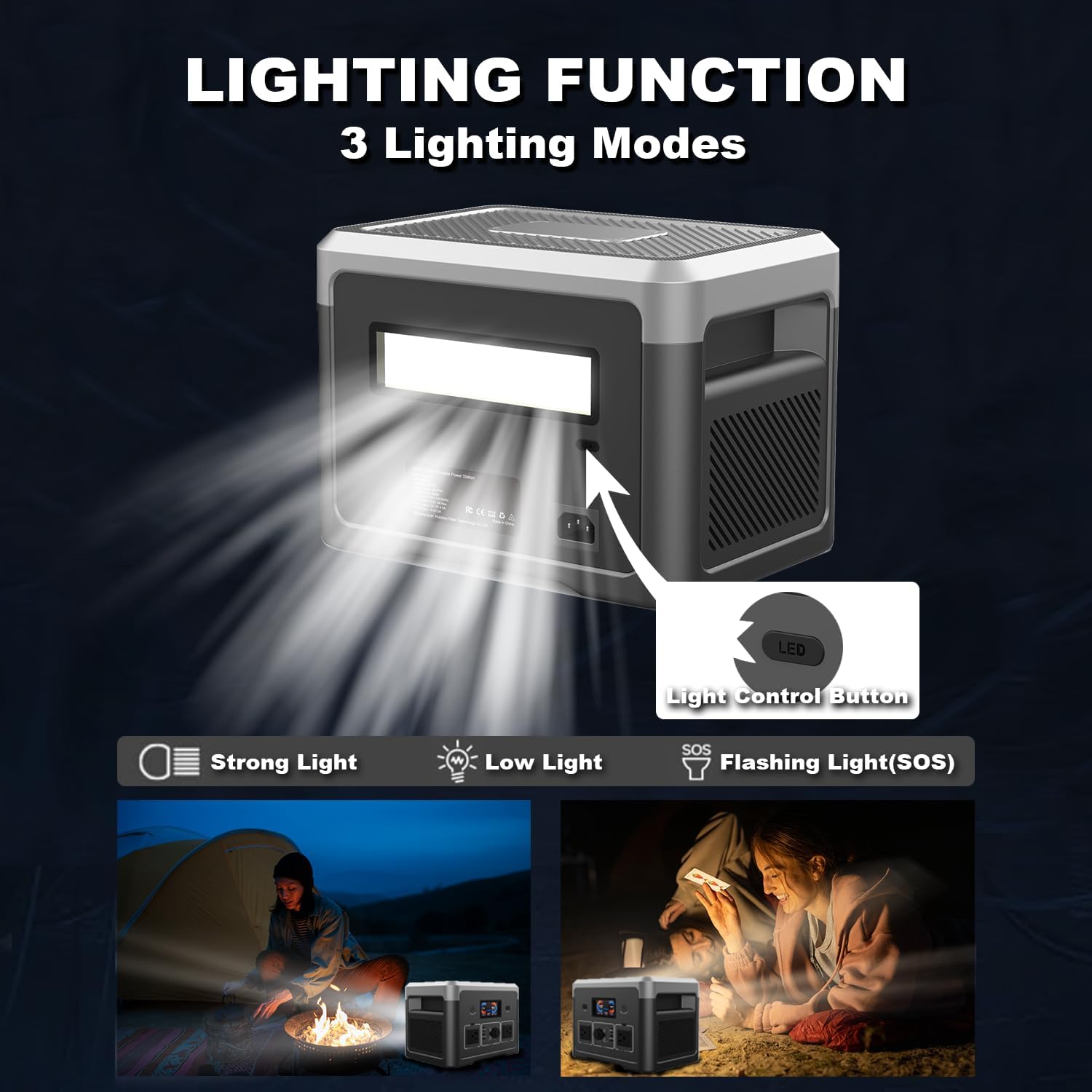
Figure 5: LED lighting function with three modes.
3.5 Built-in Music Player
The power station features a built-in speaker. You can connect your phone via Bluetooth to use it as a portable music player, perfect for outdoor gatherings.

Figure 6: Power station used as a music player during camping.
3.6 UPS Function (Uninterruptible Power Supply)
The UPS function allows the power station to seamlessly switch to battery power during outages, ensuring your connected devices remain operational without interruption. Connect your critical devices to the UPS-enabled AC outlet.
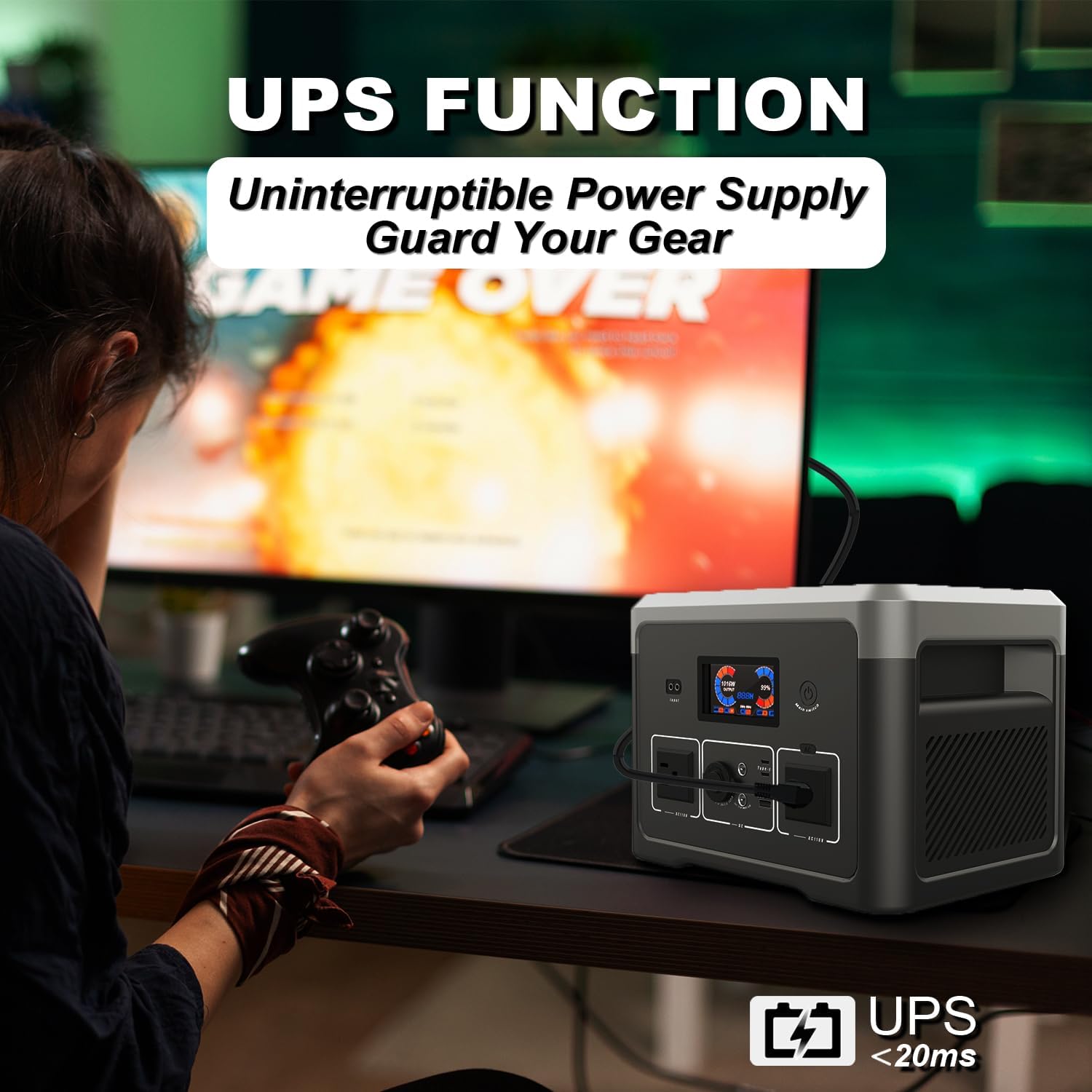
Figure 7: UPS function guarding your gear during power interruptions.
4. Maintenance
To ensure the longevity and optimal performance of your Akiisolo Portable Power Station, follow these maintenance guidelines:
- Regular Charging: Even if not in use, charge the power station at least once every 3-6 months to maintain battery health.
- Storage: Store the unit in a cool, dry place away from direct sunlight and extreme temperatures.
- Cleaning: Use a dry, soft cloth to clean the exterior. Do not use harsh chemicals or abrasive materials.
- Temperature Control: The built-in cooling fan helps regulate internal temperature. Ensure vents are not blocked during operation.
- Avoid Overloading: Do not exceed the rated output power (600W continuous, 1800W surge) to prevent damage to the unit.
5. Troubleshooting
If you encounter issues with your power station, please refer to the following general troubleshooting tips:
- Unit Not Turning On: Ensure the battery is charged. If completely depleted, it may take a few minutes of charging before the unit responds.
- No Output from Ports: Check if the specific output (AC, DC, USB) is activated. Ensure the connected device is within the power station's wattage limits.
- Charging Issues: Verify that the charging cable and adapter are securely connected and undamaged. Ensure the power source (wall outlet, solar panel, car charger) is functioning correctly.
- Overload Protection: If the unit shuts down unexpectedly, it might be due to an overload. Disconnect some devices and restart the power station.
For persistent issues, please contact customer support.
6. Technical Specifications
| Feature | Specification |
|---|---|
| Brand | Akiisolo |
| Model Name | GO2X |
| Capacity | 665.6Wh |
| Rated Output Power | 600W |
| Peak Output Power | 1800W |
| AC Output Voltage | 110V ±3% |
| AC Output Frequency | 60Hz |
| Battery Type | LiFePO4 |
| Cycle Lifespan | Over 3,000 cycles |
| Charging Options | AC Wall Plug, Solar Panels (Max 200W), 12V Car Charger |
| AC Charging Time (0-80%) | Approx. 2.5 hours |
| USB-C Ports | 2 |
| USB-A Ports | 2 |
| DC Car Port | 1 (140W) |
| Wireless Charger | 1 (18W magnetic) |
| LED Light Modes | 3 (Strong, Low, SOS) |
| UPS Function | Yes |
| Item Weight | 15.6 Pounds |
| Product Dimensions | 10.2"L x 7.2"W x 7.2"H |
| Material | Aluminum |
7. Warranty Information
The Akiisolo Portable Power Station comes with a 1-year warranty from the date of purchase. This warranty covers manufacturing defects and issues arising from normal use. Please retain your proof of purchase for warranty claims.
The warranty does not cover damage caused by misuse, accidents, unauthorized modifications, or natural disasters.
8. Customer Support
For any inquiries, technical assistance, or warranty claims, our dedicated support team is available to assist you. We strive to provide a response within 12 hours for all inquiries.
Please refer to the contact information provided on the product packaging or the official Akiisolo website for the most up-to-date support channels.
Ask a question about this manual
Ask about setup, troubleshooting, compatibility, parts, safety, or missing instructions. Manuals+ will review the question and use this page’s manual context to help answer it.