
Introduction
This manual provides essential information for the safe and efficient operation of your TCL 43P61B 43-inch 4K HDR Smart LED TV. Please read it thoroughly before using the product and retain it for future reference.

Image: Front view of the TCL 43P61B Smart TV, showcasing its 43-inch screen with 4K HDR, Micro Dimming, and Google TV features. The display shows a vibrant image of football players.
Important Safety Information
Always follow basic safety precautions when using this television to reduce the risk of fire, electric shock, and injury.
- Do not expose the TV to rain or moisture.
- Do not block ventilation openings.
- Ensure proper grounding for the power cord.
- Keep the TV away from heat sources.
- Unplug the TV during lightning storms or when unused for long periods.
Setup Guide
1. Unpacking
Carefully remove the TV and all accessories from the packaging. Ensure all components are present: TV unit, remote control, power cord, and stand components.
2. Stand Installation (Optional)
If you are not wall-mounting the TV, attach the stand according to the instructions provided in the separate quick start guide. Ensure the stand is securely fastened to prevent the TV from tipping.

Image: Diagram illustrating the dimensions of the TCL 43P61B TV, including width, height with and without stand, thickness, and stand depth. A remote control is also shown for scale.
3. Wall Mounting (Optional)
For wall mounting, use a VESA compatible bracket (200 x 200 mm). Consult a professional for installation to ensure safety and proper mounting.
4. Connecting Devices
Connect your external devices such as set-top boxes, gaming consoles, or sound systems to the TV's ports. The TCL 43P61B features multiple connectivity options:
- HDMI: 3 ports for high-definition audio and video.
- USB: 1 port for media playback or connecting USB devices.
- LAN: Ethernet port for wired internet connection.
- Optical: Digital audio output for soundbars or home theater systems.
- Cable/Antenna: For DVB-C/DVB-T2 signals.
- Satellite: For DVB-S2 signals.
- AV Input: For older analog devices.
- Headphone: 3.5mm jack for private listening.
- CI Slot: Common Interface slot for conditional access modules.

Image: Diagram illustrating the various input and output ports on the back panel of the TCL 43P61B TV, including HDMI, USB, LAN, Optical, Cable, Satellite, AV Input, Headphone, and CI Slot.
5. Initial Power On
After connecting all necessary cables, plug the power cord into an electrical outlet. Press the power button on the remote control or on the TV. Follow the on-screen instructions for initial setup, including language selection, network connection (Wi-Fi or Ethernet), and Google account sign-in for Smart TV features.
Operating Instructions
1. Remote Control Overview
Familiarize yourself with the remote control buttons for navigation, volume, channel selection, and accessing Smart TV functions. The remote typically includes dedicated buttons for popular streaming services.
2. Smart TV Features (Google TV)
Your TCL 43P61B runs on Google TV, providing access to a wide range of apps, streaming services, and voice control via "Hey Google".
- Chromecast Built-in: Cast content from your smartphone, tablet, or computer directly to the TV.
- Wi-Fi & Bluetooth: Connect to your home network wirelessly and pair Bluetooth devices like headphones or game controllers.
- Miracast: Mirror your compatible device's screen to the TV.

Image: A collage of features for the TCL 43P61B Smart TV, highlighting HDR, HLG, 4K HDR, Google TV, Dolby Audio, Miracast, Chromecast built-in, Dynamic Colour Enhancement, Micro Dimming, Metallic Bezel-less design, and HDMI 2.1 with ALLM & eARC.
3. Picture Settings
Access the picture settings menu to adjust brightness, contrast, color, and other display options. The TV supports:
- 4K Ultra HD: Provides a resolution of 3840 x 2160 pixels for detailed images.
- High Dynamic Range (HDR): Enhances contrast and color accuracy for a more lifelike picture.
- Micro Dimming: Dynamically adjusts brightness in different zones of the screen for improved contrast.
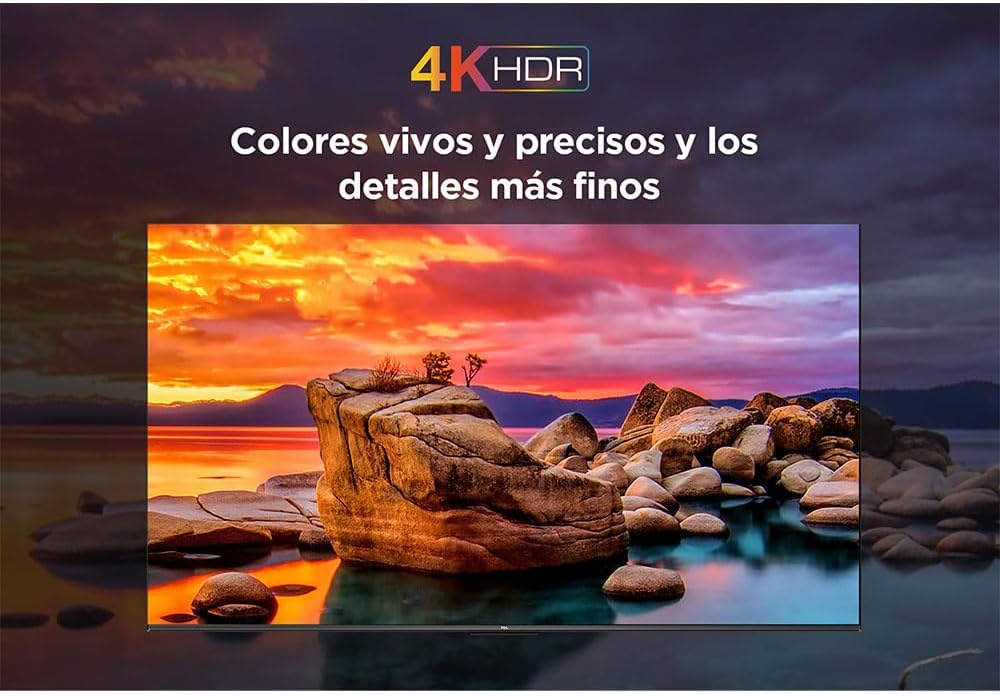
Image: A vibrant scene displayed on the TCL 43P61B TV, illustrating the vivid and precise colors and fine details achieved with 4K HDR technology.
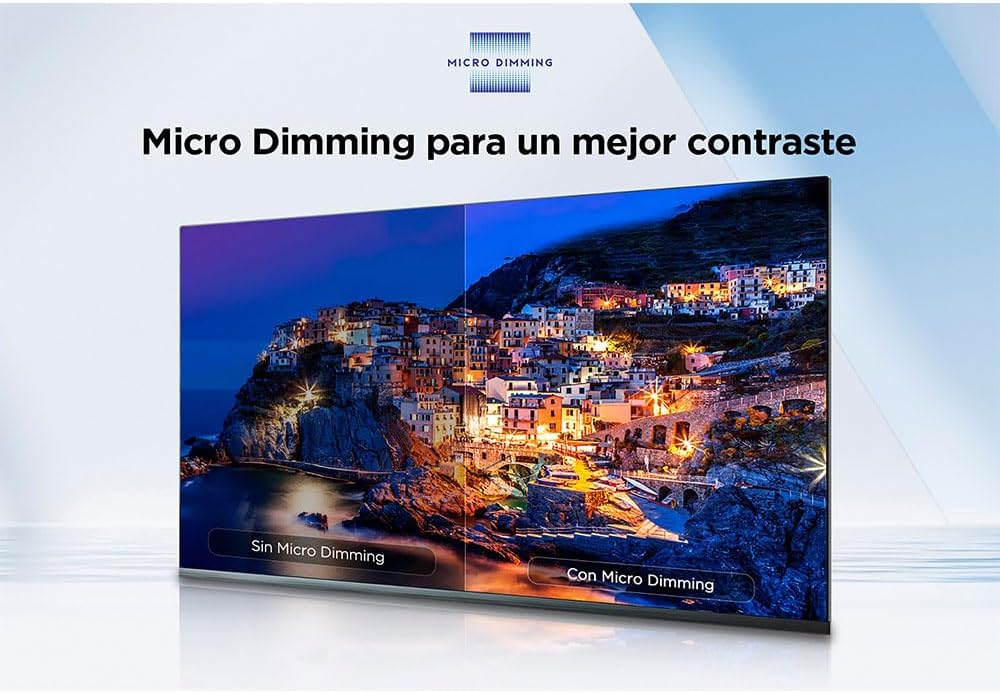
Image: A split-screen comparison demonstrating the effect of Micro Dimming on the TCL 43P61B TV, showing enhanced contrast and deeper blacks on the side with Micro Dimming enabled compared to the side without it.
4. Sound Settings
Adjust audio settings to your preference. The TV supports Dolby Audio for an immersive sound experience.

Image: A visual representation of Dolby Audio technology on the TCL 43P61B TV, depicting a home cinema setup with a soundbar and subwoofer, emphasizing immersive sound quality.
5. Channel Tuning
Use the TV's menu to scan for available channels via DVB-T2 (terrestrial), DVB-S2 (satellite), or DVB-C (cable) inputs. Refer to the on-screen guide for detailed steps.
Maintenance
1. Cleaning the TV
Before cleaning, unplug the power cord. Use a soft, dry cloth to wipe the screen and cabinet. Do not use liquid cleaners or aerosol sprays directly on the TV.
2. Software Updates
Periodically check for software updates through the TV's settings menu to ensure optimal performance and access to the latest features. Updates can be performed via Wi-Fi or USB.
Troubleshooting
If you encounter issues with your TV, refer to the following common solutions:
- No Power: Ensure the power cord is securely plugged into both the TV and the wall outlet. Check if the outlet is functional.
- No Picture/Sound: Verify that the correct input source is selected. Check all cable connections to external devices.
- Poor Picture Quality: Adjust picture settings. Ensure the signal source is high quality.
- Remote Control Not Working: Replace batteries. Ensure there are no obstructions between the remote and the TV's IR sensor.
- Network Connection Issues: Restart your router. Check Wi-Fi password. Try a wired Ethernet connection.
For more complex issues, consult the full electronic manual or contact TCL customer support.
Specifications
| Brand | TCL |
| Model | 43P61B |
| Screen Size | 43 inches (109.2 cm) |
| Display Type | LED Direct-LED |
| Resolution | 4K Ultra HD (3840 x 2160 pixels) |
| Aspect Ratio | 16:9 |
| Picture Performance Index (PPI) | 2400 |
| HDR Support | Yes (HDR10, HLG) |
| Operating System | Google TV / Android TV |
| Tuners | DVB-C, DVB-S2, DVB-T2 |
| Video Compression | AV1, H.264, H.265, VP9 |
| Wireless Connectivity | Wi-Fi, Bluetooth, Chromecast built-in, Miracast |
| Ports | 3x HDMI, 1x USB, 1x LAN (Ethernet), 1x Optical, Cable/Antenna, Satellite, AV Input, Headphone, CI Slot |
| VESA Mounting | 200 x 200 mm |
| Power Consumption | 90 W (45 kWh/1000h) |
| Dimensions (W x H x D) without stand | 957.3 mm x 558.4 mm x 72.3 mm |
| Dimensions (W x H x D) with stand | 957.3 mm x 604.6 mm x 184.5 mm |
Warranty and Support
For warranty information and technical support, please refer to the warranty card included with your product or visit the official TCL support website. Keep your proof of purchase for warranty claims.
Online Support: www.tcl.com/global/en/support


