
1. Introduction
The YeeSite 90LED RGB Stage Pixel Light Bar is a versatile lighting fixture designed for various events, stages, dance clubs, and parties. This manual provides essential information for the safe and effective use of your new light bar, including setup, operation, maintenance, and troubleshooting.
This product features tri-color RGB SMD LEDs, offering vibrant and dynamic lighting effects. Its robust design and advanced control options make it suitable for both temporary setups and permanent installations.
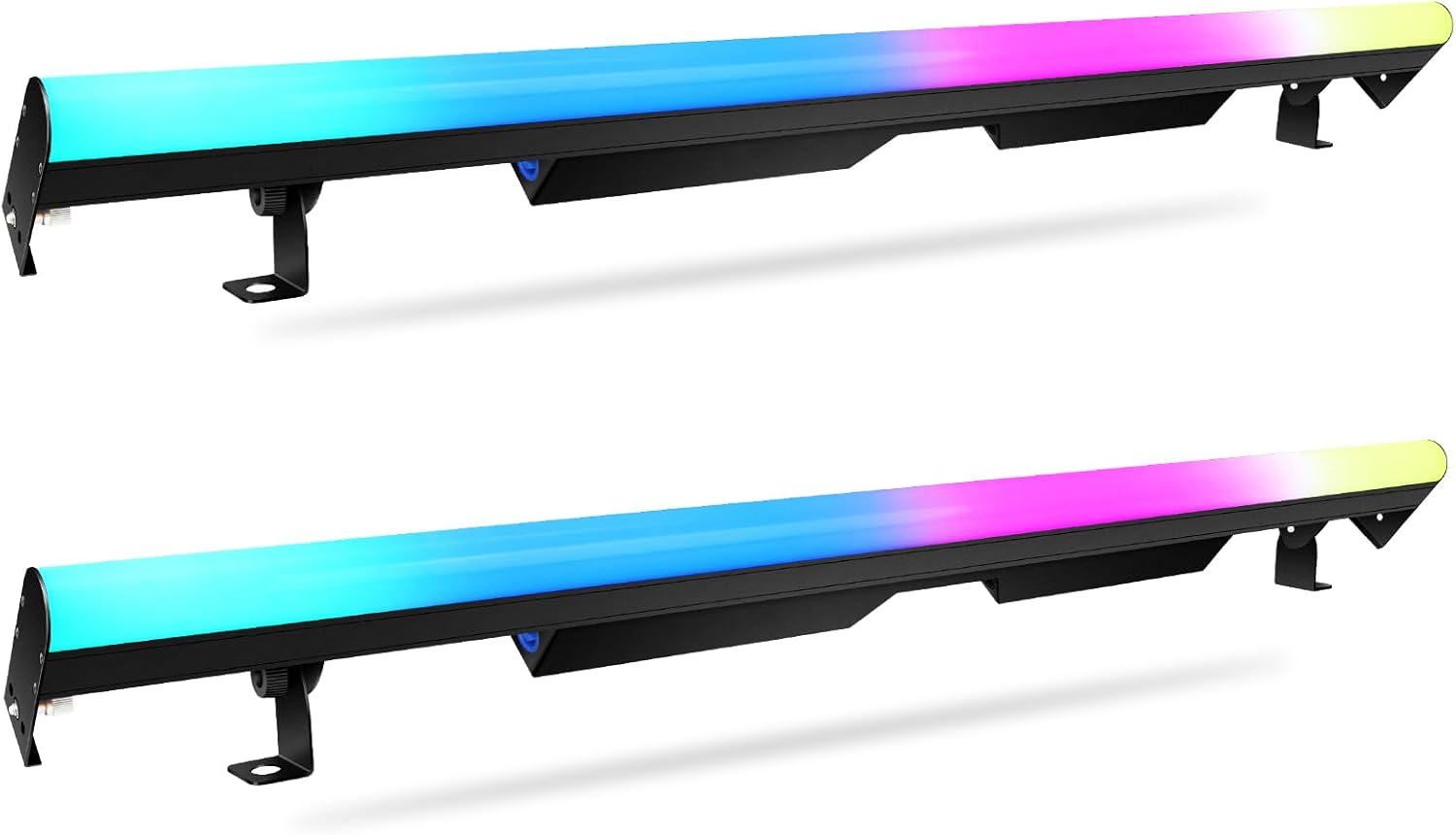
Image 1.1: Two YeeSite 90LED RGB Stage Pixel Light Bars.
2. Safety Information
Please read and understand all safety instructions before installing or operating this device. Keep this manual for future reference.
- Electrical Safety: Ensure the power supply voltage matches the specified requirements (110 Volts). Always disconnect the power cable before cleaning or servicing the unit.
- Placement: Install the fixture in a well-ventilated area, away from heat sources, moisture, or flammable materials. Ensure stable mounting to prevent accidental falls.
- Handling: Do not look directly into the light source when the fixture is operating, as this may cause eye strain or damage. Avoid exposing the unit to extreme temperatures or direct sunlight.
- Maintenance: Only qualified personnel should perform repairs. Unauthorized modifications may result in damage or injury.
- Cables: Use only approved power and DMX cables. Ensure cables are not pinched or damaged.
3. Package Contents
Verify that all items listed below are included in your package. If any items are missing or damaged, please contact customer support.
- 2 x 90LEDs Pixel Light Bar
- 2 x Power Cable
- 4 x Bracket
- 4 x Screw
- 4 x Gasket
- 1 x User Manual (this document)

Image 3.1: Included components in the package.
4. Product Features
The YeeSite 90LED RGB Stage Pixel Light Bar is engineered with advanced features for dynamic lighting applications:
- Versatile Pixel Light Bar: Equipped with tri-color RGB SMD LEDs, this light bar offers a wide spectrum of colors and effects, suitable for various event types.
- Advanced Chase Effects: Features 30 independently controllable zones, allowing for intricate pixel mapping and dynamic chase patterns. Built-in effect programs with adjustable speed (0-100%) provide creative lighting possibilities.
- Seamless Splicing: Designed for end-to-end connection, multiple fixtures can be snapped together to create a continuous, perfectly spaced LED run without visible gaps.
- Excellent Heat Dissipation: Constructed with an all-aluminum structure, ensuring efficient heat dissipation without the need for noisy cooling fans, resulting in silent operation.
- DMX Control: Supports RDM and DMX512 control protocols with 5 DMX channel modes (3/5/8/90/94), enabling remote adjustment of critical fixture settings.
- Locking Power Connections: Features upgraded locking power In/Out connections for daisy-chaining up to 6 units, simplifying power distribution and ensuring secure connections.

Image 4.1: Illustrates the RGB color mixing and pixel control zones.

Image 4.2: Seamless end-to-end pixel spacing feature.
5. Setup
5.1 Unpacking
Carefully remove the light bars and all accessories from the packaging. Inspect each item for any signs of damage during transit. Retain the packaging for future storage or transport.
5.2 Mounting
The YeeSite Pixel Light Bar can be mounted in various orientations (wall, ceiling, floor) using the included adjustable brackets. Ensure the mounting surface is stable and capable of supporting the fixture's weight (6.6 pounds per unit).
- Attach the brackets to the light bar using the provided screws and gaskets.
- Securely fasten the brackets to your desired mounting location. Adjust the angle of the light bar as needed.
5.3 Connecting Power
Connect the provided power cable to the 'Power IN' port on the light bar. Plug the other end into a standard 110V AC power outlet.
5.4 Daisy Chaining Multiple Units
For extended lighting setups, multiple YeeSite Pixel Light Bars can be daisy-chained. Connect the 'Power OUT' port of the first fixture to the 'Power IN' port of the next fixture using compatible locking power cables. Up to 6 units can be connected in a single daisy chain.

Image 5.1: Power daisy chain connection for multiple units.
6. Operation
6.1 Control Panel Overview
The light bar features an LCD display and control buttons (Menu, Up, Down, Enter) on the rear panel for direct access to settings and modes.

Image 6.1: Rear panel with ports and LCD display.
6.2 Basic Modes
The light bar offers several built-in operational modes:
- Auto Mode: Cycles through various pre-programmed effects and color sequences automatically.
- Sound-Activated Mode: The lighting effects respond to ambient sound or music, creating dynamic visual displays.
- Static Color Mode: Select from 37 static colors to maintain a consistent ambiance.
- Master-Slave Mode: Connect multiple units where one acts as the master, controlling the others (slaves) to synchronize effects.
6.3 Adjusting Settings
Use the control buttons to navigate the menu on the LCD display. You can adjust parameters such as:
- Effect Speed: Increase or decrease the speed of chase programs and auto modes.
- Color Selection: Manually select specific colors in static color mode.
- Dimming: Adjust the overall brightness (0-100% linear dimming).

Image 6.2: Examples of various lighting effects and patterns.
7. DMX Control
The YeeSite Pixel Light Bar is fully DMX512 compatible, allowing for professional control over lighting effects and parameters.
7.1 Connecting to a DMX Controller
- Connect a 3-pin DMX cable from the 'DMX OUT' port of your DMX controller to the 'DMX IN' port of the first light bar.
- To control multiple units, connect the 'DMX OUT' port of the first light bar to the 'DMX IN' port of the next, and so on.
- Ensure the last fixture in the DMX chain has a DMX terminator connected to its 'DMX OUT' port to prevent signal reflection.
7.2 DMX Channel Modes
The fixture supports 5 DMX channel modes (3/5/8/90/94 channels). Select the appropriate mode on the light bar's control panel to match your DMX controller's settings. Refer to the detailed DMX channel chart in the full PDF manual for specific functions of each channel in every mode.
7.3 RDM Functionality
The light bar supports RDM (Remote Device Management), allowing you to change critical fixture settings, such as DMX address and channel mode, remotely from a compatible DMX controller.

Image 7.1: DMX control setup with a controller and mobile app.
8. Maintenance
Regular maintenance ensures optimal performance and longevity of your YeeSite Pixel Light Bar.
8.1 Cleaning
Periodically clean the exterior of the fixture with a soft, dry cloth. For stubborn dirt, a slightly damp cloth can be used. Do not use abrasive cleaners or solvents, as they may damage the finish or internal components. Ensure the unit is powered off and unplugged before cleaning.
8.2 Storage
When not in use, store the light bar in a cool, dry place, away from direct sunlight and extreme temperatures. It is recommended to use the original packaging for protection during storage or transport.
9. Troubleshooting
If you encounter issues with your YeeSite Pixel Light Bar, refer to the following common problems and solutions:
| Problem | Possible Cause | Solution |
|---|---|---|
| Light bar does not power on. | No power supply; faulty cable; power outlet issue. | Check power cable connection. Ensure power outlet is functional. Test with a different power cable if available. |
| No light output or incorrect colors. | Incorrect mode selected; DMX signal issue; internal fault. | Verify the operating mode (Auto, Sound, Static, DMX). If using DMX, check DMX connections and address settings. Reset the unit. |
| DMX control not working. | Incorrect DMX address; wrong channel mode; faulty DMX cable; no DMX terminator. | Ensure DMX address and channel mode match the controller. Check DMX cable integrity. Use a DMX terminator on the last fixture. |
| Lights flicker or behave erratically. | Unstable power; DMX signal interference; loose connections. | Ensure stable power supply. Check all power and DMX connections. Verify DMX signal quality. |
If the problem persists after attempting these solutions, please contact YeeSite customer support.
10. Specifications
Detailed technical specifications for the YeeSite 90LED RGB Stage Pixel Light Bar:
| Feature | Specification |
|---|---|
| Model Number | YS-144led |
| Light Source | 90 x RGB SMD LEDs |
| Power Consumption | 60 Watts |
| Voltage | 110 Volts |
| Control Modes | DMX512, RDM, Auto, Sound-Activated, Master-Slave |
| DMX Channel Modes | 3/5/8/90/94 Channels |
| Pixel Zones | 30 independently controllable zones |
| Beam Angle | 90 Degrees |
| Dimming | 0-100% Linear Dimming |
| Material | Aluminum |
| Color | Black |
| Product Dimensions | 41.5"L x 4.9"W x 5.5"H |
| Item Weight | 6.6 Pounds |
| Mounting Type | Wall mount, Ceiling mount, Floor mount |
11. Warranty & Support
YeeSite products are manufactured to high-quality standards. For information regarding warranty coverage, technical support, or service inquiries, please refer to the warranty card included with your product or visit the official YeeSite website. Please have your product model number (YS-144led) and purchase date available when contacting support.

