
Introduction
The Gemini BEATGRIP Magnetic Bluetooth Speaker is designed for versatile audio enjoyment in various environments. Featuring a strong magnetic mount, extended battery life, and robust waterproofing, it is an ideal companion for outdoor activities, workshops, and travel. This manual provides essential information for setting up, operating, and maintaining your speaker.
What's in the Box
- Gemini BEATGRIP Speaker
- Charge Cable
- User Manual
Setup
Charging the Speaker
Before first use, fully charge your Gemini BEATGRIP speaker using the provided USB-C charge cable. Connect the cable to the USB-C port on the speaker and a compatible power source. The LED indicator will show charging status.
Bluetooth Pairing
- Press and hold the Power button to turn on the speaker. The LED lights will activate, and the speaker will enter Bluetooth pairing mode.
- On your device (smartphone, tablet, laptop), enable Bluetooth and search for available devices.
- Select "Gemini BEATGRIP" from the list. Once connected, you will hear an audible confirmation.
Magnetic Mounting
The speaker features a strong magnetic base for secure attachment to metal surfaces. Ensure the surface is clean and flat for optimal adhesion. The rubberized coating protects surfaces from scratches.

Image: The Gemini BEATGRIP speaker is shown magnetically attached to the metal frame of a golf cart, demonstrating its secure mounting capability.
Operating Instructions
Basic Controls
- Power On/Off: Press and hold the Power button.
- Volume Up/Down: Use the '+' and '-' buttons.
- Play/Pause: Press the Power button once.
- Skip Track: Press and hold '+' for next track, '-' for previous track.
LED Lighting Modes
The speaker features dynamic LED party lights. Double-press the Power button to cycle through different lighting modes or to turn the lights off. The lights can sync to the beat of your music.
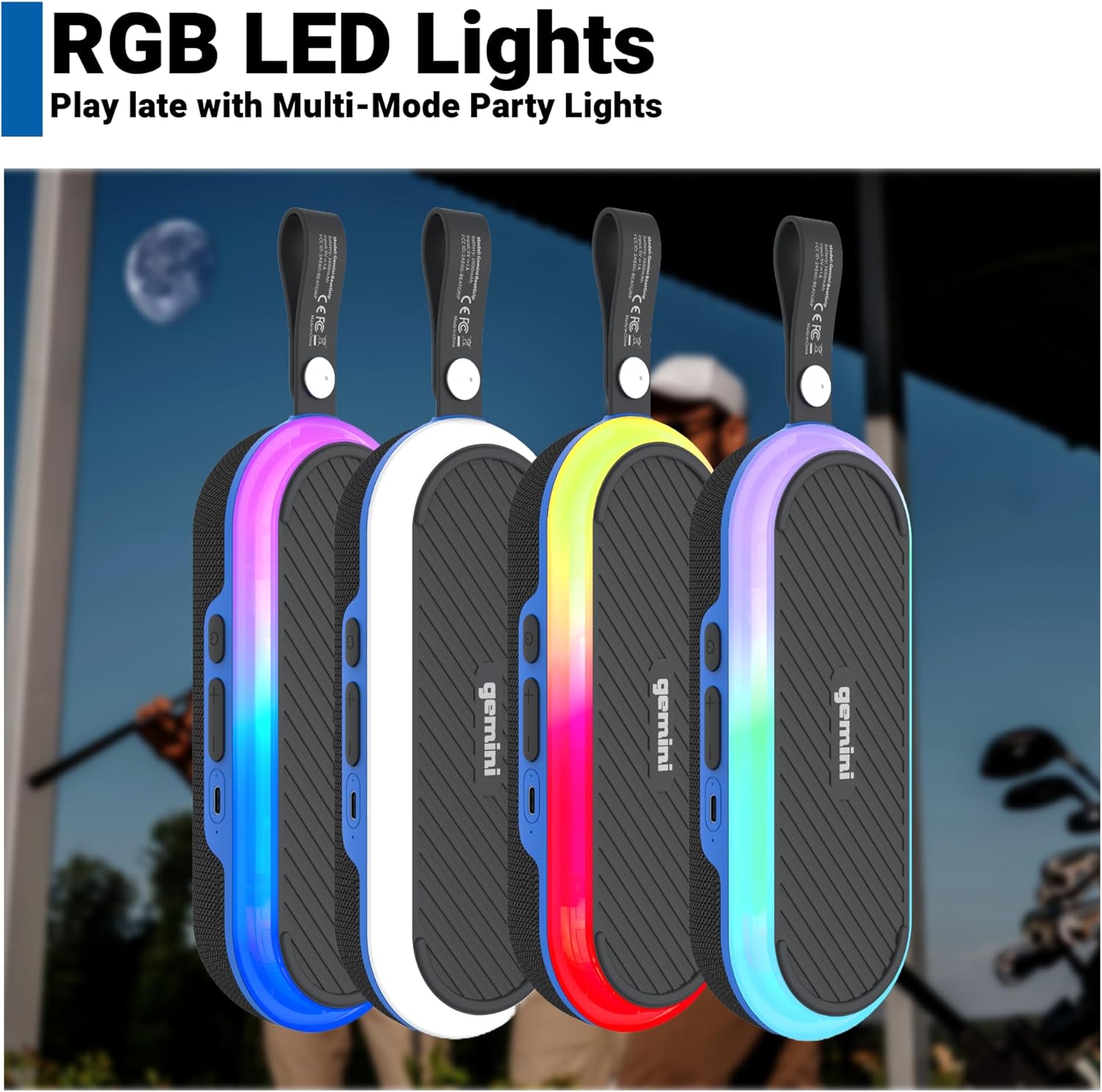
Image: Four Gemini BEATGRIP speakers are lined up, each showcasing a different vibrant RGB LED light color, illustrating the various lighting effects.
Hands-Free Calling
With the built-in microphone, you can answer calls directly through the speaker. Press the Power button once to answer or end a call. Press and hold to reject a call.

Image: A man on a golf course is shown taking a phone call through his Gemini BEATGRIP speaker, which is magnetically attached to the golf cart, highlighting the hands-free calling feature.
True Wireless Stereo (TWS) Pairing
For an immersive audio experience, two Gemini BEATGRIP speakers can be wirelessly linked to create a stereo soundstage. Follow these steps:
- Ensure both speakers are powered on and not connected to any other Bluetooth device.
- On one speaker (this will be the primary speaker), press and hold the Bluetooth button (often the Play/Pause button or a dedicated TWS button, refer to specific product instructions if different).
- The primary speaker will search for the secondary speaker. Once connected, you will hear a confirmation tone, and the LED indicators will synchronize.
- Connect your device to the primary speaker via Bluetooth. Audio will now play in stereo across both speakers.

Image: Two Gemini BEATGRIP speakers are mounted on the roof supports of a golf cart, illustrating the True Wireless Stereo (TWS) pairing for enhanced sound.
Video: An official product video titled "The New BeatGrip" from the seller, showcasing the speaker's features and design.
Maintenance
Waterproof Rating (IPX6)
The Gemini BEATGRIP speaker is IPX6 waterproof, meaning it is protected against high-pressure water jets from any direction. This makes it suitable for use in rainy conditions, by the pool, or near splashes. However, it is not designed for submersion in water.

Image: The Gemini BEATGRIP speaker is shown with water splashing over its surface, illustrating its IPX6 waterproof capability.
Video: An official product video from the seller titled "Awesome waterproof speaker to take on the go!", demonstrating the speaker's water resistance in various outdoor settings.
Cleaning and Storage
To clean the speaker, wipe it with a soft, damp cloth. Avoid using harsh chemicals or abrasive cleaners. Store the speaker in a cool, dry place when not in use.
Troubleshooting
- No Power: Ensure the battery is charged. Connect the speaker to a power source and try again.
- Cannot Pair Bluetooth: Make sure the speaker is in pairing mode (LEDs flashing) and within range of your device. Disconnect from any other devices and try pairing again.
- Poor Sound Quality: Check the volume levels on both the speaker and your connected device. Ensure there are no obstructions between the speaker and your device.
- TWS Pairing Issues: Ensure both speakers are fully charged and not connected to any other Bluetooth devices before attempting TWS pairing.
Specifications
| Feature | Detail |
|---|---|
| Product Dimensions | 3.15 x 7.87 x 1.89 inches |
| Item Weight | 15 ounces |
| Item Model Number | BeatGrip |
| Connectivity Technology | Bluetooth |
| Special Features | LED Light, Magnetic, Portable, Stereo pairing, Waterproof |
| Water Resistance Level | Waterproof (IPX6) |
| Battery Life | Up to 12 hours |
| Peak Sound Output | 30 Watts |
| Compatible Devices | Smartphone, Tablet, Laptop, Desktop |

Image: The Gemini BEATGRIP speaker is displayed alongside a graphic highlighting its 12-hour battery life, emphasizing its extended playtime.
Warranty and Support
For warranty information and customer support, please refer to the official Gemini Sound website or contact their customer service directly. Keep your purchase receipt for warranty claims.
Manufacturer: Innovative Concepts & Designs LLC