
Introduction
This manual provides detailed instructions for the safe and efficient use of your Generico C71 Pro 4G Flip Phone. Please read this manual thoroughly before operating the device and retain it for future reference.
The Generico C71 Pro is a 4G flip phone designed for ease of use, featuring a KaiOS operating system, large buttons, a 2.8-inch display, and essential functions like an SOS button and a charging dock. It supports 2G, 3G, and 4G networks.
Package Contents
Verify that all items listed below are present in your product package:
- 1 x 4G Flip KaiOS Senior Phone (Generico C71 Pro)
- 1 x Charger & Charging Cable (USB cable and power adapter)
- 1 x Battery (1400mAh Lithium-ion)
- 1 x User Manual (this document)
- 1 x Charging Cradle
- 1 x Earphone

Image: Contents of the Generico C71 Pro flip phone package, including the phone, charging dock, charger, cable, battery, earphones, and user manual.
Device Overview
Familiarize yourself with the main components of your Generico C71 Pro flip phone.

Image: The Generico C71 Pro flip phone in an open position, displaying its large keypad and 2.8-inch screen with a KaiOS interface. Beside it is the charging dock.

Image: Side view of the Generico C71 Pro flip phone, highlighting the rear camera, SOS button, and volume controls. The external display shows icons for incoming call, message, alarm, and battery level alerts.
Setup
1. SIM Card and Battery Installation
- Open the back cover of the phone.
- Insert your 4G compatible SIM card(s) into the designated slot(s). Ensure the SIM card is correctly oriented.
- Insert the 1400mAh Lithium-ion battery into the battery compartment, aligning the contacts.
- Replace the back cover securely.
2. Initial Charging
Before first use, fully charge the phone battery.
- Connect the USB cable to the charger and then to the phone's Micro USB port, or place the phone in the charging cradle.
- Plug the charger into a power outlet.
- The charging indicator will show the charging status. A full charge typically takes approximately 2 hours.
Operating Instructions
1. Power On/Off
- To power on: Press and hold the Power/End Call button until the screen lights up.
- To power off: Press and hold the Power/End Call button, then select "Power Off" from the options.
2. Making and Receiving Calls
- Making a Call: Dial the number using the large keypad and press the Green Call button.
- Answering a Call: When the phone rings, press the Green Call button to answer.
- Ending a Call: Press the Red End Call button.

Image: Close-up of the Generico C71 Pro's keypad, showing individual, large, and backlit buttons for easy dialing and navigation.
3. SOS Emergency Function
The SOS button allows for quick contact with pre-set emergency numbers.
- Setting SOS Numbers: Navigate to the SOS settings in the phone menu to add up to 5 emergency contacts.
- Activating SOS: In an emergency, press and hold the SOS button on the back of the phone for 3 seconds. The phone will automatically dial the pre-set emergency numbers sequentially and send an emergency text message.
4. Speed Dial Keys
Assign frequently called numbers to speed dial keys for one-touch dialing.
- Setting Speed Dial: Access the speed dial settings in the phone menu. You can assign up to 10 numbers to the numeric keys (0-9) and M1/M2 keys.
- Using Speed Dial: Press and hold the assigned numeric key (e.g., '2' for "Best Friend") to dial the contact.

Image: The Generico C71 Pro's keypad illustrating the 10 speed dial keys, with examples like M1 for "Wife/Husband" and M2 for "Daughter", and numbers 2-9 assigned to other family members.
5. KaiOS Features and Applications
Your Generico C71 Pro runs on KaiOS, offering a range of smart features.
- Pre-installed Apps: WhatsApp, Facebook, Google Maps.
- Other Features: Integrated video player, Bluetooth connectivity, FM radio, calculator, alarm clock, calendar, and web browser.
- App Store: Access the Google App Store to download and install additional applications.
- Note: Video calling functionality is not supported by the operating system.

Image: A graphic displaying icons for various features available on the Generico C71 Pro, including Bluetooth, WiFi, SOS Button, Maps, Browser, E-Mail, Camera, Music, Clock, and FM Radio.
6. Camera Usage
The phone features both front and rear cameras for capturing photos and videos.
- Accessing Camera: Navigate to the Camera application from the main menu.
- Taking Photos/Videos: Use the on-screen controls to switch between front/rear cameras, take pictures, or record videos.
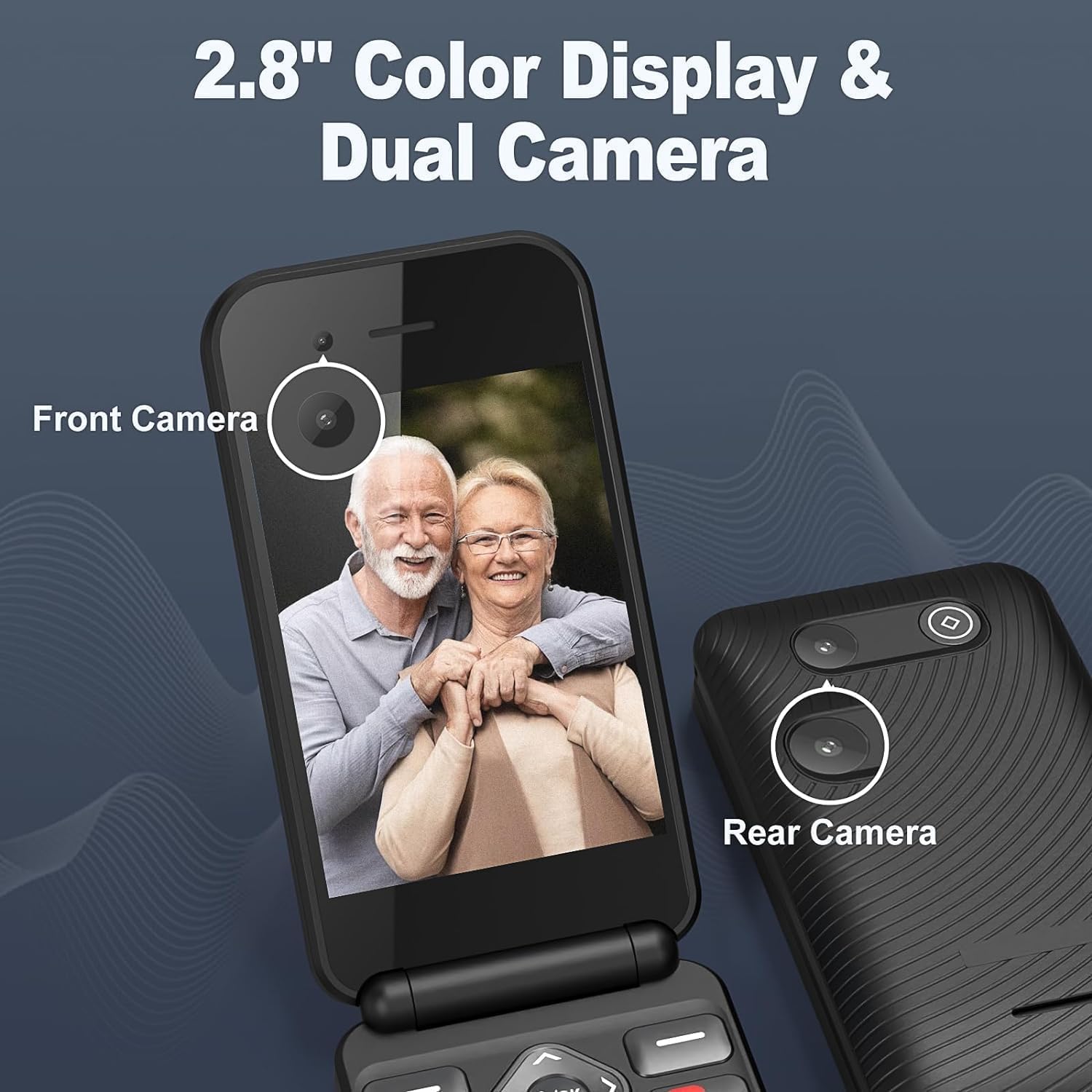
Image: The Generico C71 Pro flip phone displaying its 2.8-inch color screen with a photo of two seniors. The image also points out the front camera and the rear camera.
Maintenance
- Cleaning: Use a soft, dry cloth to clean the phone's screen and body. Avoid using liquid cleaners or abrasive materials.
- Battery Care: To prolong battery life, avoid exposing the phone to extreme temperatures. Charge the battery regularly, but avoid overcharging.
- Storage: If storing the phone for an extended period, ensure it is partially charged (around 50%) and stored in a cool, dry place.
- Software Updates: Periodically check for KaiOS software updates through the phone's settings to ensure optimal performance and security.
Troubleshooting
| Problem | Possible Solution |
|---|---|
| Phone does not power on. | Ensure the battery is correctly installed and charged. Connect the phone to the charger and try again. |
| Cannot make or receive calls. | Check if the SIM card is properly inserted and activated. Verify network signal strength. Ensure airplane mode is off. |
| Battery drains quickly. | Reduce screen brightness. Close unused applications. Limit background data usage. Consider replacing the battery if it's old. |
| SOS button not working. | Ensure emergency numbers are correctly set in the SOS settings. Test the function in a non-emergency situation. |
| Cannot connect to Wi-Fi/Bluetooth. | Ensure Wi-Fi/Bluetooth is enabled in settings. Check network availability and password. Restart the phone. |
Specifications
| Feature | Detail |
|---|---|
| Brand | Generico |
| Model Number | C71 Pro |
| Operating System | KaiOS |
| Cellular Technology | 4G (compatible with 2G/3G) |
| Connectivity | Bluetooth, USB, Wi-Fi |
| Screen Size | 2.8 Inches |
| Internal Storage (RAM Size) | 32 GB (Note: This is likely internal storage, not RAM) |
| SIM Card Slots | Single SIM |
| Battery Capacity | 1400 mAh Lithium-ion |
| Talk Time | Up to 5-6 hours |
| Standby Time | Up to 200 hours (approx. 8 days) |
| Charging Port | Micro USB |
| Special Features | Expandable memory, WhatsApp/Facebook support, USB OTG, Fast charging, SOS button, Large backlit buttons, Dual Camera. |
| Color | Black |

Image: Graphic illustrating the Generico C71 Pro's 1400mAh battery, showing 2 hours for fast charging, 5 hours of continuous talk time, and 8 days of long standby time.

Image: A visual representation of the Generico C71 Pro's 4G HD Voice Calling capability, emphasizing backward compatibility with 3G/2G for stronger signal, faster speed, and clearer calls.
Warranty and Support
For warranty information and technical support, please refer to the documentation provided with your purchase or contact your retailer. Keep your proof of purchase for warranty claims.
Manufacturer: Shenzhen Arington LTD