
FOHERE HQ-JS2420
FOHERE 4.8Gal/18L Humidifier User Manual
Model: HQ-JS2420
1. Introduction
This user manual provides detailed instructions for the safe and efficient operation, maintenance, and troubleshooting of your FOHERE 4.8-gallon/18-liter Cool Mist Tower Humidifier. Please read this manual thoroughly before first use and retain it for future reference.
The FOHERE humidifier is designed to provide efficient and uniform humidification for large spaces up to 1500 square feet, including homes, offices, and greenhouses. It features a large capacity, smart humidity control, and user-friendly design for optimal comfort.
2. Important Safety Instructions
WARNING: To reduce the risk of fire, electric shock, or injury, always follow basic safety precautions when using this appliance.
- Always place the humidifier on a firm, flat, level surface.
- Do not operate the humidifier without water in the tank.
- Keep the power cord away from heated surfaces.
- Do not block air vents or mist outlet.
- Unplug the unit before filling, cleaning, or moving.
- Do not immerse the unit in water or other liquids.
- Use only clean, cool tap water. Distilled water is recommended to minimize white dust.
- Keep out of reach of children and pets.
3. Product Overview
Familiarize yourself with the components of your FOHERE Humidifier.

Figure 3.1: Front view of the FOHERE Humidifier, showing the control panel and water level indicator.
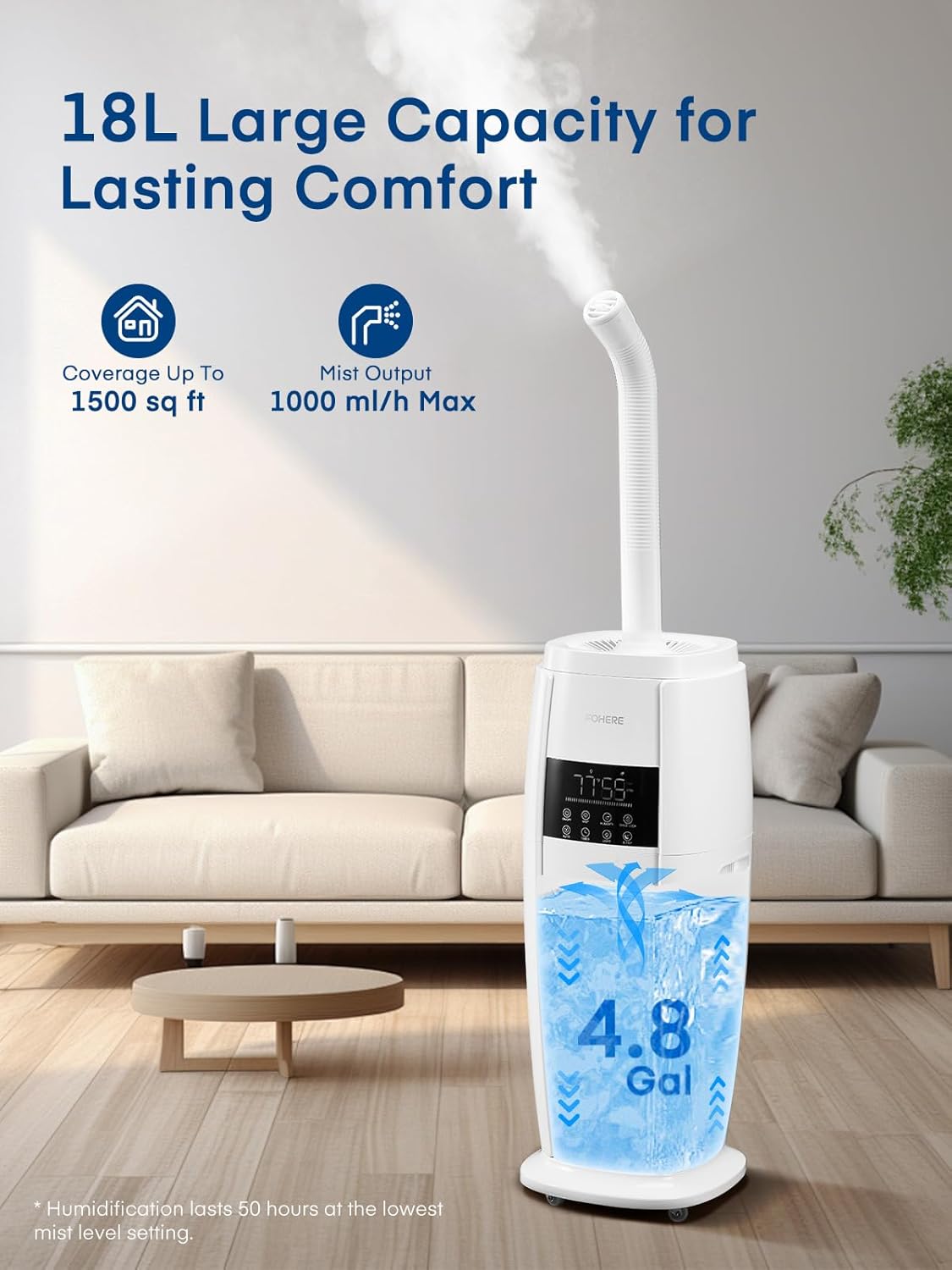
Figure 3.2: The humidifier highlighting its 18L (4.8 Gallon) large capacity and coverage up to 1500 sq ft.

Figure 3.3: Demonstrates the top-fill design, built-in portable handle, and swivel casters for easy movement.
Package Contents:
- 1 x FOHERE Humidifier (Model: HQ-JS2420)
- 1 x Remote Control
- 1 x Cleaning Brush
- 1 x User Manual
- 1 x Quick Start Guide
4. Setup
4.1 Unpacking
- Carefully remove all packaging materials and the humidifier from the box.
- Ensure all components listed in the "Package Contents" section are present and undamaged.
- Place the humidifier on a flat, stable, water-resistant surface at least 6 inches (15 cm) away from walls and furniture.
4.2 Filling the Water Tank
The FOHERE humidifier features an easy top-fill design.
- Ensure the humidifier is unplugged from the power outlet.
- Remove the top cover of the humidifier.
- Pour clean, cool tap water directly into the water tank through the top opening. Distilled or demineralized water is recommended to prevent mineral buildup and white dust.
- Fill the tank up to the MAX fill line. Do not overfill.
- Replace the top cover securely.
Figure 4.1: Illustration of the top-fill method for adding water to the humidifier.
4.3 Power Connection
Plug the power cord into a standard 120V AC electrical outlet.
5. Operating Instructions
5.1 Control Panel and Remote Control
The humidifier can be operated using the touch control panel on the unit or the included remote control.
Figure 5.1: Close-up of the digital control panel and touch buttons.
5.2 Basic Operation
- Power On/Off: Press the ON/OFF button to turn the unit on or off.
- Mist Level Adjustment: Press the MIST button repeatedly to cycle through 5 mist output levels (1st to 5th gear). The display will show the current mist level.
- Humidity Setting: Press the HUMIDITY button to set your desired humidity level from 30% to 95% in 5% increments. The unit will automatically maintain this level.
- Auto Mode: Press the AUTO button to activate Auto Mode. The humidifier will automatically adjust mist output to maintain optimal humidity based on the environment. This mode is ideal for plant care.
- Sleep Mode: Press the SLEEP button to enter Sleep Mode. The display lights will turn off, and the unit will operate quietly for undisturbed sleep.
- Timer Function: Press the TIMER button to set an auto-off timer from 1 to 24 hours.
- Light Control: Press the LIGHT button to turn the blue indicator light on or off.
- Child Lock: Press and hold the CHILD LOCK button for 3 seconds to activate or deactivate the child lock function, preventing accidental changes to settings.
5.3 360° Rotating Nozzle
The humidifier features a 360° rotating nozzle on top. Adjust the direction of the mist output as needed to target specific areas or ensure even distribution.
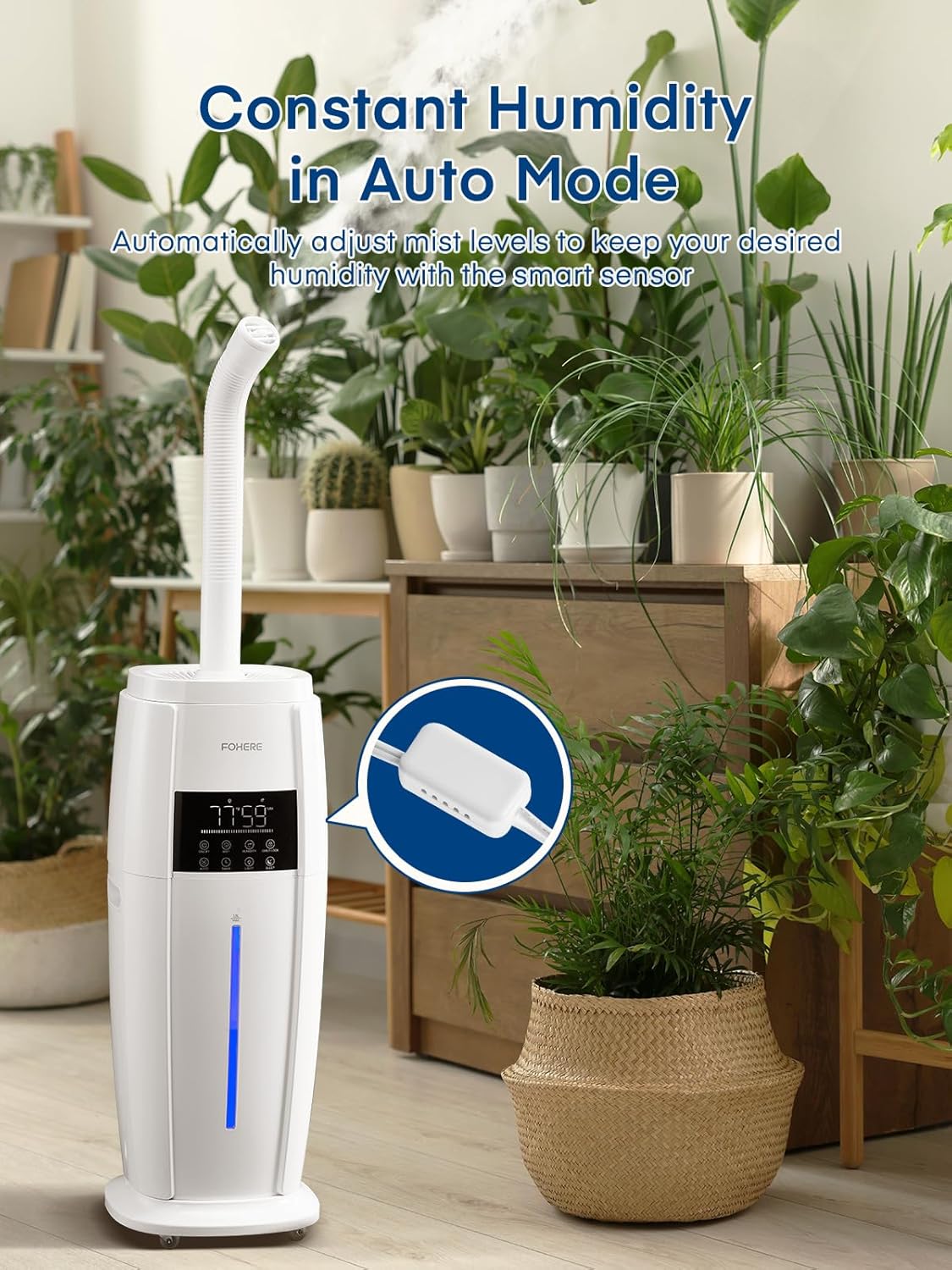
Figure 5.2: The humidifier with its adjustable 360° rotating nozzle, allowing for directional mist output.
5.4 Aroma Pad Tray
The humidifier includes an aroma pad tray for essential oils. Add a few drops of your favorite essential oil to the aroma pad (located in a small tray near the base or side of the unit, refer to quick start guide for exact location) to diffuse fragrance into the air. Do not add essential oils directly into the water tank.
6. Maintenance
Regular cleaning is essential for optimal performance and hygiene.
6.1 Daily Maintenance
- Unplug the humidifier.
- Empty any remaining water from the tank and base.
- Wipe the tank and base dry with a clean cloth.
- Refill with fresh water before each use.
6.2 Weekly Cleaning (Mineral Buildup)
To remove mineral deposits (white dust):
- Unplug the unit and empty all water.
- Pour 2-4 tablespoons of white vinegar into the water tank and base.
- Let it soak for 20-30 minutes.
- Use the provided cleaning brush to gently scrub any mineral buildup from the nebulizer and water tank.
- Rinse the tank and base thoroughly with clean water until the smell of vinegar is gone.
- Dry all parts completely before reassembling.
6.3 Storage
When storing the humidifier for an extended period:
- Clean and dry all parts thoroughly as per weekly cleaning instructions.
- Store the unit in a cool, dry place, away from direct sunlight.
- Do not store with water inside the tank or base.
7. Troubleshooting
| Problem | Possible Cause | Solution |
|---|---|---|
| No mist or low mist output |
|
|
| White dust around unit | Hard water used | Use distilled or demineralized water. Clean unit regularly. |
| Unusual odor | Stagnant water or dirty tank | Empty and clean the water tank and base thoroughly. |
| Unit not turning on |
|
|
8. Specifications
| Brand | FOHERE |
| Model Name | humidifier (HQ-JS2420) |
| Capacity | 4.8 Gallons / 18 Liters |
| Coverage Area | Up to 1500 sq ft |
| Mist Output | Up to 1000 ml/h (Max) |
| Operation Mode | Ultrasonic Cool Mist |
| Voltage | 120 Volts |
| Wattage | 100 Watt-hours |
| Control Method | Remote, Touch |
| Product Dimensions | 10.63"D x 10.63"W x 28.15"H |
| Item Weight | 12.82 pounds |
9. Warranty and Support
For warranty information, technical support, or customer service inquiries, please refer to the contact information provided in your Quick Start Guide or visit the official FOHERE website.
Please have your model number (HQ-JS2420) and purchase date available when contacting support.
Ask a question about this manual
Ask about setup, troubleshooting, compatibility, parts, safety, or missing instructions. Manuals+ will review the question and use this page’s manual context to help answer it.