1. Introduction
Thank you for choosing the AQESO Blood Pressure Monitor Model U80A. This device is designed for accurate and reliable blood pressure measurement at home. Please read this manual thoroughly before use to ensure proper operation and to obtain the most accurate readings.
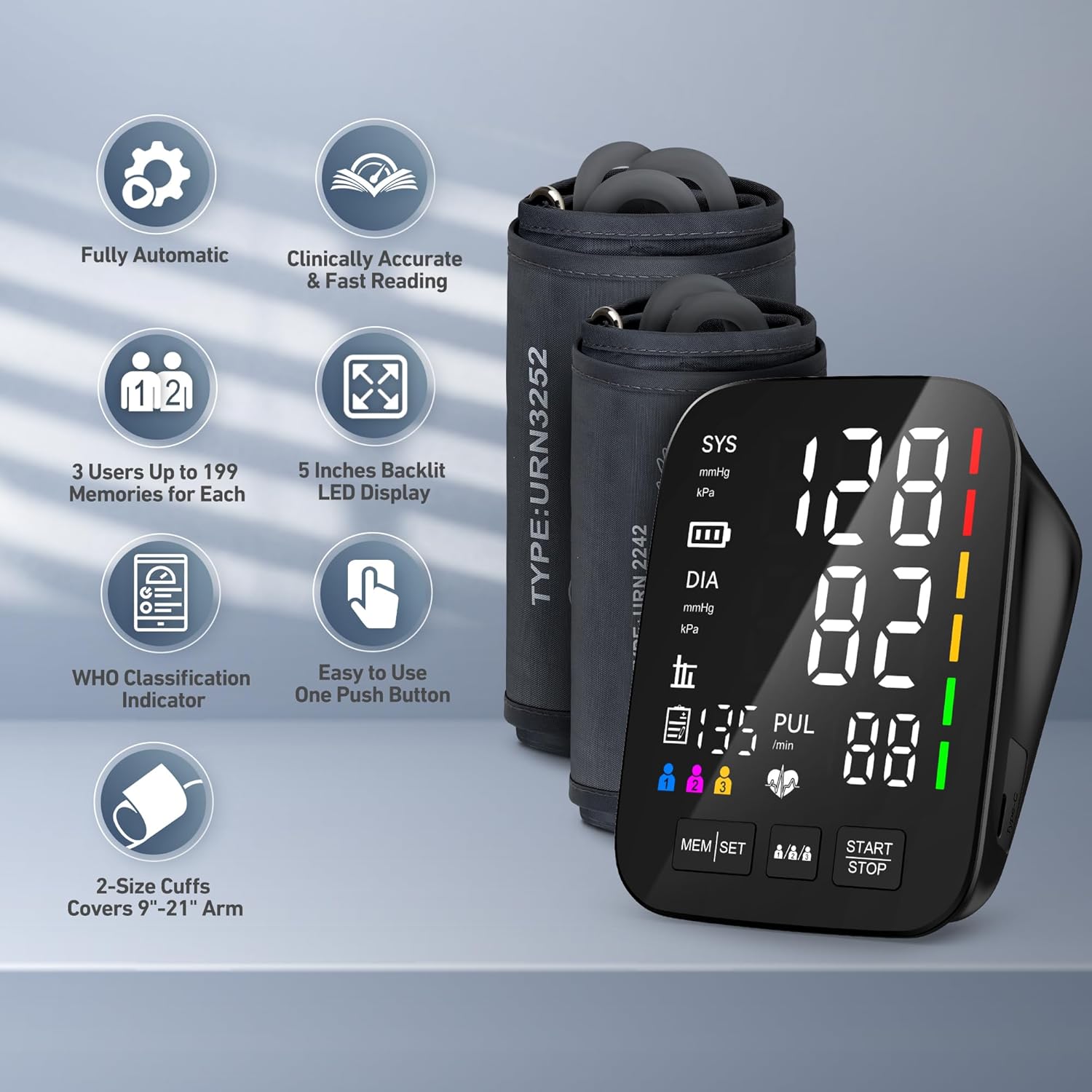
Image 1.1: AQESO Blood Pressure Monitor Model U80A with its two included cuffs.
2. Package Contents
Verify that all items are present in your package:
- 1 x AQESO Blood Pressure Monitor (Model U80A)
- 1 x Medium/Large Cuff (9-17 inches)
- 1 x Extra Large Cuff (13-21 inches)
- 1 x Carrying Case
- 4 x AAA Batteries
- 1 x USB Type-C Cable
- 1 x User Manual (this document)

Image 2.1: All components included in the AQESO Blood Pressure Monitor kit.
3. Setup
3.1. Battery Installation
- Open the battery compartment cover on the back of the monitor.
- Insert the 4 AAA batteries, ensuring correct polarity (+ and -).
- Close the battery compartment cover securely.
Alternatively, the device can be powered via the USB Type-C cable (USB adapter not included).

Image 3.1: Power options for the monitor, including battery compartment and USB-C port.
3.2. Cuff Attachment and Selection
Select the appropriate cuff size for your upper arm. The monitor includes two cuffs: a Medium/Large cuff (9-17 inches) and an Extra Large cuff (13-21 inches).
- Measure your arm circumference: Use a cloth tape measure at the midpoint between your elbow and shoulder.
- Choose the correct cuff: The cuff should fit snugly but not too tightly. Incorrect cuff size can lead to inaccurate readings.

Image 3.2: Importance of correct cuff size for accurate measurements.

Image 3.3: Guide on how to choose the correct cuff size.
Connect the air tube of the selected cuff to the air jack on the side of the monitor.
3.3. User Mode Selection
The monitor supports up to 3 users, each with 199 memory slots. To select a user:
- Press the User Selection button (icon with multiple people) to cycle through User 1, User 2, and User 3.
- The selected user icon will be displayed on the screen.

Image 3.4: The monitor supports up to 3 users for individual tracking.
4. Operating Instructions
4.1. Preparation for Measurement
For accurate readings, follow these guidelines:
- Rest: Sit quietly for at least 5 minutes before measuring.
- Position: Sit upright with your back supported. Keep your feet flat on the floor, uncrossed.
- Arm Placement: Place your arm on a table so the cuff is at heart level.
- Cuff Placement: Wrap the cuff directly on your bare upper arm, 2-3 cm (about 1 inch) above the elbow. The air tube should run down the center of your arm, over the brachial artery. Do not wrap it too tight or too loose.
- Avoid: Talking or moving during the measurement.

Image 4.1: Proper posture and cuff placement for accurate blood pressure measurement.
4.2. Taking a Measurement
- Ensure the cuff is correctly applied and the air tube is connected.
- Select your user profile (if applicable).
- Press the START/STOP button. The cuff will automatically inflate.
- Remain still and silent during the measurement.
- Once the measurement is complete, your Systolic (SYS), Diastolic (DIA), and Pulse (PUL) readings will be displayed on the 5-inch LED screen.
- Press the START/STOP button again to turn off the monitor, or it will auto-power off after 3 minutes of inactivity.
4.3. Understanding Readings
The monitor displays your systolic pressure, diastolic pressure, and pulse rate. It also includes a WHO (World Health Organization) classification indicator, which uses a color-coded bar on the side of the display to visually indicate your blood pressure level (e.g., green for normal, yellow for elevated, red for high). The device also features pulse detection.

Image 4.2: The large 5-inch LED display provides clear and easy-to-read results.
4.4. Memory Function
The monitor automatically stores up to 199 readings for each of the 3 users. To view past readings:
- Press the MEM button to recall stored measurements.
- Use the User Selection button to navigate through the stored readings for the current user.
- The monitor can also calculate the average of the last 3 results.
5. Maintenance
5.1. Cleaning
- Clean the monitor and cuff with a soft, dry cloth.
- Do not use abrasive cleaners or immerse the device in water.
5.2. Storage
- Store the device in its carrying case in a cool, dry place, away from direct sunlight and extreme temperatures.
- Remove batteries if the device will not be used for an extended period.
6. Troubleshooting
If you encounter issues, refer to the following common problems and solutions:
| Problem | Possible Cause | Solution |
|---|---|---|
| Inaccurate Readings | Incorrect cuff size or placement, movement/talking during measurement, improper posture. | Ensure correct cuff size (9-17" M/L, 13-21" XL) and placement (1 inch above elbow, over artery). Remain still and silent. Sit with back supported, feet flat. |
| Monitor does not power on | Dead batteries, incorrect battery installation, power cable issue. | Replace batteries, check polarity. Ensure USB Type-C cable is properly connected (if using). |
| Cuff does not inflate | Air tube disconnected, cuff leak. | Check that the air tube is securely connected to both the cuff and the monitor. Inspect cuff for damage. |

Image 6.1: Factors that can impact the accuracy of blood pressure measurements.
7. Specifications
| Feature | Detail |
|---|---|
| Model | U80A |
| Display | 5-inch LED Digital Display |
| Cuff Size | Medium/Large 9"-17", X-Large 13"-21" |
| Measuring Range | 0-299 mmHg |
| Measuring Resolution | 1 mmHg |
| Accuracy (Pressure) | Within 3 mmHg |
| Accuracy (Pulse) | ±5% of Reading |
| Power Source | 4 x AAA Batteries (included) or 5V 1000mAh USB Type-C |
| Auto Power-off | 3 Minutes |
| Measuring Method | Oscillometric Method |
| Memory Storage | 199 readings x 3 users |
| Supported Users | 3 Users |
| Product Dimensions | 4.1 x 3.8 x 2.1 inches |
| Weight | 1.46 Pounds |
| Manufacturer | Shenzhen Urion Technology Co., Ltd. |

Image 7.1: Detailed technical specifications for Model U80A.
8. Important Safety Information
- This device is intended for home use and is not a substitute for professional medical advice or treatment.
- Consult your physician for interpretation of blood pressure readings. Self-diagnosis and treatment based on measurement results can be dangerous.
- Do not use this device on infants or individuals who cannot express consent.
- Keep out of reach of children.
- Do not use the device in a moving vehicle.
9. Warranty and Support
For warranty information or technical support, please contact the manufacturer directly. Refer to the packaging or the official AQESO website for contact details.