
1. Safety Information
Please read all safety information before assembly and use. Failure to follow these instructions may result in injury or damage to the product.
- Secure the table: To prevent tipping, always secure the console table to a wall or heavy furniture using the provided anti-tip straps. This is especially important in households with children or pets.
- Weight Capacity: Do not exceed the maximum weight recommendation of 220 pounds (100 kg) on the tabletop. Distribute weight evenly.
- Electrical Safety: Ensure the power outlet is connected to a properly grounded electrical socket. Do not overload the power strip. Keep liquids away from the power outlet.
- Assembly: Assemble the product on a soft, clean surface to prevent scratches. Ensure all screws and fasteners are tightened securely before use.

Image: Adjustable feet and anti-tip device for enhanced stability. The anti-tip strap should be secured to a wall.
2. Product Overview
The CHOEZON TXG201816 Narrow Console Table is designed for compact spaces, offering a functional surface and an integrated power outlet. It features a sturdy metal frame and particleboard construction, suitable for various rooms such as living rooms, hallways, or entryways.
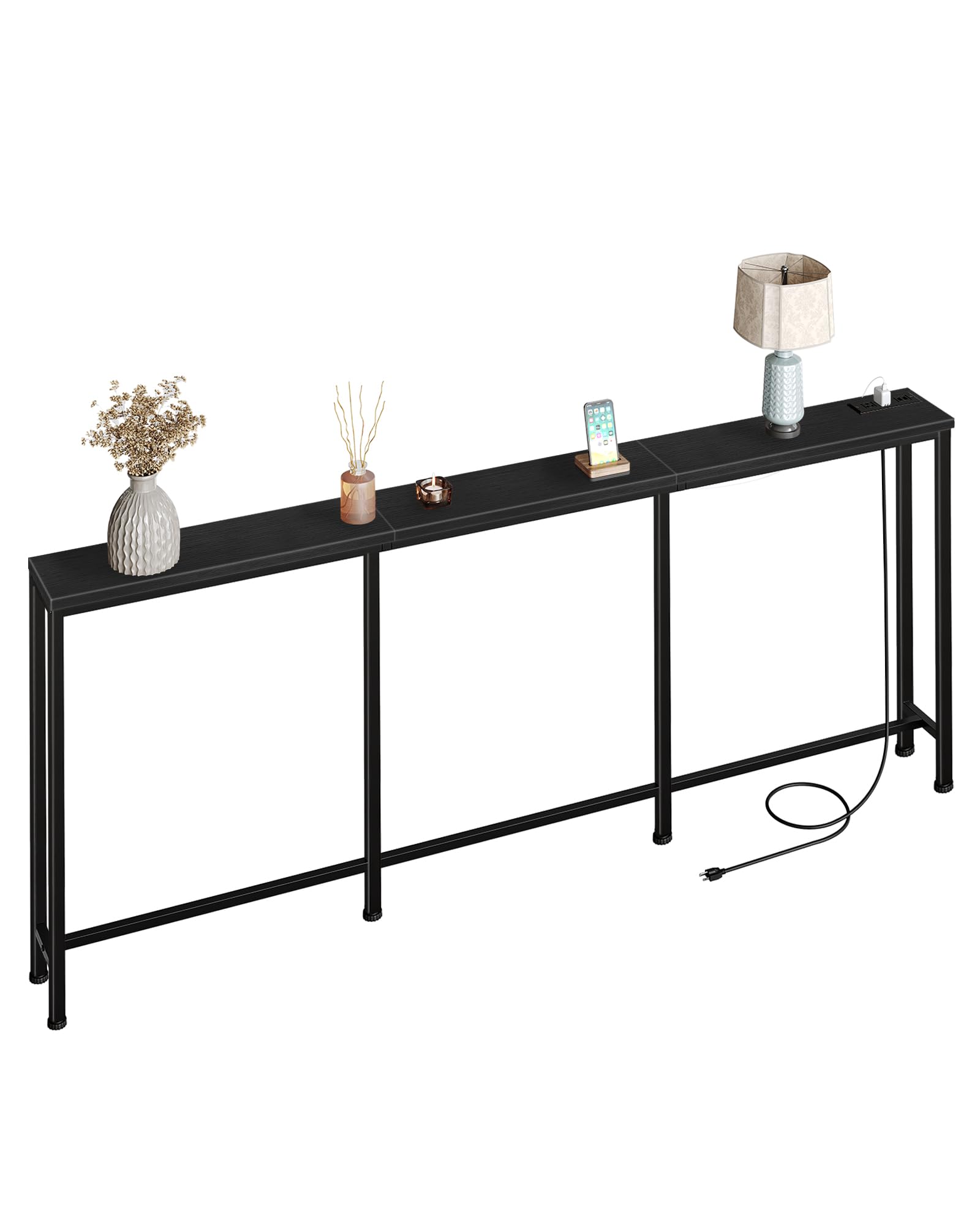
Image: The console table positioned behind a sofa, showcasing its narrow design and integrated power outlet.
3. Assembly Instructions
Assembly of the CHOEZON Narrow Console Table is designed to be straightforward. All necessary tools and detailed illustrated instructions are included in the package. It is recommended for one person to assemble.
Before You Begin:
- Unpack all components and verify against the parts list in the included assembly guide.
- Lay out all parts on a soft, clean surface to prevent scratches.
- Do not fully tighten all screws until the entire unit is assembled to allow for minor adjustments.
General Steps:
- Attach the metal frame components together using the provided screws and the included screwdriver.
- Secure the particleboard tabletop sections to the assembled metal frame.
- Install the power outlet unit into the designated slot on the tabletop. Ensure it is oriented correctly.
- Attach the adjustable feet to the bottom of the table legs.
- Install the anti-tip straps to the rear of the table and secure them to a wall stud or solid surface.
- Once all components are in place, gradually tighten all screws until secure.
Video: An overview of the CHOEZON Narrow Console Table with Power Outlet, demonstrating its features and potential placement.
4. Operating the Power Outlet
The console table features an integrated power strip for convenient charging. This power strip includes 2 standard AC outlets (120V/12A) and 2 USB ports (5V/2A).
Usage:
- Plug the table's power cord into a wall outlet.
- Connect your devices to the AC outlets or USB ports as needed.
- The power outlet can be flexibly positioned on either the left or right side of the table during assembly to suit your preference.

Image: Detailed view of the integrated power outlet, showing two AC outlets and two USB ports.

Image: Illustration demonstrating the multiple assembly options for positioning the power outlet on either the left or right side of the table.
5. Maintenance
Proper care will extend the life and appearance of your console table.
- Cleaning: Wipe the surface with a soft, damp cloth. Avoid harsh chemicals or abrasive cleaners, which can damage the finish.
- Spills: Clean up spills immediately to prevent staining or damage to the particleboard.
- Inspection: Periodically check all screws and fasteners to ensure they remain tight. Retighten if necessary.
- Environment: Avoid placing the table in direct sunlight or near heat sources, as this can cause fading or warping. Maintain a stable humidity level.
6. Troubleshooting
If you encounter any issues with your console table, refer to the following common solutions:
- Table is wobbly:
- Ensure all screws are fully tightened.
- Adjust the leveling feet on the bottom of the legs to compensate for uneven floors.
- Verify that the anti-tip straps are securely installed and tightened to the wall.
- Power outlet not working:
- Check if the table's power cord is securely plugged into a functioning wall outlet.
- Ensure the wall outlet itself has power by testing with another device.
- Do not exceed the maximum electrical load for the power strip (120V/12A). Unplug some devices if overloaded.
- Parts missing or damaged: If you find any parts missing or damaged upon opening the package, please contact CHOEZON customer support for assistance.
7. Specifications
| Feature | Detail |
|---|---|
| Brand | CHOEZON |
| Model Number | TXG201816 |
| Product Dimensions (D x W x H) | 7.1" x 78.7" x 32.3" (18cm x 200cm x 82cm) |
| Item Weight | 10 Pounds (4.5 kg) |
| Maximum Weight Recommendation | 220 Pounds (100 kg) |
| Frame Material | Metal |
| Top Material | Particleboard |
| Color | Black |
| Power Outlet | 2 AC Outlets (120V/12A), 2 USB Ports (5V/2A) |
| Assembly Required | Yes |
| Recommended Number of People for Assembly | 1 |
| Included Components | Assembly Guide, Necessary Installation Tools |

Image: Detailed dimensions of the console table, including length, width, and height.
8. Warranty and Support
For warranty information or technical support, please contact CHOEZON customer service through the retailer where the product was purchased. Please have your model number (TXG201816) and purchase date available when contacting support.