
Introduction
Thank you for choosing the Adasion 15x56 UHD Binoculars. This manual provides essential information for the proper setup, operation, and maintenance of your binoculars. Designed for clarity and durability, these binoculars offer a 15x magnification with a 56mm objective lens, making them suitable for various outdoor activities such as hunting, stargazing, bird watching, and hiking. Please read this manual thoroughly before use to ensure optimal performance and longevity of your device.

Image: The Adasion 15x56 UHD Binoculars are versatile for activities such as bird watching, whale watching, attending concerts, and hiking.
What's in the Box
Upon unpacking, please verify that all the following items are included:
- 1 x Adasion 15x56 UHD Binoculars
- 1 x Phone Adapter
- 1 x Upgraded Metal Tripod Adapter
- 1 x Tripod
- 1 x Carrying Bag
- 1 x Neck Strap
- 1 x Lens Cleaning Cloth
- 1 x Objective Lens Caps
- 1 x Eyepiece Caps

Image: Contents of the Adasion 15x56 UHD Binoculars package, including binoculars, tripod, phone adapter, and carrying accessories.
Product Features
High Magnification and Large Objective Lens
The Adasion 15x56 binoculars provide a powerful 15x magnification, bringing distant subjects closer for detailed observation. The large 56mm objective lenses gather ample light, ensuring bright and clear images even in challenging lighting conditions.

Image: Illustration of 15x magnification bringing distant objects into closer view.
Advanced Optical System
Equipped with BAK4 prisms and fully multi-coated (FMC) lenses, these binoculars achieve 99% light transmission, delivering high-definition optics with no dark edges. This advanced system ensures superior image clarity, contrast, and color fidelity.

Image: Depiction of FMC BAK4 prism technology for high light transmission and clear images.
Clear Low Light Vision
The combination of large objective lenses and BAK4 prisms enhances low-light performance, allowing for clear viewing in dim conditions, such as dawn or dusk. This feature is particularly beneficial for wildlife observation and stargazing.

Image: Binoculars providing clear vision in low-light conditions.
Large Eyepiece Design
Featuring a 22mm large eyepiece, these binoculars offer a wider field of view and a more comfortable viewing experience compared to standard eyepieces. The twist-up eyecups accommodate users with or without eyeglasses, providing an eye relief range of 13mm to 19mm.

Image: Comparison of eyepiece sizes, highlighting the 22mm large eyepiece for a wider view.
Durable and Weatherproof Construction
The binoculars are IPX7 waterproof and fog-proof, featuring argon purging and O-ring seals to prevent moisture and dust ingress. The rubber armor provides a secure, non-slip grip and protects against impacts, making them suitable for various outdoor environments.

Image: Adasion binoculars demonstrating IPX7 waterproof and fog-proof durability.
Smartphone Adapter and Tripod Compatibility
An upgraded universal smartphone adapter and a 360° swivel extendable tripod are included, allowing you to easily attach your smartphone to the binoculars for capturing photos and videos. This setup provides stability for clear imaging and sharing your observations.

Image: Binoculars with smartphone adapter and tripod for stable viewing and photography.
Setup
1. Unpacking and Initial Inspection
Carefully remove all components from the packaging. Inspect the binoculars and accessories for any signs of damage. Retain the packaging for future storage or transport.
2. Attaching the Neck Strap
Thread the ends of the neck strap through the strap lugs on each side of the binoculars. Secure the strap firmly to prevent accidental drops.
3. Adjusting Interpupillary Distance (IPD)
Hold the binoculars up to your eyes. Adjust the distance between the two barrels by moving them closer together or further apart until you see a single, clear circular field of view. This ensures proper alignment with your eyes.
4. Diopter Adjustment
The right eyepiece has a diopter adjustment ring. To adjust:
- Close your right eye or cover the right objective lens.
- Look through the left eyepiece with your left eye and rotate the center focus wheel until the image is sharp.
- Close your left eye or cover the left objective lens.
- Look through the right eyepiece with your right eye and rotate the diopter adjustment ring (on the right eyepiece) until the image is sharp. Do not use the center focus wheel for this step.
- Once set, the diopter adjustment compensates for differences in vision between your eyes. You will then use only the center focus wheel for general focusing.
5. Attaching the Phone Adapter and Tripod
To use the phone adapter:
- Attach the universal phone adapter to one of the binocular eyepieces. Ensure it is securely fastened.
- Mount your smartphone into the adapter, aligning the phone's camera with the eyepiece.
- If using the tripod, screw the upgraded metal tripod adapter into the tripod mount socket on the binoculars (usually located at the front hinge).
- Attach the binoculars (with the tripod adapter) to the tripod. Adjust the tripod legs for stability.

Image: Visual guide for focusing the binoculars using the focus and diopter adjustment.
Operating Instructions
1. Basic Viewing Technique
After completing the setup, hold the binoculars steady and look through the eyepieces. Use the center focus wheel to bring your desired subject into sharp focus. For moving subjects, anticipate their movement and adjust focus as needed.
2. Using with Eyeglasses
If you wear eyeglasses, twist down the eyecups to achieve the full field of view. If you do not wear eyeglasses, twist up the eyecups for comfortable viewing.
3. Capturing Photos/Videos with Smartphone Adapter
With your smartphone attached to the eyepiece:
- Open your smartphone's camera application.
- Adjust the binoculars' focus until the image is clear on your phone screen.
- Use your phone's camera controls to zoom in or out if necessary to fill the screen with the circular view.
- Tap to focus on your phone screen if available, then capture photos or record videos.
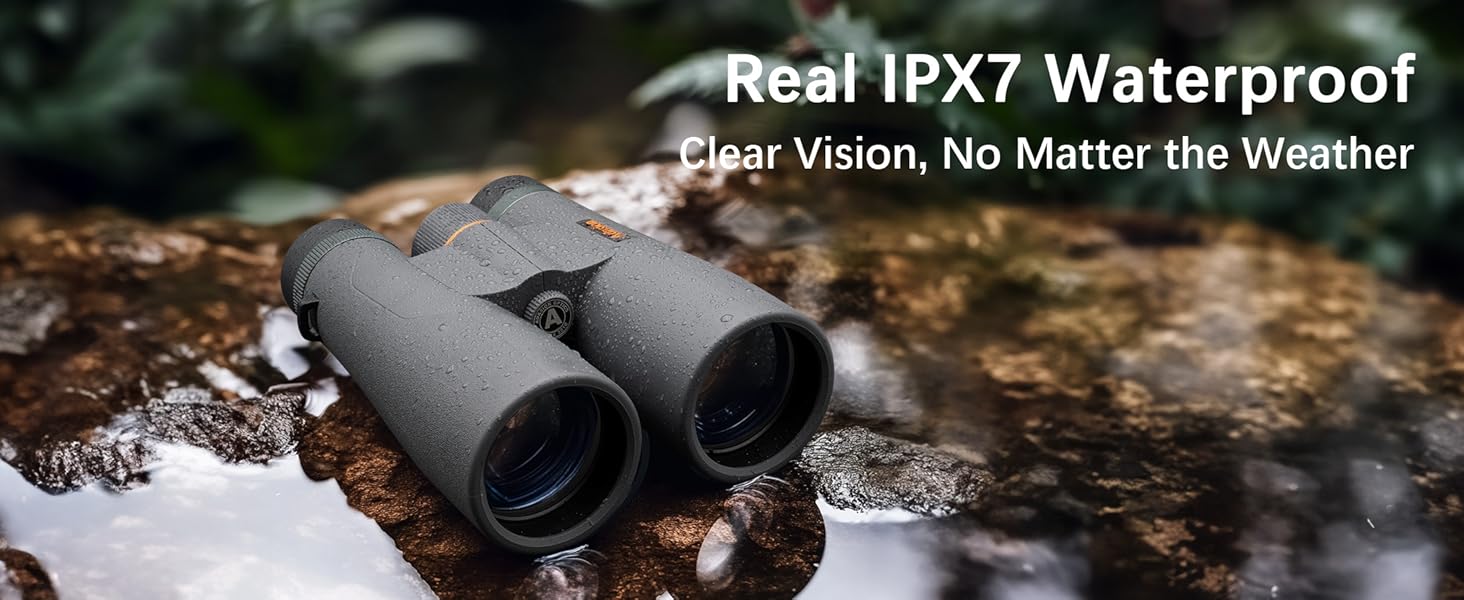
Image: Using the smartphone adapter to capture and share observations.
Maintenance
1. Cleaning the Lenses
Use the provided lens cleaning cloth or a soft, lint-free cloth specifically designed for optics. Gently wipe the lens surfaces to remove dust or smudges. For stubborn dirt, use a small amount of optical lens cleaning fluid applied to the cloth, not directly to the lens.
2. General Cleaning
Wipe the body of the binoculars with a soft, damp cloth. Avoid using abrasive cleaners or solvents, as these can damage the rubber armor and coatings.
3. Storage
When not in use, store the binoculars in their carrying bag in a cool, dry place. Avoid exposing them to extreme temperatures or high humidity for extended periods. Always replace the objective lens and eyepiece caps to protect the lenses from dust and scratches.
Troubleshooting
1. Blurry Image
- Ensure the center focus wheel is properly adjusted for your viewing distance.
- Verify that the diopter adjustment on the right eyepiece is correctly set for your individual vision.
- Check if the lenses are clean and free from smudges or dust.
2. Difficulty Achieving a Single Field of View
- Adjust the interpupillary distance (IPD) by moving the binocular barrels closer or further apart until a single, circular image is seen.
3. Fogging Inside Lenses
- These binoculars are fog-proof. If internal fogging occurs, it may indicate a seal compromise. Contact customer support for assistance.
- External fogging can occur in humid conditions. Allow the binoculars to acclimate to the ambient temperature or gently wipe the exterior lenses with a dry, soft cloth.
Specifications
| Feature | Specification |
|---|---|
| Brand | Adasion |
| Model Number | ADA004 |
| Magnification | 15x |
| Objective Lens Diameter | 56 mm |
| Eyepiece Diameter | 22 mm |
| Prism Type | BAK4 |
| Special Features | Focus Knob, Fog Proof, High Magnification, Tripod Mountable, Waterproof |
| Waterproof Rating | IPX7 |
| Item Weight | 2.99 pounds (approximately 1.36 kg) |
| Package Dimensions | 12.13 x 9.76 x 4.69 inches |
Warranty and Support
Specific warranty information for the Adasion 15x56 UHD Binoculars is not provided within this manual. For details regarding warranty coverage, product support, or service inquiries, please refer to the product packaging or contact Adasion customer service directly through their official website or the retailer where the product was purchased.