
CUIUIC GS185DS1
CUIUIC Dual Portable Monitor User Manual
Model: GS185DS1
Introduction
This manual provides detailed instructions for the setup, operation, and maintenance of your CUIUIC 18.5-inch Dual Portable Monitor. This innovative device offers a 1080P FHD IPS display, designed for enhanced productivity and versatile use with laptops, PCs, Windows, and Mac systems. Its folding stacked design, built-in stand, and VESA mountable options provide flexibility for various work and entertainment environments.
What's in the Box
- 18.5" Dual Monitor × 1
- USB Type C to USB Type C Cable × 2
- Mini HDMI to Standard HDMI Cable × 2
- User Manual × 1
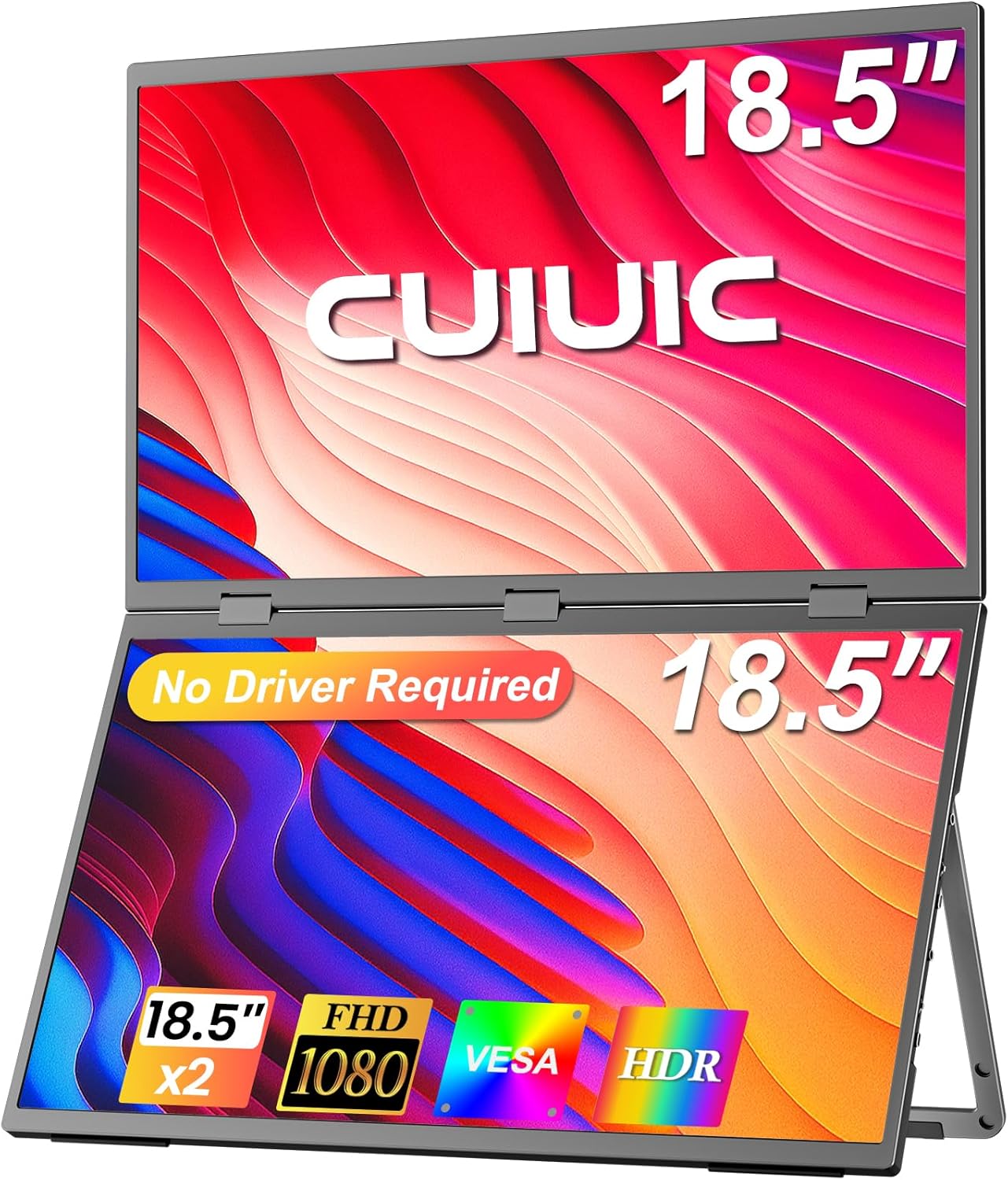
Image: The CUIUIC 18.5-inch Dual Portable Monitor, showcasing its stacked screen design and key features like 'No Driver Required', '18.5" x2', 'FHD 1080', 'VESA', and 'HDR'.
Key Features
- Plug & Play, Easy Setup: Driver-free design allows for seamless dual-screen display with a single Type-C cable. Power supply connection is recommended for optimal performance.
- Independent Connection: Supports simultaneous connection of two different devices, enabling multiple users to collaborate independently.
- Ergonomic Design: The 18.5" dual stacked monitor expands workspace, minimizes scrolling, and reduces eye/neck strain. Features IPS matte screen, 100% sRGB color gamut, ΔE<2, anti-glare, flicker-free, and eye care.
- Folding Monitor: Offers effortless screen sharing with 360° rotation. Supports duplicate, expand, split, landscape, and portrait modes for versatile display options.
- Adjustable Stand & VESA Mount: Built-in 180° adjustable stand for ergonomic positioning. VESA (75x75 mm, M4*4 mm) support allows for mounting to walls or monitor arms.
Setup
Connecting Your Monitor
The CUIUIC Dual Portable Monitor is designed for plug-and-play functionality, minimizing the need for driver installations. For optimal performance, it is recommended to connect the monitor to a power supply.
- Single USB-C Cable Connection: For ABC mode (three screens displaying different content), connect via a single USB-C cable.
- HDMI Cable Connection: For ABB mode (not ABC), connect via an HDMI cable.
- Dual HDMI Cables: For ABC mode, use two HDMI ports on your laptop with two HDMI cables.

Image: A laptop connected to the CUIUIC Dual Portable Monitor via a single USB-C cable, illustrating a triple-screen setup where each screen displays different content.
Understanding Display Modes
Your monitor supports various display modes to suit your needs:
- Extend Mode: Extends your desktop across multiple screens, providing more workspace.
- Duplicated Mode: Mirrors the content of your primary screen onto the portable monitor.
- Link Mode: Connects two different devices simultaneously, allowing independent use of each screen.
- Portrait Mode: Rotates the display to a vertical orientation, ideal for documents or coding.

Image: Visual representations of the monitor's multiple display modes, including Extend Mode, Duplicated Mode, Link Mode, and Portrait Mode.
Port Overview
The monitor features multiple ports for versatile connectivity:
| Port | Function |
|---|---|
| Mini HDMI Port 1 (Upper Screen) | Video input for the upper display. |
| Type-C Port 1 | Signal and power input. |
| Mini HDMI Port 2 (Main Screen) | Video input for the main (lower) display. |
| Type-C Port 2 | Signal and power input. |
| Type-C Power Port | Dedicated power input. |
| Audio Jack | Audio output for headphones or external speakers. |
| Pulley Button | Navigation for OSD menu. |
| Power/Back Button | Power on/off and back function in OSD menu. |

Image: A detailed diagram illustrating the input/output ports and control buttons located on the sides of the dual portable monitor.
Operating the Monitor
Adjusting the Display
The monitor features an IPS matte screen with 100% sRGB color gamut and 400 Nits brightness, ensuring accurate color reproduction and comfortable viewing. Use the OSD (On-Screen Display) menu, accessed via the Pulley Button and Power/Back Button, to adjust settings such as brightness, contrast, and color modes.

Image: An infographic detailing the monitor's display capabilities, including HDR, 100% sRGB, 2000:1 contrast ratio, 400 Nits brightness, IPS technology, and low blue light feature.
Stand and VESA Mounting
The integrated 180° adjustable stand allows you to tilt, swivel, and pivot the monitor for optimal ergonomic positioning. For a more permanent setup or to save desk space, the monitor is VESA mountable (75x75 mm, M4*4 mm).

Image: The CUIUIC Dual Portable Monitor displayed with its integrated adjustable stand and also demonstrating its compatibility with VESA mounts for alternative setups.
Folding and Rotation
The monitor's folding design supports 360° rotation, making it easy to share your screen with others or adjust for different viewing angles. This feature is particularly useful for collaborative work or mobile use.
Maintenance
To ensure the longevity and optimal performance of your CUIUIC Dual Portable Monitor, follow these general maintenance guidelines:
- Cleaning the Screen: Use a soft, lint-free cloth lightly dampened with water or a non-abrasive screen cleaner. Avoid harsh chemicals or abrasive materials.
- Cleaning the Casing: Wipe the exterior with a soft, dry cloth.
- Storage: When not in use, fold the monitor and store it in a dry, cool place away from direct sunlight and extreme temperatures.
- Handling: Always handle the monitor with care to avoid dropping or impacting the screens.
Troubleshooting
If you encounter issues with your CUIUIC Dual Portable Monitor, refer to the following common solutions:
- No Signal / Display Issues:
- Ensure all cables (USB-C, HDMI, power) are securely connected to both the monitor and your device.
- Verify that your laptop or PC's display settings are configured to detect and extend/duplicate the display.
- Confirm that the monitor is receiving adequate power. It is recommended to connect the power supply for a better experience.
- If using USB-C, ensure your device's USB-C port supports video output (DisplayPort Alternate Mode).
- Try using different cables or ports if available, as a faulty cable can cause connection issues.
- Short USB-C Power Cord: The included USB-C power cord is 3 ft. If you require a longer reach, a separate 10 ft USB-C cable can be purchased for more flexible setup options.
- Screen Mirroring Instead of Extending: Adjust your operating system's display settings to 'Extend' rather than 'Duplicate' or 'Mirror' if you desire separate content on each screen.
Specifications
| Feature | Detail |
|---|---|
| Product Dimensions | 15.35 x 9.64 x 0.4 inches |
| Item Weight | 7.54 pounds |
| Manufacturer | CUIUIC |
| ASIN | B0DGKSLMM3 |
| Item Model Number | GS185DS1 |
| Standing Screen Display Size | 18.5 Inches |
| Aspect Ratio | 16:9 |
| Resolution | 1920 x 1080 Pixels (FHD 1080p) |
| Image Brightness | 400 Candela |
| Total USB Ports | 3 |
| Screen Surface Description | Matte |
| Date First Available | September 10, 2024 |
Warranty and Support
For warranty information and customer support, please refer to the documentation included with your product or contact CUIUIC directly. Additional protection plans may be available for purchase.
Related documentsGS185DS1


Ask a question about this manual
Ask about setup, troubleshooting, compatibility, parts, safety, or missing instructions. Manuals+ will review the question and use this page’s manual context to help answer it.