

1. Introduction
Thank you for choosing the Calypso Digital Metallic Rose Watch, model K5874/1. This manual provides essential information for the proper setup, operation, and maintenance of your new digital watch. Please read these instructions carefully to ensure optimal performance and longevity of your timepiece.
2. Product Overview
The Calypso K5874/1 is a digital watch featuring a metallic rose finish and a comfortable strap. It is designed for daily wear and offers essential timekeeping functions.
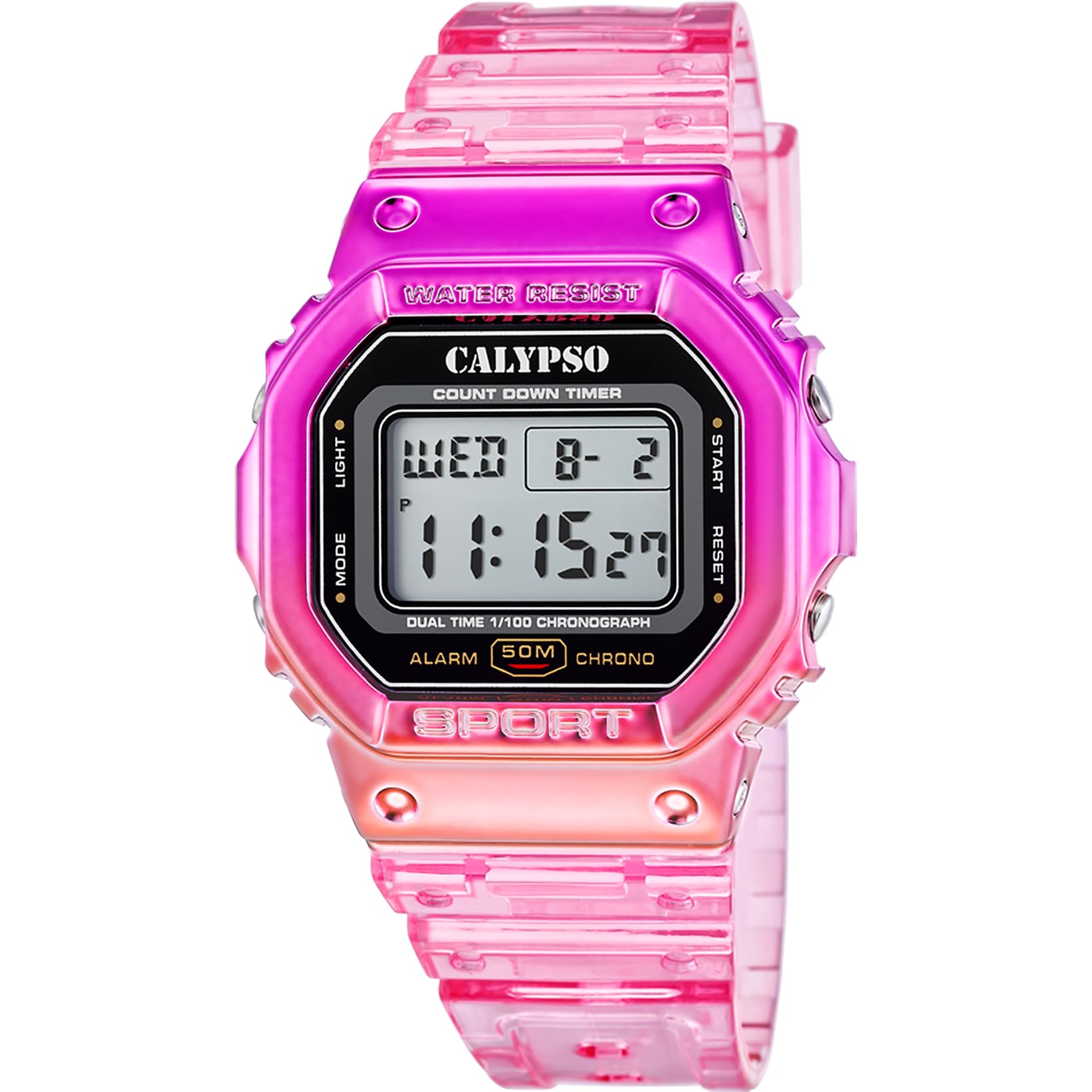
Figure 2.1: Calypso Digital Metallic Rose Watch (K5874/1) worn on a wrist.
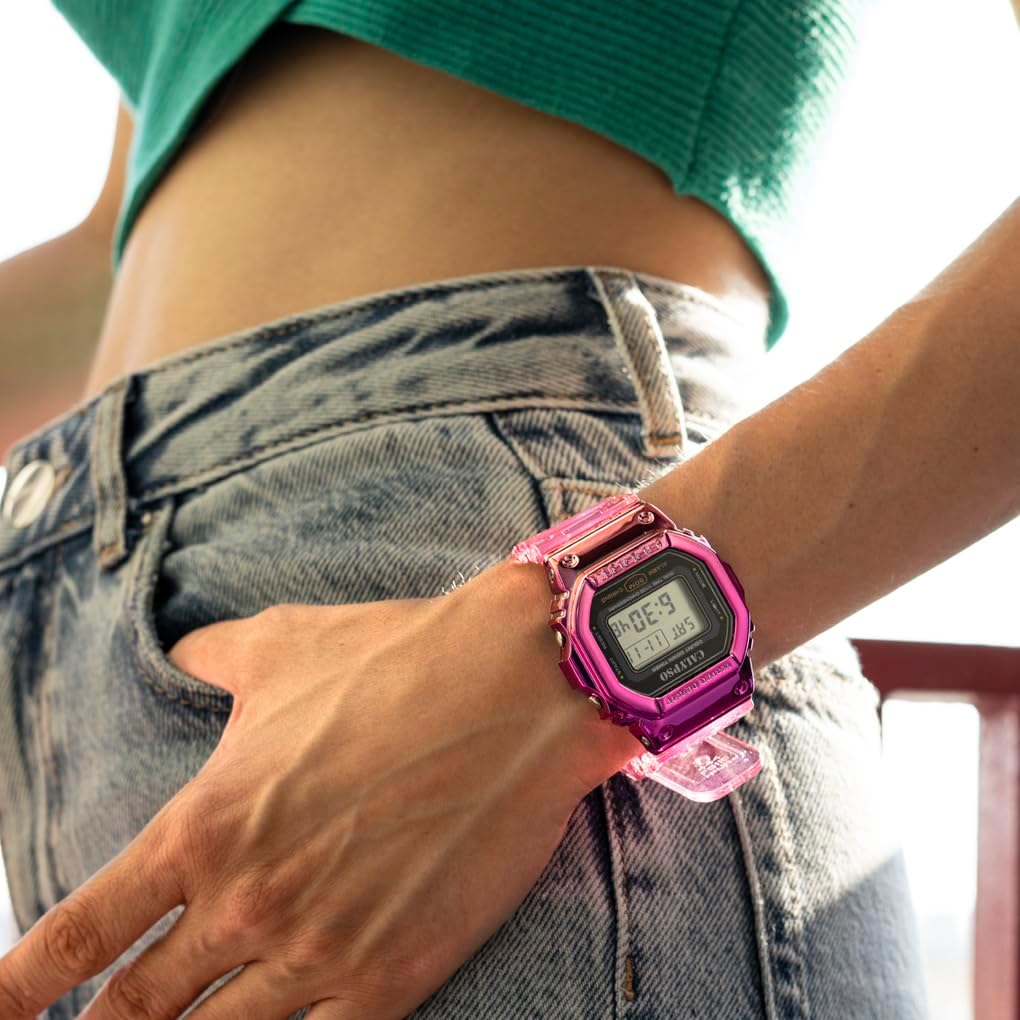
Figure 2.2: Front view of the Calypso Digital Metallic Rose Watch (K5874/1).

Figure 2.3: Angled view of the Calypso Digital Metallic Rose Watch (K5874/1).
3. Setup
3.1 Initial Time Setting
Your watch comes with a pre-installed battery (1 C battery included). To set the time and date:
- Press the MODE button repeatedly until the time setting mode is displayed (usually indicated by flashing digits).
- Use the SET or ADJUST button to select the digit you wish to change (e.g., hours, minutes, year, month, day).
- Use the LIGHT or START/STOP button to increase the value of the selected digit.
- Repeat steps 2 and 3 until all desired settings are correct.
- Press the MODE button again to exit the setting mode and return to the normal time display.
Note: Button labels may vary. Refer to the markings on your specific watch for exact button functions.
4. Operating Instructions
4.1 Basic Time Display
In normal timekeeping mode, the watch displays the current time (hours, minutes, seconds) and often the day of the week and date.
4.2 Mode Functions
Press the MODE button to cycle through various functions:
- Stopwatch: Used for measuring elapsed time. Press START/STOP to begin and end timing, and RESET (often the SET button) to clear.
- Alarm: Set a specific time for an audible alert. Use SET/ADJUST to set the alarm time and MODE to activate/deactivate.
- Date Display: Shows the current month and day.
- Light: Press the LIGHT button to illuminate the display for a few seconds in low-light conditions.
4.3 Water Resistance
This watch is water-resistant. This means it can withstand splashes, rain, and brief immersion in water. It is not suitable for swimming, diving, or hot water activities (e.g., showering, sauna) as steam and temperature changes can compromise the seals.
5. Maintenance
5.1 Cleaning
To clean your watch, wipe it gently with a soft, dry cloth. For stubborn dirt, a slightly damp cloth can be used, followed by immediate drying. Avoid using chemical cleaners, solvents, or abrasive materials.
5.2 Battery Replacement
The watch uses one C battery. When the display becomes dim or functions become erratic, it may be time to replace the battery. It is recommended to have the battery replaced by a qualified watch technician to ensure proper sealing and maintain water resistance.
5.3 Water Resistance Care
To maintain the water resistance of your watch, ensure the crown (if applicable) is pushed in completely. Avoid operating buttons while the watch is wet or submerged. Gaskets and seals can degrade over time; periodic inspection by a professional is recommended.
6. Troubleshooting
- Display is blank or dim: The battery may be low or depleted. Replace the battery.
- Time is incorrect: Re-set the time following the instructions in Section 3.1. Ensure you are in the correct 12-hour or 24-hour format if applicable.
- Buttons are unresponsive: Ensure the watch is not in a locked mode (if applicable). If the issue persists, a battery replacement might be needed, or consult a technician.
- Condensation inside the watch: This indicates a breach in water resistance. Immediately take the watch to a qualified technician for inspection and repair to prevent further damage.
7. Specifications
| Feature | Detail |
|---|---|
| Model Number | K5874/1 |
| Brand | Calypso |
| Display Type | Digital |
| Movement Type | Digital |
| Clasp Type | Buckle |
| Water Resistance Level | Water-resistant |
| Item Shape | Rectangular |
| Band Color | Rose |
| Dial Color | Rose |
| Case Diameter | 44 Millimeters |
| Band Width | 22 Millimeters |
| Case Thickness | 14.6 Millimeters |
| Item Weight | 65 Grams |
| Battery | 1 C battery (included) |
| Country of Origin | China |
8. Warranty and Support
For warranty information and customer support, please refer to the documentation included with your purchase or visit the official Calypso Watches website. Keep your proof of purchase for any warranty claims.
For further assistance, contact Calypso customer service through their official channels.