1. Introduction
The Ice-Watch ICE fit 1.0 smartwatch is designed for sports enthusiasts and performance tracking. It features an integrated GPS for precise route tracking, compatibility with Strava, and real-time data to help achieve fitness goals. With 4GB of internal storage, you can listen to music directly from your watch during activities. This manual provides essential information for the proper use and maintenance of your device.

Front view of the Ice-Watch ICE fit 1.0 Black AMOLED Smartwatch.
2. Product Features
- Display: 1.78-inch AMOLED screen.
- Integrated GPS: For precise activity tracking.
- Music Storage: 4GB internal memory for offline music playback.
- Health Monitoring: Includes heart rate tracking, sleep monitoring, and maximum oxygen uptake (VO2 Max) estimation.
- Multisport Tracker: Supports various sports activities.
- Strava Compatibility: Sync your activities with Strava.
- Water Resistance: IP68 rated, resistant to immersion up to 1.5 meters for 30 minutes. Not suitable for swimming or diving.
- Battery Life: Up to 5-7 days depending on usage.
- Emergency Contacts: Ability to store 3 emergency contacts.

Key features of the ICE fit 1.0 smartwatch, including battery life and connectivity options.
3. Setup Guide
3.1 Initial Charging
Before first use, fully charge your smartwatch. Connect the charging cable to the charging port on the back of the watch and to a USB power source. The watch display will indicate charging status.
3.2 App Installation and Pairing
- Download the official Ice-Watch companion app from your smartphone's app store (iOS or Android).
- Open the app and follow the on-screen instructions to create an account or log in.
- Ensure Bluetooth is enabled on your smartphone.
- In the app, select 'Add Device' or similar option and choose your ICE fit 1.0 from the list of available devices.
- Confirm the pairing request on both your smartphone and the smartwatch.
The connection process is designed to be straightforward, with no known issues connecting to iPhones.
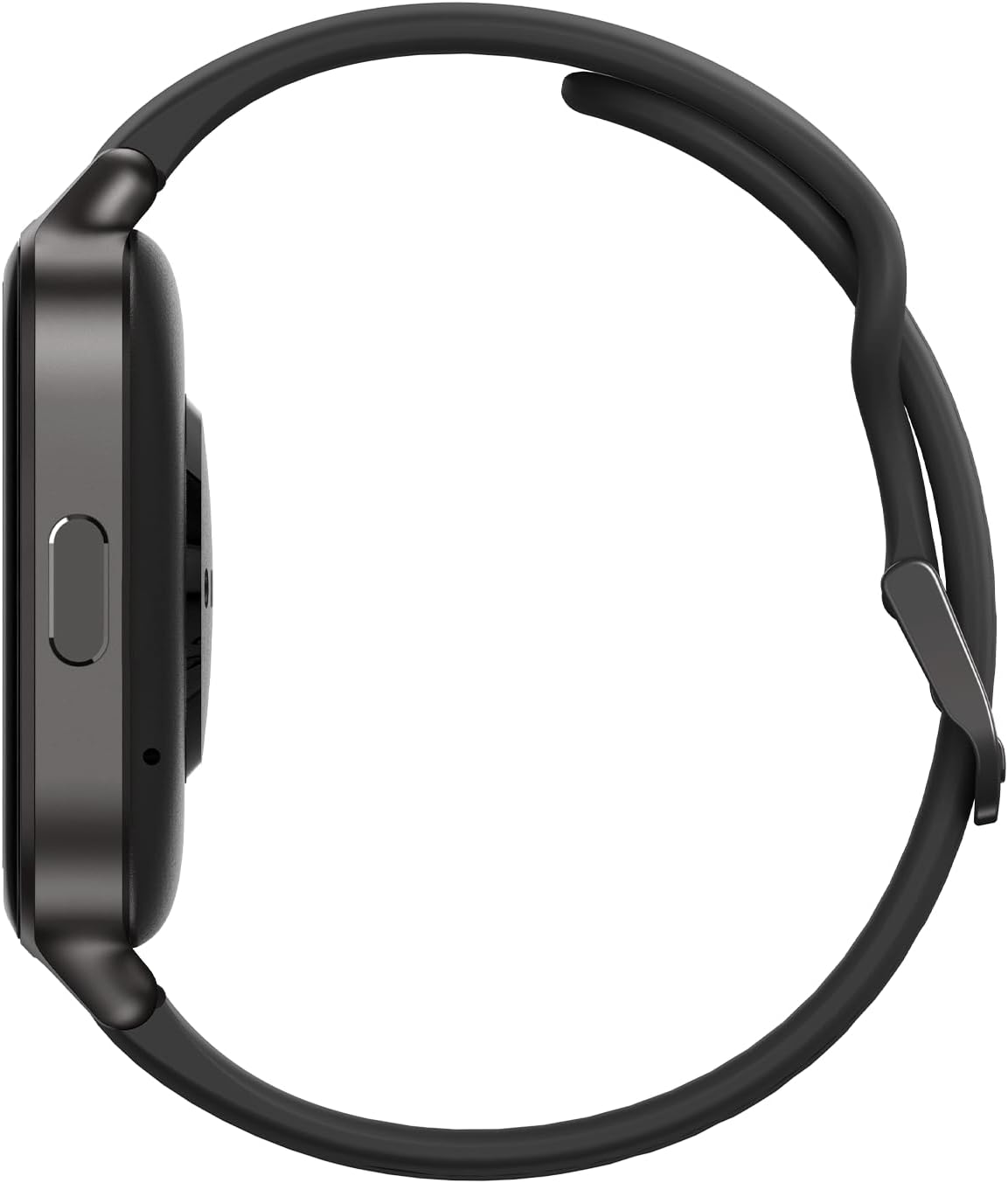
Side view of the smartwatch, highlighting the physical button and charging area.
4. Operating Instructions
4.1 Basic Navigation
- Touchscreen: Swipe left, right, up, or down to navigate through menus and widgets. Tap to select an option.
- Side Button: Press to return to the home screen or to access the app list. A long press may activate specific functions or power the device on/off.
4.2 Using Key Features
- GPS Tracking: Start a workout from the sports mode to activate the integrated GPS. The watch will track your route, distance, and pace.
- Health Monitoring: Access the heart rate, sleep, or oxygen uptake widgets to view your data. Ensure the watch is worn snugly on your wrist for accurate readings.
- Music Playback: Transfer music files to the watch's 4GB storage via the companion app. Connect Bluetooth headphones to the watch for audio playback.
- Strava Sync: Configure Strava integration within the companion app to automatically upload your workout data.
- Emergency Contacts: Set up to 3 emergency contacts in the companion app. In an emergency, a specific action on the watch (refer to app for details) can alert these contacts.

The smartwatch display showing fitness metrics like recovery time and GPS tracking.

Additional features displayed on the smartwatch, including emergency contacts and health app integration.
5. Maintenance
5.1 Cleaning
Regularly clean your smartwatch and strap to prevent skin irritation and maintain functionality. Use a soft, damp cloth to wipe the screen and casing. For the silicone strap, mild soap and water can be used. Ensure the watch is completely dry before wearing or charging.
5.2 Water Resistance
The ICE fit 1.0 is IP68 water-resistant, meaning it can withstand immersion in water up to 1.5 meters for a maximum of 30 minutes. It is resistant to splashes, rain, and accidental short-term immersion. However, it is not designed for swimming, diving, or high-pressure water activities. Avoid exposing the watch to hot water, steam, or chemicals.
5.3 Battery Care
To prolong battery life, avoid extreme temperatures. Charge the watch using the provided cable and a standard USB power adapter. Do not leave the watch fully discharged for extended periods.

The back of the smartwatch, featuring the optical heart rate sensors.
6. Troubleshooting
- Watch not turning on: Ensure the watch is fully charged. Connect it to the charger for at least 30 minutes.
- Cannot pair with smartphone: Make sure Bluetooth is enabled on your phone and the watch. Restart both devices and try pairing again. Ensure the companion app is updated to the latest version.
- GPS not tracking: Ensure you are in an open area with a clear view of the sky. Allow the watch a few moments to acquire a GPS signal before starting your activity.
- Inaccurate heart rate readings: Ensure the watch is worn snugly on your wrist, not too loose or too tight. Clean the sensor area on the back of the watch.
- Short battery life: Reduce screen brightness, disable unnecessary notifications, and limit continuous heart rate monitoring if not needed. Ensure background app refresh for the companion app is optimized on your phone.
For issues not covered here, please refer to the companion app's help section or contact customer support.
7. Specifications
| Feature | Detail |
|---|---|
| Model Number | 024104 |
| Display Size | 1.78 inches |
| Display Type | AMOLED |
| Internal Storage | 4 GB |
| Connectivity | Bluetooth |
| GPS | Integrated GPS |
| Water Resistance | IP68 (1.5 meters for 30 minutes) |
| Battery Type | Lithium-polymer (1 CR5 included) |
| Operating System | ATS3085 |
| Casing Material | Metal + Plastic |
| Strap Material | Silicone |
8. Warranty and Support
Your Ice-Watch ICE fit 1.0 smartwatch comes with a standard manufacturer's warranty. Please refer to the warranty card included in your product packaging for specific terms and conditions. For technical support, troubleshooting assistance, or warranty claims, please contact Ice-Watch customer service through their official website or the contact information provided in your product documentation.
Spare parts availability information is currently unavailable.