
Introduction
The Fresh 43LF423RGT Smart Google LED FHD TV offers a high-definition viewing experience with smart functionalities. This 43-inch television features a sleek design, FHD (1920x1080) resolution, and operates on Android 11.0. It provides seamless wired and wireless internet connectivity, direct phone mirroring, and clear audio with DTS TrueSurround technology. The TV includes a built-in receiver and supports popular streaming services via Google Play Store. This manual provides essential information for setting up, operating, maintaining, and troubleshooting your television.
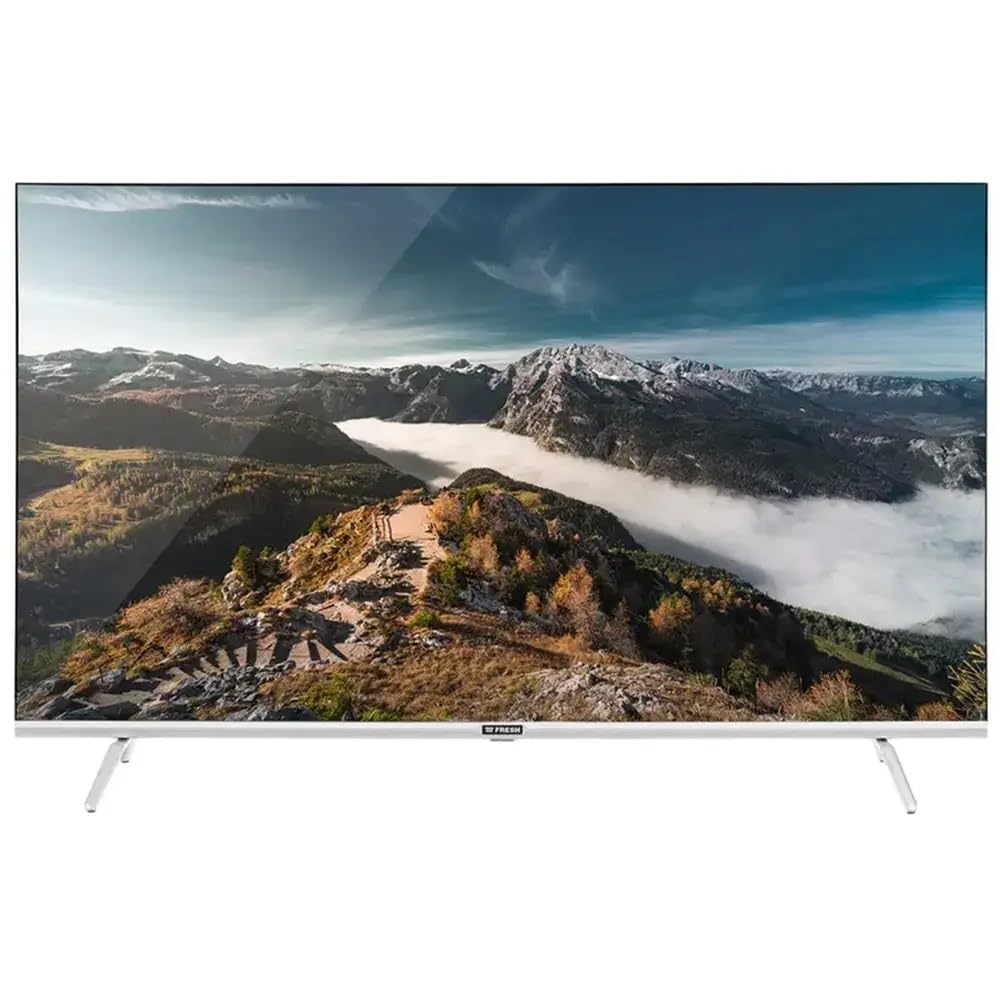
Image: The Fresh 43LF423RGT Smart Google LED FHD TV displayed on a media console in a modern living room.
Setup
1. Unpacking
- Carefully remove the TV and all accessories from the packaging.
- Retain the packaging materials for future transport or service needs.
2. Stand Installation
If using the included stand:
- Place the TV face down on a soft, clean surface to prevent screen damage.
- Align the stand bases with the corresponding slots on the bottom of the TV.
- Secure the stands using the provided screws. Ensure they are tightened firmly.
3. Connecting Power
- Connect the power cord to the TV's power input.
- Plug the other end of the power cord into a suitable electrical outlet.
4. Connecting External Devices
- HDMI Devices: Connect devices like Blu-ray players, gaming consoles, or set-top boxes to the HDMI ports (HDMI 1, HDMI 2) on the TV using HDMI cables.
- USB Devices: Insert USB drives for media playback into the USB ports (USB 1, USB 2).
- Antenna/Cable: Connect your antenna or cable TV feed to the RF input.
5. Initial Setup
- Turn on the TV using the power button on the remote control or the TV itself.
- Follow the on-screen instructions to select your language, country, and connect to a Wi-Fi network.
- Sign in with your Google Account to access Google Play Store and other smart features.
Operating Instructions
1. Remote Control Overview
The remote control allows you to navigate the TV's interface. Key functions include:
- Power: Turns the TV on/off.
- Source: Selects input sources (HDMI, USB, TV).
- Navigation Buttons: Up, Down, Left, Right to move through menus.
- OK/Enter: Confirms selections.
- Back/Exit: Returns to the previous screen or exits a menu.
- Home: Accesses the Android TV home screen.
- Volume +/-: Adjusts volume.
- Channel +/-: Changes TV channels.
- Google Assistant: Activates voice control.
- App Shortcuts: Direct access to popular streaming apps (e.g., Netflix, YouTube).
2. Smart TV Features (Android 11.0)
- Google Play Store: Download and install a wide range of applications, including streaming services like Shahid VIP, Prime Video, YouTube, Watch IT, and Netflix.
- Internet Connectivity: Connect to the internet via Wi-Fi or an Ethernet cable for online content and updates.
- Screen Mirroring: Cast content from your smartphone or tablet directly to the TV screen.
3. Voice Control
Press the Google Assistant button on your remote and speak into the microphone to search for content, control playback, get information, and manage smart home devices. The TV supports voice commands in both Arabic and English.
4. Bluetooth Connectivity
Pair Bluetooth-enabled devices such as headphones, speakers, or game controllers with your TV for enhanced audio or gaming experiences. Navigate to the TV's settings menu to manage Bluetooth connections.
5. Sound Settings
Access the sound settings menu to customize your audio experience. The TV features DTS TrueSurround technology for immersive sound and a customizable equalizer to adjust audio frequencies to your preference.
Maintenance
1. Cleaning the Screen
- Turn off the TV and unplug it from the power outlet.
- Gently wipe the screen with a soft, dry, lint-free cloth.
- For stubborn marks, lightly dampen the cloth with water or a specialized screen cleaner (do not spray directly onto the screen).
- Avoid using harsh chemicals, abrasive cleaners, or alcohol-based solutions.
2. General Care
- Keep the TV in a well-ventilated area, away from direct sunlight, heat sources, and excessive dust.
- Do not block the ventilation openings on the back of the TV.
- Unplug the TV during lightning storms or when it will be unused for extended periods.
Troubleshooting
If you encounter issues with your TV, refer to the following common solutions:
| Problem | Possible Solution |
|---|---|
| No Power | Ensure the power cord is securely plugged into both the TV and the electrical outlet. Check if the outlet is working by plugging in another device. |
| No Picture / Black Screen | Verify the correct input source is selected (e.g., HDMI 1, TV). Check all cable connections. Try restarting the TV. |
| No Sound | Check the volume level and ensure the TV is not muted. Verify audio settings and external speaker connections if applicable. |
| Remote Control Not Working | Replace the batteries. Ensure there are no obstructions between the remote and the TV's IR sensor. |
| Network Connection Issues | Restart your router/modem. Reconnect to the Wi-Fi network in the TV's settings. Ensure the Wi-Fi password is correct. |
| Apps Not Loading / Crashing | Ensure the TV has a stable internet connection. Try clearing the app's cache or reinstalling the app. Update the TV's software if an update is available. |
If the problem persists after trying these solutions, please contact customer support.
Specifications
| Feature | Detail |
|---|---|
| Model Number | 43LF423RGT |
| Screen Size | 43 inches |
| Display Technology | LED |
| Resolution | 1080p (FHD) |
| Refresh Rate | 60 Hz |
| Operating System | Android 11.0 |
| Connectivity Technology | HDMI (2 ports), USB (2 ports), Bluetooth 5.0, Wi-Fi (Wired/Wireless) |
| Aspect Ratio | 16:9 |
| Brightness | 250 cd/m² |
| Contrast Ratio | 1:4000 |
| Response Time | 8ms |
| Special Features | Built-in Receiver, Google Play Store, Voice Commands (Arabic/English), Energy Saving Mode, DTS TrueSurround Sound, Customizable Equalizer |
| Supported Internet Services | Netflix, YouTube, Shahid VIP, Prime Video, Watch IT |
| Product Dimensions | 17.64 x 108.36 x 57.96 cm; 15 kg |
| Included Components | 1 × Fresh 43LF423RGT Smart Google LED FHD TV 43 Inch |
Warranty and Support
For warranty information and customer support, please refer to the documentation included with your product or visit the official Fresh website. Keep your purchase receipt as proof of purchase for warranty claims.
If you require technical assistance or have questions not covered in this manual, please contact Fresh customer service.