
Introduction
This manual provides comprehensive instructions for the ASHATA LC19 Smartwatch with integrated Earbuds. It covers setup, operation, maintenance, and troubleshooting to ensure optimal use of your device. Please read this manual thoroughly before using the product.
Package Contents
Verify that all items listed below are present in your package:
- 1 x ASHATA LC19 Smartwatch
- 2 x Earbuds (integrated)
- 2 x Ear Tips (pairs)
- 1 x Magnetic Charging Cable
- 1 x User Manual

Figure 1: Package contents including the smartwatch, earbuds, charging cable, and ear tips.
Product Overview
The ASHATA LC19 is a 2-in-1 device combining a smartwatch with integrated wireless earbuds. It features a 1.53-inch HD screen and offers various functionalities for fitness tracking, music playback, and communication.
Key Features:
- Integrated Earbuds: Conveniently stored within the watch, offering HiFi sound and sensitive touch controls.
- 100+ Sports Modes: Comprehensive tracking for various physical activities.
- Notification Reminders: Displays messages and alerts directly on the watch screen.
- Music Player: Store and play music directly from the watch or via connected earbuds.
- Long Battery Life: 400mAh watch battery, 25mAh x 2 earbud batteries, supporting extended use.
- Voice Assistant: Integrated voice assistant functionality.

Figure 2: Front view of the smartwatch displaying fitness metrics like steps, distance, and calories burned.

Figure 3: The smartwatch with its integrated earbuds, shown both attached and detached from the watch.
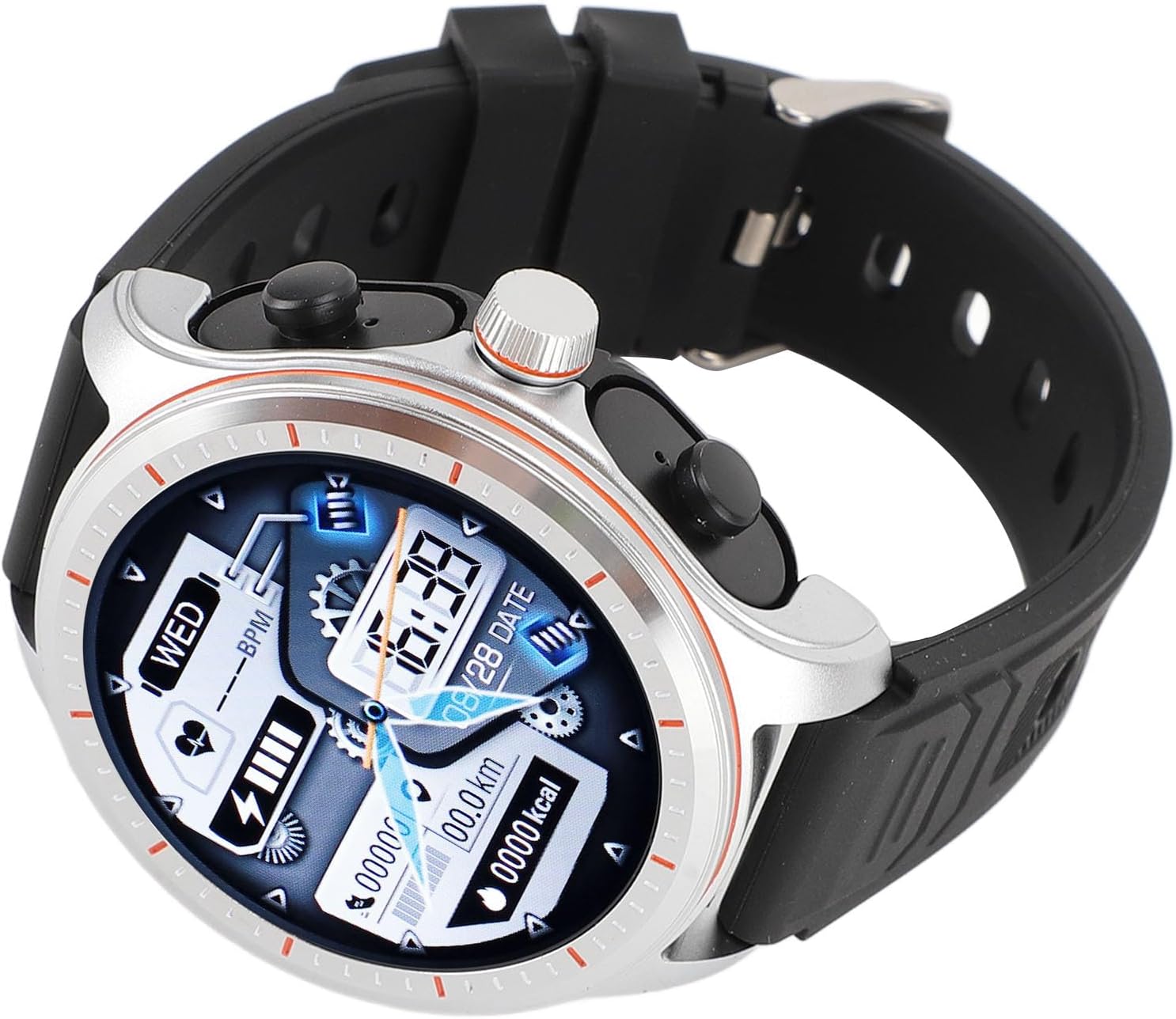
Figure 4: Rear view of the smartwatch, highlighting the optical sensors for health tracking and magnetic charging contacts.
Setup
1. Charging the Device
Before initial use, fully charge both the smartwatch and the earbuds.
- Connect the magnetic charging cable to the charging contacts on the back of the smartwatch.
- Connect the USB end of the cable to a standard USB power adapter (not included) or a computer's USB port.
- The watch screen will indicate charging status. The earbuds charge automatically when placed correctly within the smartwatch.
- A full charge typically takes approximately 2 hours.
2. App Installation and Pairing
To unlock full functionality, pair your smartwatch with your smartphone via the dedicated app.
- Download the "H band" app from your smartphone's app store (iOS App Store or Google Play Store).
- Ensure Bluetooth is enabled on your smartphone.
- Open the "H band" app and follow the on-screen instructions to create an account or log in.
- In the app, navigate to the device pairing section and search for your ASHATA LC19 smartwatch.
- Select your device from the list to initiate pairing. Confirm any pairing requests on both your phone and the smartwatch.
Once paired, the watch will synchronize time and data with your phone.
Operating Instructions
Smartwatch Navigation
- Touch Screen: Swipe left/right, up/down to navigate through menus and functions. Tap to select.
- Side Buttons: Use the physical buttons on the side for quick access to functions or to return to the home screen.
- Rotary Crown: Rotate the crown to scroll through applications or lists, and press to confirm selections.

Figure 5: The smartwatch display showing various application icons and an illustration of how to use the rotary crown for navigation.
Earbud Operation
The earbuds feature sensitive touch controls for managing audio and calls.
- Play/Pause: Single tap on either earbud.
- Next Track: Double tap on the right earbud.
- Previous Track: Double tap on the left earbud.
- Answer/End Call: Single tap on either earbud during an incoming call.
- Reject Call: Press and hold either earbud for 2 seconds during an incoming call.
- Activate Voice Assistant: Triple tap on either earbud.

Figure 6: The integrated earbuds, emphasizing their HiFi sound capabilities.
Sports Modes
The smartwatch supports over 100 sports modes to track your workouts effectively. These modes include, but are not limited to, running, cycling, walking, and various aerobic exercises.
- To access sports modes, navigate to the "Sports" icon on your smartwatch.
- Select your desired activity to begin tracking. The watch will record duration, calories burned, distance, and other relevant metrics.
- Your workout data will synchronize with the "H band" app for detailed analysis and progress tracking.

Figure 7: A user interacting with the smartwatch, demonstrating its touch control for various functions including sports modes.
Music Playback
The smartwatch allows you to store and play music directly, or control music playing on your connected smartphone.
- On-Watch Music Storage: Transfer music files to the smartwatch via the "H band" app.
- Playback: Access the "Music" application on the watch. You can play music through the integrated earbuds or a connected Bluetooth speaker.
- Remote Control: When connected to your smartphone, the watch can control music playback (play, pause, skip tracks) on your phone.
Notification Management
Receive real-time notifications from your smartphone directly on your smartwatch screen.
- Ensure your smartwatch is paired with your smartphone and the "H band" app is running in the background.
- Enable desired app notifications within the "H band" app settings on your phone.
- Incoming calls, messages, and app alerts will be displayed on the watch screen.
Maintenance
Proper care ensures the longevity and optimal performance of your ASHATA LC19 Smartwatch with Earbuds.
- Cleaning: Wipe the watch screen and body with a soft, dry, lint-free cloth. For stubborn smudges, lightly dampen the cloth with water. Avoid harsh chemicals.
- Earbuds: Gently clean the ear tips and earbud surfaces with a dry cotton swab. Ensure no moisture enters the earbud openings.
- Water Resistance: The device may have a degree of water resistance, but it is not waterproof. Avoid prolonged exposure to water, swimming, or showering with the device.
- Storage: Store the device in a cool, dry place away from direct sunlight and extreme temperatures.
Troubleshooting
If you encounter issues with your device, refer to the following common solutions:
| Problem | Solution |
|---|---|
| Watch does not turn on. | Ensure the watch is fully charged. Connect it to the charging cable for at least 30 minutes. |
| Unable to pair with smartphone. |
|
| Earbuds not producing sound. |
|
| Notifications not appearing. |
|
Specifications
| Feature | Detail |
|---|---|
| Model | LC19 |
| Main Control Chip | JL7013A |
| Companion App | H band |
| Watch Battery | 400mAh Lithium Battery (701929) |
| Earphone Battery | 25mAh x 2 (400911) |
| Charging Method | Magnetic Charging |
| Watch Screen Size | 1.53 inch |
| Watch Screen Resolution | 360 x 360 |
| Product Dimensions | 3.94 x 3.15 x 2.76 inches |
| Item Weight | 6.2 ounces |
| Manufacturer | ASHATA |
Warranty and Support
For warranty information or technical support, please refer to the documentation provided with your purchase or contact ASHATA customer service. Contact details can typically be found on the official ASHATA website or on your purchase receipt.