
ION 91e9f6dc-fab4-4982-a63e-c4a4a54eab8c
ION Digital Watch User Manual
Model: 91e9f6dc-fab4-4982-a63e-c4a4a54eab8c
Introduction
Thank you for choosing the ION Digital Watch. This smartwatch is designed to enhance your daily life with its advanced features, including a vibrant 2-inch HD color screen, long-lasting battery, IP68 waterproof rating, Bluetooth call functionality, AI voice assistant, over 100 sport modes, and comprehensive health tracking capabilities. This manual provides essential information for setting up, operating, maintaining, and troubleshooting your device.

The ION Digital Watch displaying its main interface, call function, and activity tracking.
What's in the Box
Please check the package contents to ensure all items are present:
- ION Digital Smartwatch
- Magnetic charging cable
- User manual
Setup Guide
1. Charging the Watch
Before first use, fully charge your ION Digital Watch. Connect the magnetic charging cable to the charging points on the back of the watch and to a USB power source. A full charge typically takes approximately 2 hours for the 300 mAh battery.

Magnetic charging for the ION Digital Watch.
2. Installing the Runmefit App
To unlock the full potential of your smartwatch, download and install the 'Runmefit' application on your smartphone. The app is compatible with Android 4.4 and iOS 9.0 and above. Search for 'Runmefit' in your device's app store.
3. Pairing with Your Smartphone
- Ensure Bluetooth is enabled on your smartphone.
- Open the Runmefit app and follow the on-screen instructions to add your device.
- The app will search for available devices. Select your ION Digital Watch from the list.
- Confirm the pairing request on both your watch and smartphone.
The watch uses Bluetooth 5.3 for a stable connection up to 10 meters. If you experience difficulty pairing, ensure Bluetooth is enabled on your phone and the watch is in pairing mode. Restarting both devices may resolve connection issues.
Operating Instructions
Screen Navigation
The ION Digital Watch features a 2-inch HD touchscreen with a resolution of 320*386. Swipe across the screen to navigate through menus and functions. To wake up the screen, you can either lift your arm or press the side button.

The watch's large 2-inch HD display for clear visuals.
Bluetooth Calls and AI Voice Assistant
With Bluetooth 5.3 connectivity, you can answer and make calls directly from your watch. The integrated AI Voice Assistant allows you to control various functions using voice commands, such as playing music, checking weather, or setting alarms.

Utilizing the AI Voice Assistant and Bluetooth call feature.
Sport Modes
The watch offers over 100 sport modes, including running, cycling, and swimming. Use the Runmefit app to link your phone for accurate GPS tracking during outdoor activities. The watch monitors steps, calories, and distance, providing detailed insights into your workouts.
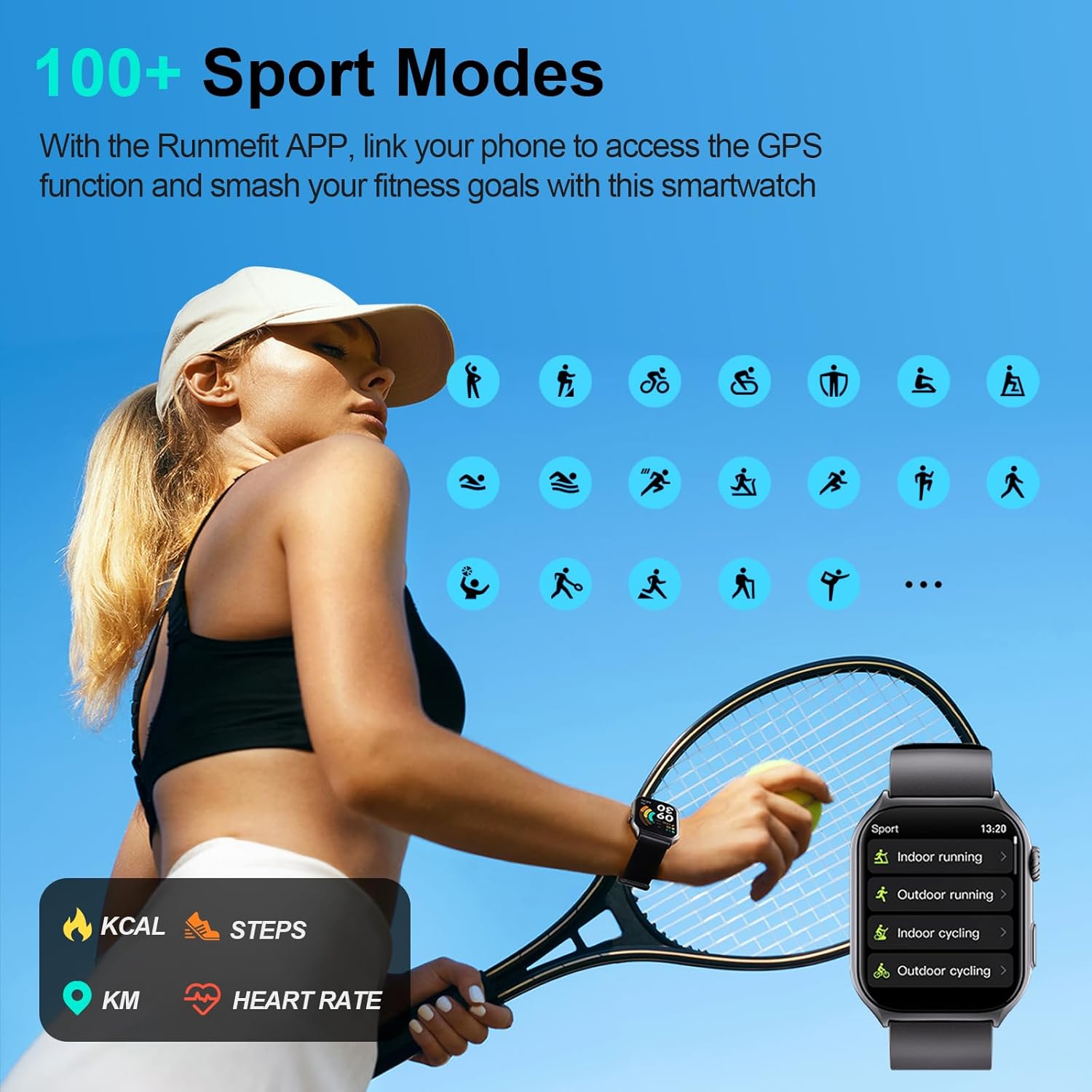
Accessing over 100 sport modes on the ION Digital Watch.
Health Monitoring
The ION Digital Watch provides comprehensive health monitoring features:
- MAI Health Vitality Index: Offers unique insights into your overall health.
- Real-time Monitoring & Liveness Detection: Helps ensure your safety.
- One-tap SOS: Long press the side button for 3 seconds to activate.
- Sleep Tracking: Accurately tracks sleep patterns with detailed analysis.
- Heart Rate Monitoring: 24-hour heart rate tracking, including sport heart rate.
- Women's Health Functions: Specific tracking features for women.

24/7 Health Monitoring features of the ION Digital Watch.

Sleep Monitoring and Analysis.

Additional practical health features including SpO2, Heart Rate, and Menstrual Cycle tracking.
Customizable Watch Faces and Notifications
Personalize your watch with over 200 downloadable watch faces, or upload your own photos. The watch also provides smart notifications for calls, messages, and app alerts, keeping you connected.

Explore over 200 customizable watch faces.

Smart Notification feature displaying alerts from various applications.
Maintenance
Water Resistance
The ION Digital Watch has an IP68 waterproof rating, making it suitable for daily activities such as washing hands, walking in the rain, and sweating during workouts. It is not recommended for hot water activities, diving, or prolonged submersion.

The IP68 waterproof rating ensures durability for daily use.
Cleaning and Care
- Wipe the watch regularly with a soft, dry cloth.
- Avoid using harsh chemicals or abrasive materials.
- Keep the charging contacts clean and dry to ensure proper charging.
Troubleshooting
Watch Not Pairing with Phone
- Ensure Bluetooth is active on your phone and the watch.
- Make sure the watch is sufficiently charged.
- Restart both your phone and the watch.
- Try unpairing and re-pairing the device through the Runmefit app.
- Ensure the Runmefit app has necessary permissions on your phone.
Incorrect Date/Time Display
The watch's date and time should automatically synchronize with your paired smartphone. If the date or time is incorrect, ensure your watch is successfully paired with the Runmefit app and your phone's date/time settings are accurate. Manual adjustment of the date on the watch itself is not typically required and may not be directly supported; synchronization with the app is the primary method.
Screen Not Waking Up with Tap
The ION Digital Watch is designed to wake up the screen by lifting your arm or pressing the side button. Tapping the screen directly may not activate the display. This is a standard operational design feature.
Cannot Answer Calls on Watch
- Verify that the Bluetooth call function is enabled in the Runmefit app and on the watch.
- Ensure the watch is within Bluetooth range of your phone.
- Check your phone's Bluetooth settings to confirm the watch is connected for both audio and calls.
Specifications
| Brand | ION |
| Model Number | 91e9f6dc-fab4-4982-a63e-c4a4a54eab8c |
| Screen Size | 2 Inches |
| Screen Resolution | 320*386 (R.G.B) |
| Connectivity Technology | Bluetooth 5.3 |
| Operating System | Android (4.4 and above), iOS (9.0 and above) |
| Battery Capacity | 300 mAh Lithium Polymer |
| Charging Time | Approx. 2 hours |
| Typical Usage Time | 7-10 days |
| Standby Time | Up to 45 days |
| Waterproof Rating | IP68 |
| Item Weight | 106 Grams (3.74 ounces) |
| GPS | Via Smartphone |
Warranty and Support
Warranty Information
Please refer to the warranty card included with your product for specific warranty terms and conditions. Typically, ION products come with a limited manufacturer's warranty covering defects in materials and workmanship from the date of purchase.
Customer Support
For technical assistance, troubleshooting, or any questions regarding your ION Digital Watch, please contact our customer support team. Contact details can usually be found on our official website or on the product packaging.
Online Resources: Visit the official ION website for FAQs, updated manuals, and software downloads.
Related documents91e9f6dc-fab4-4982-a63e-c4a4a54eab8c


Ask a question about this manual
Ask about setup, troubleshooting, compatibility, parts, safety, or missing instructions. Manuals+ will review the question and use this page’s manual context to help answer it.