
Introduction
This manual provides instructions for the ION Digital Watch, designed to assist you in setting up, operating, and maintaining your device. Please read this manual thoroughly to ensure proper use and to maximize the features of your smartwatch.
What's in the Box
- Smartwatch
- Magnetic charging cable
- User manual
Setup
Initial Charging
Before first use, fully charge your smartwatch. Connect the magnetic charging cable to the charging points on the back of the watch and plug the USB end into a power adapter (not included). A full charge takes approximately 2 hours.
Power On/Off
To power on, press and hold the side button until the screen lights up. To power off, navigate to the settings menu and select "Power Off".
App Installation and Pairing
Download the "Runmefit" app from your smartphone's app store. Ensure your phone's Bluetooth is enabled. Open the app, create an account, and follow the on-screen instructions to pair your watch. The watch supports Android 4.4 and iOS 9.0 and above.

Image: The ION Digital Watch displaying the time, steps, calories, and distance. This image illustrates the main watch face and its compatibility with Android and iOS devices.
Operating Instructions
Display and Navigation
The watch features a 2-inch HD touchscreen with a resolution of 320x386. Swipe left, right, up, or down to navigate through menus and features. Use the rotatable and clickable crown for additional navigation and selection.

Image: A close-up view of the ION Digital Watch's 2-inch HD color screen, highlighting its clear display and touch interface.
Calling Features
The watch supports Bluetooth 5.3 for stable connections up to 10 meters. You can answer and make calls directly from the watch.
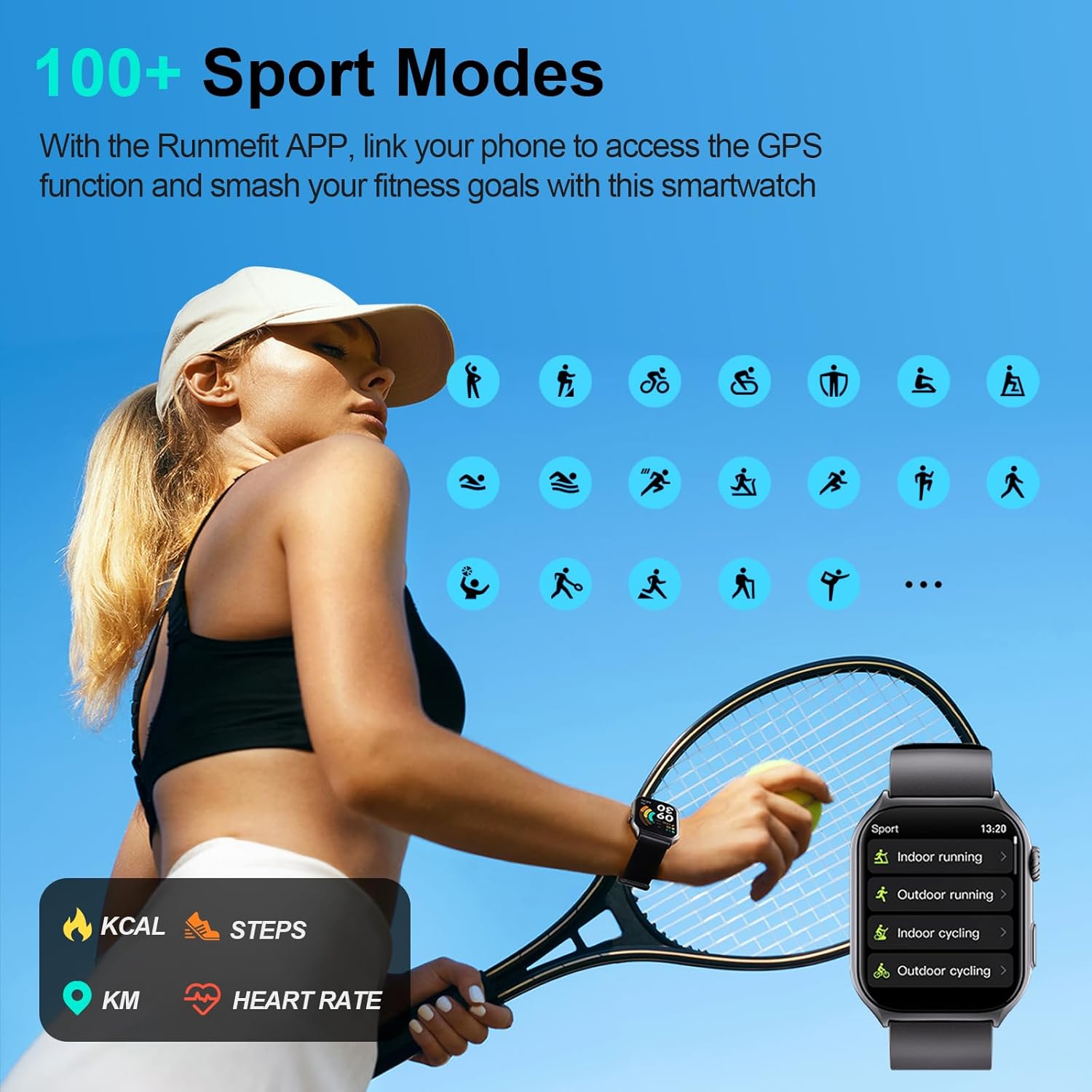
Image: The ION Digital Watch displaying an incoming call and the AI Voice Assistant interface, demonstrating its communication capabilities.
AI Voice Assistant
Utilize the integrated AI Voice Assistant for hands-free control. Speak commands to play music, check weather, set alarms, and more.
Health Monitoring
Heart Rate Monitoring
The watch provides 24-hour heart rate monitoring. Access the heart rate feature on the watch to view real-time data and historical trends.

Image: A person cycling while wearing the ION Digital Watch, which displays heart rate data on its screen.
SpO2 Monitoring
Monitor your blood oxygen levels (SpO2) directly from the watch.
Sleep Tracking
The watch tracks your sleep patterns, providing detailed analysis of deep sleep, light sleep, and awake times.

Image: A person sleeping while wearing the ION Digital Watch, with an overlay showing sleep monitoring data including deep sleep, light sleep, and awake time.
Women's Health
Access women's health functions for tracking and insights.
Sport Modes
Choose from over 100 sports modes, including running, cycling, and swimming. Link the watch to the Runmefit app for accurate GPS tracking and to review workout data.

Image: The ION Digital Watch screen showing a list of various sport modes, such as indoor running, outdoor running, and indoor cycling.

Image: Two individuals exercising, one running outdoors and another using a fitness app on a smartphone, with the ION Digital Watch tracking their activity metrics like steps, calories, and heart rate.
Customization
Personalize your watch with over 200 downloadable watch faces. You can also upload your own photos to create unique watch faces.

Image: Several ION Digital Watches displayed with various customizable watch faces, showcasing the personalization options.
Notifications
Receive notifications for calls, messages, and app alerts directly on your watch.

Image: A person wearing the ION Digital Watch, which shows various app notifications, while holding a smartphone also displaying notifications.
Flashlight
The watch includes a flashlight function to illuminate your surroundings.
Maintenance
Cleaning
Regularly clean your watch and strap with a soft, dry cloth. If necessary, use a slightly damp cloth and mild soap, then dry thoroughly.
Water Resistance
The watch is IP68 waterproof, suitable for daily activities like washing hands, walking in the rain, and swimming. Avoid hot water, saunas, or diving. The water resistance depth is 1.5 meters.

Image: A person running outdoors in the rain while wearing the ION Digital Watch, emphasizing its IP68 waterproof rating.
Battery Care
The 300 mAh battery provides 7-10 days of typical usage and up to 45 days of standby time. To prolong battery life, avoid extreme temperatures and fully charge the device when prompted.
Troubleshooting
Watch Not Pairing
- Ensure Bluetooth is enabled on your smartphone.
- Make sure the watch is sufficiently charged.
- Restart both your watch and smartphone.
- Try unpairing and re-pairing the device through the Runmefit app.
Inaccurate Health Data
- Ensure the watch is worn snugly on your wrist, not too tight or too loose.
- Clean the sensors on the back of the watch.
- For best results, remain still during measurements.
Screen Unresponsive
- Restart the watch by pressing and holding the side button.
- Ensure the screen is clean and dry.
Date/Time Incorrect
- Ensure the watch is properly synced with the Runmefit app on your smartphone. The time and date should automatically update upon successful synchronization.
Specifications
| Feature | Detail |
|---|---|
| Screen Size | 2 Inches |
| Resolution | 320 x 386 |
| Battery Capacity | 300 Milliamp Hours |
| Battery Charge Time | 2 Hours |
| Usage Time (typical) | 7-10 Days |
| Standby Time | Up to 45 Days |
| Waterproof Rating | IP68 (1.5 Meters) |
| Connectivity | Bluetooth 5.3 |
| Operating System Compatibility | Android 4.4+, iOS 9.0+ |
| Weight | 106 Grams |
| Model Number | 5f9247ea-64b5-4765-93db-5e9c130c66a3 |
| Band Material | Silicone |
| Human Interface Input | Touchscreen |
| Supported Application | Fitness Tracker, GPS (via smartphone) |
Warranty and Support
This product comes with a one-year warranty from the date of purchase. For warranty claims or technical support, please contact ION customer service. Refer to the contact information provided in the packaging or on the official ION website.
Product Videos
Smart Watch with 2" HD Color Screen, 45 Days Long Battery
Video: This video provides an overview of the ION Digital Watch, highlighting its 2-inch HD color screen and long-lasting 45-day battery life. It demonstrates key features and user interface elements.


