
AZZA CSAZ-290
AZZA CSAZ-290 Fighter Mid-Tower Computer Case User Manual
Model: CSAZ-290 | Brand: AZZA
1. Introduction
Thank you for choosing the AZZA CSAZ-290 Fighter Mid-Tower Computer Case. This manual provides detailed instructions for the installation, operation, and maintenance of your new computer case. Please read this manual thoroughly before beginning installation to ensure proper setup and optimal performance.
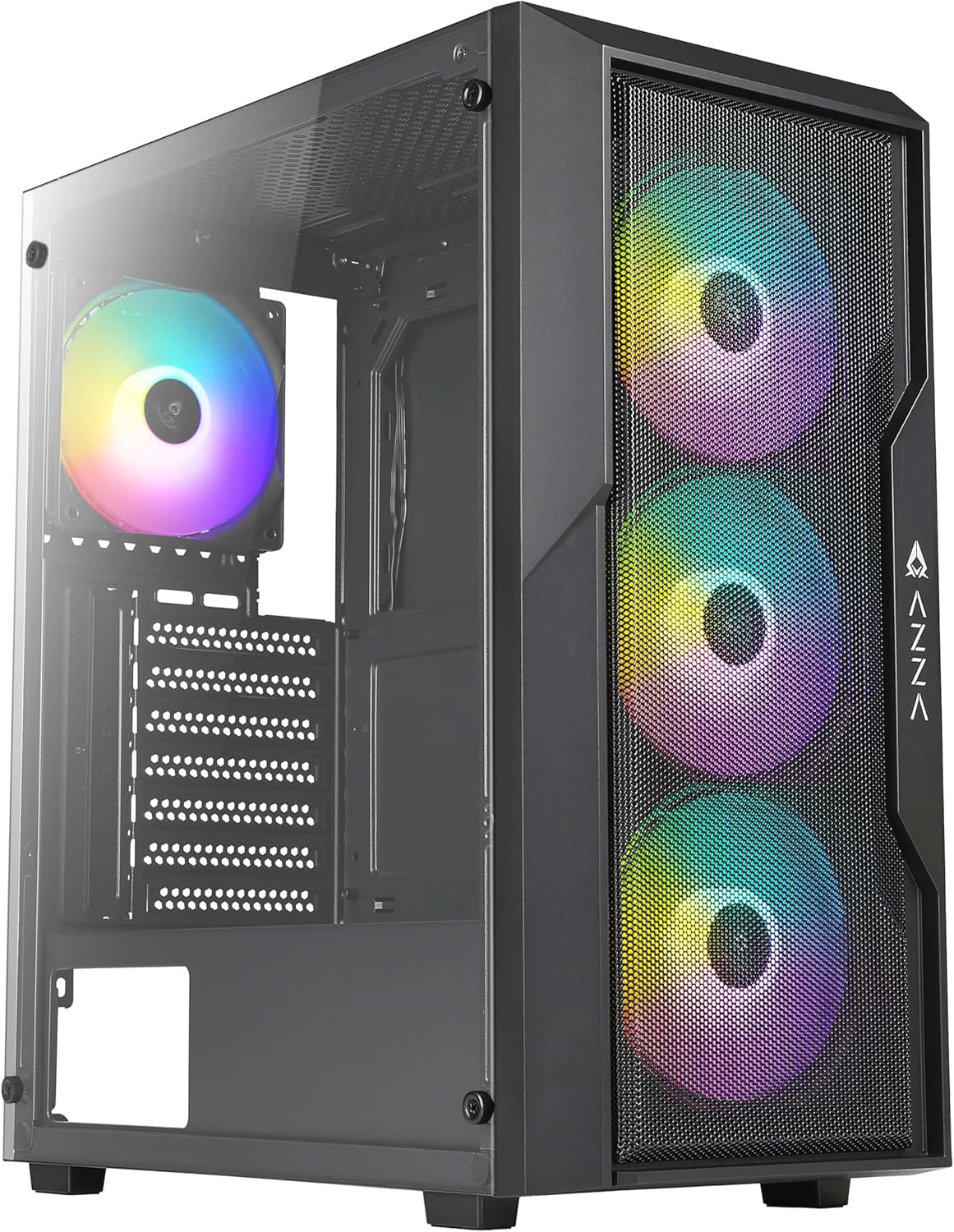
Figure 1: Front-side view of the AZZA CSAZ-290 Fighter Mid-Tower Computer Case, showcasing the tempered glass side panel and the three pre-installed addressable RGB fans on the mesh front panel.
2. Key Features
The AZZA CSAZ-290 is designed for performance and aesthetics, offering a robust platform for your gaming or high-performance PC build. Key features include:
- Performance Optimized Airflow: Full mesh front panel with three pre-installed 120mm addressable RGB fans for excellent airflow.
- Multifaceted Airflow Support: Supports up to 8 x 120mm fans, including options for direct GPU airflow.
- Customizable RGB Lighting: Controllable fan lighting via a top panel LED button, with motherboard RGB software synchronization support.
- Intuitive I/O Panel: Conveniently located top panel with Power button, LED button, Combo HD Audio, and USB 3.0 x 2 ports.
- Tempered Glass Side Panel: Provides a clear view of internal components.
- Broad Compatibility: Supports ATX, Micro ATX, and Mini ITX motherboards, with ample space for CPU coolers and GPUs.

Figure 2: Close-up front view of the case, emphasizing the full mesh design and the vibrant illumination of the three 120mm addressable RGB fans.
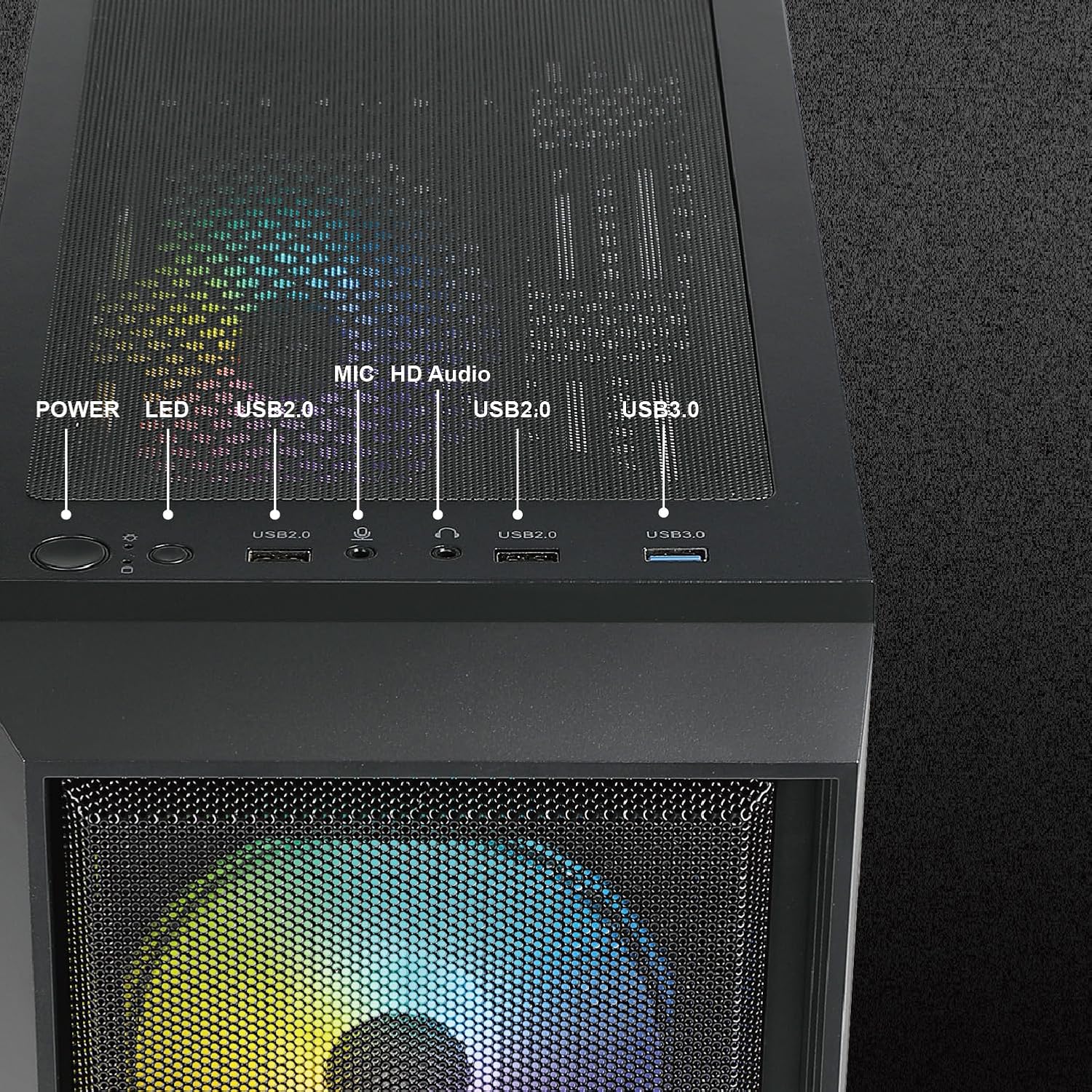
Figure 3: Detailed view of the top I/O panel, illustrating the Power button, LED button for RGB control, USB 2.0 ports, HD Audio jack, and USB 3.0 ports.
3. Technical Specifications
| Feature | Specification |
|---|---|
| Model Name | CSAZ-290 |
| Case Type | Mid Tower |
| Color | Black |
| Material | Tempered Glass, Plastic |
| Dimensions (L x W x H) | 15.4 x 7.7 x 17.7 inches (390 x 195 x 450 mm) |
| Item Weight | 13.2 pounds |
| Motherboard Compatibility | ATX, Micro ATX, Mini ITX |
| Expansion Slots | 7 |
| I/O Ports | 2 x USB 3.0, HD Audio, Mic, Power Button, LED Button |
| Pre-installed Fans | 3 x 120mm ARGB (Front) |
| Max Fan Support | Up to 8 x 120mm fans |
| Radiator Support | Front: Up to 360mm |
| Max CPU Cooler Height | 155mm |
| Max GPU Length | 320mm |
| Power Supply Mounting | Bottom Mount |

Figure 4: Dimensional overview of the AZZA CSAZ-290 case, indicating its length (390mm), width (195mm), and height (450mm).
4. Setup and Installation
Before beginning installation, ensure you have all necessary components and tools. Always handle components with care and follow anti-static precautions.
4.1 Preparing the Case
- Carefully unpack the case and remove all packaging materials.
- Locate the accessory box inside the case, which contains screws, zip ties, and other small parts.
- Remove the tempered glass side panel by unscrewing the thumb screws. Set it aside on a soft, flat surface to prevent scratches.
4.2 Motherboard Installation
- Identify the correct standoff positions for your ATX, Micro ATX, or Mini ITX motherboard. The case comes with pre-installed standoffs for standard ATX.
- Install any additional standoffs required for your motherboard form factor.
- Carefully place your motherboard onto the standoffs, aligning the screw holes.
- Secure the motherboard with the provided screws.

Figure 5: Internal layout indicating compatibility zones for Motherboard (A), maximum CPU Cooler Height (B - 155mm), and maximum GPU Length (C - 320mm).
4.3 Storage Device Installation
The case offers flexible storage options for 3.5" HDDs and 2.5" SSDs.
- 3.5" HDD / 2.5" SSD (Cage): Install drives into the multifunctional hard disk cage located under the PSU shroud.
- 3.5" HDD (Bracket): Utilize the multifunctional hard disk bracket for additional 3.5" HDD installation.
- 2.5" SSD (Hole Support): Mount 2.5" SSDs directly onto the dedicated holes on the motherboard tray.

Figure 6: Illustration of flexible storage options, showing locations for 3.5" HDD (A), 3.5" HDD or 2.5" SSD (B), and 2.5" SSD x2 (C).
4.4 Power Supply Installation
The power supply mounts at the bottom of the case.
- Slide the power supply into its designated compartment from the rear of the case.
- Secure the power supply with screws from the rear.
4.5 Fan and Radiator Installation
The case supports extensive cooling configurations.
- Front: Supports 3 x 120mm fans (pre-installed) or up to a 360mm radiator.
- Rear: Supports 1 x 120mm fan.
- Top: Supports 2 x 120mm or 2 x 140mm fans.
- PSU Shroud: Supports 2 x 120mm fans for direct GPU airflow.

Figure 7: Depiction of the massive cooling potential, showing support for up to a 360mm radiator in the front.

Figure 8: Overview of ultimate thermal performance, illustrating fan support locations: 3x120mm front, 1x120mm rear, 2x120mm/140mm top, and 2x120mm above PSU shroud, totaling up to 8 fans.
5. Operating Instructions
5.1 Powering On
After all components are installed and cables are connected, press the Power button on the top I/O panel to turn on your system.
5.2 Controlling RGB Lighting
The pre-installed ARGB fans can be controlled in two ways:
- LED Button: Press the LED button on the top I/O panel to cycle through various pre-set lighting modes and effects.
- Motherboard Software Synchronization: If your motherboard supports Addressable RGB (ARGB) synchronization, connect the case's ARGB cable to the appropriate header on your motherboard. You can then use your motherboard's RGB software (e.g., ASUS Aura Sync, MSI Mystic Light Sync, GIGABYTE RGB Fusion) to control and synchronize the fan lighting directly.
6. Maintenance
Regular maintenance helps ensure optimal performance and longevity of your computer case.
- Dust Filters: The AZZA CSAZ-290 features dust filters on the top and bottom. Regularly remove and clean these filters to maintain good airflow and prevent dust buildup inside the case.
- Case Cleaning: Use a soft, damp cloth to wipe down the exterior of the case. For the tempered glass panel, use a glass cleaner and a microfiber cloth to avoid streaks.
- Internal Dust: Periodically use compressed air to blow out dust from inside the case, especially from fan blades and heatsinks. Ensure the system is powered off and unplugged before performing internal cleaning.
7. Troubleshooting
This section addresses common issues you might encounter.
7.1 System Does Not Power On
- Power Cable: Ensure the power supply unit (PSU) is properly connected to the wall outlet and the PSU switch is in the 'ON' position.
- Front Panel Connectors: Verify that the power button cable from the case's front panel is correctly connected to the motherboard's front panel header (usually labeled F_PANEL or similar). Refer to your motherboard manual for exact pinouts.
- PSU Functionality: Test the PSU independently if possible, or try a known working PSU.
7.2 RGB Fans Not Lighting Up or Responding
- Power Connection: Ensure the fans' power cables are securely connected to the fan headers on the motherboard or a fan controller.
- ARGB Connection: Verify that the ARGB cables from the fans are correctly connected to the motherboard's 3-pin 5V ARGB header (not 4-pin 12V RGB header).
- LED Button: If using the case's LED button, ensure it is functioning and cycle through modes.
- Software Conflict: If using motherboard software, ensure no other RGB software is running that might conflict. Reinstall or update the motherboard's RGB software.
7.3 Poor Airflow or Overheating
- Dust Buildup: Clean dust filters and internal components as described in the Maintenance section.
- Fan Orientation: Ensure fans are oriented correctly for optimal airflow (front fans typically intake, rear/top fans exhaust).
- Cable Management: Poor cable management can obstruct airflow. Reroute cables behind the motherboard tray where possible.
- Additional Fans: Consider installing additional fans in available slots, especially above the PSU shroud for GPU cooling.
8. Warranty and Support
AZZA products are manufactured to the highest quality standards. For specific warranty terms and conditions, please refer to the warranty information provided with your purchase or visit the official AZZA website. Keep your proof of purchase for warranty claims.
For technical support or further assistance, please contact AZZA customer service through their official website or the retailer where you purchased the product. When contacting support, please have your product model (CSAZ-290) and purchase details ready.
Related documentsCSAZ-290


Ask a question about this manual
Ask about setup, troubleshooting, compatibility, parts, safety, or missing instructions. Manuals+ will review the question and use this page’s manual context to help answer it.