
Introduction
Thank you for choosing the KLIM K7 Cassette Tape Player and MP3 Converter. This device allows you to enjoy your classic cassette tapes and convert them into digital MP3 files for modern playback. It features a built-in microphone for recording, an integrated speaker, and a rechargeable battery for portability. This manual provides detailed instructions for setup, operation, and maintenance of your KLIM K7.
Product Overview
Key Features
- Cassette to MP3 Converter: Effortlessly convert cassette tapes to digital MP3 files directly onto an SD card.
- Portable Design: Lightweight and compact for on-the-go listening.
- Built-in Microphone: Record audio directly to the SD card.
- Built-in Speaker: Share your audio without external devices.
- Rechargeable Battery: Integrated 1000mAh battery provides extended playback.
- SD Card Player: Play MP3 files stored on the SD card.
- 3.5mm Earphone Jack: For private listening with included earphones.
Device Components and Controls
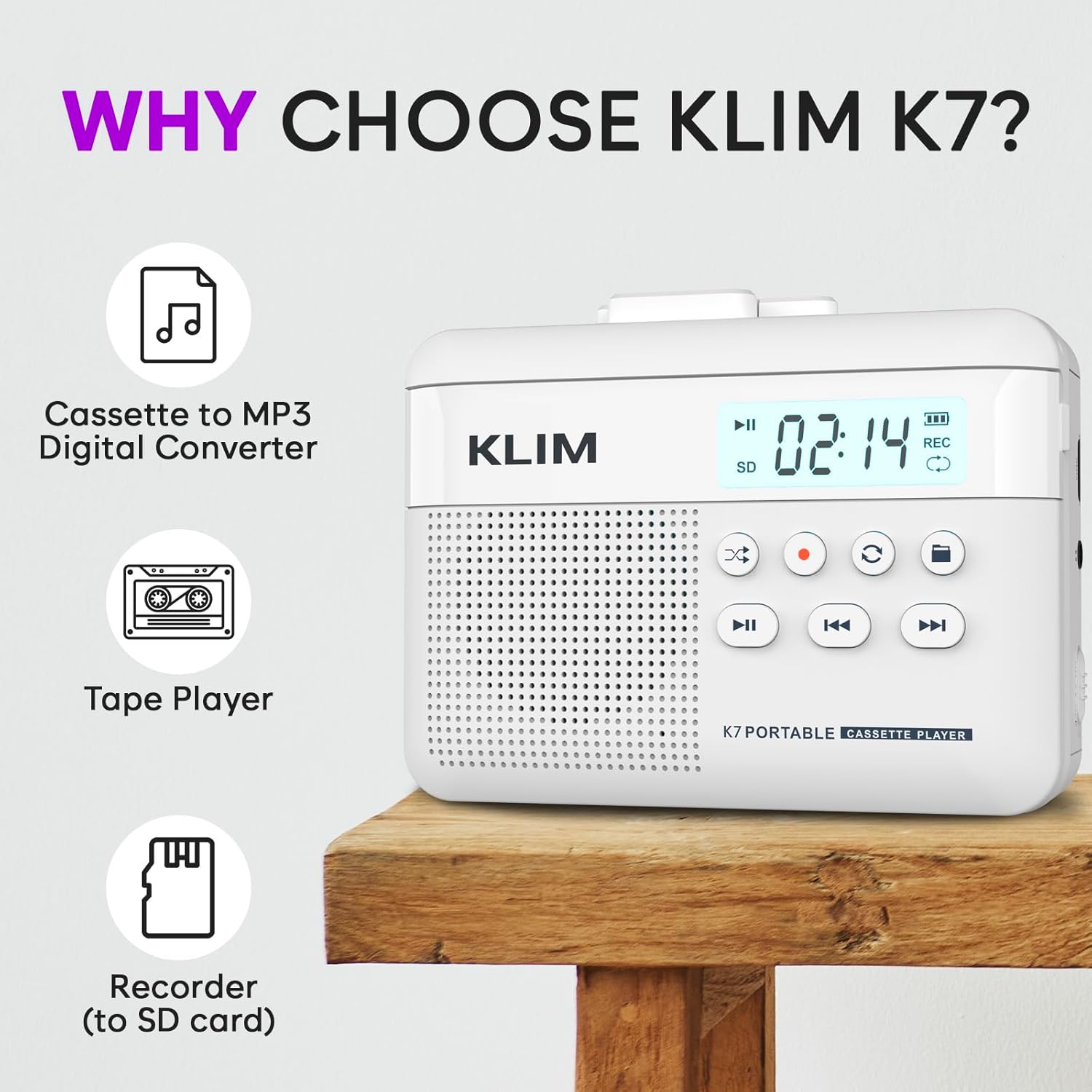
Figure 1: Front view of the KLIM K7 Cassette Player, showing the speaker grille, LCD display, and control buttons (Play/Pause, Rewind, Fast Forward, Stop, Record, Mode, Folder, Loop).
- LCD Display: Shows track number, recording status, and battery level.
- Speaker: Integrated speaker for audio playback.
- Play/Pause Button (►▮): Starts or pauses playback.
- Rewind Button (◀◀): Rewinds the cassette tape or navigates backward through MP3 tracks.
- Fast Forward Button (►►): Fast forwards the cassette tape or navigates forward through MP3 tracks.
- Stop Button (■): Stops playback or recording.
- Record Button (●): Initiates or stops recording.
- Mode Button (↻): Switches between cassette playback and SD card MP3 playback.
- Folder Button (🖿): Navigates through folders on the SD card.
- Loop Button (⟳): Repeats the current track or all tracks.

Figure 2: Side view of the KLIM K7 Cassette Player, highlighting the SD card slot, 3.5mm headphone jack, and On/Off switch.
- SD Card Slot: Insert your Micro SD card here for recording and MP3 playback.
- 3.5mm Headphone Jack: Connect the included earphones or other standard headphones.
- On/Off Switch: Powers the device on or off.
- Volume Control: Adjusts the audio output level.

Figure 3: Top view of the KLIM K7 Cassette Player with the cassette compartment open, showing the tape mechanism.
- Cassette Compartment: Insert your cassette tapes here.
- Cassette Door Release: Opens the cassette compartment.
Setup
1. Charging the Battery
Before first use, fully charge the KLIM K7. The device comes with a 1000mAh rechargeable battery.
- Locate the Type-C USB charging port on the side of the device.
- Connect the included Type-C USB cable to the charging port and the other end to a USB power adapter (not included) or a computer's USB port.
- The charging indicator on the LCD display will show charging status. A full charge typically takes approximately 2 hours.

Figure 4: The KLIM K7 connected to a Type-C USB cable for charging.
2. Inserting an SD Card
An SD card (16GB included) is required for converting tapes to MP3 and for recording with the built-in microphone.
- Locate the SD card slot on the side of the device (refer to Figure 2).
- Gently insert the Micro SD card into the slot with the gold contacts facing down until it clicks into place.
- To remove, push the SD card inward until it clicks, then release, and it will eject.

Figure 5: Inserting the Micro SD card into the KLIM K7.
3. Inserting a Cassette Tape
- Press the Cassette Door Release button to open the cassette compartment.
- Insert your cassette tape with the open side facing upwards and the tape reels aligned with the player's mechanism.
- Close the cassette compartment door firmly until it clicks.
Operating Instructions
1. Playing Cassette Tapes
- Ensure the device is powered on using the On/Off switch.
- Insert a cassette tape as described in the Setup section.
- Press the Play/Pause (►▮) button to start playback.
- Adjust the volume using the volume control.
- Use the Rewind (◀◀) and Fast Forward (►►) buttons to navigate the tape.
- Press the Stop (■) button to end playback.
2. Converting Cassette Tapes to MP3
The KLIM K7 allows direct conversion of cassette audio to MP3 files on the inserted SD card, without needing a computer or additional software.
- Ensure an SD card is inserted and the device is powered on.
- Insert the cassette tape you wish to convert.
- Press the Play/Pause (►▮) button to start playing the tape.
- Long press the Record (●) button. The 'REC' indicator on the LCD display will illuminate, indicating that recording has started.
- To stop recording, press the Record (●) button again. The 'REC' indicator will turn off. The recorded audio will be saved as an MP3 file on the SD card.
- You can then remove the SD card and use the included SD card reader to transfer the MP3 files to a computer or other device.

Figure 6: Visual guide for converting cassette audio to MP3 files.
3. Using the Built-in Microphone for Recording
The KLIM K7 can also record audio directly from its built-in microphone to the SD card.
- Ensure an SD card is inserted and the device is powered on.
- Press the Mode (↻) button until the device is in SD card mode (no cassette playing).
- Long press the Record (●) button. The 'REC' indicator will light up, and the device will start recording audio from its microphone.
- To stop recording, press the Record (●) button again. The 'REC' indicator will turn off, and the recording will be saved as an MP3 file.

Figure 7: Using the KLIM K7's built-in microphone for recording.
4. Playing MP3 Files from SD Card
- Ensure an SD card with MP3 files is inserted and the device is powered on.
- Press the Mode (↻) button to switch to SD card playback mode. The LCD display will show track information.
- Press the Play/Pause (►▮) button to start playback.
- Use the Rewind (◀◀) and Fast Forward (►►) buttons to skip tracks.
- The Folder (🖿) button allows navigation through different folders on the SD card.
- The Loop (⟳) button can be used to repeat the current track or all tracks.
- Adjust the volume using the volume control.
- Press the Stop (■) button to end playback.

Figure 8: Enjoying audio with the KLIM K7 and included earphones.
Maintenance
Proper maintenance ensures the longevity and optimal performance of your KLIM K7.
- Cleaning: Use a soft, dry cloth to clean the exterior of the device. Do not use liquid cleaners or solvents.
- Cassette Compartment: Periodically clean the tape heads and pinch rollers with a cotton swab lightly dampened with isopropyl alcohol to prevent audio quality degradation. Ensure the device is off and dry before use.
- Storage: Store the device in a cool, dry place away from direct sunlight and extreme temperatures.
- Battery Care: For long-term storage, charge the battery to about 50% every few months to maintain battery health.
Troubleshooting
If you encounter any issues with your KLIM K7, please refer to the following common solutions:
| Problem | Possible Cause | Solution |
|---|---|---|
| Device does not power on. | Battery is depleted. | Charge the device using the provided Type-C USB cable. |
| No sound during cassette playback. | Volume is too low or headphones are not connected properly. | Increase the volume. Ensure headphones are fully plugged into the 3.5mm jack. |
| Recording to MP3 fails or produces no file. | SD card is full, not inserted correctly, or corrupted. | Check SD card insertion. Ensure sufficient space on the SD card. Try reformatting the SD card (this will erase all data). |
| Poor audio quality from cassette. | Dirty tape heads or worn-out cassette tape. | Clean the tape heads and pinch rollers. Try a different cassette tape to determine if the issue is with the tape itself. |
| Device freezes or becomes unresponsive. | Temporary software glitch. | Turn the device off and then on again. If the issue persists, allow the battery to fully discharge and then recharge. |
Specifications
- Product Dimensions: 4.76 x 3.61 x 1.56 inches
- Item Weight: 9.9 ounces
- Battery: 1 Lithium Ion battery (included), 1000mAh
- Charging Time: Approximately 2 hours
- Storage: Supports Micro SD card (16GB included)
- Audio Output: Built-in speaker, 3.5mm headphone jack
- Recording Format: MP3

Figure 9: Dimensions of the KLIM K7 Cassette Player.
Warranty and Support
KLIM is committed to producing quality electronics. The KLIM K7 Cassette Tape Player comes with a 5-year assurance. If you encounter any problems with your device, please contact KLIM customer support for assistance.
Additional protection plans may be available for purchase:
- 2-Year Protection Plan: $3.99 (one-time)
- 3-Year Protection Plan: $5.99 (one-time)
- NEW Complete Protect: $16.99 (monthly)
For further support, visit the KLIM Store on Amazon.
