
1. Introduction
This manual provides essential information for the safe and efficient operation of your OSCAL PowerMax 6000 Portable Power Station. Please read this manual thoroughly before using the device and retain it for future reference.
The OSCAL PowerMax 6000 is a high-capacity, expandable solar generator designed to provide reliable power for various applications, including home emergencies, outdoor activities, and professional work. It features a 3600Wh LiFePO4 battery, 6000W AC output, and multiple charging options.

Figure 1: OSCAL PowerMax 6000 Portable Power Station with an accompanying solar panel.
2. Safety Information
Always adhere to the following safety guidelines to prevent injury or damage to the device:
- Do not disassemble, repair, or modify the unit.
- Keep the device away from heat sources, direct sunlight, and flammable materials.
- Ensure proper ventilation during operation and charging.
- Do not expose the unit to water or excessive humidity.
- Use only original or certified charging cables and accessories.
- The integrated LiFePO4 battery is designed for safety, supported by an advanced eight-layer Battery Management System (BMS) that protects against overcharge, over-discharge, over-voltage, over-current, short-circuit, and temperature fluctuations.
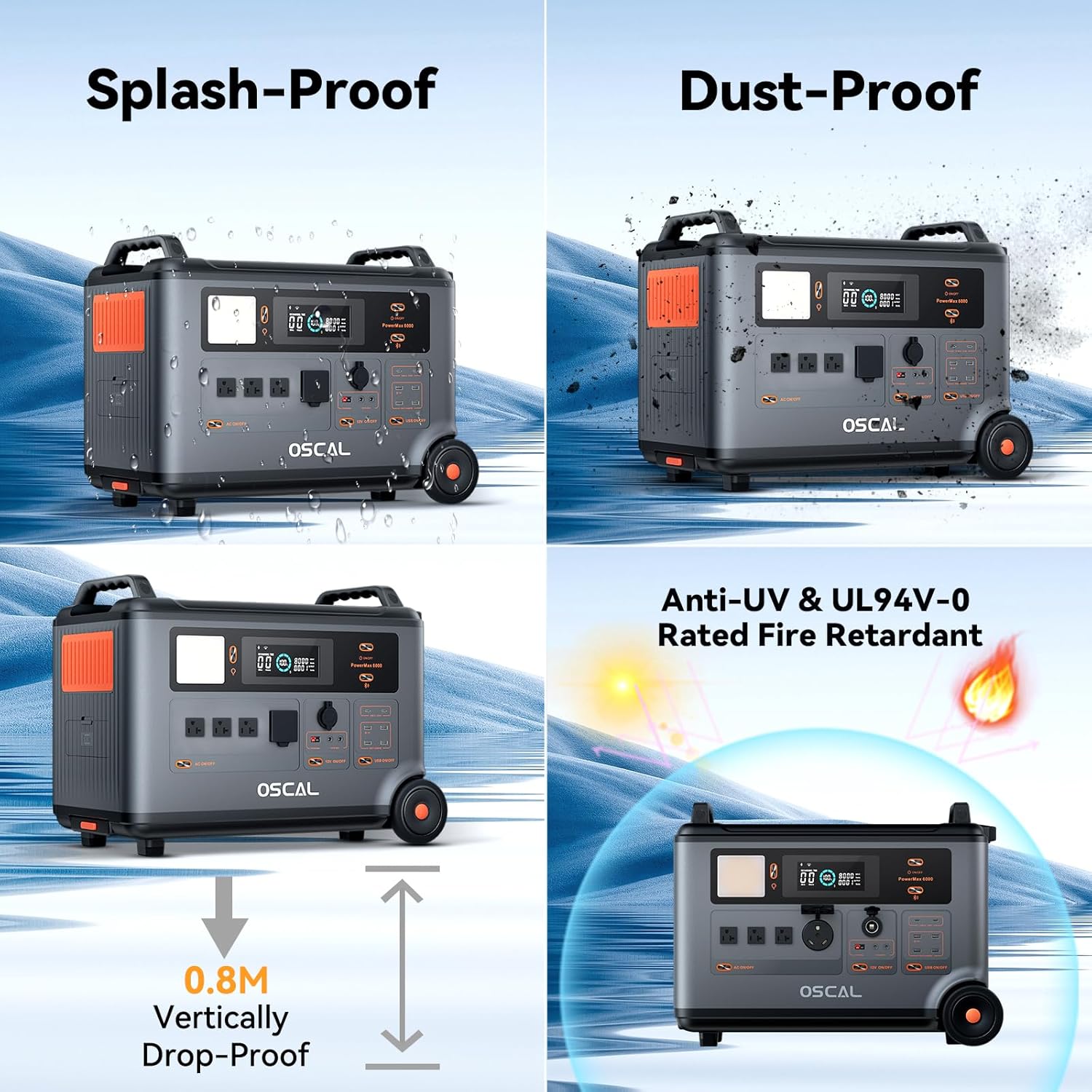
Figure 2: The PowerMax 6000 is designed with durability in mind, featuring splash-proof, dust-proof, 0.8m vertically drop-proof, and UL94V-0 rated fire retardant properties.

Figure 3: The advanced BMS provides comprehensive protection including overcurrent, overload, short circuit, overvoltage, over-discharge, undervoltage, low-temperature, high-temperature, and overcharge protection.
3. Package Contents
Upon unpacking, please verify that all the following items are included:
- OSCAL PowerMax 6000 Portable Power Station
- AC Charging Cable
- Car Charging Cable
- Solar Charging Cable
- User Manual (this document)
- Warranty Card
4. Product Overview
Familiarize yourself with the various ports and controls of your PowerMax 6000:
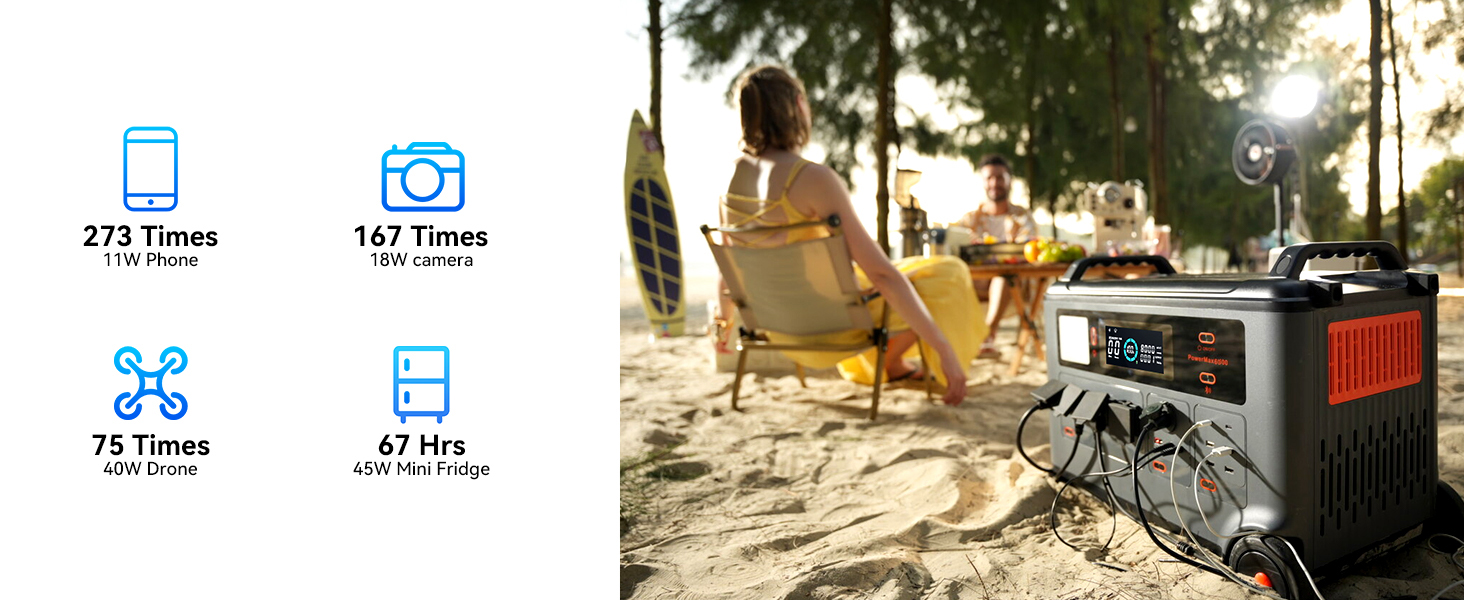
Figure 4: Front, side, and rear views of the PowerMax 6000, highlighting its 14 output ports including AC outlets (120V/240V dual voltage), USB-A, USB-C, 12V cigarette lighter, and Anderson output. Also shown are the battery connection port and various charging inputs.
The PowerMax 6000 features a comprehensive array of output ports to support a wide range of devices, including 4 AC outputs (6000W total, 9000W surge), 4 USB-A outputs, and 2 100W fast USB-C outputs. It supports both 120V and 240V dual voltage output.
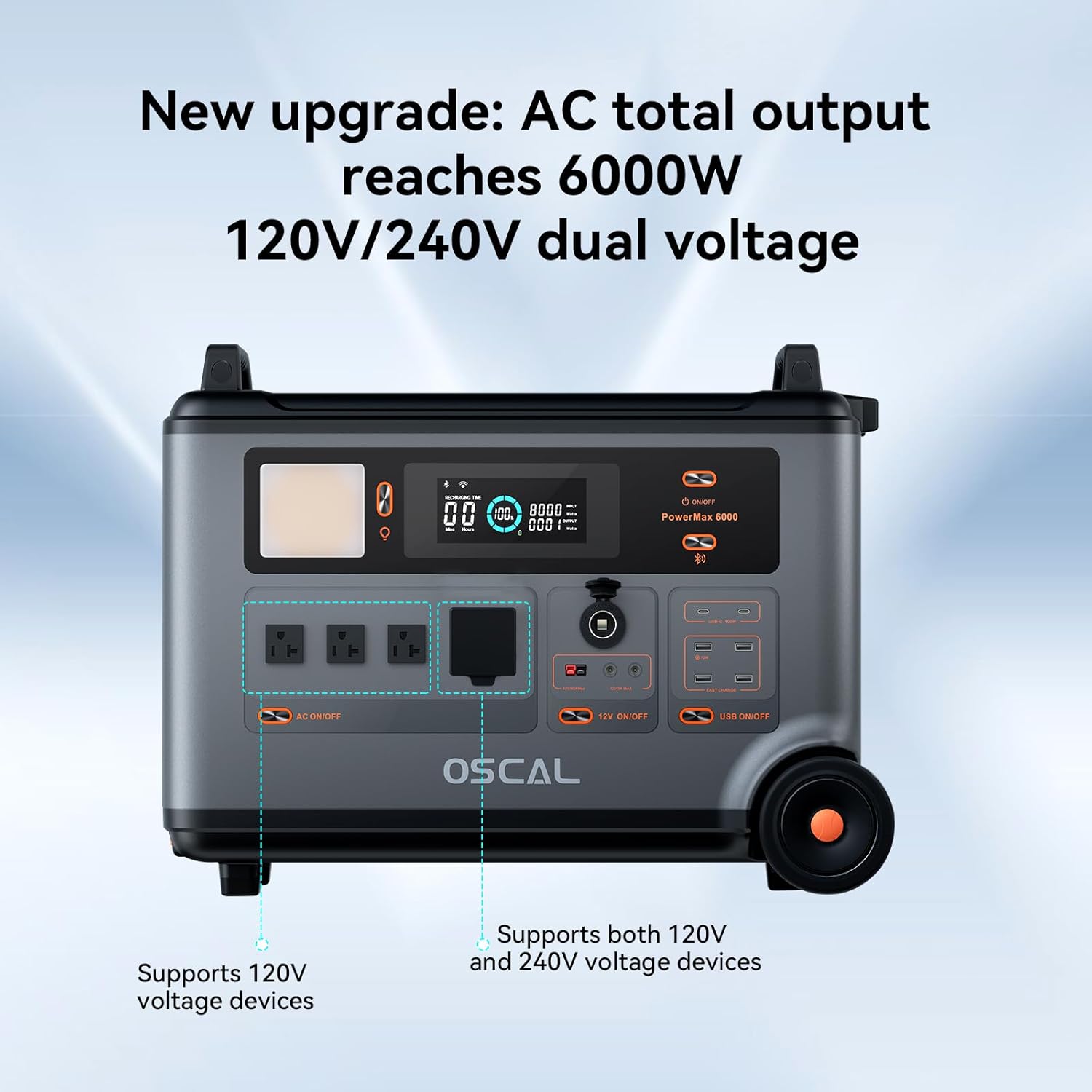
Figure 5: The main control panel and AC output section, demonstrating the 120V/240V dual voltage capability.
5. Setup
5.1 Initial Charge
Before first use, it is recommended to fully charge your PowerMax 6000. This can be done via AC wall outlet, solar panels, car charging, EV stations, or lead-acid batteries.
5.2 Connecting Accessories
Connect your devices to the appropriate output ports (AC, USB-A, USB-C, 12V DC) as needed. Ensure devices are within the power station's output limits.
6. Operating Instructions
6.1 Powering On/Off
Press and hold the main power button to turn the unit on or off. The display will illuminate, showing battery status and output information.
6.2 Charging the Power Station
The PowerMax 6000 supports multiple charging methods:
- AC Charging: Connect the AC charging cable to a wall outlet. A full charge can be achieved in approximately 1.96 hours.
- Solar Charging: Connect compatible solar panels using the provided solar charging cable. The unit supports a maximum input of 2400W.
- Car Charging: Use the car charging cable to charge from your vehicle's 12V outlet.
- EV Station Charging: Fast charging of 220W is available at EV stations nationwide, achieving a full charge in 1.57 hours.
- Lead-Acid Battery Charging: The PowerMax 6000 supports charging from lead-acid batteries.

Figure 6: The PowerMax 6000 supports combined AC and solar panel charging for rapid power replenishment.

Figure 7: Charging the PowerMax 6000 at an electric vehicle charging station.
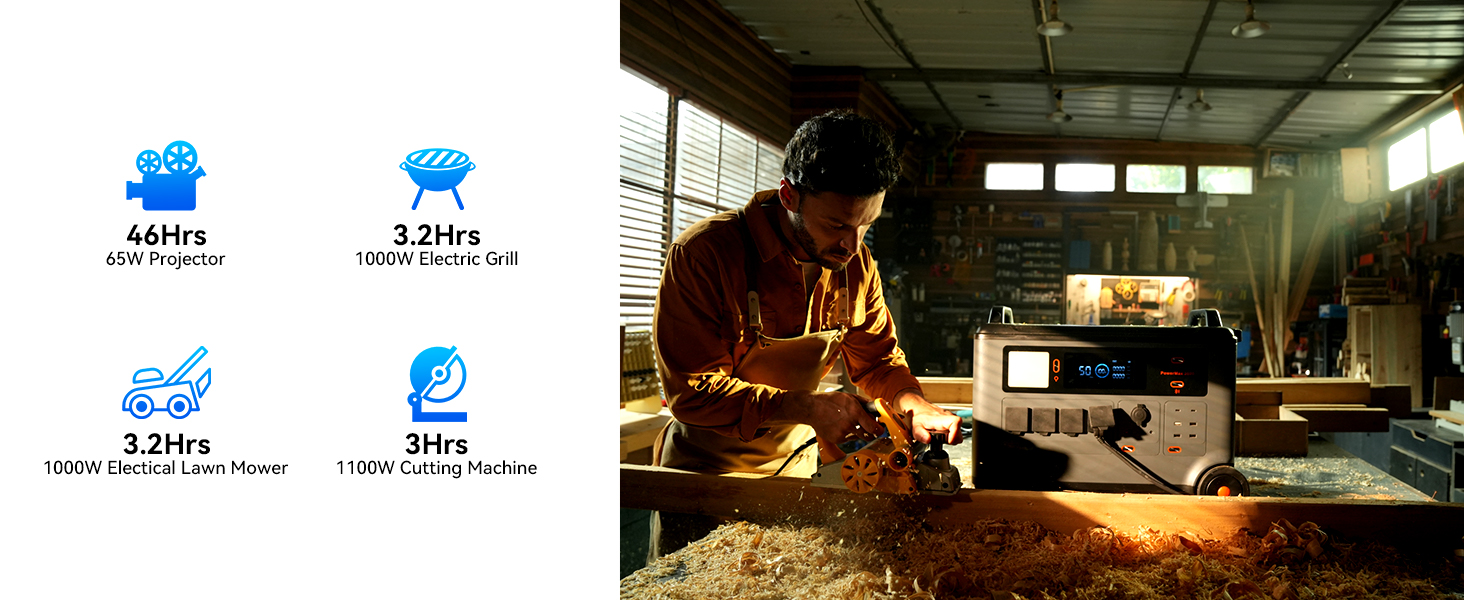
Figure 8: Convenient car charging allows for power supply even during travel.

Figure 9: The PowerMax 6000 can be charged using lead-acid batteries, providing versatile charging options.
6.3 Using the UPS Function
The Uninterruptible Power Supply (UPS) feature allows the PowerMax 6000 to automatically switch to battery power within 5-8 milliseconds during a power outage. This ensures continuous operation for critical devices like network equipment or medical devices.

Figure 10: The 5-8ms fast UPS switchover ensures uninterrupted power for essential devices and activities.
6.4 Smart APP Control
Download the OSCAL application on your smartphone to control and monitor the PowerMax 6000 via Wi-Fi or Bluetooth. The app allows you to check power usage, battery status, and execute remote commands.
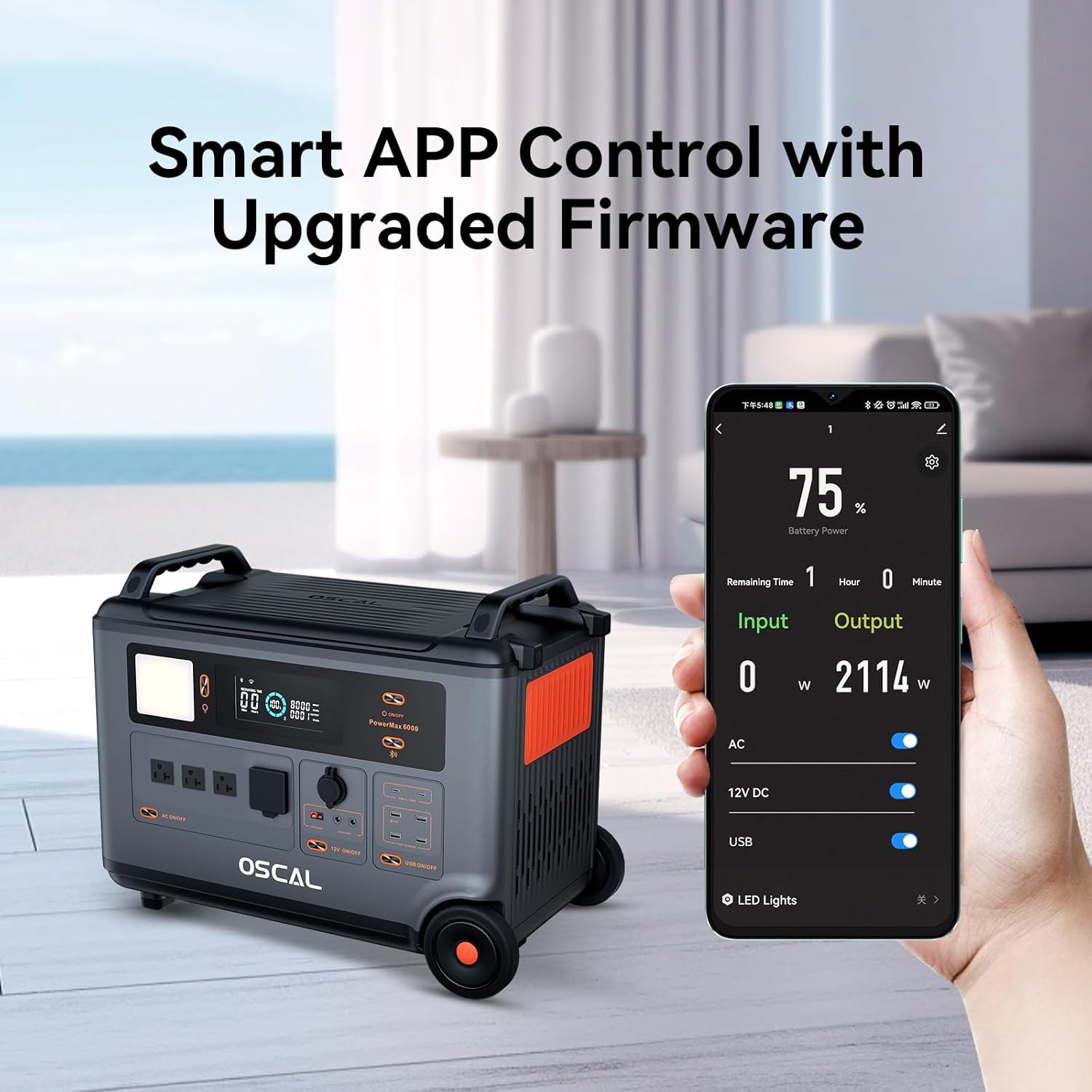
Figure 11: Remote control and monitoring of the power station are possible through the OSCAL smartphone application.
6.5 Expandable Capacity
The PowerMax 6000's capacity can be expanded by connecting additional dedicated batteries (sold separately). This allows for a maximum capacity of 57600Wh, providing up to 30 days of whole-home power supply (calculated at 2kWh/day).
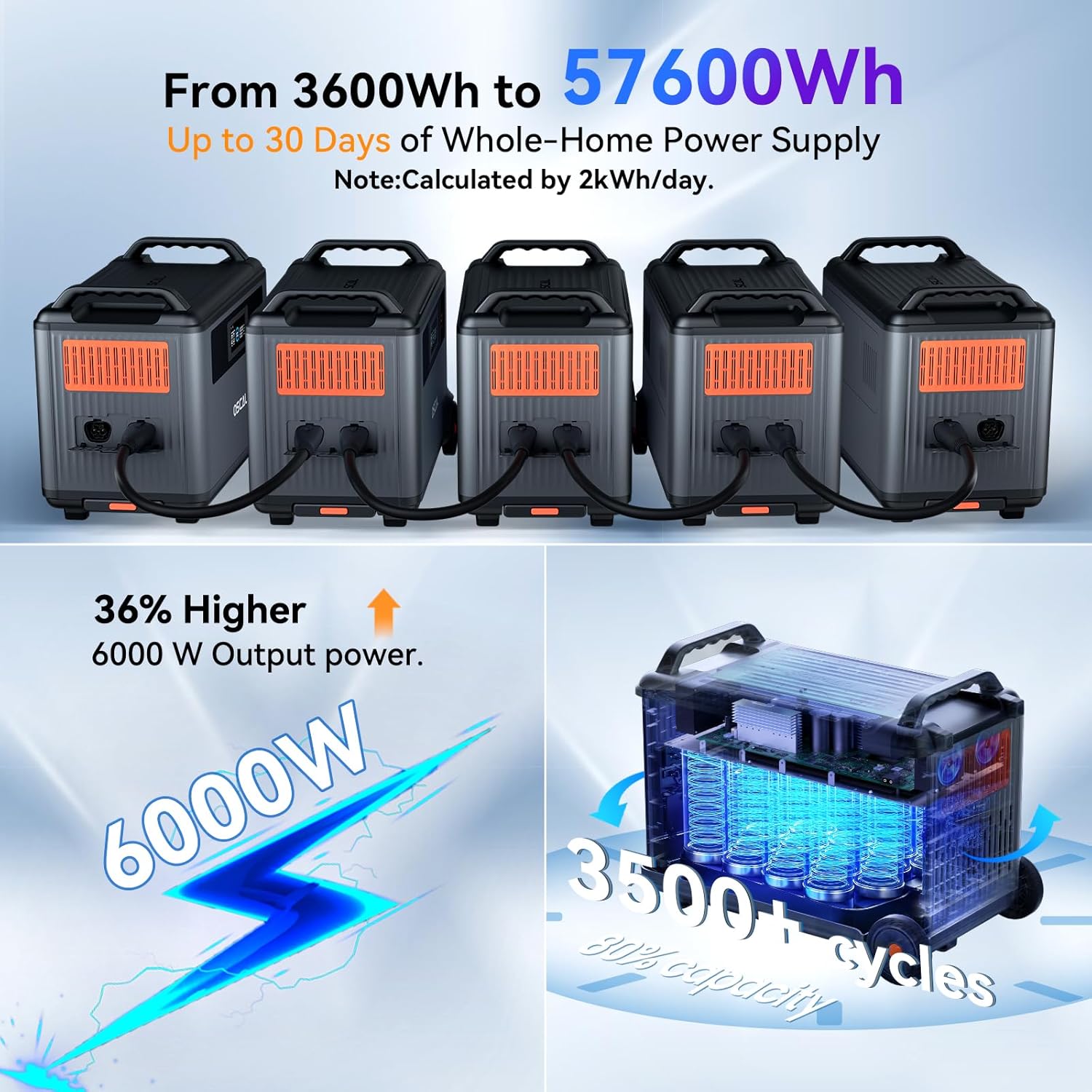
Figure 12: The PowerMax 6000's capacity can be expanded significantly by linking multiple units, providing extended power duration.

Figure 13: Expandable capacity up to 57600Wh for extended power supply during outages.
6.6 Pure Sine Wave Output
The PowerMax 6000 provides a pure sine wave output, which is crucial for sensitive electronics. This ensures stable and clean power, preventing damage to appliances and allowing for a wide range of household devices to be powered safely.
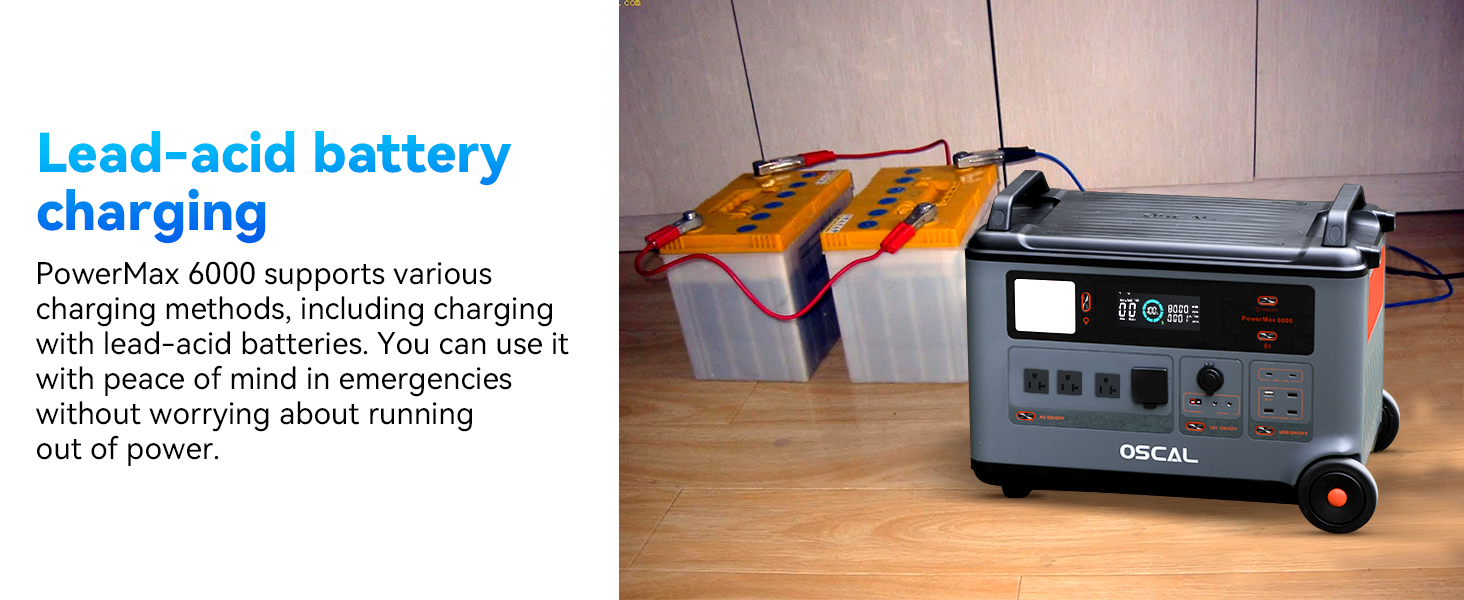
Figure 14: The pure sine wave output ensures compatibility and safety for all types of electronic devices.
6.7 Powering Various Devices
The PowerMax 6000 can power a wide array of devices, from small electronics to large appliances, for extended periods.

Figure 15: The PowerMax 6000 can charge up to 99% of essential devices, including coffee makers, electric lawn mowers, toasters, and washing machines.
7. Maintenance
7.1 Battery Care
The PowerMax 6000 utilizes a durable LiFePO4 battery designed for long life. It can maintain 80% of its original capacity after 3500 charge-discharge cycles, ensuring a service life of up to 25 years with proper care.

Figure 16: The highly safe LiFePO4 battery offers a long lifespan of approximately 10 years with daily use, maintaining 80% capacity after 3500 cycles.
7.2 Storage
When storing the unit for extended periods, ensure it is charged to approximately 50-80% and stored in a cool, dry place away from direct sunlight and extreme temperatures. Recharge the unit every 3-6 months to maintain battery health.
7.3 Cleaning
Use a dry, soft cloth to clean the exterior of the power station. Do not use abrasive cleaners or immerse the unit in water.
8. Troubleshooting
If you encounter issues with your PowerMax 6000, refer to the following common problems and solutions:
- Unit not turning on: Ensure the battery is charged. If not, connect to a power source and attempt to charge.
- No output from ports: Check if the specific output (AC, DC, USB) is enabled. Some outputs have individual power buttons. Ensure the connected device is not exceeding the port's power limit.
- Charging slow or not at all: Verify that the charging cable is securely connected. For solar charging, ensure panels are in direct sunlight and correctly oriented. Check the input wattage on the display.
- Overload warning: Disconnect some devices to reduce the load. The unit will automatically recover once the overload is removed.
For persistent issues, please contact OSCAL customer support.
9. Specifications
| Feature | Specification |
|---|---|
| Brand | OSCAL |
| Model Name | PM6000 |
| Item Model Number | PowerMax6000-400 |
| Battery Type | LiFePO4 |
| Capacity | 3600Wh |
| AC Output Power | 6000W (Surge 9000W) |
| Voltage | 120V/240V Dual Voltage (AC) |
| Frequency | 60 Hz |
| UPS Switchover Time | 5-8 ms |
| AC Charging Time | 1.96 hours (full charge) |
| Solar Input (Max) | 2400W |
| Battery Cycle Life | 3500+ cycles to 80% capacity |
| Product Dimensions | 23.3"L x 13.8"W x 17.3"H |
| Total Power Outlets | 4 AC, 4 USB-A, 2 USB-C, 1 12V Cigarette Lighter, 1 Anderson Output |
| Special Features | Automatic Idle Control, Smart APP Control (Wi-Fi/Bluetooth), Expandable Capacity |
10. Warranty and Support
The OSCAL PowerMax 6000 Portable Power Station comes with a 2-year warranty from the date of purchase. This warranty covers defects in materials and workmanship under normal use.
For warranty claims, technical support, or any inquiries, please contact OSCAL customer service through their official website or the contact information provided on your warranty card.
Please retain your proof of purchase for warranty validation.


