
Introduction
The Jabra Engage 65 SE is a professional wireless headset designed for enhanced communication in office and call center environments. It offers industry-leading wireless performance, advanced noise-cancelling microphone technology, and extended battery life to support all-day use. This manual provides detailed instructions for setting up, operating, maintaining, and troubleshooting your headset.
What's in the Box
Verify that all components are present in your package:
- Jabra Engage 65 SE Headset (Dual-Ear)
- Base Unit
- USB-C to USB-A Cable (for PC connection)
- RJ-9 to RJ-9 Cable (for desk phone connection)
- Power Supply (US plug)
- User Manual (this document)
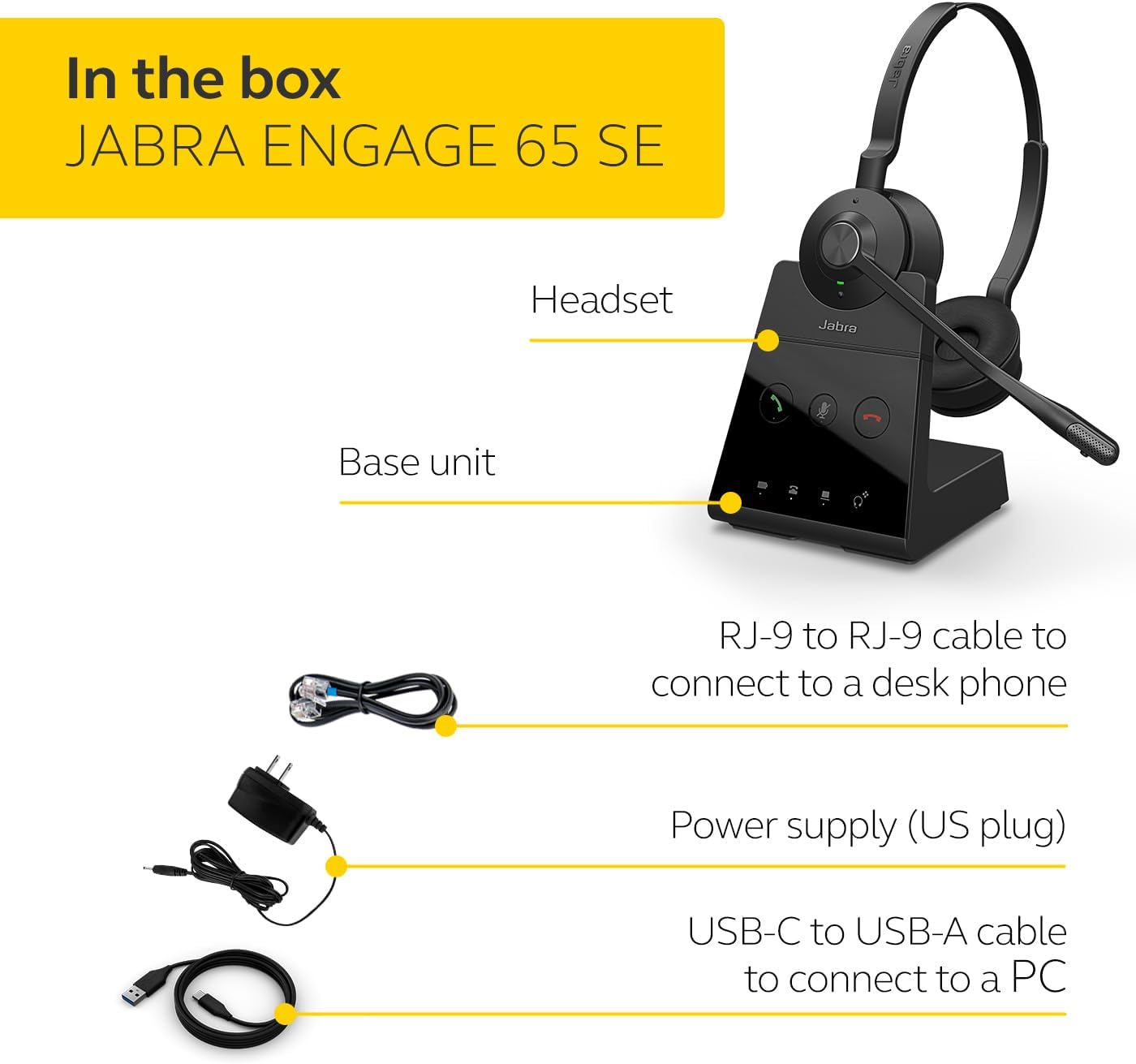
Image: The Jabra Engage 65 SE package contents, showing the headset, base unit, USB cable, RJ-9 cable, and power supply.
Setup
1. Connect the Base Unit
- Power Connection: Connect the power supply to the base unit and plug it into a power outlet.
- PC Connection: Use the provided USB-C to USB-A cable to connect the base unit to your computer's USB port.
- Desk Phone Connection: Use the provided RJ-9 to RJ-9 cable to connect the base unit to your desk phone's headset port. Consult your desk phone's manual for specific port identification.
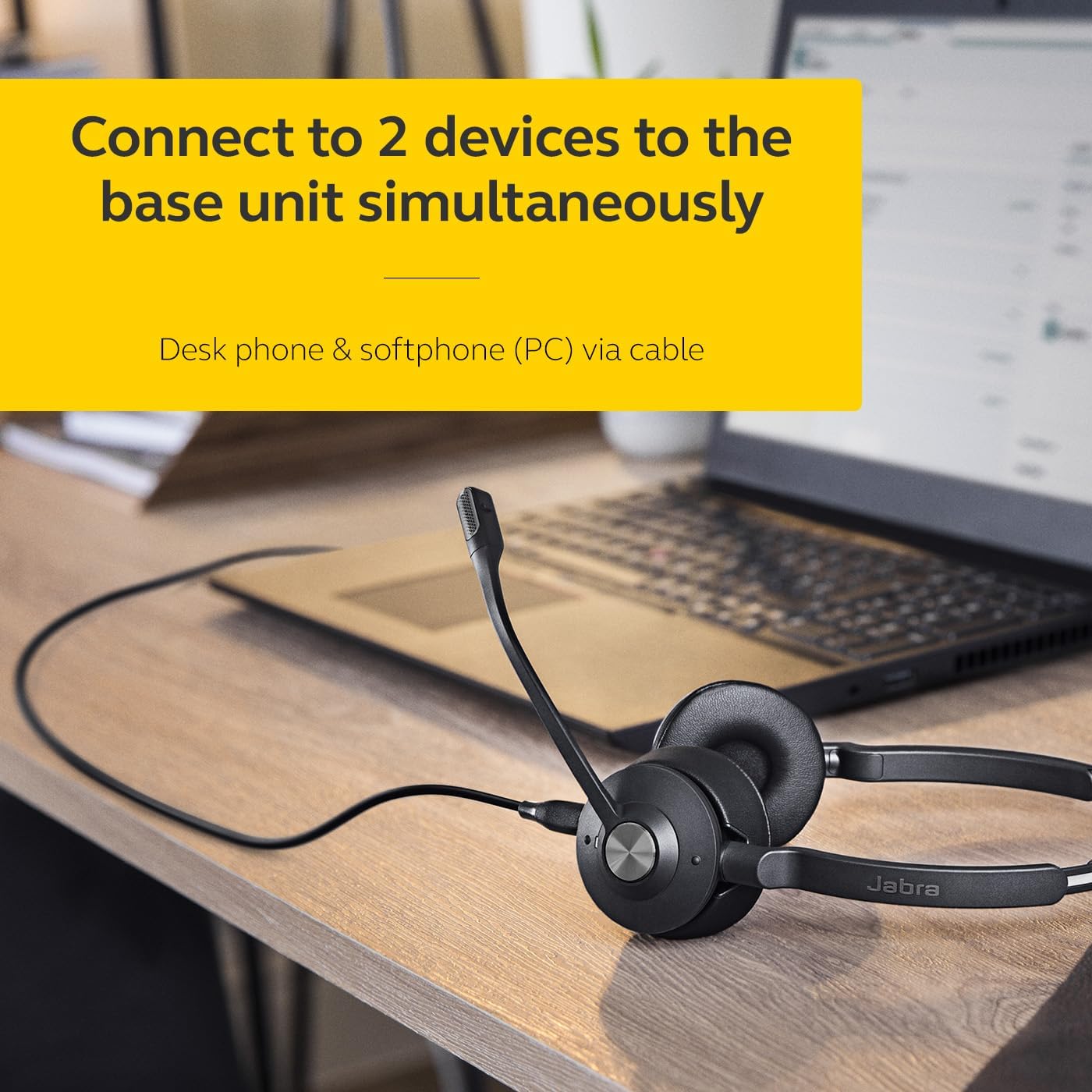
Image: The Jabra Engage 65 SE headset base unit connected to a laptop, illustrating PC connectivity.
2. Charge the Headset
Place the headset onto the base unit. The headset will begin charging automatically. Ensure the headset is fully charged before first use for optimal battery performance.
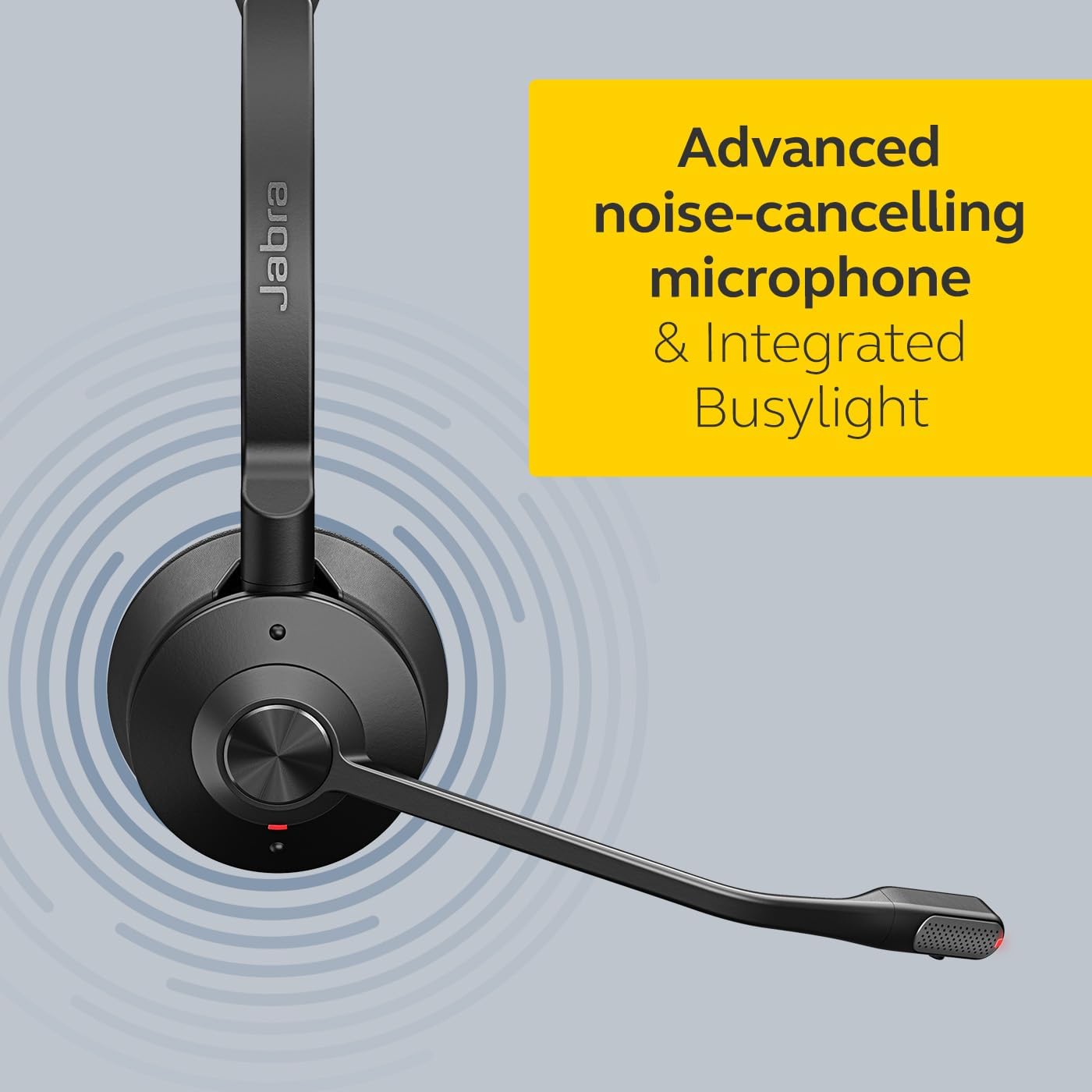
Image: The Jabra Engage 65 SE headset resting on its charging base, indicating proper docking for charging.
3. Initial Pairing
The headset and base unit are pre-paired from the factory. If re-pairing is needed, follow the instructions in the full user manual available on the Jabra support website.
Video: An official overview of the Jabra Engage 65 SE Wireless Headset, demonstrating its features and setup.
Operating Instructions
Wearing the Headset
Adjust the headband for a comfortable fit. Position the microphone boom approximately 2 cm (0.8 inches) from your mouth. The microphone boom is flexible and can be adjusted for optimal voice pickup.

Image: A user wearing the Jabra Engage 65 SE headset, highlighting its comfortable design and microphone placement for clear communication.
Call Control
The headset features intuitive controls for managing calls:
- Answer/End Call: Press the multi-function button on the earcup.
- Mute/Unmute: Press the mute button on the microphone boom or base unit.
- Volume Adjustment: Use the volume up/down buttons on the earcup.

Image: A close-up view of the headset's earcup, illustrating the location of the call control buttons for easy access during use.
Busylight Indicator
The integrated busylight on the headset automatically illuminates when you are on a call, signaling to colleagues that you are busy and should not be disturbed. This feature helps minimize interruptions and improve focus.
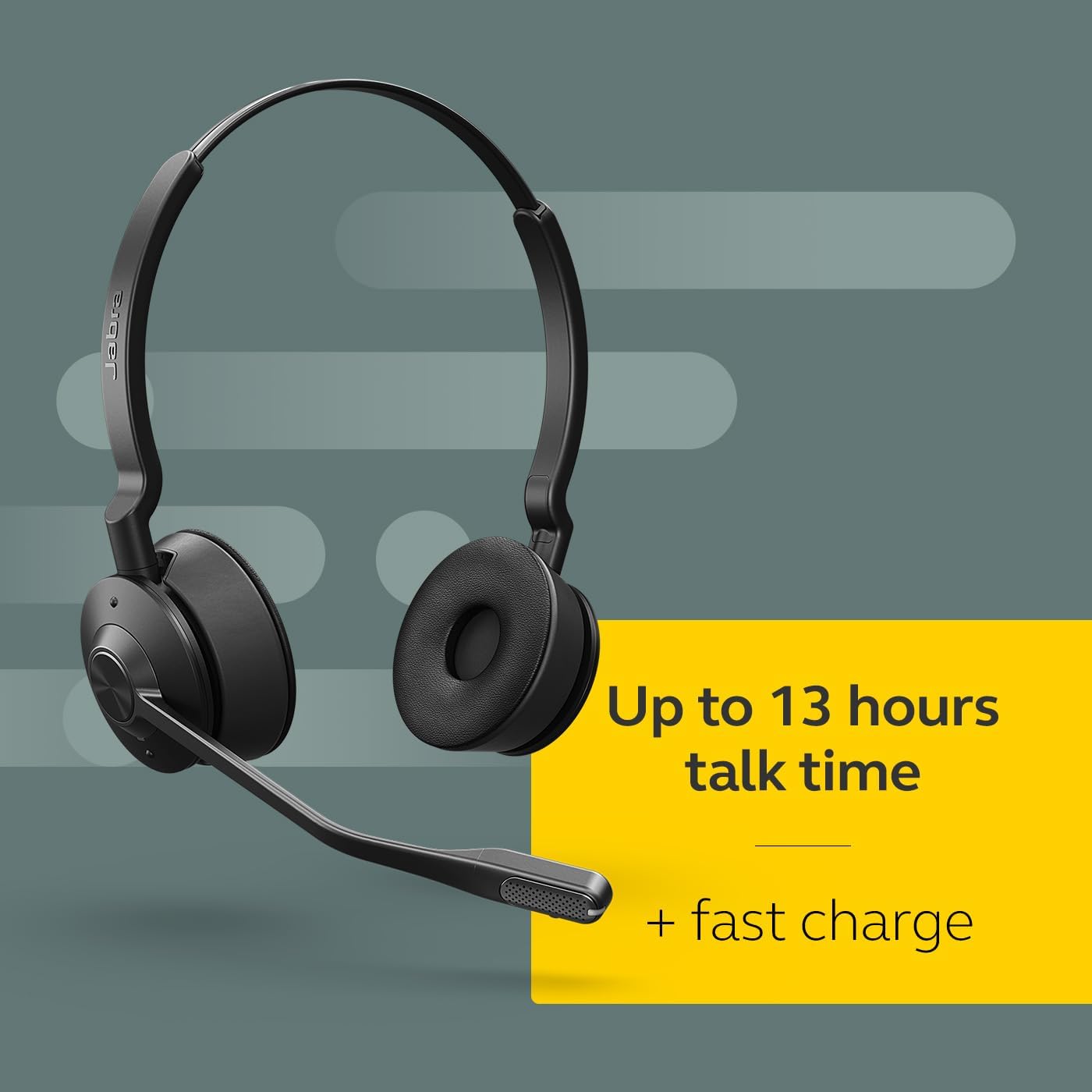
Image: The Jabra Engage 65 SE headset with its busylight active, indicating a user is currently on a call.
Wireless Range and Connectivity
The headset provides a wireless range of up to 150 meters (490 feet) from the base unit, allowing freedom of movement. It can connect to up to two devices simultaneously: a desk phone and a softphone (PC) via the base unit.
Maintenance
Cleaning
- Wipe the headset and base unit with a soft, dry cloth.
- Avoid using harsh chemicals or abrasive materials.
- Ensure no moisture enters the charging port or microphone openings.
Battery Care
- For optimal battery longevity, avoid fully discharging the headset frequently.
- Store the headset in a cool, dry place when not in use.
- The headset offers up to 13 hours of talk time and supports fast charging.
Troubleshooting
If you encounter issues with your Jabra Engage 65 SE headset, refer to the following common solutions:
| Problem | Possible Solution |
|---|---|
| No audio / Poor audio quality |
|
| Headset not connecting |
|
| Short battery life |
|
For more detailed troubleshooting and support, please visit the official Jabra support website.
Specifications
| Feature | Detail |
|---|---|
| Brand | Jabra |
| Model Name | Engage 65 SE |
| Model Number | 9659-553-125 |
| Connectivity Technology | Bluetooth, Wireless (DECT) |
| Wireless Range | Up to 150 meters / 490 feet |
| Battery Life (Talk Time) | Up to 13 hours |
| Battery Charge Time | 90 minutes |
| Noise Control | Active Noise Cancellation |
| Microphone | Advanced Noise-Cancelling |
| Ear Placement | On Ear (Dual-Ear) |
| Weight | 1.2 pounds |
| Materials | Faux Leather, Polycarbonate (PC), Stainless Steel |
| Compatible Devices | Universal (Desk phone, PC) |
Warranty and Support
Warranty Information
The Jabra Engage 65 SE headset comes with a 2-Year Manufacturer Warranty. Please retain your proof of purchase for warranty claims.
Customer Support
For further assistance, product registration, or to download the full user manual and software updates, please visit the official Jabra support website:


