
ANENG SZ301 Multimeter with BT172 Battery Tester
ANENG Digital Multimeter & Car Battery Tester User Manual
Model: SZ301 Multimeter with BT172 Battery Tester
Brand: ANENG
1. Product Overview
The ANENG SZ301 Digital Multimeter and ANENG BT172 Car Battery Tester are versatile tools designed for a wide range of electrical and automotive diagnostic tasks. The SZ301 multimeter provides accurate measurements for AC/DC voltage, current, resistance, continuity, and diodes, making it indispensable for engineers, electricians, and hobbyists. The BT172 battery tester specializes in evaluating 12V automotive battery health and alternator performance, suitable for cars, motorcycles, trucks, and boats.
Key Features:
- Versatility: Measures AC/DC voltage, current, resistance, continuity, and diodes with the SZ301; tests 12V batteries and alternator performance with the BT172.
- High Precision: Ensures accurate and reliable readings for critical electrical and battery diagnostics.
- User-Friendly Display: Both devices feature clear LCD screens for real-time data, with the BT172 also including LED indicators for quick status checks.
- Safety and Protection: SZ301 includes overload protection and insulated probes; BT172 features reverse polarity protection for safe operation.
- Portability: Compact and lightweight design, ideal for on-the-go use, complete with necessary accessories.
2. What's Included
Your ANENG product package includes the following components:
- ANENG SZ301 Digital Multimeter
- ANENG BT172 Car Battery Tester
- High-Quality Test Leads for Multimeter
- Alligator Clamps for Battery Tester
- User Manual (this document)
- Pre-installed Batteries (for SZ301)

Figure 2.1: ANENG SZ301 Multimeter and BT172 Battery Tester with included accessories.
3. Getting Started
3.1. Battery Installation (SZ301 Multimeter)
The SZ301 Multimeter typically comes with pre-installed batteries. If replacement is needed:
- Ensure the multimeter is turned OFF.
- Locate the battery compartment on the back of the device.
- Unscrew the battery cover and remove it.
- Insert new batteries, observing correct polarity (+/-).
- Replace the battery cover and secure it with the screw.

Figure 3.1: Rear view of the SZ301 Multimeter, showing the stand and pen holder slot, where the battery compartment is located.
3.2. Connecting Test Leads (SZ301 Multimeter)
For most measurements, connect the test leads as follows:
- Insert the black test lead into the COM (common) jack.
- Insert the red test lead into the VΩmA+ jack for voltage, resistance, and small current measurements.
- For high current (up to 10A), insert the red test lead into the 10A MAX jack.
4. Operating Instructions
4.1. ANENG SZ301 Digital Multimeter
Rotate the central dial to select the desired measurement function.

Figure 4.1: The rotary dial of the SZ301 Multimeter for function selection.
4.1.1. Measuring Voltage (AC/DC)
- Set the rotary switch to the desired AC (V~) or DC (V-) voltage range.
- Connect the test leads in parallel to the circuit or component you wish to measure.
- Read the voltage value on the LCD display.
4.1.2. Measuring Current (AC/DC)
- Safety Warning: Always connect the multimeter in series with the circuit. Never connect it in parallel to a voltage source when measuring current.
- Set the rotary switch to the desired AC (A~) or DC (A-) current range.
- Break the circuit and connect the multimeter in series.
- Read the current value on the LCD display.

Figure 4.2: The SZ301 Multimeter performing an AC current test.
4.1.3. Measuring Resistance
- Ensure the circuit is de-energized before measuring resistance.
- Set the rotary switch to the Ω (Ohm) range.
- Connect the test leads across the component.
- Read the resistance value on the LCD display.
4.1.4. Continuity Test
- Set the rotary switch to the continuity symbol (speaker icon).
- Connect the test leads across the circuit or wire.
- A continuous beep indicates a good connection (low resistance). No beep or a high resistance reading indicates an open circuit.
4.1.5. Diode Test
- Set the rotary switch to the diode symbol.
- Connect the red lead to the anode and the black lead to the cathode of the diode. A forward voltage drop will be displayed.
- Reverse the leads. An open circuit (OL) reading indicates a good diode.

Figure 4.3: The SZ301 Multimeter in use for automotive diagnostics.
4.2. ANENG BT172 Car Battery Tester
The BT172 is designed for quick and easy testing of 12V lead-acid batteries and alternator charging systems.

Figure 4.4: Key features of the ANENG BT172 Battery Tester.
4.2.1. 12V Battery Test
- Ensure the vehicle engine is OFF and all accessories are turned off.
- Connect the red alligator clamp to the battery's positive (+) terminal.
- Connect the black alligator clamp to the battery's negative (-) terminal.
- The BT172 will automatically display the battery voltage and illuminate the corresponding LED indicator (FULL, MEDIUM, LOW, DEAD, FAULT) to show battery status.

Figure 4.5: The BT172 Battery Tester performing a car battery detection.
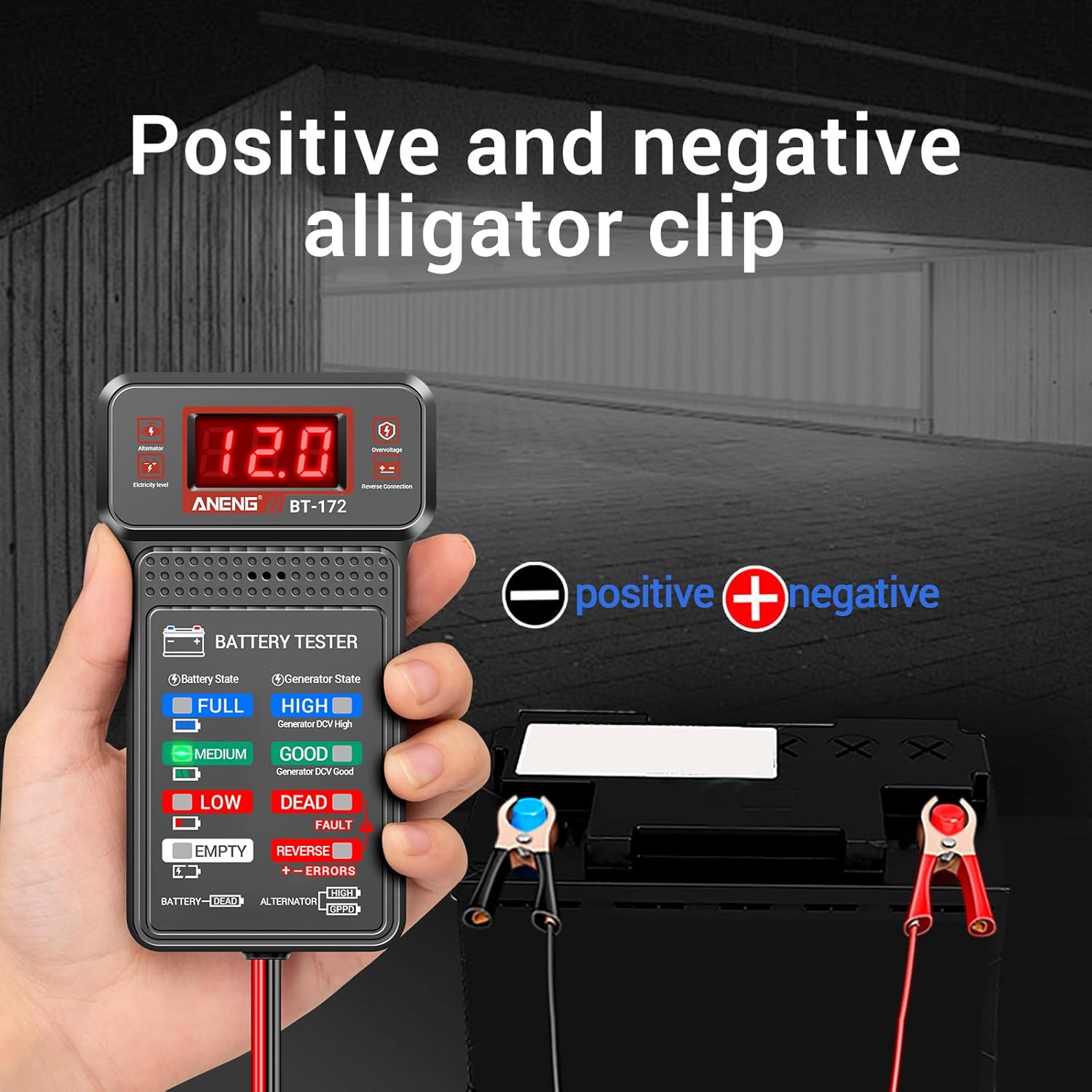
Figure 4.6: Proper connection of positive and negative alligator clips to the battery terminals.
4.2.2. Alternator Charging Test
- Connect the BT172 to the battery terminals as described in 4.2.1.
- Start the vehicle engine.
- Observe the BT172 display. It will show the charging voltage and illuminate the corresponding LED indicator (HIGH, GOOD, LOW) to indicate the alternator's charging status.
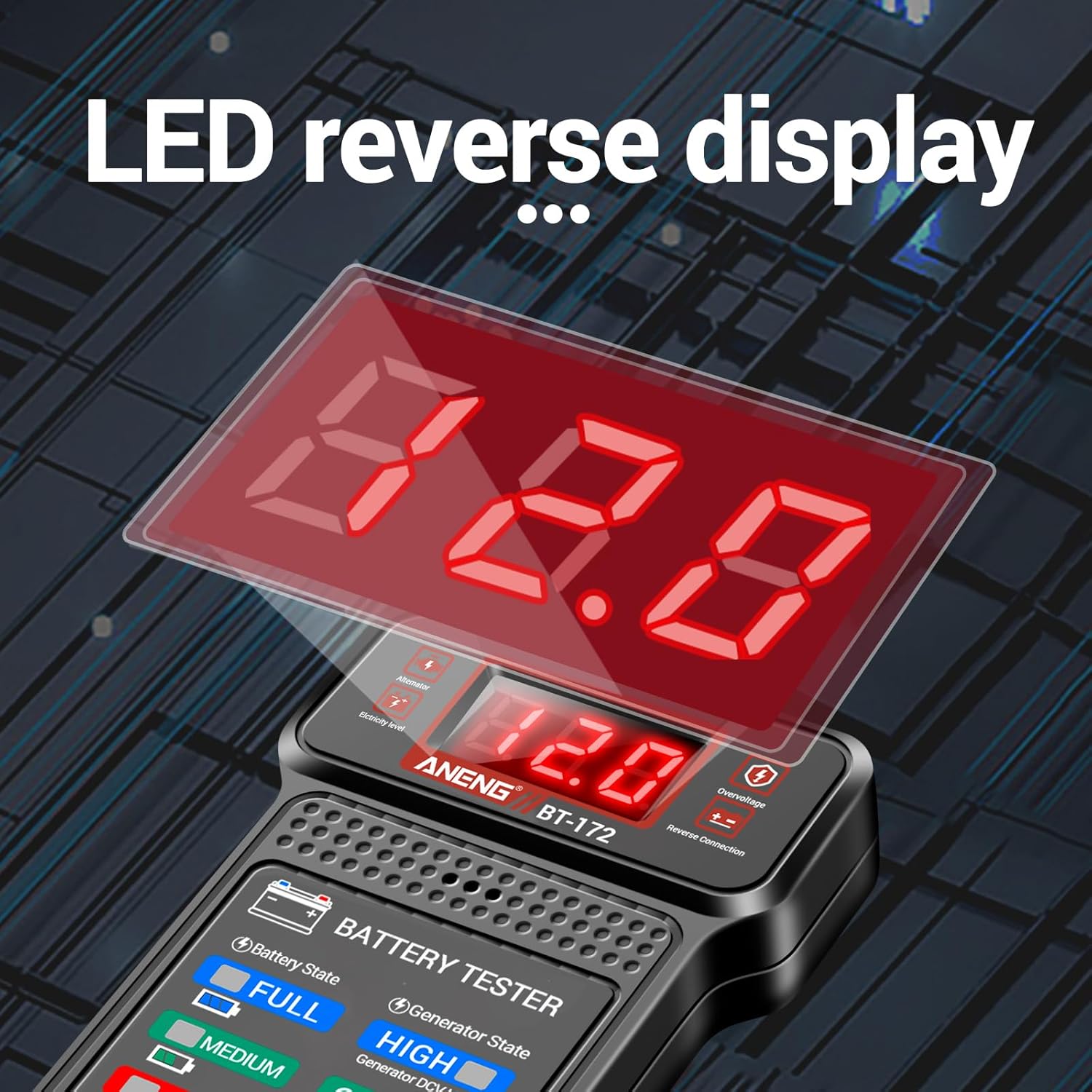
Figure 4.7: The LED display of the BT172 Battery Tester showing voltage readings.
5. Care and Maintenance
- Cleaning: Wipe the devices with a dry, clean cloth. Do not use abrasive cleaners or solvents.
- Storage: Store the multimeter and battery tester in a cool, dry place, away from direct sunlight and extreme temperatures. If storing for extended periods, remove batteries from the SZ301.
- Battery Replacement: Replace batteries in the SZ301 when the low battery indicator appears on the display to ensure accurate readings.
- Test Leads/Clamps: Inspect test leads and alligator clamps regularly for any signs of damage (cracks, frayed insulation). Replace if damaged to ensure safety and accuracy.
6. Troubleshooting
| Problem | Possible Cause | Solution |
|---|---|---|
| SZ301 does not power on. | Dead or incorrectly installed batteries. | Check battery polarity; replace batteries. |
| SZ301 displays "OL" (Overload). | Measurement range too low or input exceeds maximum. | Select a higher range or ensure input is within specifications. |
| Inaccurate readings on SZ301. | Poor test lead connection, low battery, or incorrect function selected. | Ensure leads are firmly connected; replace batteries; verify function setting. |
| BT172 shows "FAULT" or incorrect reading. | Poor clamp connection, reverse polarity, or battery is severely discharged/damaged. | Ensure clamps are clean and securely connected; check polarity; charge or inspect battery. |
| BT172 shows "REVERSE" or "ERRORS". | Alligator clamps connected with incorrect polarity. | Disconnect and reconnect clamps with correct positive (+) and negative (-) polarity. |
7. Technical Specifications
| Feature | Specification |
|---|---|
| Product Style | SZ301 Multimeter with BT172 Battery Tester |
| Brand | ANENG |
| Power Source | Battery Powered |
| Measurement Type | Multimeter (Voltage, Current, Resistance, Continuity, Diode) |
| Battery Tester Compatibility | 12V Automotive Batteries |
| Safety Standards Met | CSA, EN 61010-1, IEC 61010-1:2000-1, ETL, IP 40, RoHS |
| First Available Date | September 6, 2024 |
8. Safety Precautions
Always observe the following safety precautions when using the ANENG SZ301 Multimeter and BT172 Battery Tester:
- Do not exceed the maximum input values for any function.
- Use caution when working with live circuits. High voltage can cause severe injury or death.
- Ensure test leads and alligator clamps are in good condition before use. Replace if insulation is damaged.
- Never connect the multimeter in parallel to a voltage source when measuring current.
- Always disconnect power to the circuit before measuring resistance or continuity.
- Wear appropriate personal protective equipment (PPE), such as safety glasses.
- Keep the devices away from water, moisture, and flammable materials.
- Do not attempt to repair or modify the devices. Refer to qualified personnel for service.
9. Warranty and Customer Support
ANENG products are manufactured to high-quality standards. For warranty information, technical support, or service inquiries, please refer to the contact information provided with your purchase or visit the official ANENG website. Please have your product model and purchase date ready when contacting support.
For additional resources and product information, you may visit the ANENG Store on Amazon: ANENG Store
Related documentsSZ301 Multimeter with BT172 Battery Tester


Ask a question about this manual
Ask about setup, troubleshooting, compatibility, parts, safety, or missing instructions. Manuals+ will review the question and use this page’s manual context to help answer it.