1. Product Overview
The KXD A07 is an unlocked Android 12 smartphone designed for versatile mobile communication and entertainment. It features a large display, robust battery, and multiple security options.

Image 1: KXD A07 phone highlighting key features like Android 12, 6.52 HD+ Waterdrop Display, 13+5+2MP AI Back Camera, 128GB ROM, 4GB RAM, 4500 mAh Big Battery, Side Fingerprint & Face Unlock, 8.0MP Front Camera, and 1.6GHz Octa-Core processor.
2. Setup
2.1 SIM and SD Card Installation
The KXD A07 supports Dual Nano-SIM cards and a Micro SD card for expandable storage. The phone features a triple slot design.
- Locate the SIM/SD card tray on the side of the device.
- Insert the provided SIM ejector tool into the small hole next to the tray and push gently until the tray pops out.
- Place your Nano-SIM cards into the designated SIM1 and SIM2 slots.
- If desired, insert a Micro SD card into the dedicated slot for additional storage.
- Carefully reinsert the tray into the phone until it clicks into place.

Image 2: Close-up of the KXD A07's triple card slot, showing dedicated spaces for two Nano-SIM cards and one TF (Micro SD) card.
2.2 Initial Power On and Network Connection
- Press and hold the Power button on the side of the phone until the KXD logo appears.
- Follow the on-screen prompts to select your language, region, and connect to a Wi-Fi network.
- If you have inserted a SIM card, the phone will automatically detect your mobile network.
2.3 Security Setup (Fingerprint and Face ID)
The KXD A07 offers both fingerprint and face recognition for enhanced security.
- Navigate to Settings > Security > Fingerprint Unlock or Face Recognition.
- Follow the on-screen instructions to register your fingerprint or face. Ensure good lighting for face recognition setup.
3. Operating Instructions
3.1 Basic Navigation
The KXD A07 runs on Android 12, providing an intuitive user interface. Use gestures or navigation buttons (configurable in settings) to move between apps, home screens, and recent tasks.
3.2 Camera Usage
Capture moments with the phone's dual rear cameras (13MP + 8MP) and 8MP front camera.
- Open the Camera app.
- Select your desired mode (Photo, Video, Portrait, etc.).
- Tap the shutter button to take a photo or start/stop recording a video.

Image 3: Detailed view of the KXD A07's camera module (13MP, 5MP, 2MP lenses with flash), 8MP front camera, earphones port, Type-C port, speakers, and side buttons (TF/SIM, Volume, Fingerprint identification/Power button).
3.3 RAM Expansion Technology
The KXD A07 features advanced RAM expansion technology, allowing you to upgrade the 4GB RAM to 8GB with a single tap. This improves multitasking and app performance.
- Go to Settings > About Phone > RAM and expand.
- Follow the instructions to activate RAM expansion.
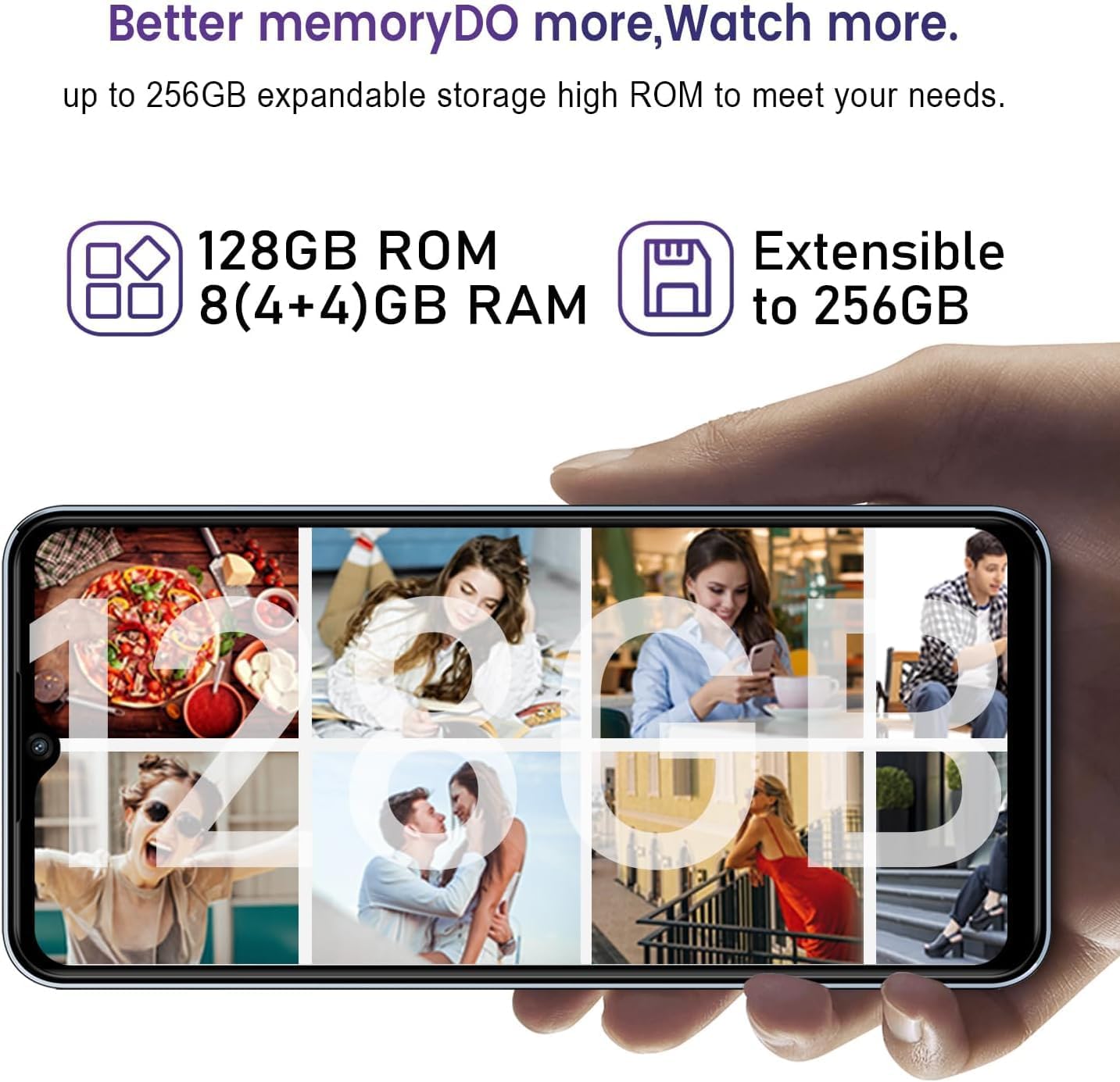
Image 4: Visual representation of the KXD A07's memory, showing 128GB ROM, 8 (4+4)GB RAM, and extensibility up to 256GB via SD card.
4. Maintenance
4.1 Battery Charging
The KXD A07 is equipped with a 4500 mAh battery and supports 10W fast charging.
- Use the provided USB Type-C cable and power adapter to charge your device.
- Connect the USB cable to the phone's Type-C port and the adapter to a power outlet.
- For optimal battery life, avoid extreme temperatures and fully draining the battery frequently.

Image 5: KXD A07 phone showcasing its 4500 mAh long-lasting battery and 10W fast charge, with estimated usage times: 26h play music, 10.5h play video, 18h call time, 220h standby time.
4.2 Storage Management
The phone comes with 128GB of internal storage, expandable up to 256GB with a Micro SD card. Regularly manage your storage to ensure optimal performance.
- Delete unnecessary files, apps, and media.
- Transfer large files to your Micro SD card or cloud storage.
5. Troubleshooting
5.1 Network Compatibility
The KXD A07 supports 4G networks and is compatible with most GSM carriers like T-Mobile, Speedtalk, and Mint Mobile. It is NOT compatible with CDMA carriers such as AT&T, Cricket Wireless, Verizon, Sprint, Straight Talk, or U.S. Cellular.
- If you experience network issues, verify your carrier is GSM compatible.
- Ensure your SIM card is correctly inserted and activated.
5.2 Performance Issues
If your phone is running slow, consider the following:
- Activate RAM expansion to increase available memory (refer to section 3.3).
- Close unused background applications.
- Clear app caches regularly.
- Ensure sufficient free storage space.
6. Specifications
| Feature | Specification |
|---|---|
| Model Name | A07 |
| Operating System | Android 12 |
| Display | 6.52-inch HD+ Waterdrop Screen (720 x 1600 Resolution) |
| Processor | Octa-Core 1.6 GHz |
| RAM | 4GB (Expandable to 8GB with RAM Expansion Technology) |
| Internal Storage (ROM) | 128GB |
| Expandable Storage | Up to 256GB via Micro SD Card |
| Rear Camera | 13MP + 8MP Dual Camera |
| Front Camera | 8MP |
| Battery Capacity | 4500 mAh |
| Charging | 10W Fast Charging |
| Security | Fingerprint ID, Face Recognition |
| SIM Card Type | Dual Nano-SIM (Triple Slot) |
| Network Support | 4G FDD: B2/B4/B5/B7/B12/B28A/B; 3G WCDMA: B2/B5; 2G GSM: 850/900/1800 (B2/B3/B5) |
| Dimensions | 6.5 x 3 x 0.3 inches |
| Weight | 14.9 ounces |
7. Product Video
Watch this official product video for a detailed overview of the KXD A07 phone.
Video 1: KXD A07 Phone Detail. This video provides a comprehensive look at the features and design of the KXD A07 smartphone.
8. Warranty and Support
For warranty information and customer support, please refer to the documentation included in your product packaging or visit the official KXD website.
Online resources and FAQs may also be available to assist with common inquiries and troubleshooting.


