
Introduction
Thank you for choosing the Konitee Smart Watch. This manual provides essential information for setting up, operating, and maintaining your device. Please read it carefully to ensure proper use and to maximize your smart watch experience.
The Konitee Smart Watch is designed to enhance your daily life with features such as Bluetooth calling, Alexa voice assistance, comprehensive health monitoring, and various sports modes. It is compatible with iOS 9.0 / Android 6.0 and above.
What's in the Box
- 1 x Konitee Smart Watch
- 1 x USB Magnetic Charging Cable
- 1 x User Manual
Note: Additional watch bands may be included depending on the package.
Setup
1. Charging the Smart Watch
Before first use, fully charge your smart watch. Connect the magnetic charging cable to the charging points on the back of the watch and plug the USB end into a power adapter (not included) or a computer's USB port. A full charge typically takes approximately 2 hours.

Image: The Konitee Smart Watch connected to its magnetic charging cable, displaying 86% battery. The image also highlights the IP68 waterproof rating and battery life information.
2. App Installation and Pairing
To utilize all features of your Konitee Smart Watch, you need to install the VeryFit app on your smartphone.
- Download the App: Search for "VeryFit" in the Google Play Store (for Android devices) or the Apple App Store (for iOS devices) and install it. Ensure you download the correct "VeryFit" app, not "VeryFitPro".
- Enable Bluetooth: Turn on Bluetooth on your smartphone.
- Open VeryFit App: Launch the VeryFit app and follow the on-screen instructions to create an account or log in.
- Add Device: In the app, navigate to the device section (often indicated by a device icon or "Add Device"). The app will search for available devices.
- Select Your Watch: Select "Konitee" or the specific model name (e.g., "GTX10") from the list of found devices. Confirm the pairing request on both your watch and phone.

Image: A visual guide demonstrating the steps to connect the Konitee Smart Watch to a smartphone, including downloading the VeryFit app, enabling Bluetooth, and pairing the devices for Bluetooth calls.
3. Initial Settings
After successful pairing, the app will guide you through initial settings such as personal information (height, weight, age), notification preferences, and desired watch faces.
Operating Your Smart Watch
Basic Navigation
- Touch Screen: Swipe up, down, left, or right to navigate through menus and notifications. Tap to select.
- Side Button: Press the side button to return to the home screen or to wake the watch. A long press may initiate a restart or power off option.
- Watch Faces: Customize your watch face through the VeryFit app or by long-pressing the watch screen and swiping to select a different pre-installed face. Over 100 cloud dials are available, and you can also customize with your own photos.
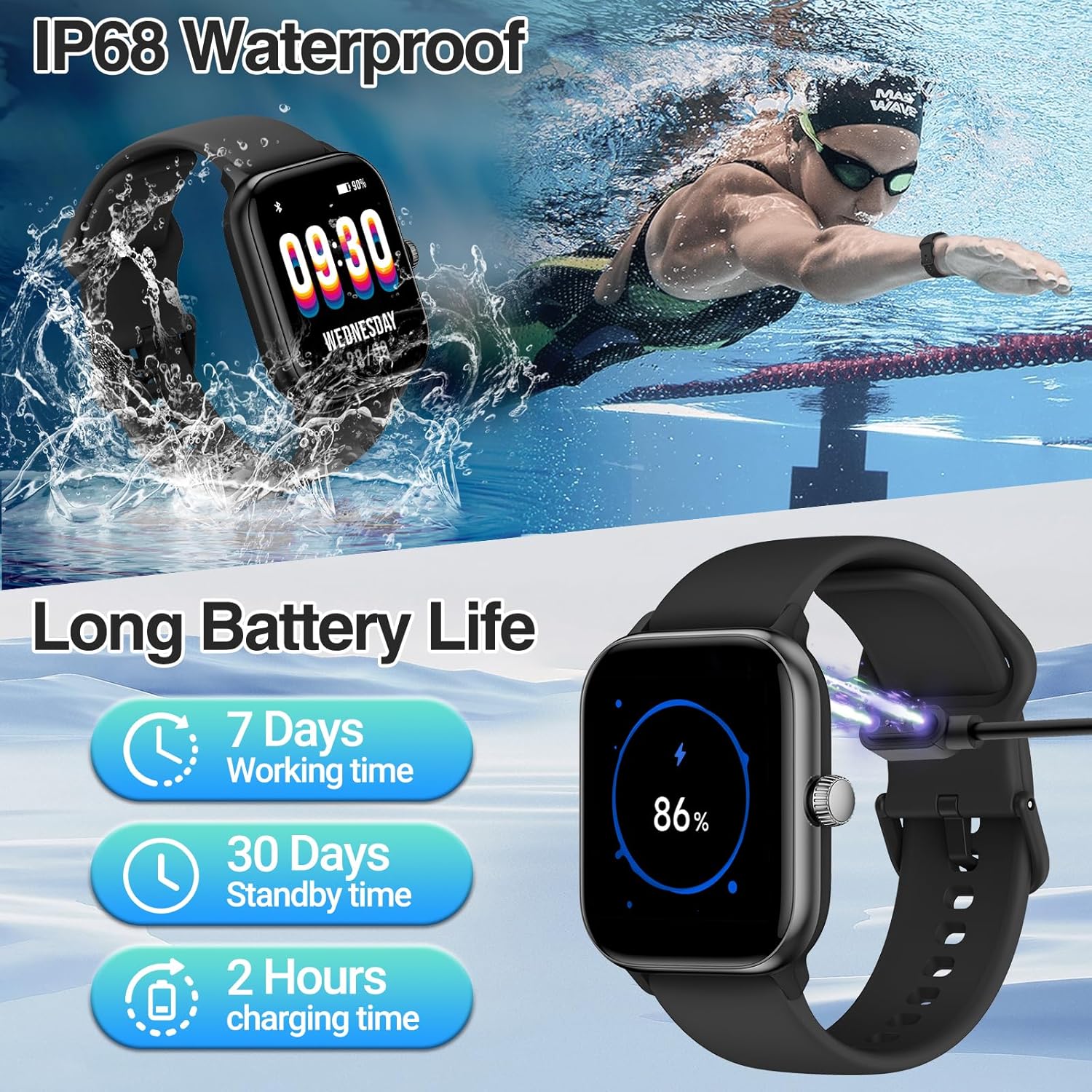
Image: The 1.83-inch HD touch screen of the Konitee Smart Watch showcasing multiple cloud dials and the VeryFit app interface for customizing watch faces with personal images.
Bluetooth Call and Message Notifications
Once paired via Bluetooth and the VeryFit app, your smart watch can handle calls and display messages.
- Making/Receiving Calls: Use the built-in microphone and speaker to make or receive calls directly from your wrist. You can store contacts and view call records through the watch interface.
- Message Alerts: Receive real-time notifications for SMS, Facebook, WhatsApp, Instagram, TikTok, Twitter, Snapchat, and other apps.

Image: The Konitee Smart Watch interface showing various Bluetooth call features, including contact person display, dial pad, call history, and an active call screen. A person is shown using the watch to make a call.

Image: The Konitee Smart Watch screen showing multiple message reminders from different applications, such as SMS and Facebook, demonstrating its multi-functional notification capabilities.
Alexa Voice Assistant
Your Konitee Smart Watch features built-in Amazon Alexa for voice commands.
- Activating Alexa: Swipe right from the home screen or use the dedicated Alexa icon to activate the voice assistant.
- Commands: Speak commands to check news, weather forecasts, set alarms, timers, or control compatible smart home devices.

Image: The Konitee Smart Watch screen showing the Alexa voice assistant listening interface, with examples of voice commands like "Alexa, what's the weather today?" and "Alexa, please help me to set a timer for 10 minutes."
Health Monitoring
The smart watch provides 24/7 health monitoring features.
- Heart Rate Monitor: Continuously tracks your heart rate throughout the day. View detailed graphs in the VeryFit app.
- SpO2 Monitor: Measures your blood oxygen saturation levels.
- Sleep Monitor: Analyzes your sleep patterns, including deep sleep, light sleep, and REM sleep, providing insights into your sleep quality.
- Stress Monitor: Tracks your stress levels.
- Breath Monitoring: Guides you through breathing exercises to help manage stress.
- Menstrual Cycle Tracking: For female users, track and predict menstrual cycles.

Image: A collage showing the Konitee Smart Watch displaying heart rate data, blood oxygen (SpO2) levels, and sleep duration with sleep stage breakdown. Background images show individuals engaged in cycling, working out, and sleeping.
Sports Mode Activity Tracking
The watch supports over 100 sports modes to track your physical activity.
- Selecting a Mode: Navigate to the "Exercise" menu on your watch to select from various activities like walking, running, cycling, basketball, football, swimming, and more.
- Data Recording: The watch accurately records calories burned, distance traveled, steps, and other relevant metrics for your chosen activity.
- GPS Tracking: For outdoor activities, the watch uses your smartphone's GPS to track routes and distances.

Image: The Konitee Smart Watch screen showing a list of exercise modes (Outdoor run, Indoor run, Trail run). Surrounding images depict individuals participating in various sports such as cycling, running, weightlifting, hiking, swimming, and tennis, illustrating the 100+ sports mode activity tracking feature.
Other Features
- IP68 Waterproof: The watch is IP68 rated, meaning it is resistant to dust and can withstand immersion in water up to 1.5 meters for 30 minutes. It is suitable for daily use, hand washing, and sweating. Do not use it for baths, saunas, hot springs, or diving.
- Long Battery Life: The 300mAh battery provides up to 5-7 days of active use and approximately 30 days on standby, depending on usage.
Maintenance
Cleaning
- Regularly clean your watch and strap with a soft, damp cloth.
- Avoid using harsh chemicals or abrasive materials, as these can damage the watch's finish or sensors.
- Ensure the charging contacts are clean and dry before charging to prevent corrosion.
Battery Care
- Avoid fully discharging the battery frequently.
- Store the watch in a cool, dry place when not in use for extended periods.
- Do not expose the watch to extreme temperatures (hot or cold), as this can affect battery life and performance.
Water Resistance
- The IP68 rating indicates resistance to water under specific conditions. It is not suitable for hot water, steam, or high-pressure water jets.
- If the watch gets wet, wipe it dry before charging or using the side button.
Troubleshooting
Watch Not Turning On
- Ensure the watch is fully charged. Connect it to the charger for at least 30 minutes.
- Press and hold the side button for an extended period (about 10-15 seconds) to force a restart.
Cannot Pair with Phone
- Make sure Bluetooth is enabled on your phone.
- Ensure the VeryFit app is installed and running.
- Restart both your phone and the smart watch.
- Check if the watch is already paired with another device. Disconnect it if necessary.
- Ensure your phone's operating system is compatible (iOS 9.0 / Android 6.0 or above).
Inaccurate Health Data
- Ensure the watch is worn snugly on your wrist, about one finger's width above the wrist bone.
- Keep the sensor area clean.
- Environmental factors and individual physiology can affect readings. Consult a medical professional for accurate health assessments.
Notifications Not Appearing
- Check notification settings within the VeryFit app to ensure desired apps are enabled.
- Verify that your phone's notification settings allow the VeryFit app to display alerts.
- Ensure the watch is connected to your phone via Bluetooth.
Short Battery Life
- Frequent use of features like Bluetooth calling, continuous heart rate monitoring, and screen brightness can reduce battery life.
- Adjust screen brightness and turn off unnecessary features to conserve power.
- Ensure the watch is fully charged each time.
Specifications
| Model Name | Konitee |
| Screen Size | 1.83 Inches |
| Product Dimensions | 3.5 x 0.71 x 5.59 inches |
| Item Weight | 4.96 ounces |
| Battery Capacity | 300 Milliamp Hours |
| Battery Type | Lithium Polymer |
| Connectivity | Bluetooth |
| GPS | Via Smartphone |
| Water Resistance | IP68 |
| Compatibility | iOS 9.0 / Android 6.0 and above |

Image: A detailed diagram illustrating the physical dimensions of the Konitee Smart Watch, including its length (250mm/9.84inch), width (35mm/1.4inch), and height (43mm/1.7inch), along with the charger and user manual.
Warranty and Support
Warranty Information
For specific warranty details, please refer to the documentation included with your purchase or visit the official Konitee website. Warranty terms typically cover manufacturing defects for a specified period from the date of purchase.
Customer Support
If you encounter any issues or have questions not covered in this manual, please contact Konitee customer support through their official website or the contact information provided in your product packaging. Ensure you have your product model and purchase details ready when contacting support.


